
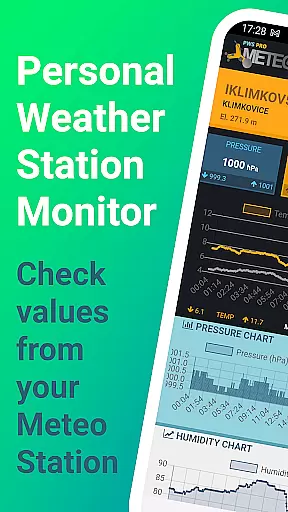
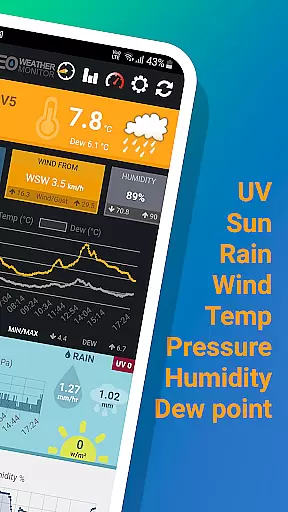
PWS Meteo Monitor PRO is a specialized weather monitoring application designed for users who own Personal Weather Stations (PWS). This app provides real-time and daily data from your PWS, offering essential information such as temperature, dew point, pressure, wind speed, humidity, and more. With its user-friendly interface and detailed charts, it allows you to monitor and analyze weather conditions effectively.
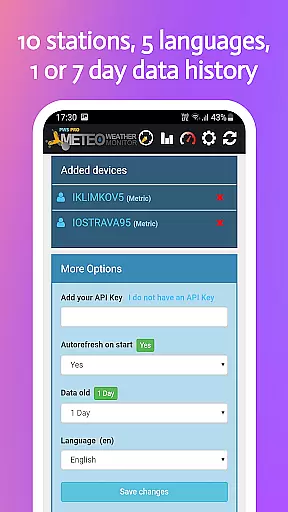
One of the standout features of this app is its ability to support up to 10 different weather stations, making it ideal for enthusiasts or professionals managing multiple locations. The app also supports various units of measurement including metric, imperial, and hybrid UK units, catering to a global audience. Whether you are a meteorologist, researcher, or simply a weather enthusiast, PWS Meteo Monitor PRO offers valuable insights into local weather patterns.
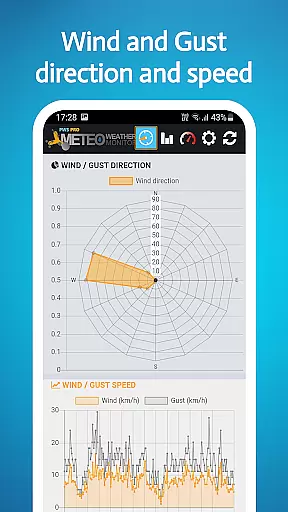
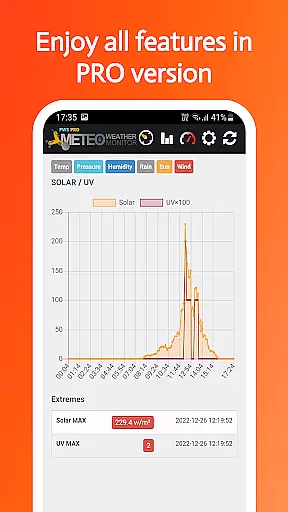
PWS Meteo Monitor PRO stands out with its comprehensive set of features tailored for weather monitoring. It provides live updates on critical parameters like temperature, dew point, pressure, wind speed, and direction, ensuring that you have the most current data at your fingertips. The app includes advanced detection capabilities for rain, solar radiation, and UV levels, enhancing its utility for detailed weather analysis.
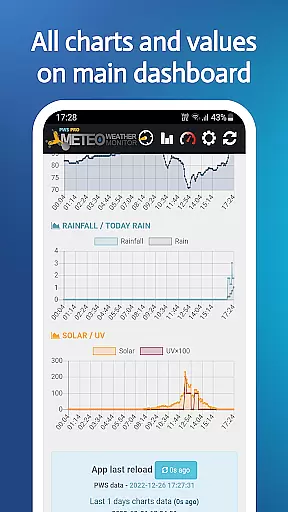
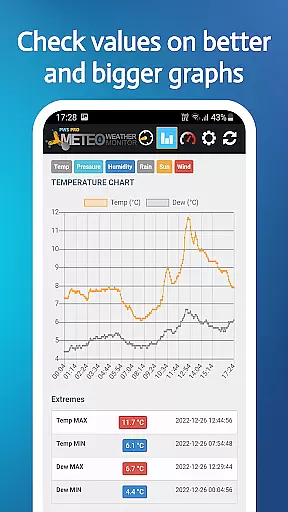
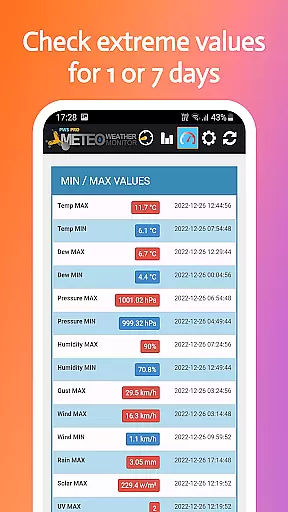
The app's charting functionality is another key feature, allowing users to visualize trends over time. Daily charts are available for temperature, pressure, wind, rainfall, and humidity, helping you identify patterns and fluctuations in weather conditions. Additionally, the app supports MIN/MAX values for temperature, dew point, humidity, and pressure, along with MAX values for wind and gust speeds. With options for autorefresh and multi-day chart views, PWS Meteo Monitor PRO ensures you never miss important weather updates.
For weather monitoring applications like PWS Meteo Monitor PRO, forecast accuracy and data credibility are paramount. This app ensures that users receive the most reliable information from their personal weather stations (PWS). It supports a wide range of hardware manufacturers, including Davis, Ambient Weather, and Rainwise, which means it can accurately interpret data from various high-quality sources.
The application provides live actual values for critical weather parameters such as temperature, dew point, pressure, wind speed, and direction. By offering real-time updates and historical charts spanning up to seven days, users can trust the integrity of the data presented. The inclusion of MIN/MAX values for temperature, dew point, humidity, and pressure further enhances the reliability of the information provided.
Users benefit from having precise and credible weather data at their fingertips. Whether for professional meteorological analysis or personal interest, the accuracy of forecasts allows for informed decision-making. With features like autorefresh on start and API KEY support, the app ensures that the latest and most accurate data is always available.
PWS Meteo Monitor PRO offers an extensive temporal and spatial forecast range, allowing users to access detailed weather information over time and across different locations. The app supports GPS functionality, enabling precise location-based data retrieval if the PWS includes GPS capabilities. Additionally, elevation data in feet is provided where available, contributing to more nuanced forecasting.
With daily charts for temperature, dew point, pressure, wind, rainfall, and humidity, users can analyze weather patterns with both breadth and depth. These charts cover various intervals, from one day to seven days, delivering a comprehensive view of weather trends. Such extensive coverage empowers users to understand not just immediate conditions but also changes over time.
This broad forecast range proves invaluable for diverse applications, from agriculture to event planning. Users gain insights into short-term fluctuations and long-term trends, enhancing their ability to plan effectively. Overall, the app's robust handling of both temporal and spatial data ensures that users have a thorough understanding of weather dynamics in their area.
User-friendly interface
Comprehensive weather data
Supports multiple stations
Detailed daily charts
No ads version
Limited hardware compatibility
Requires API key setup
Advanced features may overwhelm beginners
Occasional refresh delays
Language support could be broader

Local weather forecast, reliable daily weather report
 4.30
4.30
Know the weather earlier.
3.90
Weather radar, hyperlocal tracker and weather maps: follow your weather station
4.80
Your ultimate app for accurate local weather information!
4.60
Powerful US and worldwide earthquake feed with earthquake alerts and maps.
4.60
Digital Weather Watch Face for Wear OS 5+
4.5
Determine Best Hunting Times for any date, any location.
2.50
Powerful US and worldwide earthquake feed with earthquake alerts and maps.
4.70
A powerful weather forecast to get real-time weather information
3.60
Hurricane Tracker, Rain Map
4.80
Live local weather updates: various widgets & radar maps & hourly forecast.
4.70
Track rainfall totals with ease using our rain gauge app. Accurate rain tracker.
4.50
Room Temperature Thermometer meter shows indoor, outdoor temperature, humidity.
4.40
Precision Weather, Right at Your Fingertips
4.40
Weather forecast & live radar map
4.20
Download now and give your smartwatch a fresh, premium look!
4.20
Live NOAA weather app to track storm, rain, wind, lightning & real local updates
4.20
Your Personal Weather Assistant
4.00
Arrive safely! Travel weather forecasts for your entire trip at time of arrival.
3.60


User Reviews