
Soundstorm for Hue is an innovative entertainment application that transforms your Philips Hue lights into a dynamic party experience. The app allows users to sync their smart lights with music, creating stunning visual effects through various customizable modes.
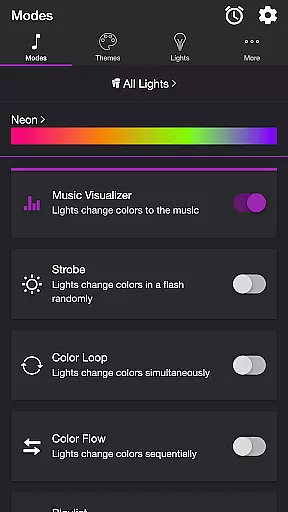
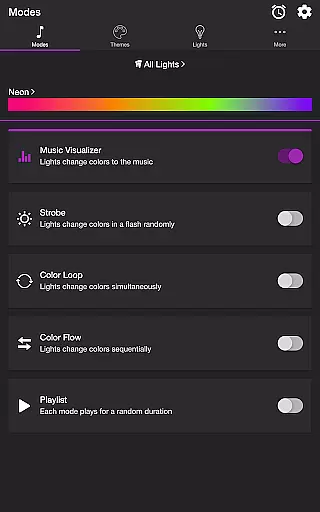
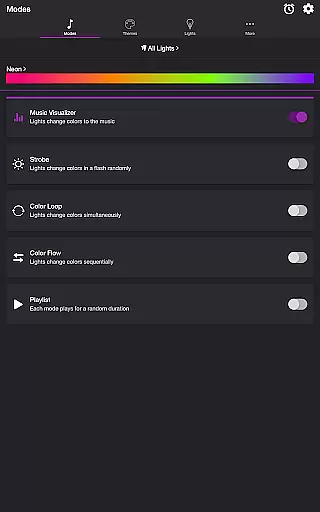
The core functionality includes multiple lighting modes such as Music Visualizer, Strobe, Color Loop, Color Flow, and Playlist. Each mode offers unique ways to interact with your lights, from pulsing to the beat of your favorite songs to creating sequential color patterns. These features work seamlessly with Philips Hue Bridge, providing users with complete control over their lighting environment.
Ideal for parties or creating ambient environments, Soundstorm for Hue enables users to customize themes, adjust brightness levels, and modify transition effects. This level of customization makes it perfect for both casual users and lighting enthusiasts who want to create memorable experiences through synchronized light shows.
Soundstorm for Hue stands out with its comprehensive feature set designed for maximum user customization. The app's Music Visualizer mode uses device microphone access to detect audio frequencies, allowing lights to change colors in response to different music elements like bass, mid-range, and treble.
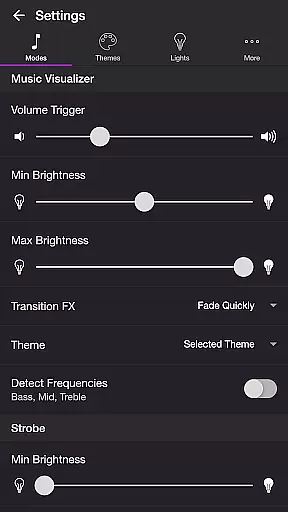
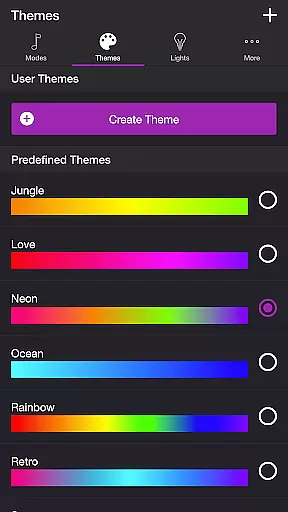
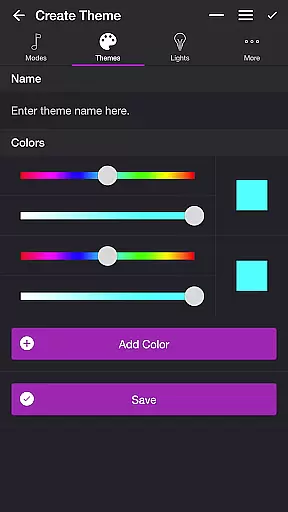
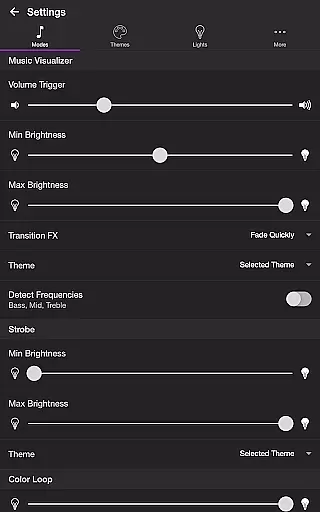
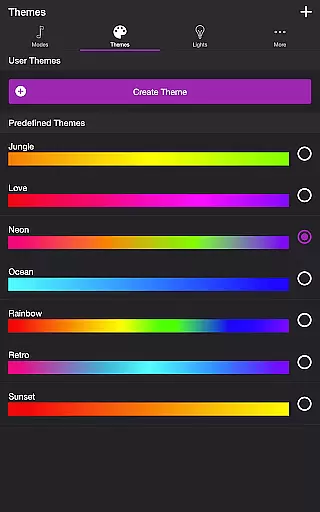
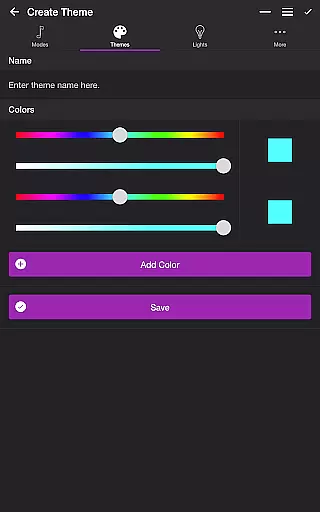
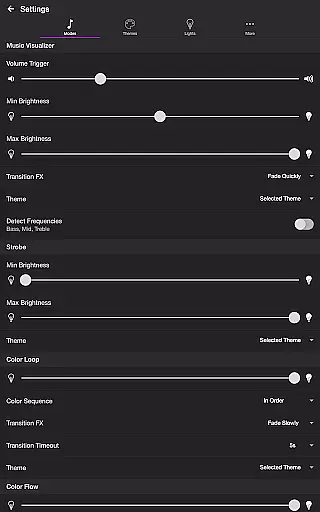
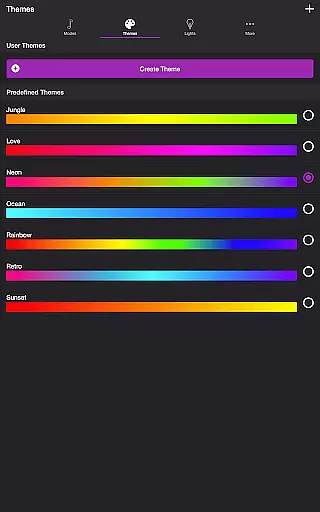
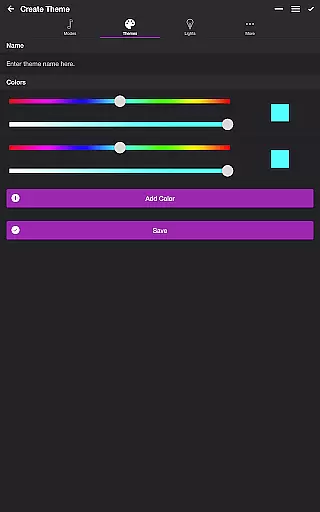
Users can choose from multiple predefined themes or create custom ones, with options to edit and reorder colors specifically for each mode. Advanced settings provide granular control over brightness levels, transition effects, and frequency range triggers. The Playlist mode adds another layer of versatility by enabling random durations for different effects.
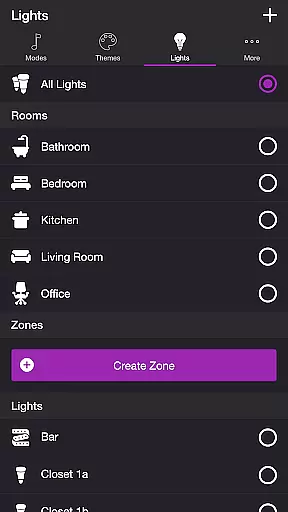
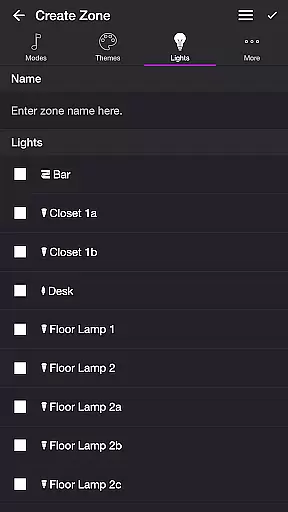
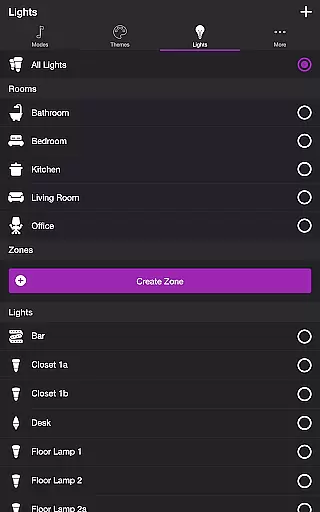
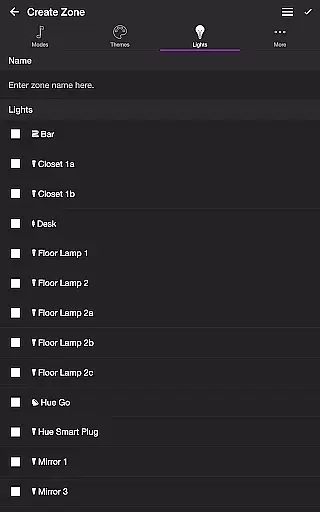
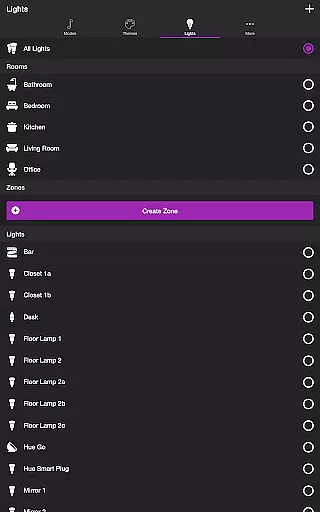
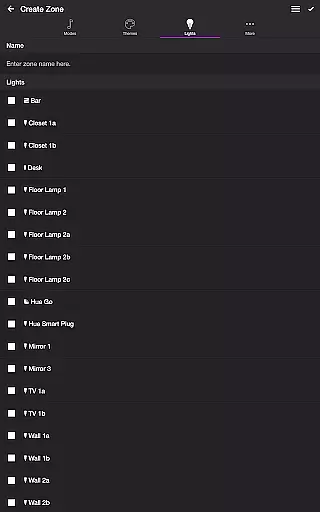
Additional features include robust light management capabilities, allowing users to select individual lights or groups, create new zones, and manage existing rooms. The sleep timer function demonstrates thoughtful design by letting users determine the final state of lights after the timer ends, ensuring convenience and energy efficiency.
Soundstorm for Hue offers a diverse range of content through its various modes and themes, ensuring users have multiple entertainment options.
The app includes several engaging modes such as Music Visualizer, Strobe, Color Loop, Color Flow, and Playlist, each providing unique light shows that sync with music or operate independently.
Users can choose from predefined themes or create their own, allowing for personalized experiences that keep the content feeling fresh and tailored to individual preferences.
With features like Sleep Timer and customizable settings for each mode, Soundstorm for Hue ensures an ever-evolving experience that maintains user interest over time.
Soundstorm for Hue is designed to maximize user engagement duration and retention by offering interactive and customizable light show experiences.
Through the Music Visualizer mode, lights pulse and flash in response to music, encouraging longer usage during parties or personal listening sessions.
The ability to adjust settings such as brightness, transition effects, and frequency triggers allows users to fine-tune their experience, promoting repeated use and extended interaction with the app.
Additionally, features like Sleep Timer and automatic start/stop options help integrate the app into daily routines, enhancing user retention by making it a consistent part of home entertainment setups.
Highly customizable
User-friendly interface
Multiple lighting modes
Advanced theme options
Granular control settings
Hue Bridge required
Microphone access needed
Premium features limited
Complex for beginners
Occasional sync issues

Simulation of Dashboard / Touch Screen for Tesla. (Works without actual Tesla).
 4.1
4.1
EVP Recorder / Voice Recorder for ghost hunting, to communicate with ghosts.
4.3
Create melty bead designs by numbers, photos or your imagination
4.40
SpiritWave is paranormal ITC application.
5.00
Neon Christmas Tree Animated: Festive Wear OS watch face with fitness info
4.0
Hand-drawn, cartoon OC creator - original character creator
4.70
Connect. Discover. Control.
3.60
Bold original series & hit movies that don't hold back.
4.40
An app made just for kids
4.20
Colorful flows will relax and calm you down, or get you trippy and creative!
4.90
Time tracking, lap counting and much more for Carrera® Digital 132/124
4.80
Unleash Your AI Imagination
4.60
Stream Online TV - Watch Live IPTV Playlist & Channel with Built-In Player
4.50
Underrated short-drama gems that hit hard and keep your heart hooked.
4.50
Play games. Earn real rewards. Cash out in 3hours via PayPal or gift cards.
4.40
Experience the video editing experience brought by our intuitive interface
4.10
Air Horn - Siren Sounds Prank, Fun way to wake up your Friends and Family
4.3
Unofficial Game Companion App” “Guides • Builds • Tips • Progression
4.3
Christmas Globe: Transform your Wear OS device into a festive timekeeper!
4.0


User Reviews