
Soundstorm for Nanoleaf is an entertainment app designed to enhance your party experience by syncing Nanoleaf devices with music. This innovative application allows users to create vibrant light shows that pulse and flash in time with their favorite songs, making it perfect for parties or immersive listening sessions.
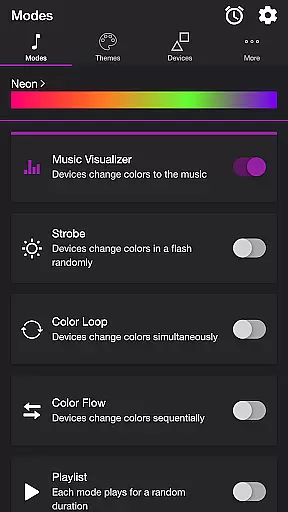
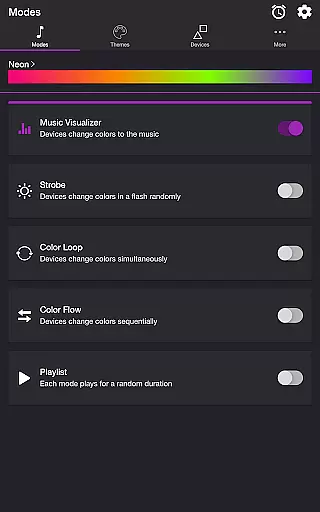
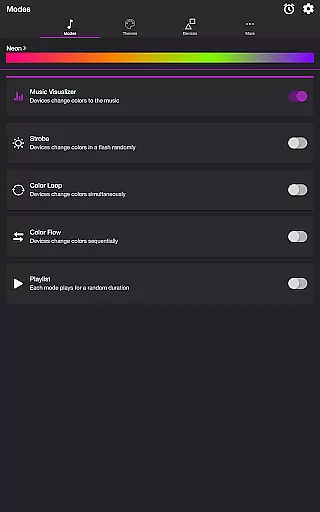
The app offers multiple modes including Music Visualizer, Strobe, Color Loop, Color Flow, and Playlist, each providing unique ways to interact with your Nanoleaf devices. With customizable themes and detailed settings, you can tailor the light effects to match your mood or music genre, ensuring a personalized and dynamic entertainment experience.
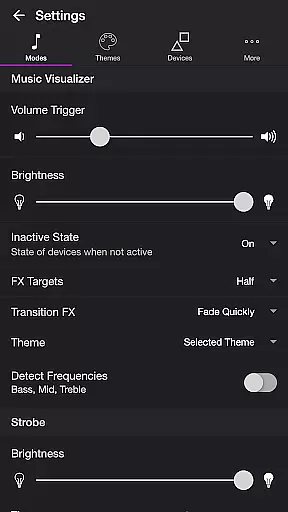
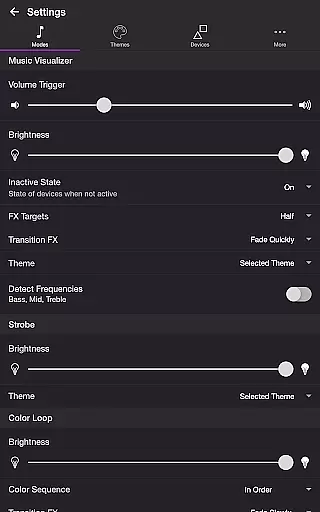
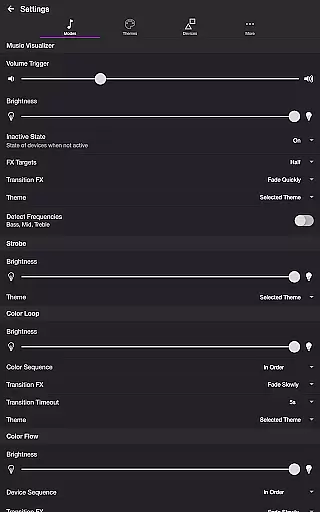
One of the standout features of Soundstorm for Nanoleaf is its Music Visualizer mode, which uses the device's microphone to sync lights with live music. Users can adjust volume triggers, brightness, and transition effects to fine-tune the visual experience. The app also supports frequency detection for Bass, Mid, and Treble, allowing for more nuanced light shows.
In addition to Music Visualizer, the app includes several other modes like Strobe for rapid color changes, Color Loop for simultaneous color shifts, and Color Flow for sequential lighting effects. Each mode is highly customizable through settings that control brightness, color order, and transition styles. The Playlist mode randomly cycles through these effects, creating an ever-changing display.
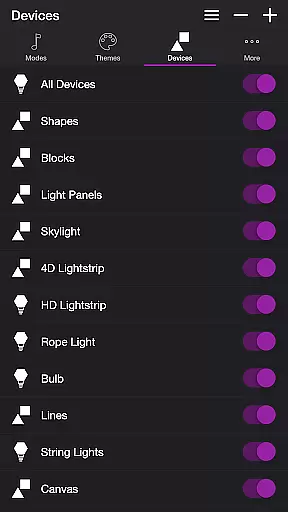
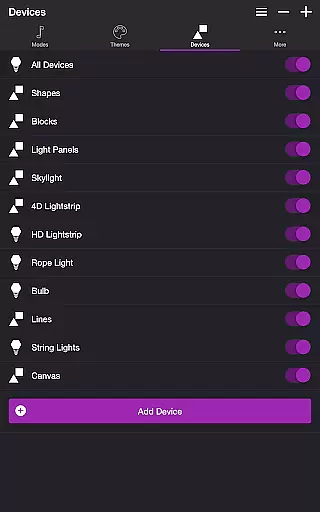
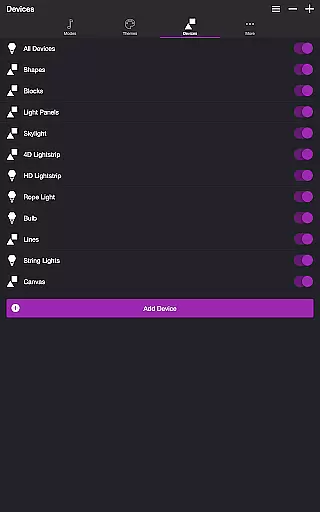
Device management is straightforward, with options to add, reorder, and customize individual Nanoleaf devices. The app also includes practical features such as a sleep timer and automatic mode selection upon opening, ensuring convenience and ease of use.
Soundstorm for Nanoleaf offers a diverse range of content through its multiple modes and themes, ensuring users have a fresh experience with every use.
The app includes several modes such as Music Visualizer, Strobe, Color Loop, Color Flow, and Playlist, each providing a unique way to interact with Nanoleaf devices. These modes allow the lights to change colors in sync with music or in various sequences and patterns, offering a dynamic entertainment setup.
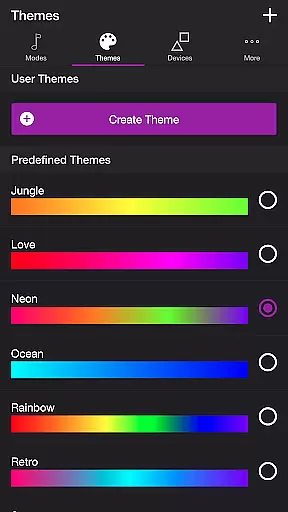
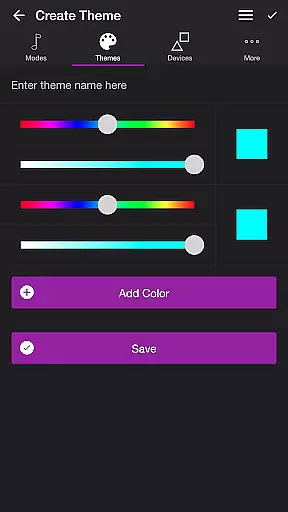
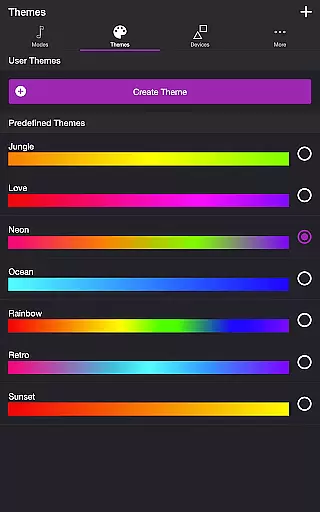
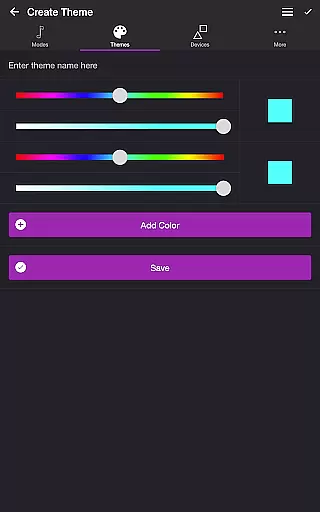
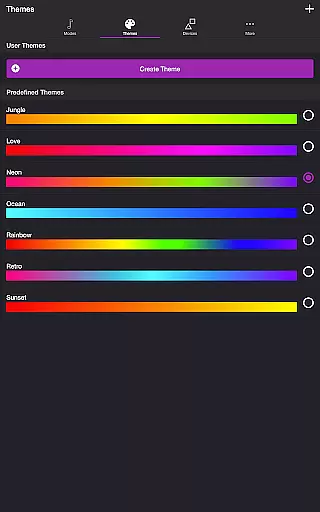
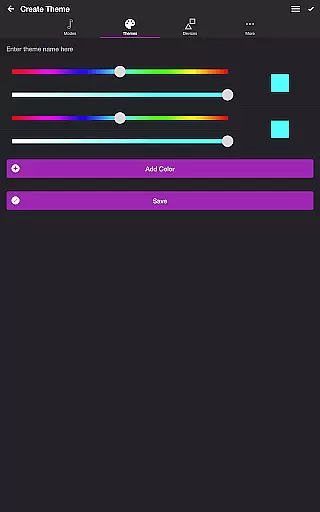
Users can choose from predefined themes or create their own, adding another layer of customization and personalization. This feature ensures that the visual effects are not only varied but also aligned with individual preferences, keeping the content feeling new and engaging over time.
One of the key strengths of Soundstorm for Nanoleaf is its ability to maintain user engagement through extended and customizable light shows.
With features like Sleep Timer and automatic mode switching, users can set up prolonged sessions that keep their spaces lively without manual intervention. The Playlist mode, which plays different modes for random durations, further enhances this by creating an unpredictable and captivating environment.
Additionally, the app's detailed settings for each mode allow users to fine-tune the experience to their liking, encouraging longer usage periods. By offering extensive control over brightness, transition effects, and frequency detection, Soundstorm ensures users remain invested in customizing and interacting with their Nanoleaf devices.
Enhances party atmosphere
Highly customizable settings
Multiple engaging modes
User-friendly interface
Compatible with various Nanoleaf devices
Requires compatible hardware
Microphone access needed
Limited to Nanoleaf ecosystem
Premium features may cost extra
Complex for beginners

The OFFICIAL PeeWee Purpdrank Soundboard!
 4.80
4.80
Journey to the world’s oldest rainforest and meet its Indigenous Custodians.
4.4
Practice and master your ESP and intuition with five mode trainer.
4.20
Music visualizer and party effects for Hue
3.90
Stream videos to VIDAA & VEWD TVs from Hisense, Sharp, Skyworth, Vestel & TiVo
3.00
Fetch money rewards all just for playing games. Cash out for gift cards in app.
4.50
Christmas Globe: Transform your Wear OS device into a festive timekeeper!
4.5
Hand-drawn, cartoon OC creator - original character creator
4.70
An app made just for kids
4.20
Colorful flows will relax and calm you down, or get you trippy and creative!
4.90
Stories that spark in seconds.
4.80
Stream Movies & TV Series: Original Shows, Family Movies & New Releases Weekly
4.60
Find out if you're on Santa's Naughty or Nice List with this magical scanner!
4.60
Direct access to the most complete Guitar Tab Archive in Spanish: LaCuerda.net
4.60
Premium version to enjoy your favorite anime
4.60
Necrophone is spirit box ghost hunting app made for spirit communication.
3.70
Create your Songs. Cover Maker with any Voice, Song Generator
3.30
Stream live TV shows, sports, news, movies & more - all without cable.
3.00
Raise Christmas Magic with daily missions, magical scanners, and kindness.
4.4


User Reviews