
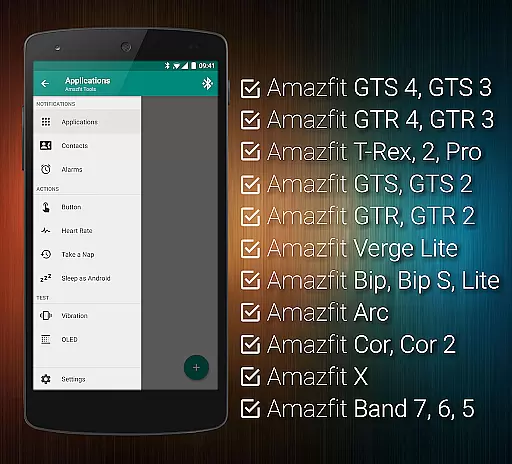
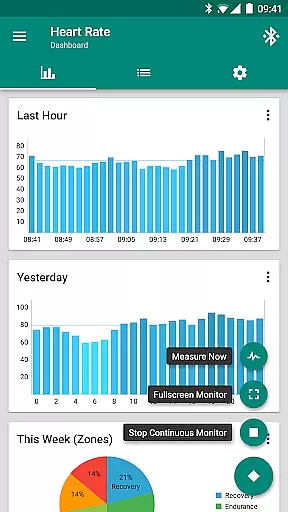
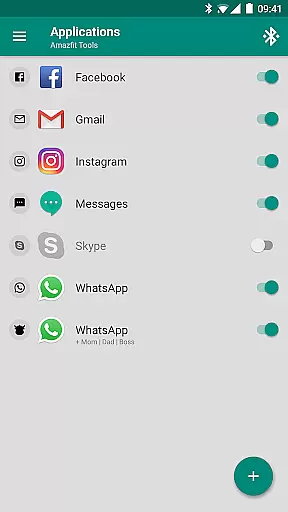
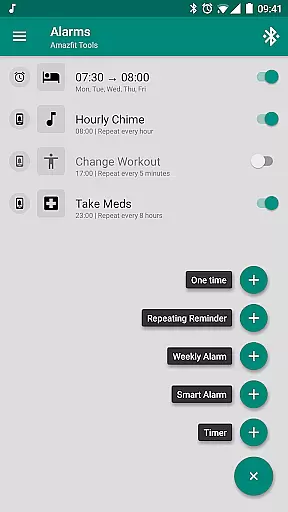
Tools & Amazfit is a comprehensive health and fitness application designed to maximize the potential of your Amazfit smart bracelet. This app offers advanced customization options for notifications, including calls, apps, and even specific content filters. With features like power nap support, continuous heart rate monitoring, and integration with Sleep as Android, it caters to both your daily productivity and wellness needs.
The application works seamlessly alongside Zepp / Mi Fit, ensuring you have the latest firmware and features. Compatible with a wide range of Amazfit devices and supporting all Android versions from 4.3 to 13+, Tools & Amazfit provides users with an enhanced experience through customizable widgets, Tasker support, and more. Whether you're looking to fine-tune your notification settings or monitor your health metrics, this app delivers powerful tools tailored to your lifestyle.
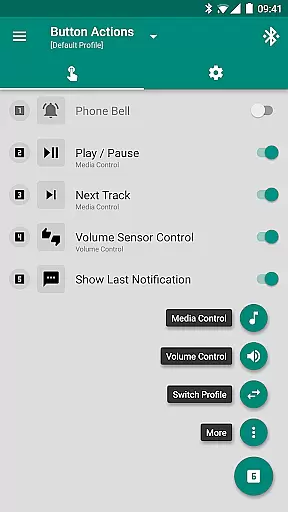
Tools & Amazfit stands out with its extensive feature set tailored for health and fitness enthusiasts. The app supports Display Text for full notification content visibility directly on your Amazfit device. It also offers Button and Sensor Control, allowing users to assign specific actions to button presses or hand movements, enhancing accessibility and ease of use.
One of the key highlights is the ability to create custom Button Control Profiles, effectively turning your device into a personalized virtual menu for various actions such as music control, volume adjustment, and more. Additionally, the app provides advanced health tracking capabilities, including continuous heart rate monitoring, configurable dashboard charts, and Idle Alerts for inactivity reminders. These features collectively ensure that users can maintain an active lifestyle while staying connected.
For those interested in automation, Tools & Amazfit supports Tasker, Automagic, and Automate, offering fully customizable action and event plugins. Users can also take advantage of the Power Nap feature, alarm notifications with safety sound backup, and missed notifications retrieval upon reconnecting with their phone. With full compatibility across numerous Amazfit models and Android versions, this app ensures a versatile and reliable user experience.
Personalized planning in health and fitness applications refers to the ability to tailor workout and wellness routines specifically to individual user needs. Amazfit Tools excels in this area by offering features such as continuous heart rate monitoring, customizable notifications, and personalized reminders.
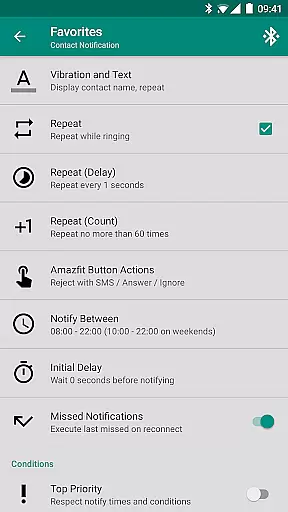
The application allows users to configure custom patterns for each notification, ensuring that alerts for incoming calls, messages, or app notifications are aligned with personal preferences. This level of customization ensures that users receive only the most relevant information, enhancing their overall experience.
Additionally, Amazfit Tools provides advanced sleep tracking and integration with Sleep as Android, allowing users to create personalized sleep schedules and wake-up alarms. The Power Nap feature further supports personalized rest periods, activating vibrations to wake users after a short nap.
By fine-tuning content filters and setting up custom repeating notifications, users can design a fitness plan that fits their lifestyle perfectly. These personalized planning capabilities ensure that users remain engaged and motivated, ultimately leading to better health outcomes.
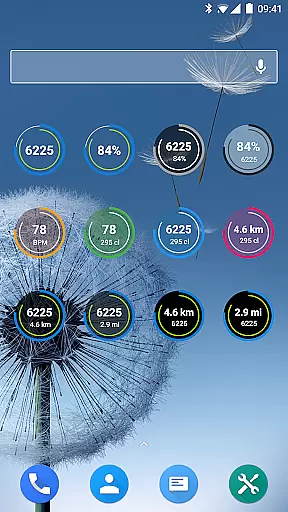
Progress visualization is crucial for maintaining motivation and tracking improvements over time. Amazfit Tools offers comprehensive progress visualization through its highly customizable widgets and detailed dashboard charts.
Users can view daily fitness goal progress, monitor heart rate trends, and track bracelet battery life directly from their smart bracelet's display. These widgets provide real-time feedback on essential metrics, helping users stay informed about their current status.
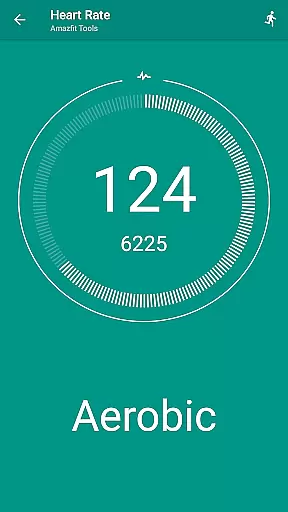
In addition to visual data representation, Amazfit Tools supports configurable heart rate dashboard charts. Users can analyze their heart rate history and identify patterns or anomalies, which is particularly useful for optimizing workouts and recovery periods.
Furthermore, the application integrates with various health platforms, enabling seamless synchronization and visualization of data across devices. By providing clear and actionable insights into personal health metrics, Amazfit Tools empowers users to make informed decisions and achieve their fitness goals more effectively.
User-friendly interface
Extensive customization options
Advanced health tracking
Wide device compatibility
Powerful automation support
Requires compatible device
Premium features may cost extra
Occasional bugs reported
Complex for beginners
Limited iOS support

App to stop smoking slowly or now with a motivational badges and helpful tips
 4.80
4.80
For Absolute Novices to Strength Training. Simple. Effective.
4.40
Histamine intolerance, low FODMAP diet and irritable bowel syndrome (IBS)
4.00
Use your watch as a bike computer, heart rate monitor and cycling power meter
2.50
Grow with self-tests and personal routine.
4.30
Fast Body building & Weight Loss. Home Workouts with Daily Coach, No Equipment.
4.30
GloryFit is a companion app for the smart bracelet.
3.60
Your Health Assistant
3.90
Pedometer that gives you sweatcoins for steps. It pays to walk!
4.10
Medbridge GO gets you moving - get back to doing what you love, faster!
4.90
Measure your Pupil Distance for Eyeglasses and VR headsets in 3 quick steps.
4.70
Raccoon AI Calorie Counter. Intermittent Fasting & Timer. Macro, Carb, Protein
4.50
See what's really going on inside your head! Real time EEG graphs from your Muse
4.40
Track heart rate & HRV in 30s! Get live health insights and anomaly alerts
4.40
Interval timer for High Intensity Interval Training, Tabata and Circuit Training
4.20
Track sleep cycle, relax with white noise, sleep sounds & smart alarm clock
3.80
Enjoy the Gluten Free living with the best app. SCAN the barcodes & SEARCH.
3.60
Sync your activities of the most popular sports tracking services
2.70
A simple way to calculate peptide doses and also to convert different units.
4.1


User Reviews