
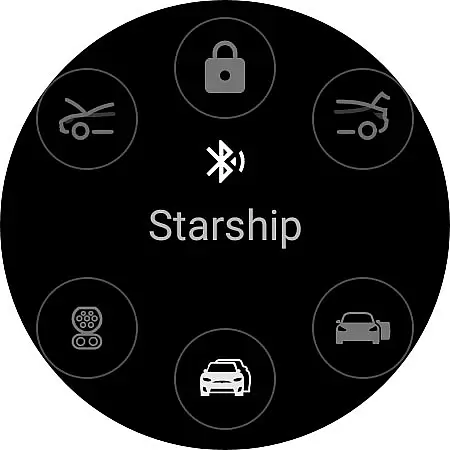
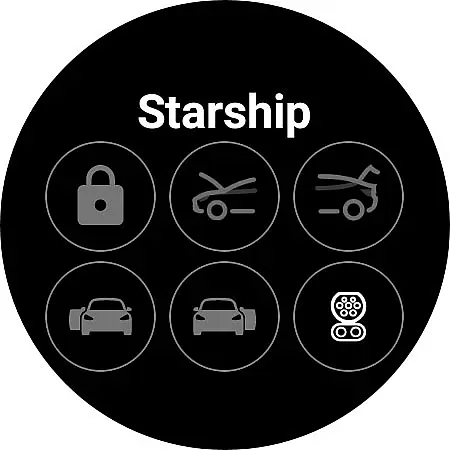
Watt Key is a cutting-edge Wear OS application that transforms your smartwatch into a key fob for Tesla vehicles. Designed specifically for Tesla models with Bluetooth key functionality, including Model 3, Model Y, and the refreshed Model S/X, this app offers seamless interaction with your vehicle directly from your wrist.
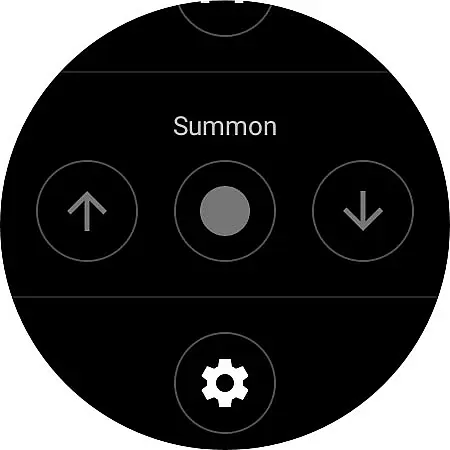
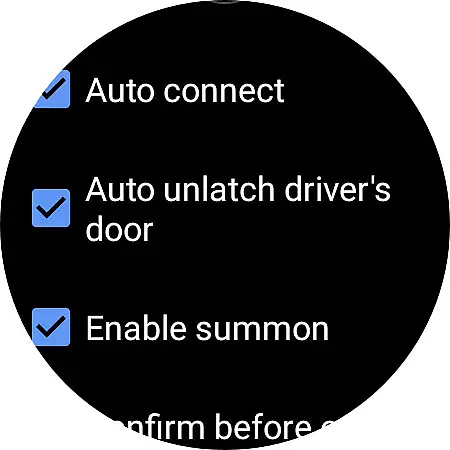
The app's core functionality revolves around proximity-based actions and manual controls. As you approach your Tesla, it automatically unlocks and unlatches the driver's door. When walking away, it securely locks your vehicle. Users can also manually control various functions such as opening the frunk, operating the trunk, and managing the charge port. The inclusion of summon features (forward and reverse) adds to its versatility, though these require Enhanced Autopilot or Full Self-Driving capabilities.
What sets Watt Key apart is its offline functionality and instant response time. With no internet connection required, all commands are executed through direct Bluetooth communication between your watch and the vehicle, ensuring immediate action without noticeable delay. This makes it particularly valuable for Tesla owners who want convenient, secure access to their vehicles without carrying traditional key fobs.
Watt Key distinguishes itself through several innovative features designed specifically for Tesla owners. The app implements advanced Bluetooth technology that maintains constant communication with your vehicle, enabling automatic lock/unlock functions based on proximity. This feature alone significantly enhances user convenience by eliminating the need to manually interact with your vehicle's doors.
Beyond basic locking functions, the app provides comprehensive vehicle control options. Users can operate individual doors, manage the frunk and trunk, and even control the charge port - all from their wrist. The inclusion of summon functionality (both forward and reverse) demonstrates the app's commitment to leveraging Tesla's full capabilities. These features are particularly useful in tight parking situations where remote vehicle movement can prevent potential damage.
Security remains paramount in Watt Key's design. The application generates unique cryptographic keys for each vehicle, employing end-to-end encryption for all commands. These keys are securely stored on the watch itself, ensuring that only authorized devices can communicate with your Tesla. The ability to manage and delete these keys directly from both the app and Tesla's native interface provides users with complete control over their vehicle's security credentials.
Watt Key - Watch App for Tesla exemplifies comprehensive lifestyle category coverage by transforming your Wear OS watch into a versatile key fob for your Tesla vehicle. This app is not just about remote access; it's an all-encompassing tool that integrates seamlessly with your daily routines and mobility needs.
The application supports a wide array of functionalities, including automatic locking and unlocking as you approach or leave your Tesla, unlatching the driver's door, opening the frunk and trunk, and managing the charge port. These features cater to various aspects of a Tesla owner's lifestyle, from convenience and security to practicality and innovation.
Additionally, Watt Key offers multilingual support covering English, Korean, French, and German, ensuring inclusivity across different user demographics. The app also emphasizes security and privacy through end-to-end encrypted commands, aligning with modern digital lifestyle standards where data protection is paramount.
When evaluating content authenticity and expert credibility, Watt Key stands out as a reliable and trustworthy application. Developed with precision, this app ensures that every feature is designed to maintain high standards of accuracy and dependability, which are crucial for users who rely on their smart devices for vehicle management.
The app generates a secure cryptographic key for authenticating with your Tesla, stored encrypted on your watch and only accessible by the app itself. This level of security reassures users about the legitimacy and safety of their interactions with their vehicles through Watt Key. Furthermore, any issues encountered can be directly addressed by contacting the developer at joshendy89@gmail.com, providing a personal touch to customer support.
Although Watt Key is not officially endorsed by Tesla, its meticulous design and functionality reflect deep expertise in both wearable technology and automotive integration. Users can trust that they are engaging with a professionally crafted solution that prioritizes both performance and peace of mind.
Instant Bluetooth connectivity
Comprehensive vehicle control
Enhanced security protocols
Offline functionality
Seamless user experience
Limited device compatibility
Tesla model restrictions
Setup complexity
Bluetooth dependency
Premium feature requirements

Countdown to Christmas 2025 with festive games & activities in a virtual village
 4.80
4.80
Earn points with every purchase with Moe Rewards.
4.20
Unique Dark Analog style for Wear OS watches.
4.1
Paranormal Spirit Bell Trigger Device
4.30
Discounts, savings, and rewards
4.20
Play. Earn. Repeat. Get rewarded for playing mobile games. Welcome to Mobius!
4.80
Zodiac & Horoscope Launcher: Daily Sign Predictions & Astrology
4.40
Have your Tehillim with you at all times
4.70
Control your Tapo smart devices from anywhere.
4.60
Kasa Smart is your portal to your TP-LINK Smart Home.
4.70
Colorful selection floral watch face with gyro for Wear OS
4.60
Unique "Isometric" style digital watch face for Wear OS
4.50
The go to app for taking unlimited notes!
4.50
Redecor your home with Home AI interior design, room planner and home designer.
4.50
Smart controls for your Ember Smart Mugs
4.10
Digital watch face design. Modern looking, hi-res & battery friendly.
4.00
LineLearner, the quick way to learn lines.
2.90
The cutest Autumn watchface featuring the adorable Mr. Squirrel
4.0
Wear your favorite memories, loved ones, pets or travel photos on your watch
4.0


User Reviews