

PhotoArt is a cutting-edge AI photo editor designed to cater to all levels of photographers. This all-in-one solution provides a complete set of tools for enhancing, transforming, and personalizing images. From basic adjustments to advanced creative effects, the app covers every aspect of modern photo editing.
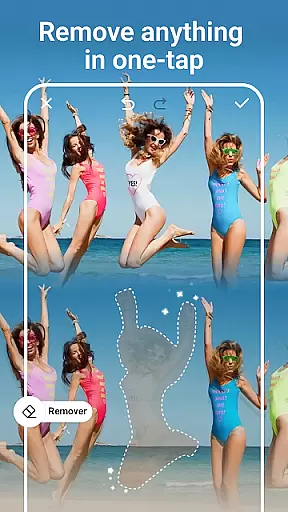
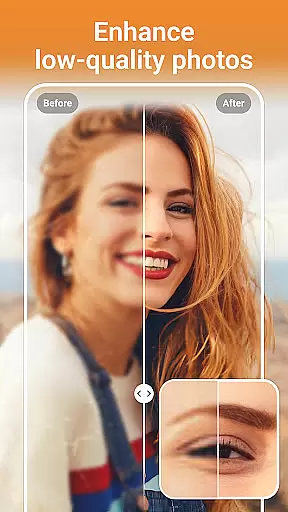
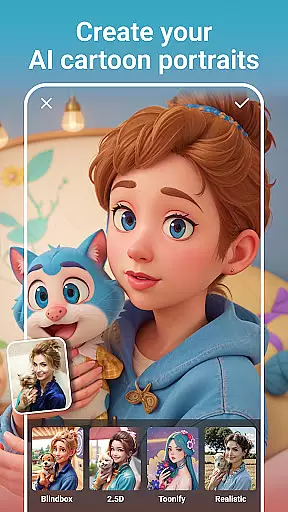
The application's core strength lies in its powerful AI capabilities that automate complex tasks while maintaining professional-grade results. Users can enjoy features such as One-Tap Enhance, Magic Eraser, and AI Cartoon Filters that simplify the editing process without compromising quality. Whether you're looking to improve portrait photography or experiment with artistic styles, PhotoArt delivers exceptional performance.
Available on Android devices, this photography app serves as an excellent companion for social media enthusiasts and professional photographers alike. Its ability to produce watermark-free, high-quality edits makes it ideal for creating content ready for sharing across various platforms.
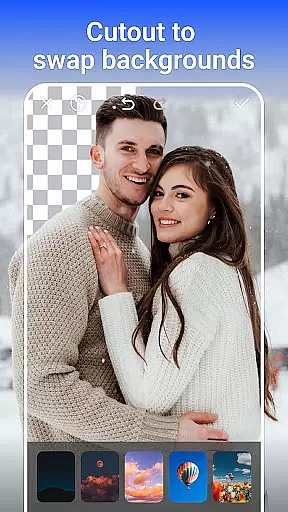
PhotoArt stands out as an innovative photography app that combines artificial intelligence with traditional photo editing techniques. The app offers a comprehensive suite of features including AI Face Swap, Background Removal, and a vast selection of creative filters and effects.
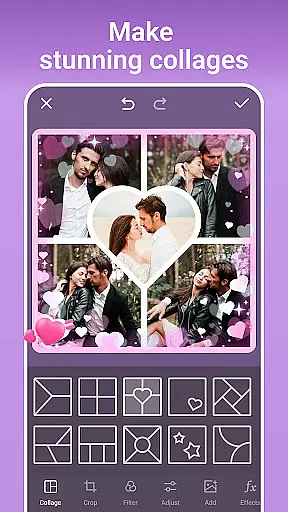
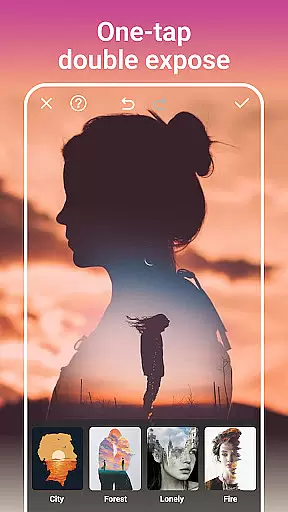
One of the key highlights is its user-friendly interface that allows both beginners and professionals to achieve impressive results. The AI-driven tools enable users to enhance portraits, apply artistic effects, and create collages with minimal effort. Advanced editing options like HSL, Curves, and Double Exposure provide precise control over image adjustments.
The app's versatility extends to its ability to restore old photos, remove unwanted objects, and even transform images into cartoon-style artwork. These features not only save time but also open up new creative possibilities for users who want to produce unique and personalized content.
Real-time capture and preview functionality is essential for any photography app, allowing users to see exactly what their final image will look like before taking the shot. PhotoArt excels in this area by providing a seamless experience where every adjustment, filter, or effect applied is instantly visible through the camera preview.
The app leverages advanced AI algorithms to ensure that all enhancements, such as lighting adjustments, background changes, or even age transformations, are accurately reflected in real time. This empowers users to make precise modifications without guesswork, ensuring the captured photo meets their expectations perfectly.
With this feature, users can experiment with various creative options, including cartoon filters, double exposure effects, and sky replacements, directly within the live preview. This not only saves time but also enhances the overall user experience by making photo editing intuitive and engaging.
Ultimately, PhotoArt's real-time capture and preview capability ensures that photographers of all skill levels can achieve professional-quality results effortlessly, transforming ordinary moments into extraordinary visual stories.
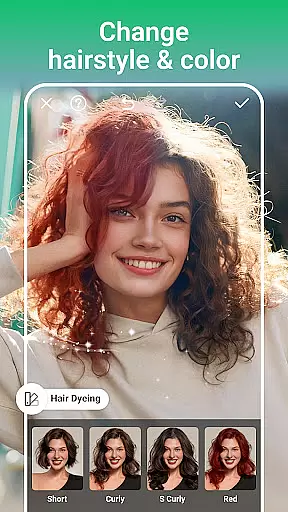
AI-powered beauty and enhancement tools have become a cornerstone of modern photo editing, offering users the ability to refine and perfect their images while maintaining a natural appearance. PhotoArt stands out in this domain by delivering sophisticated AI features that intelligently retouch portraits without over-processing.
The app includes an array of tools designed to enhance natural beauty subtly. From smoothing skin textures to reshaping facial features, each function is carefully calibrated to preserve authenticity. Users can adjust makeup styles, reshape body figures, and even increase heightu2014all while ensuring the edits remain realistic and true to life.
One of the standout aspects of PhotoArt's AI enhancements is its ability to remove unwanted elements from photos seamlessly. Whether itu2019s clearing distractions or tidying up backgrounds, the intelligent fill technology ensures that every modification blends naturally into the original image.
By prioritizing naturalness in its AI-driven enhancements, PhotoArt enables users to create stunning yet believable portraits, empowering them to express their unique style with confidence.
Wide feature range
User-friendly design
Powerful AI tools
Versatile editing options
High-quality results
Limited free features
Subscription required
Ads present
Occasional lags
Learning curve

Gallery show photo, video, slideshow, is perfect 3D effect private photo albums.
 4.80
4.80
Long exposure camera with computational photography
2.60
Search, tag and rate your way to an organized image gallery
4.40
Viewfinder, Light meter, Reciprocity failure time, DOF & Bellows Extension
4.60
Cut and paste photo editor & eraser to customize photos easy and swap faces fun
4.50
Be your best in every shot! Fix, edit and retouch your face in selfies & photos.
3.70
Create amazing frames with up to five photos. Rounded corners, effects and more!
3.60
AI photo enhancer with Sora 2! Enhance, descratch, and colorize your old photos.
4.50
Easily view, share, delete photos with Gallery.
4.70
Collage your moments in one tap: 1000+ layouts, filters, stickers, and texts.
4.90
Cartoon and artistic effects for your photos and videos
4.70
AI photo editor with hair editor, retouch tools, hair color changer & filters!
4.50
Shooting photos and records video easily and efficient with professional Camera
4.30
Smart, light, and fast photo and video gallery
4.30
Photobooth mini FULL app will allow you to add more fun to your parties
4.00
How would you look like with a differently shaped nose, chin or lips?
3.90
Turn photos into cartoons & avatars! - Photo Editor, Cartoon Face!
3.90
GCamera allows all GCam features on all phone models! Better photos with GCamera
3.30
Over 800 film simulation recipes for Fujifilm. Black Friday Offer!
4.5


User Reviews