
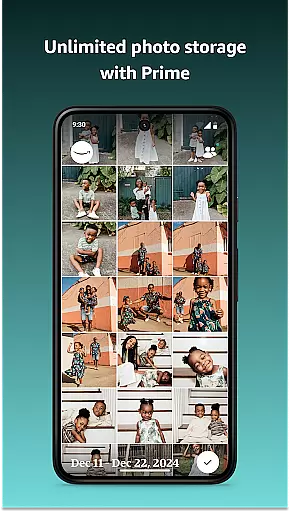


















Amazon Photos is a cloud-based photography app that allows users to securely store, manage, and share their full-resolution photos and videos. The app offers 5 GB of free storage for all Amazon customers, while Prime members enjoy unlimited photo storage and additional perks like free print deliveries (US only). With features such as Auto-Save, Alexa voice commands, and private group sharing, Amazon Photos ensures your memories are both safe and easily accessible.
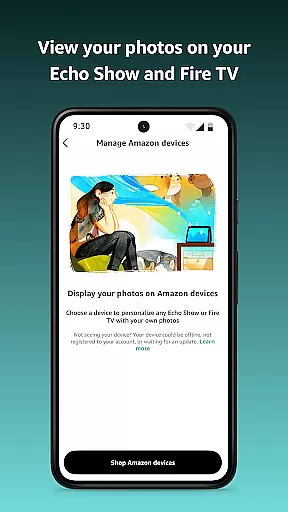
The app also integrates with Amazon devices like Echo Show and Fire TV, enabling users to display their photos as screensavers or slideshows. Whether you're backing up precious moments or creating custom gifts, Amazon Photos provides a seamless experience across multiple platforms, making it an ideal choice for preserving and reliving life's special memories.
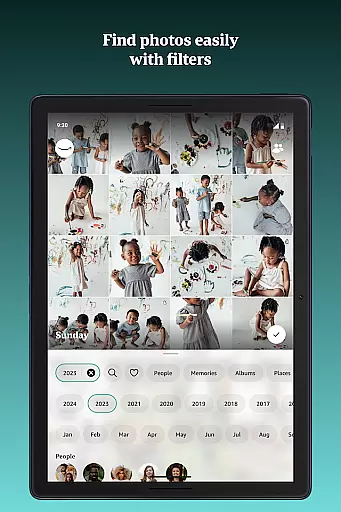
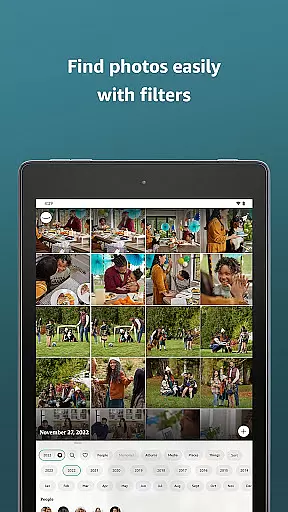
Amazon Photos stands out with its robust feature set tailored for both casual users and photography enthusiasts. One of its key highlights is the ability to store full-resolution photos and videos without compression, ensuring maximum quality. For Prime members, unlimited photo storage and dedicated video storage provide exceptional value, while advanced search filters allow easy organization by date, location, or content type.
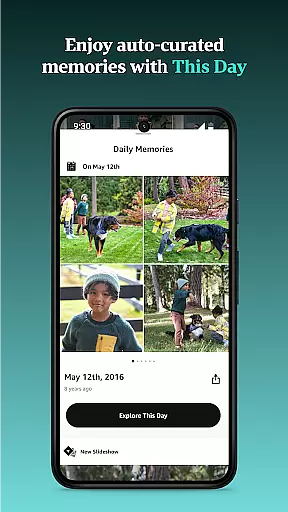
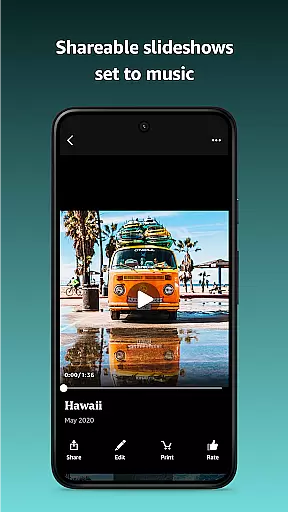
Beyond storage, Amazon Photos offers creative ways to interact with your media. Users can create curated slideshows of past memories, order prints, or design custom home décor directly from the app. Integration with Alexa enhances accessibility, letting you retrieve specific photos using voice commands. Additionally, private group sharing enables collaboration with friends and family, consolidating shared albums into one secure space. These features collectively make Amazon Photos a versatile tool for managing and enjoying digital memories.
Real-time capture and preview functionality is essential for ensuring that every photo taken meets the user's expectations. Amazon Photos provides a seamless experience by allowing users to view their images in full resolution immediately after capturing them. This feature ensures that photos are not compressed or altered, maintaining their original quality.
The app's real-time capabilities extend beyond just photo capture. Users can instantly preview their images on various devices such as Echo Show and Fire TV. This cross-device compatibility allows for an enriched viewing experience, making it easy to display cherished memories throughout the home without any loss in quality.
Additionally, Amazon Photos supports automatic saving of every photo taken when Auto-Save is enabled in settings. This means users never have to worry about losing a moment due to device failure or accidental deletion. The ability to automatically back up photos ensures that all memories are securely stored in the cloud, ready for access whenever needed.
For those who love sharing their experiences, the real-time features of Amazon Photos make it simple to share high-quality images with friends and family. Whether through private groups or direct sharing, users can confidently distribute their photos knowing they retain their original resolution and clarity.
AI beauty and enhancement features have become increasingly popular in photography apps, offering users the ability to refine and perfect their images effortlessly. Amazon Photos leverages advanced AI technology to provide natural-looking enhancements that preserve the authenticity of each photo while subtly improving its overall appearance.
One key aspect of Amazon Photos' AI capabilities is its focus on maintaining the natural essence of photographs. Instead of applying heavy filters or unrealistic effects, the app intelligently adjusts elements like lighting, color balance, and sharpness. These adjustments enhance the visual appeal without compromising the genuine feel of the image, ensuring that memories remain true to life.
Furthermore, Amazon Photos offers customizable enhancement options, allowing users to tailor the level of modification according to their preferences. Whether looking to brighten a dimly lit photo or bring out the vibrant colors of a landscape, the AI-driven tools adapt to individual needs, providing a personalized touch to every edit.
Prime members benefit even further with refined search filtering and dedicated video storage, enhancing the overall usability of the app. By integrating these sophisticated AI features, Amazon Photos ensures that every photograph not only captures a moment but does so with enhanced beauty and clarity, elevating the user's photographic journey.
User-friendly interface
Unlimited photo storage for Prime
Full-resolution uploads
Alexa voice integration
Private group sharing
Limited free storage
Prime benefits region-restricted
No video backup for non-Prime
Paid subscription required
Auto-save not default

Remote control of the phone camera from your Wear OS smartwatch
 3.70
3.70
All-in-One Editor & AI Photo Enhancer, Collage, Cartoonify, Funny Stickers & BGS
4.10
Virtual makeup, hair filters & body tuner—edit from face to full body!
4.20
AI photo editor with hair editor, retouch tools, hair color changer & filters!
4.50
Create AI Photos, Improve and restore quality of blurry, old or damaged pics.
4.20
AI Photo Editor with 100+ Filters, Effects! Remove BG, Retouch & Photo Enhancer.
4.80
Smart, light, and fast photo and video gallery
4.30
Collage your moments in one tap: 1000+ layouts, filters, stickers, and texts.
4.90
Easily create custom gifts, cards, photo books & more on the Shutterfly app!
4.60
Enhance, retouch & create your story - Share the moment with Photoshop Express.
4.60
Viewfinder, Light meter, Reciprocity failure time, DOF & Bellows Extension
4.60
Create Business Headshots, Polaroid Filter, Retake Photos,Profile Pics,AI Photos
4.50
Create AI photos & videos with Enhancer; restore, fix, beautify, enhance photos
4.50
Effortlessly organize, view and share your photos & videos with Gallery app!
4.40
All-in-One Editor & AI Photo Enhancer, Beautify & Retouch, Collage, Cartoonify
4.20
Catch sunlight, sunrise sunset times and sun phases with the AR sun tracker.
4.10
How would you look like with a differently shaped nose, chin or lips?
3.90
Perfect photos with body shaping, BG changer and object remover.
3.70
Over 800 film simulation recipes for Fujifilm. Black Friday Offer!
4.0


User Reviews