
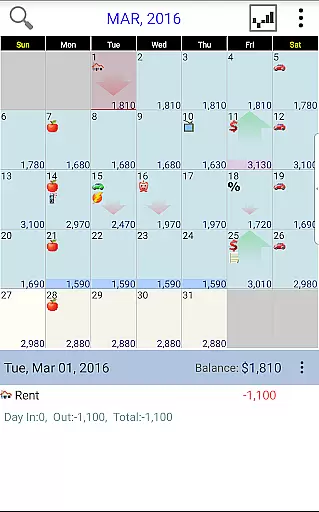
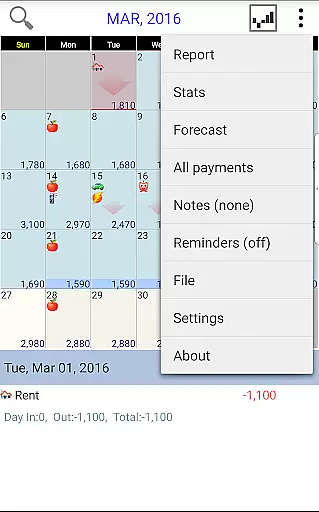
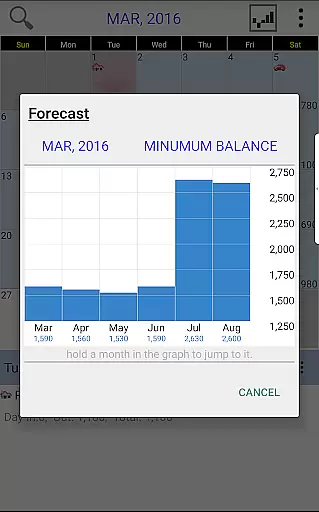
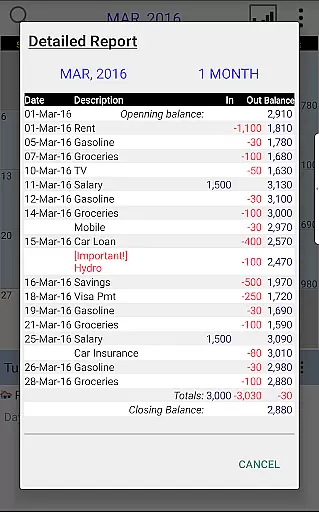
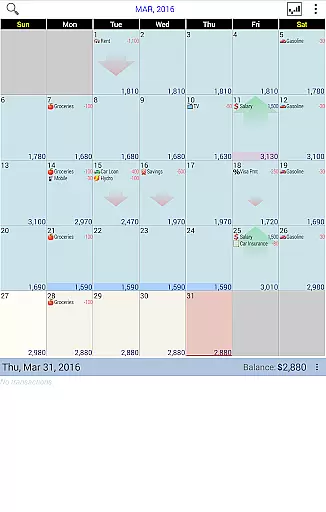
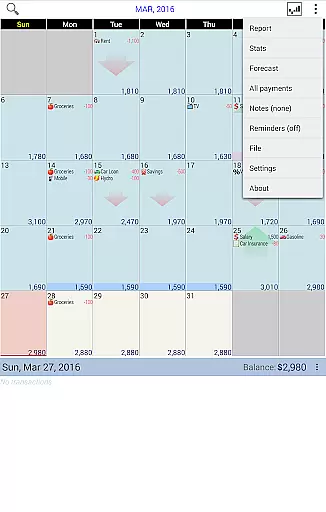
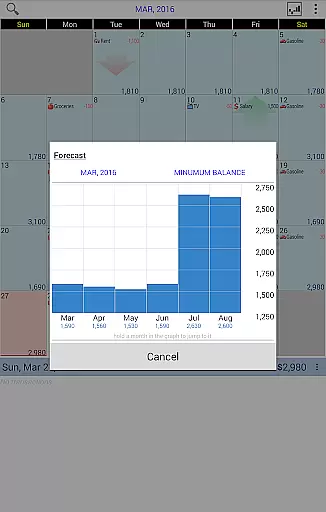
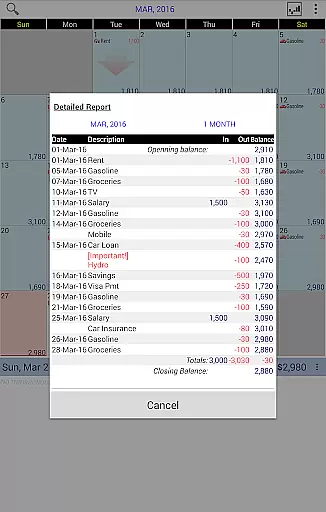
Budget Calendar is a comprehensive financial planning tool designed to simplify budget management through its intuitive calendar-based interface. Unlike traditional ledger systems, this finance application visualizes all transactions directly on a calendar, allowing users to effortlessly track their spending and plan future payments. Each transaction can be customized with unique icons for easy identification, and entries are movable to accommodate changing schedules. The app provides clear statistical reports and supports balance adjustments to reflect actual account status. With cross-device compatibility through Google Drive syncing, Budget Calendar ensures seamless integration between smartphones and desktop versions, making it an ideal solution for users seeking organized financial planning.
The app's standout feature is its ability to display upcoming expenses, giving users a clear view of their financial commitments. This forward-looking approach, combined with detailed monthly reports, helps users maintain better control over their finances. Whether you're managing personal expenses or coordinating household budgets, Budget Calendar offers the tools needed to stay financially organized while providing the flexibility to adapt to changing circumstances.
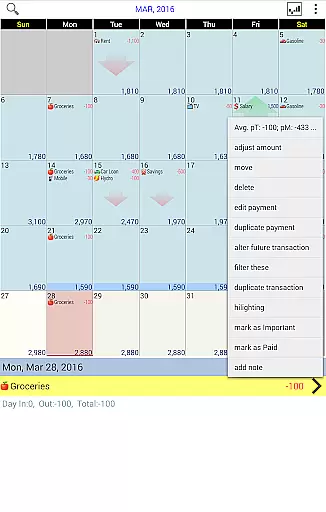
Budget Calendar distinguishes itself through several innovative features that enhance the budgeting experience. The application's core functionality revolves around its calendar-based transaction system, which replaces complex ledgers with a visually intuitive interface. Users can easily drag and move transactions across dates, assign custom icons to different payment types, and instantly see their financial schedule. This visual representation makes it simpler to understand cash flow patterns compared to traditional list-based budgeting applications.
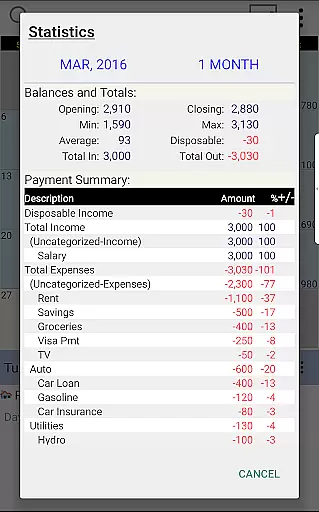
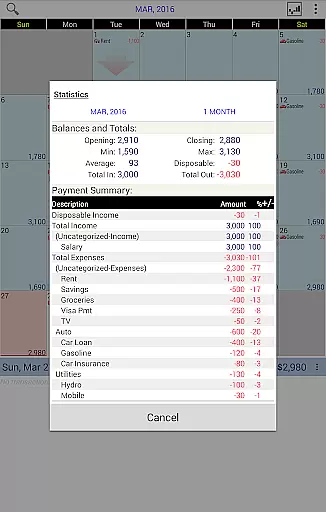
Advanced reporting capabilities allow users to generate detailed statistics for single or multiple months, providing valuable insights into spending habits. The app maintains synchronization across devices through Google Drive integration, ensuring that updates made on one platform are immediately reflected on others. Additionally, the desktop version compatibility enables power users to work with more complex financial data while maintaining complete file compatibility with the mobile application. These features collectively create a robust financial management ecosystem that adapts to various user needs, from simple daily expense tracking to comprehensive long-term financial planning.
Budget Calendar ensures robust account and fund security through its secure transaction management system. The app employs advanced encryption protocols to safeguard user data, ensuring that all financial information remains confidential and protected from unauthorized access.
With features like Google Drive syncing, the application provides a secure way to manage and backup your budget data across multiple devices. This cloud integration not only enhances accessibility but also adds an extra layer of security by storing data in a trusted environment.
The app's ability to adjust the budget balance to match actual balances gives users peace of mind, knowing their financial records are accurate and up-to-date. This feature minimizes the risk of errors or discrepancies in financial planning.
By offering compatibility with desktop versions, Budget Calendar allows for comprehensive financial management without compromising on security. Users can seamlessly transition between devices while maintaining the integrity and safety of their financial data.
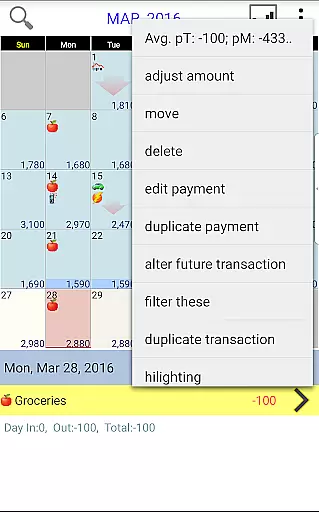
Budget Calendar revolutionizes the transaction experience by presenting all transactions on an intuitive calendar interface. Unlike traditional ledger systems, this visual approach simplifies tracking and managing payments, making it easier for users to understand their financial activities at a glance.
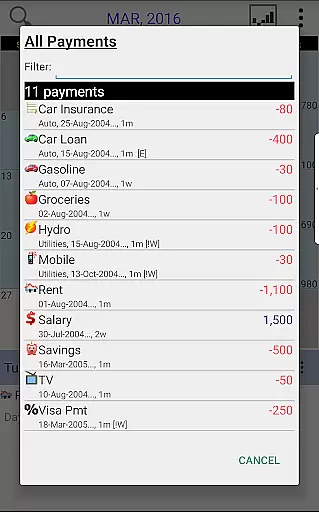
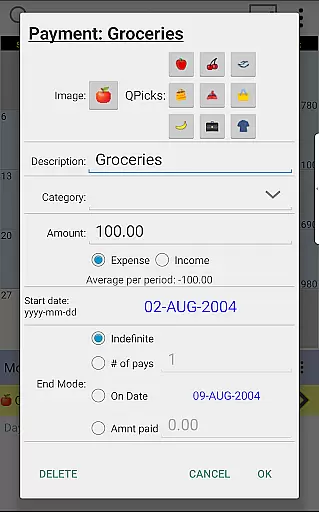
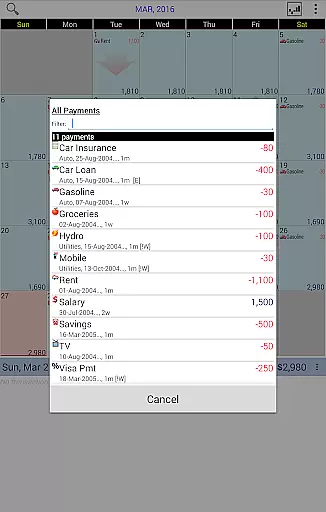
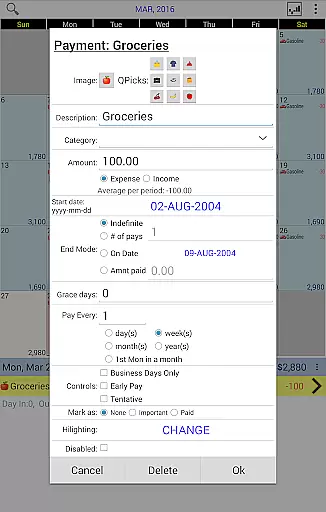
Each payment can be customized with unique icons, allowing for quick identification and categorization of expenses. This level of personalization enhances the user experience by providing clear visual cues that aid in financial planning and analysis.
The flexibility to move transactions to different days caters to dynamic financial needs, enabling users to effortlessly adapt their plans as circumstances change. This feature ensures that users always have an accurate view of their upcoming expenditures.
Comprehensive statistics and reports offer valuable insights into spending patterns over one or more months. By delivering detailed analyses, Budget Calendar empowers users to make informed decisions about their finances, ultimately leading to better budget management and control.
User-friendly interface
Customizable transaction icons
Seamless device syncing
Detailed financial reports
Flexible transaction management
Desktop version separate purchase
Limited free trial period
Google Drive dependency
Learning curve for new users
Premium feature pricing

Expenses, Bills, Budget and Accounts - All seamlessly integrated in one app!
 3.80
3.80
Currency Converter supports all currencies of the world.
5.00
Manage and cancel subscriptions, lower bills, track expenses, create budgets.
4.60
Change the way you money with Credit Genie
4.30
All expenses at a glance.
4.80
Read and extract public data on NFC Contactless banking card (VISA, MasterCard
4.30
Real-time tracking: Stocks, Indices, Futures, Commodities, ETF, & Funds prices.
4.60
The US Debt Clock .org App gives you a Real-Time glimpse of US Financial Stats
4.60
Cash Advance, Credit Cards, Credit Lines, Score Monitoring, Saving, Budgeting
4.70
BA Financial Calculator PRO – Perfect for CFA/FRM/CPA and finance professionals
4.90
Secure, simple money transfer app. Send money to Mexico and worldwide fast.
4.80
Manage your Discover account conveniently from anywhere.
4.80
Wells Fargo Mobile allows you to access your investment and bank accounts.
4.80
Early payday cash advance up to $150 a day with a max of $1,000 per pay period
4.70
Currency Converter (200+ currencies) with live exchange rates and offline mode.
4.70
Play for fun, earn for real. Collect rent by owning virtual land & get cashback
4.60
Easily invest, save, and plan—all in one app.
4.60
Get, Earn, and Save Money
4.30
SuperQi, Your all-in-one Super App.
1.30


User Reviews