
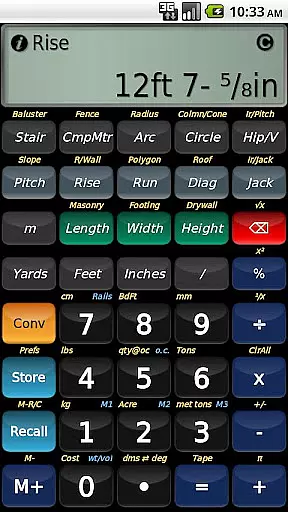
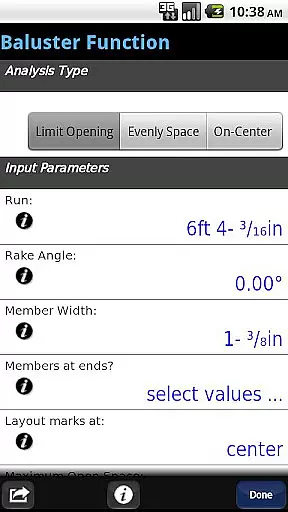
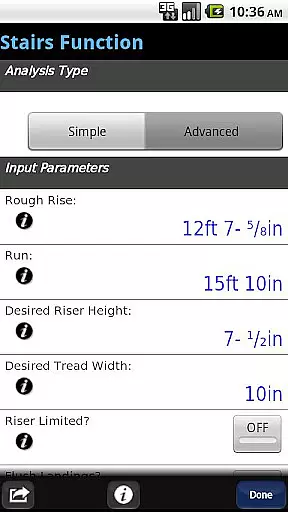
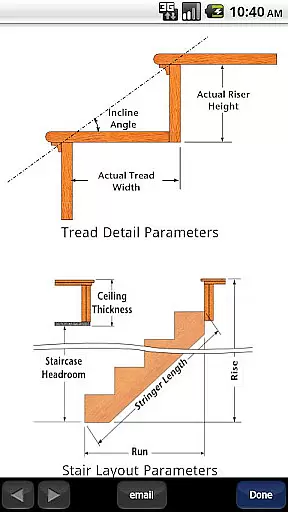
BuildCalc is a comprehensive construction calculator app designed to provide more functionality and accurate answers while reducing complexity and hassle. This powerful tool offers advanced features such as the Baluster Function for precise railing layouts, Stair Function with dimensioned drawings, and Fence Function for material estimation. The app's interactive functions allow users to modify inputs effortlessly, updating results automatically without memorizing key sequences.
In addition to its robust feature set, BuildCalc supports full daylight visibility mode and emulates Construction Master® Pro functionalities. It caters to professionals by allowing customization of sizes for masonry, drywall, and roofing materials. With capabilities like automatic switching between Miter Saw and Protractor results, storing custom dimensions, and providing detailed calculations for angles and areas, BuildCalc ensures that users can perform complex construction calculations with ease and precision.
This app is ideal for construction professionals who require reliable and efficient calculation tools on their Android devices. By streamlining workflows and minimizing errors, BuildCalc enhances productivity and accuracy in the field, making it an indispensable companion for anyone involved in construction projects.
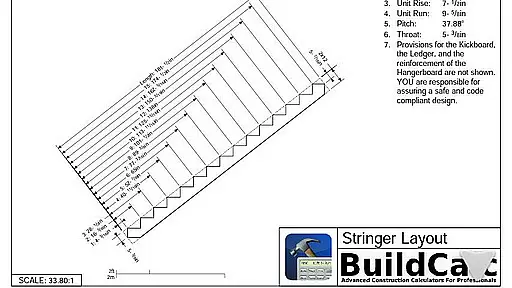
BuildCalc stands out with its array of advanced features tailored for construction professionals. One of its key highlights is the Advanced Baluster Function, which simplifies railing and staircase baluster layouts with flexibility for custom jobs. The Advanced Stair function provides professional-grade stair layouts, complete with dimensioned drawings of the Stringer, Stringer Installation, and Finished Staircase, which can be shared via email as PDFs.
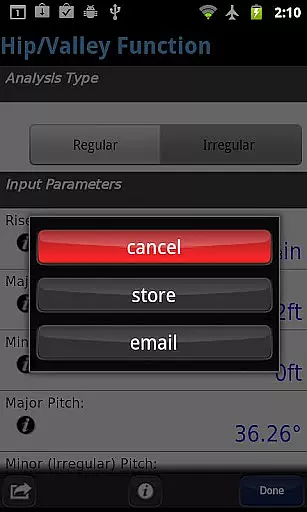
The app also includes an innovative Fence Function that calculates the number of posts, rails, pickets, or panels needed based on fence row length. Interactive functions for Stair, Baluster, Compound Miter, Diagonal, and Hip/Valley allow dynamic input changes, updating results automatically. Additionally, BuildCalc offers new modes like Full Daylight Visibility and supports storing multiple sizes for various materials, enhancing usability and precision.
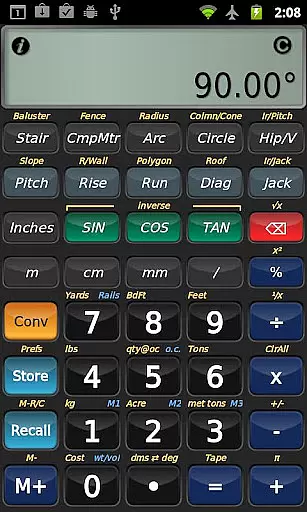
BuildCalc reduces complexity by presenting all results in list form with minimal taps, allowing users to save and recall complete results conveniently. It eliminates arcane keystroke sequences, providing checklists and on-the-spot help for complex calculations. Features like Drywall and Masonry 'Room Mode' further simplify tasks, offering quick estimations for entire rooms with just one tap. These thoughtful innovations ensure that BuildCalc delivers both depth and ease of use.
In the realm of construction projects, seamless collaboration is key. BuildCalc excels in providing collaborative work features that streamline communication and coordination among team members. The app allows professionals to share detailed layouts and dimensioned drawings via email directly from the application. This ensures that everyone involved in a project has access to accurate and up-to-date information.
Interactive functions within BuildCalc further enhance teamwork by enabling users to modify input values on-the-fly. Whether it's adjusting the run of a staircase or switching between different roof analyses, these changes are updated automatically without any need for complex button sequences. Such dynamic interaction reduces errors and saves time, allowing teams to focus on delivering high-quality results efficiently.
Moreover, with its advanced stair function, users can generate professional-grade stair layouts complete with installation dimensions. These comprehensive outputs not only aid individual productivity but also serve as valuable resources when coordinating efforts across various tradespeople working on the same project. By facilitating clear and precise exchanges of critical data, BuildCalc empowers construction teams to work together more effectively than ever before.
Effective task management is crucial for successful project execution, and BuildCalc offers robust tools tailored specifically for this purpose. With its ability to save calculation results, users no longer need to manually record outcomes after each operation. Instead, they can store their findings securely within the app, ensuring all relevant data is readily accessible whenever needed.
The inclusion of interactive functions such as baluster layout planning simplifies complex tasks by eliminating guesswork. Users benefit from automated calculations that consider custom job requirements, thus reducing manual effort significantly. Additionally, features like full daylight visibility mode ensure optimal usability even under challenging lighting conditions, making sure that important tasks aren't delayed due to environmental factors.
Furthermore, BuildCalcu2019s streamlined interface minimizes unnecessary steps typically associated with traditional calculators. By presenting all necessary inputs through intuitive checklists and offering immediate assistance where required, it helps prevent common mistakes while accelerating workflow processes. As a result, both individual contractors and larger teams can manage their responsibilities more efficiently, leading to improved overall performance on construction sites.
User-friendly interface
Advanced calculation tools
Interactive and dynamic inputs
Customizable material sizes
Comprehensive result outputs
May have a learning curve
Requires internet for some features
Premium features may cost extra
Limited to Android platform
Some functions are complex

GoTo Mobile is a simple & secure calling, messaging & meetings solution
 4.80
4.80
ANDROID'S TOP MOBILE OFFICE - Word, Excel, PowerPoint and PDF at your fingertips
4.50
TurboScan turns your phone into a full-featured PDF document scanner.
4.80
Manage work life on the go
4.50
Take the stress out of storage with the all-in-one app to manage your space.
3.70
All document reader, pdf viewer app, read docs & excel files
3.80
Use Generative Summary to understand your rental or insurance docs in seconds.
4.70
Build a store in minutes with our full suite of AI tools. Start for free!
4.20
view, manage, and share every PDF file you have
3.60
Start earning fast. Apply Today.
4.80
The MyWalmart App is available for all associates in stores.
4.70
Mobile POS for any business: sales, invoices, retail, restaurants & appointments
4.60
From Gone to Back Again — In Just a Few Taps
4.50
One marketplace. Hundreds of services. Unlimited possibilities. All on Fiverr.
4.40
Find work, shifts and gigs near you. Jobs lasting a few hours to a few months.
4.30
All-in-one Mobile solutions for employees & managers to succeed at work
4.30
Zoom built for Chrome OS
3.90
enjoy effortless PDF reading anytime, anywhere
3.90
viewing and sharing of PDFs
3.60


User Reviews