
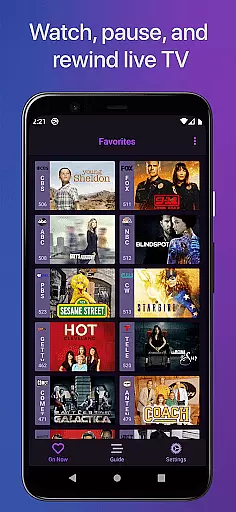
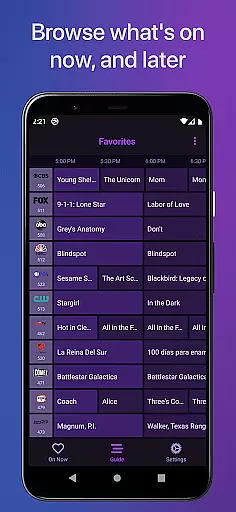
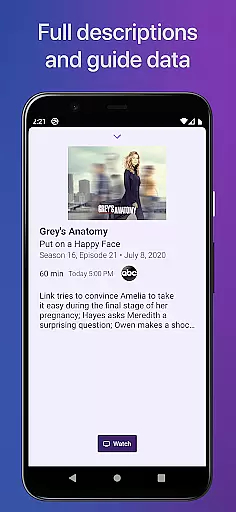
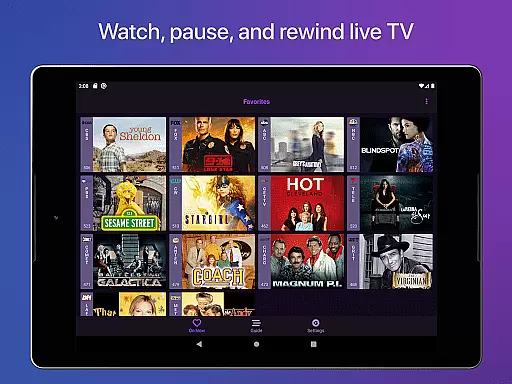
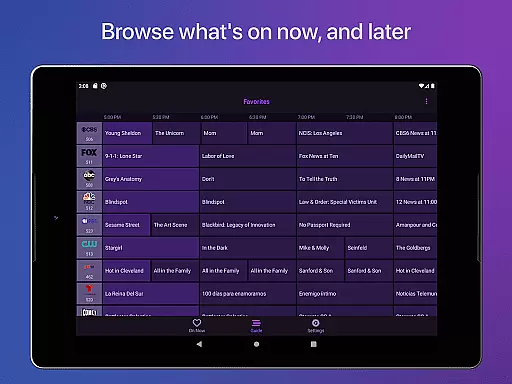
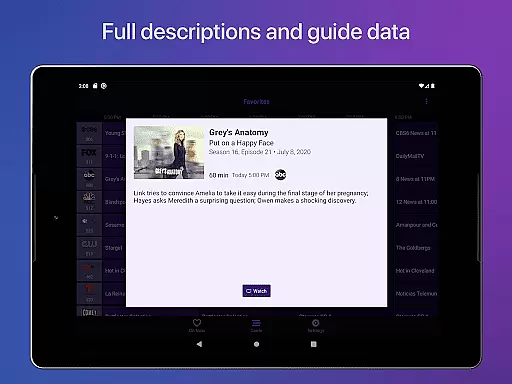
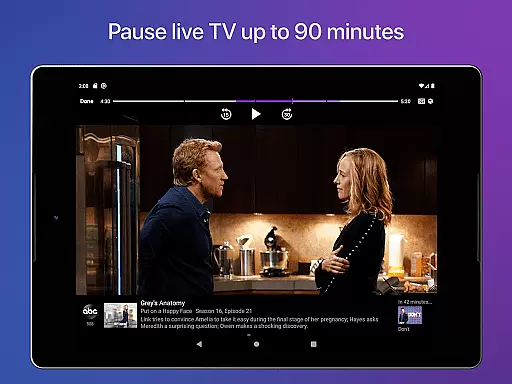
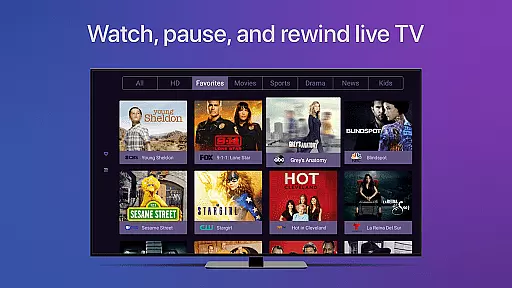
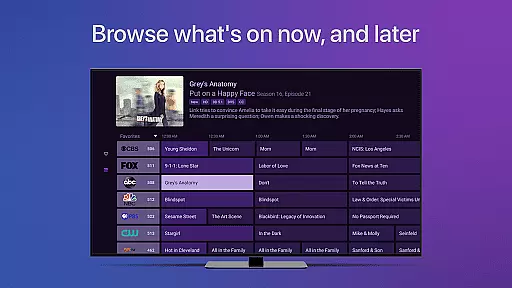
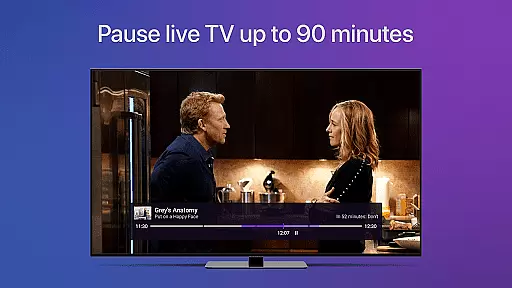
Channels for HDHomeRun is a versatile application that allows users to watch live TV directly on their Android devices. By integrating with an HDHomeRun networked TV tuner, this app enables seamless streaming of local or cable TV. Users can enjoy features such as pausing, rewinding, and fast-forwarding live TV, full HD streaming, 5.1 surround sound, closed captioning, and channel favoriting. The app also supports a full grid guide and auto-discovery, making it easy to manage multiple HDHomeRun devices from one interface.
This app is particularly useful for those who want to integrate live TV into their digital lifestyle. Whether you're interested in sports, award shows, local news, or primetime TV, Channels provides a comprehensive solution without the need to switch inputs. It's ideal for households looking to save money by ditching cable boxes while still enjoying high-quality live TV broadcasts.
One of the standout features of Channels for HDHomeRun is its ability to provide a rich user experience through advanced functionalities. The app supports full HD streaming, ensuring that users get the best possible picture quality, provided their bandwidth allows it. Additionally, the inclusion of 5.1 surround sound enhances the audio experience, making it perfect for home entertainment systems.
Channels also offers practical features like closed captioning and full support for VoiceOver, catering to users with different accessibility needs. The app's intuitive interface includes a full grid guide, channel favoriting, and the ability to jump back to the last channel viewed. Moreover, users can browse what's on other channels while watching TV, providing a dynamic viewing experience. These features collectively ensure that Channels for HDHomeRun stands out in the realm of video players and editors.
Channels for HDHomeRun offers extensive video format compatibility, ensuring that users can stream content without worrying about format issues. The app supports a wide range of formats commonly used in both local broadcasts and cable television.
The application leverages the capabilities of HDHomeRun tuners to deliver Full HD streaming directly to Android devices. This ensures that whether you're watching sports, news, or primetime TV, the quality remains consistently high, provided there is sufficient bandwidth.
One of the key benefits of this compatibility is the seamless integration with various household setups. Whether using an antenna or cable input, Channels allows users to enjoy their favorite shows in full high-definition, making it versatile for different viewing preferences.
Additionally, the app provides support for advanced audio features like 5.1 Surround Sound and closed captioning, enhancing the overall viewing experience. These features ensure that all users, including those with specific accessibility needs, can enjoy a rich and immersive entertainment experience.
While Channels for HDHomeRun focuses primarily on live TV streaming, it incorporates several AI-powered features that enhance the user experience. Although not a traditional video editor, the app uses intelligent algorithms to optimize streaming quality and provide useful functionalities.
For instance, the live TV buffer feature intelligently manages storage space on your device, allowing up to 90 minutes of buffering. This AI-driven approach ensures smooth playback while efficiently utilizing available resources, adapting based on storage availability.
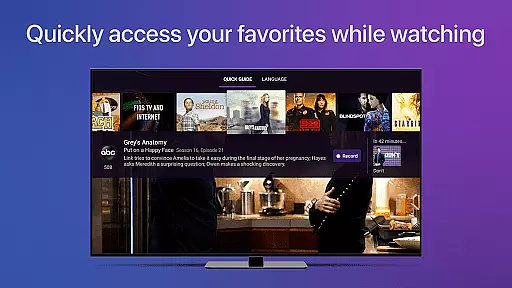
The app also includes smart channel management features. Users can favorite channels, browse what's on other channels while watching TV, and quickly switch between preferred content. These AI-enhanced features help create a personalized and efficient viewing experience tailored to individual preferences.
Furthermore, the Quick Guide feature uses intelligent categorization to display relevant content from your favorite channels. While not traditional editing tools, these AI-powered features significantly enhance how users interact with and manage their live TV content through the Channels application.
User-friendly interface
High-definition streaming
Surround sound support
Closed captioning options
Comprehensive channel guide
Requires HDHomeRun tuner
No DRM stream support
Network dependency
Limited remote access
Subscription needed for DVR

Online Videos Player
 3.90
3.90
Auto video maker with music & exclusive filters. Video editing made simple.
4.50
Client application for NextPVR software
3.00
Play ALL formats in 4K & HD. Video downloader, MP3 player, Chromecast & more.
4.80
AirMirror is Receiver for Screen Mirroring and Casting from Apple Devices.
3.60
The essential companion to your Blue Iris PC software
2.50
#1 Torrent App on Android ** No Ads Ever + Battery Saver **
4.80
A Simple app to download Video & Music from the Internet.
4.70
Video player with 4K & 1080P support, popup play, background play and subtitle.
4.20
Tik & Story Saver-Download ALL social media videos, photos & reels no watermark.
4.80
A Quick and Pro Video Editor
4.70
All in one HD video downloader & player for multiple formats with full privacy
4.70
Screen recorder with audio to take live videos & Screenshot in high quality!
4.70
Browser + Remote for Roku to stream webvideos, online movies and livestreams
4.60
Cast movies, tv shows and live streams to Chromecast, Roku, DLNA, Fire TV & more
4.60
Viddo: Generate Action Figure, AI Anime, AI kiss, AI hug Video from image & text
4.40
Video player, file manager for all formats, 4K/HD media player supports subtitle
4.30
This app was created to edit the metadata of music files.
4.20
HD video & music player - All format support with floating & PIP mode!
3.80


User Reviews