
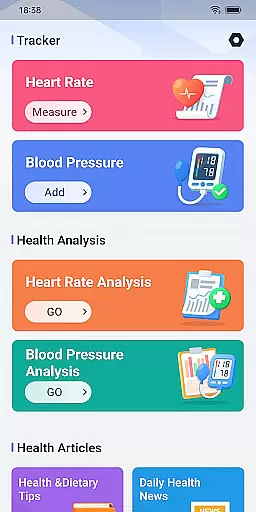
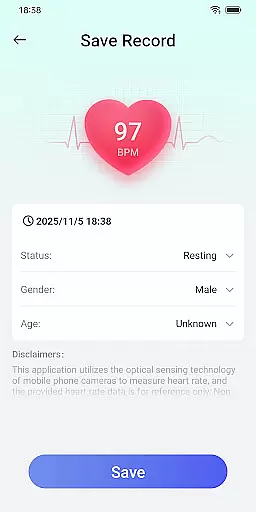
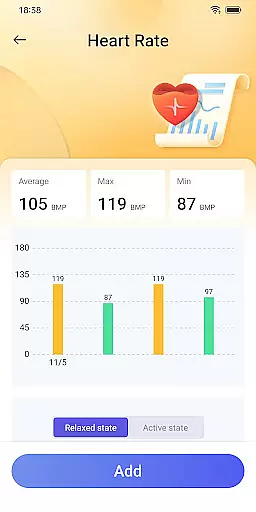
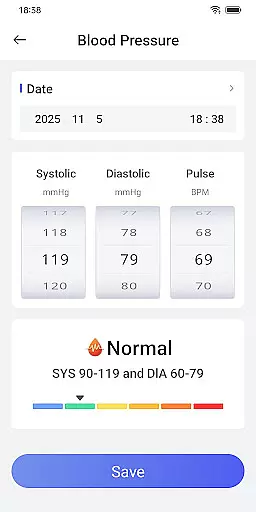
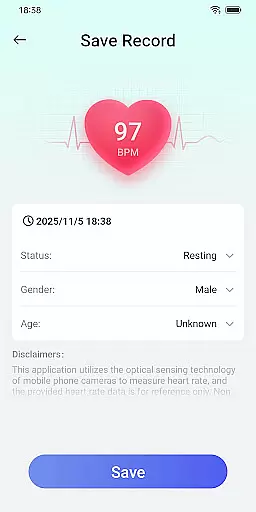
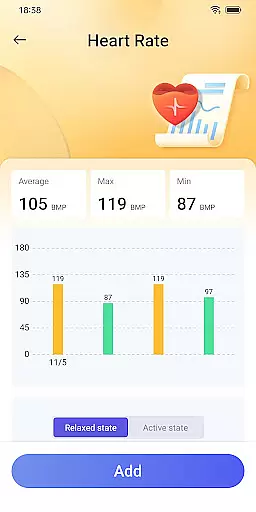
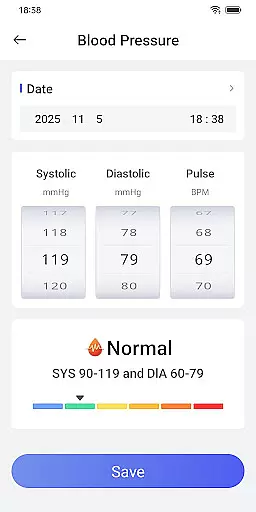
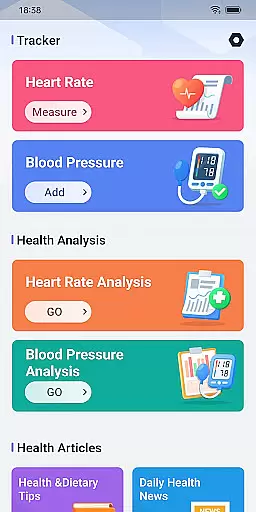
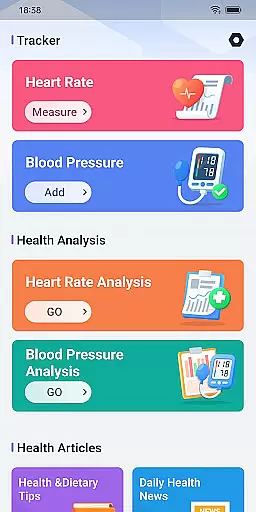
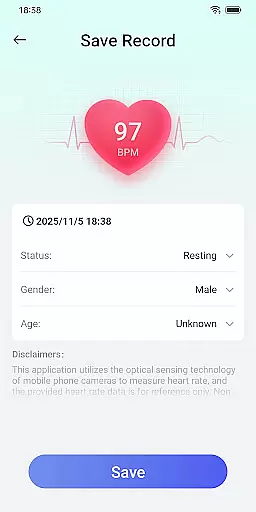
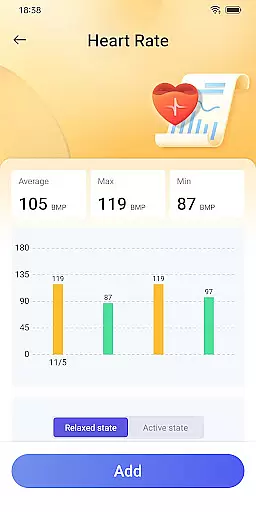
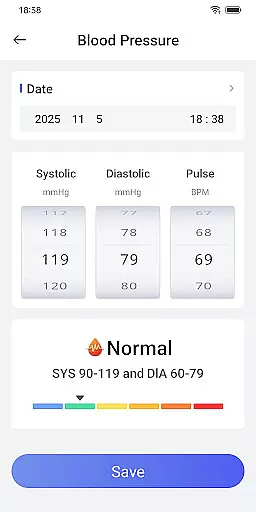
Daily HealthTracker is a comprehensive health monitoring tool that transforms your smartphone into a personal health assistant. The app utilizes the phone's camera to measure real-time heart rate by analyzing changes in fingertip blood flow, providing users with instant insights into their cardiovascular health. Additionally, it supports manual entry and tracking of blood pressure data, making it easier for users to manage their overall well-being.
Designed for various user groups, Daily HealthTracker is particularly beneficial for sports enthusiasts monitoring training intensity, middle-aged and elderly individuals managing daily health, and office workers looking to prevent cardiovascular diseases. With customizable reminder alarms, users can maintain consistent health monitoring without missing crucial check-ups. While the heart rate data is for reference only and may vary based on external factors, the app offers a convenient way to keep track of your health metrics regularly.
Daily HealthTracker stands out with its innovative use of smartphone technology for health monitoring. The app's core feature is its ability to measure heart rate through the phone's camera by detecting subtle changes in blood flow. This functionality provides users with immediate feedback on their heart rate, which is essential for fitness tracking and general health awareness.
In addition to heart rate monitoring, the app allows users to manually input and track their blood pressure readings over time. This feature helps users identify trends and potential health risks associated with hypertension. Users can also set up personalized reminder alarms to ensure they never miss a measurement. These reminders are crucial for maintaining regular health monitoring habits, especially for those with ongoing health concerns or specific fitness goals.
The app caters to different user scenarios, including sports enthusiasts who need to monitor their training intensity, middle-aged and elderly individuals focused on daily health management, and office workers aiming to prevent cardiovascular diseases. While the app strictly adheres to Google Play policies to protect user data privacy, it's important to note that the heart rate data provided is not intended for medical diagnosis but rather as a convenient tool for personal health tracking.
Accuracy and effectiveness are crucial for any health monitoring tool. Daily HealthTracker excels in this area by utilizing the smartphone's camera to intelligently capture changes in fingertip blood flow, providing real-time heart rate measurements. This innovative approach ensures that users receive immediate feedback on their cardiovascular status without the need for additional devices.
The app supports the input and recording of blood pressure data, allowing for comprehensive health tracking. By regularly updating and storing this information, users can monitor trends and fluctuations in their blood pressure over time. Such detailed records not only simplify health management but also empower users with actionable insights into their well-being.
For sports enthusiasts, Daily HealthTracker serves as a reliable companion in monitoring training intensity. Middle-aged and elderly users benefit from its ability to assist in daily health management, while office workers can utilize it to prevent cardiovascular diseases associated with sedentary lifestyles. Despite the disclaimer regarding potential inaccuracies due to environmental factors, the app remains a valuable tool for maintaining awareness of oneu2019s health metrics.
A simple and intuitive interface is essential for ensuring that users can effectively interact with an application. Daily HealthTracker offers a streamlined design that allows even first-time users to navigate effortlessly through its features. The straightforward layout enables quick access to vital functions such as heart rate measurement and blood pressure recording, enhancing user engagement and satisfaction.
With support for setting reminder alarms, the app helps users maintain consistent health monitoring habits. These reminders ensure that users do not overlook important moments for checking their vitals, thus promoting better health practices. Additionally, after granting default home screen permissions, users gain quick access features by simply clicking on the screen, further simplifying interaction with the app.
Daily HealthTracker adjusts its interface layout based on user preferences while retaining all applications, demonstrating flexibility without compromising usability. For more detailed instructions on using these features, users can refer to the provided FAQ link. This commitment to clarity and ease-of-use makes Daily HealthTracker an indispensable tool for anyone looking to manage their health efficiently.
User-friendly interface
Real-time heart rate monitoring
Blood pressure tracking
Customizable reminders
Multi-scenario applicability
Heart rate data variability
No medical certification
Limited device compatibility
Manual blood pressure entry
Potential privacy concerns

 4.50
4.50
Remote for Roku, Fire TV, Samsung TV, LG TV, Android TV, Chromecast and VIZIO TV
4.20
Quickly & easily calculate the spacing of handrail balusters
4.20
App to pay for FUTO Keyboard
4.60
Signal Strength, Mobile, Wifi, Speed Test, Bad Signals, Cellular, 5G, LTE, 4G
4.20
Monitor car performance in real time and troubleshoot malfunctions.
4.80
The one-and-only remote control for PC, Mac, and Linux
4.70
Powerful collection of electronics tools and reference.A must for any enthusiast
4.90
A simple app to back up and restore SMS & MMS messages and call logs.
4.10
Unit and currency converter with easy and simple UI.
4.80
The Ultimate Flex Drivers Utility App - Convenient Tapping & Block Filters
4.70
Mirror your screen to Chromecast and Android TV - Super fast and simple
4.60
Planner and Tracker for Stardew Valley
4.60
Use your phone as a webcam on your computer over WiFi or USB.
4.40
Quickly check the frequency of the Earth
4.30
Just one-tap to easy translate in any language after calls within seconds.
4.20
Smart and comfortable browsing experience.
3.80
A recovery soft,it features photo recovery, video recovery, file recovery.
3.40
A non-root local ADB shell client. READ BELOW!
3.40


User Reviews