
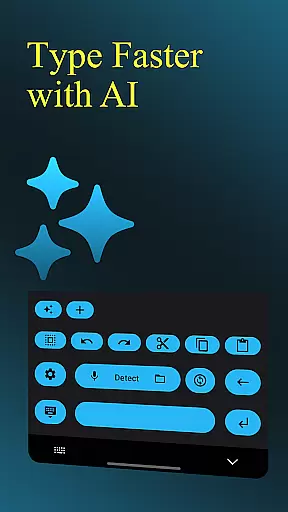
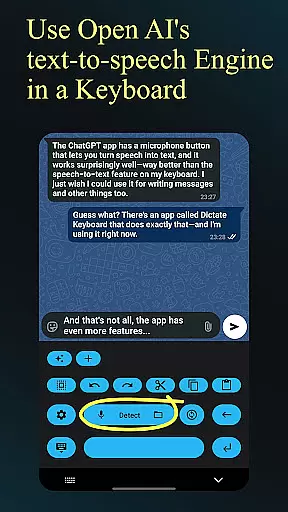
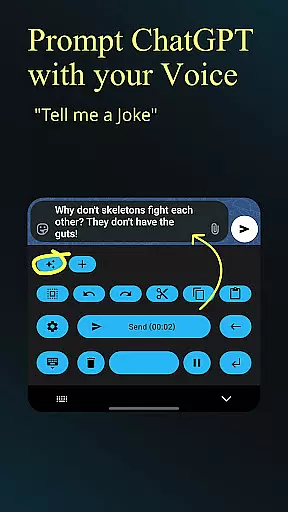
Dictate Keyboard is a cutting-edge productivity tool designed to streamline text input through advanced speech recognition technology. This innovative keyboard app converts spoken words into written text with remarkable accuracy, supporting all major languages. Its AI-powered engine not only transcribes your speech but also intelligently adds punctuation and formatting elements.
Beyond basic transcription, Dictate offers professional-grade features including custom rewording using GPT-5, multiple transcription models, and seamless integration with various providers like OpenAI and Groq. The application supports voice commands for formatting, direct text input without animation delays, and quick switching to standard keyboards when needed. With its open-source nature and extensive customization options, Dictate caters to both casual users and professionals seeking efficient text input solutions.
Ideal for content creators, business professionals, and anyone looking to enhance their typing efficiency, Dictate Keyboard transforms the way we interact with digital text input. By combining powerful AI capabilities with user-friendly features, it delivers exceptional value for users who need fast, accurate, and flexible text entry on their mobile devices.
Dictate Keyboard distinguishes itself through a comprehensive set of features that cater to diverse user needs. At its core, the app employs state-of-the-art Whisper technology alongside other transcription models like GPT-4o-transcribe, ensuring maximum accuracy across different languages and accents. The application's ability to automatically format spoken commands such as 'new paragraph' or 'first, second' streamlines document creation and editing processes.
Professional users will appreciate the advanced customization options, including API server configuration, system prompt settings for style guidance, and support for custom rewording instructions using various AI models. The app maintains flexibility through its multi-provider support (OpenAI, Groq, or custom servers) while offering practical features like haptic feedback, dark/light mode themes, and easy emoji insertion.
What sets Dictate apart is its commitment to openness and transparency. Being completely open-source, the application allows developers to contribute to its development and customize it according to specific requirements. This approach, combined with features like file transcription, Bluetooth microphone support, and prompt management, makes Dictate an exceptionally versatile tool for modern productivity needs.
Dictate Keyboard revolutionizes core task management by integrating advanced speech recognition AI, allowing users to convert spoken language into text effortlessly. This feature is crucial for productivity apps as it streamlines the way users input and manage tasks.
The app supports all common national languages, making it versatile for a global user base. Its ability to add punctuation automatically enhances the accuracy of task entries, ensuring that to-do lists and notes are clear and professional.
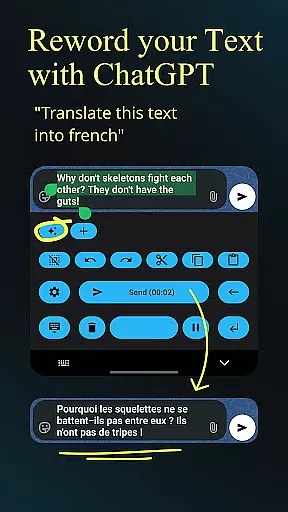
With custom rewording instructions using models like GPT-5, users can refine their tasks with translations, summaries, or style changes. This flexibility ensures that task management is not only efficient but also adaptable to individual preferences and needs.
Overall, Dictate Keyboard's innovative approach to task management through voice commands significantly boosts productivity, allowing users to focus more on their work and less on the mechanics of data entry.
Cross-device synchronization is a pivotal feature for any productivity tool, and Dictate Keyboard excels in this area by providing reliable and seamless syncing across different devices. This ensures that users have access to their data wherever they go, enhancing both convenience and efficiency.
By supporting multiple transcription models and providers such as OpenAI, Groq, or personal transcription servers, Dictate Keyboard offers users the flexibility to choose the best option for their specific needs. This adaptability contributes to more dependable synchronization and availability of transcriptions.
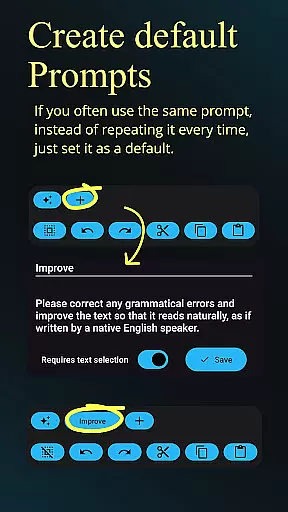
Moreover, the app allows for the export and import of all prompts, ensuring that user preferences and custom settings are preserved across devices. This feature is particularly beneficial for users who switch between various gadgets throughout their day.
In summary, Dictate Keyboard's robust cross-device synchronization capabilities ensure that users' productivity is uninterrupted, providing a consistent and reliable experience no matter which device they use.
Advanced speech recognition
Multi-language support
Customizable formatting
Open-source flexibility
Professional rewording tools
Requires API setup
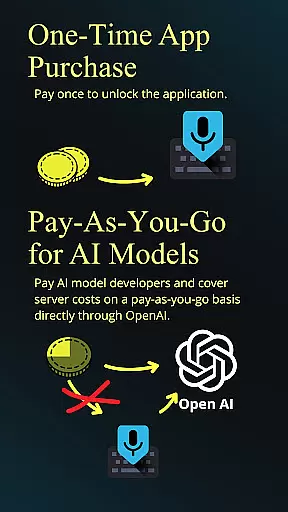
Incurs usage fees
Complex for beginners
Internet connection needed
Limited offline functionality

Direct Chat without saving contacts & Dual WA Account on Single Device
 4.70
4.70
Send files, sync SMS, notifications & clipboard across devices via local network
4.40
Secure, fast, open-source, Remote Desktop Client for Windows and Linux with SSH
4.60
Pwnagotchi companion app
4.20
CalenGoo is a very flexible and feature-rich calendar app
4.40
App Lock with fingerprint, password: Lock apps & hide photos with lock screens
4.60
Secure, open-source, SPICE and SSH Remote Desktop for QEMU KVM virtual machines
4.00
Tally and goal counter for Wear OS & mobile
4.50
QuickEdit is a fast, stable and full featured text and code editor.
4.20
Scientific calculator for Android - looks and operates like the real thing!
4.90
Use powerful, industry-leading AI tools to generate visual charts from any data
4.80
Subscribe to Webcal & .ics calendars and keep them up-to-date!
4.50
Professional calendar app for Google Calendar, MS Outlook & Exchange
4.20
Font maker keyboard with your own handwriting
4.10
A Revolutionary All-in-One Artificial Intelligence Tools
3.80
Auto-shutoff Alarm with Sunrise, Sunset & Fixed Options.
3.50
Easiest event planning, volunteer signups & parent teacher conference scheduling
2.20
Ads Free App! Editor, Hide File, Copy, Move, Delete and Rename.. all facility av
1.70
AI Video AI Image Private LLM AI Browser Llama Gemma Ollama Connect LLM Studio
4.2


User Reviews