
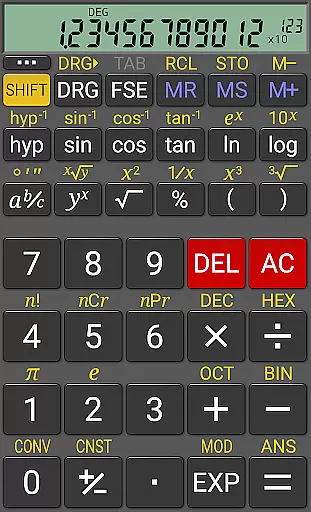
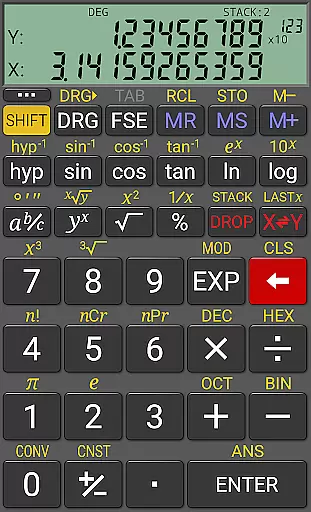
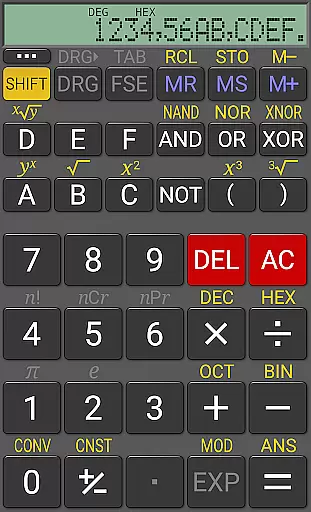
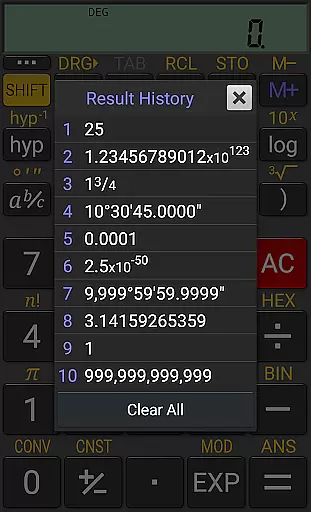
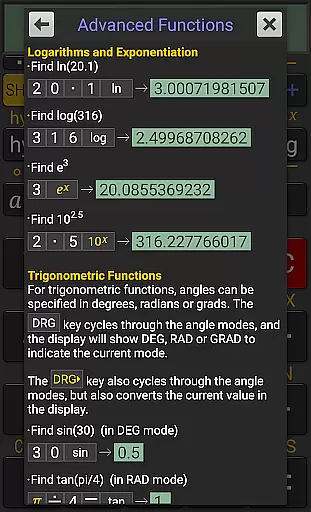
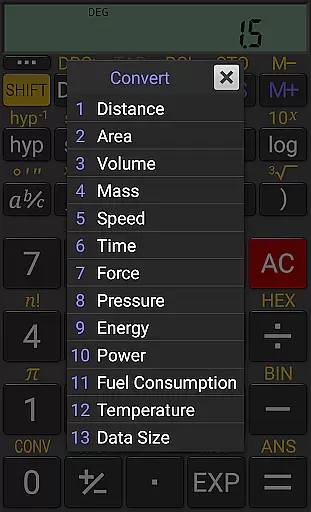
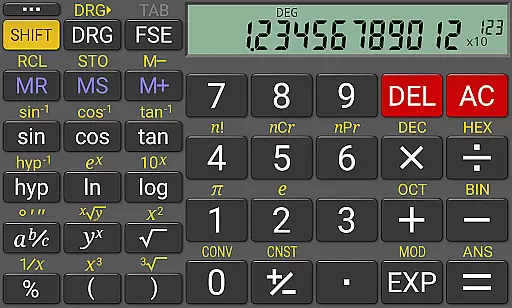
RealCalc Plus is the advanced version of RealCalc, a leading scientific calculator on Android. It mirrors the functionality of a real hand-held calculator and includes all standard scientific functions along with additional capabilities such as fraction calculations, degrees/minutes/seconds conversions, and history tracking. The app also offers customizable unit conversions, constants, and supports binary, octal, and hexadecimal calculations. With an optional RPN mode and multiple display styles, it caters to both simplicity and customization needs.
This application is ideal for students, engineers, and professionals who require precise calculations in their work or study. Its comprehensive features ensure that users can perform complex computations with ease while enjoying the flexibility of various calculation modes and display formats. RealCalc Plus stands out by providing a seamless blend of functionality and user-friendly interface, making it an essential tool for productivity.
RealCalc Plus boasts a rich set of features designed to enhance the calculating experience. It supports both traditional algebraic and RPN operations, catering to different user preferences. Fraction calculations and conversions to/from decimal are included, alongside degrees/minutes/seconds calculations and conversions, which are crucial for specialized fields like engineering and physics.
The calculator provides a 12-digit display with extended internal precision (32-digit), ensuring accuracy in results. Users can customize unit conversions and constants according to their specific needs. Additional functionalities include percentage calculations, result history, ten memories, trigonometric functions in degrees, radians, or grads, and multi-window support with drag & drop. These features collectively make RealCalc Plus a versatile tool for a wide range of applications.
For a productivity app like RealCalc Plus, core task management refers to how effectively it handles calculation tasks and manages the workflow of complex operations. This calculator app excels in organizing and executing both simple and advanced mathematical functions.
The app provides users with multiple calculation modes including algebraic and RPN operations, which cater to different preferences and use cases. Its extended internal precision ensures that even the most demanding calculations are performed accurately, while the result history feature allows users to review past computations effortlessly.
RealCalc Plus also includes ten memory slots and numerous customizable constants and unit conversions, empowering users to tailor their calculation workflows according to specific needs. These features collectively enhance the efficiency of task management within the app.
By integrating these comprehensive capabilities, RealCalc Plus delivers an exceptional user experience for anyone requiring precise and versatile computational power at their fingertips.
Cross-device synchronization is crucial for users who rely on consistent access to their data across multiple devices. While RealCalc Plus focuses primarily on providing a robust standalone calculator experience, its design ensures reliable access to personalized settings and stored information whenever the app is used.
Although RealCalc Plus does not explicitly advertise cloud-based synchronization, it offers practical solutions such as customizable constants and unit conversions that can be uniformly applied every time you use the app on any device. This uniformity guarantees that your preferred setup remains intact without needing external syncing services.
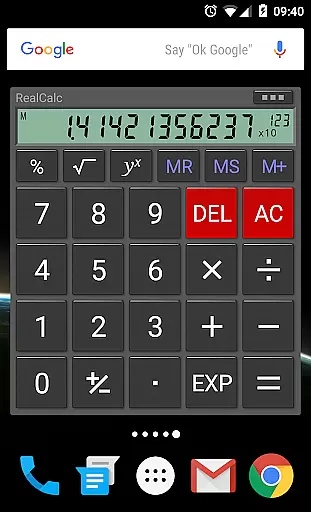
Additionally, the inclusion of a homescreen widget with RPN support and multi-window functionality demonstrates the app's commitment to seamless usability across different scenarios. Users can expect consistent performance whether they're using a smartphone or tablet.
While direct cross-device sync might not be a highlighted feature, RealCalc Plus ensures that all essential personalization options and operational preferences remain accessible and reliable, enhancing overall productivity regardless of the device in use.
User-friendly interface
Highly customizable
Supports RPN mode
Comprehensive help included
Versatile calculation options
Paid version only
No graphing capabilities
Limited visual themes
Advanced features may overwhelm beginners
Occasional bugs reported

 4.20
4.20
A Revolutionary All-in-One Artificial Intelligence Tools
3.80
QuickBooks Workforce lets teams view pay info and track time in one place.
4.70
Seamlessly integrate data and reports to build your presentation to impress
4.80
A lightweight JSON & XML files creator, editor and viewer (Premium Version)
4.40
Stay on top of your to-dos with Google Tasks, part of Google Workspace.
4.60
Activate Two Factor Authentication (2FA or Multi OTP), Password manager and more
4.10
A comprehensive suite of tools designed specifically for Lactation Consultants
4.4
A beautiful digital clock with autostart and many other functions
4.70
Native client for Forgejo and Gitea
5.00
Great calculator for Android named one of USA TODAY's "25 Essential Apps".
4.90
We're working to become the best machining app on the market! www.cncdirt.com
4.80
A simple Whisper AI keyboard for reliable speech transcription and rewording
4.60
Tally and goal counter for Wear OS & mobile
4.50
Create and edit presentations with Google Slides, part of Google Workspace.
4.00
Take control of your clipboard with Clipper!
3.90
All in one sketching tool. Technical and General drawing. Online Maps support.
3.70
Remotely view listen control and record cameras.
3.70
IP Camera Viewer - Android TV : RTSP Surveillance camera viewer for Android TV
4.5


User Reviews