
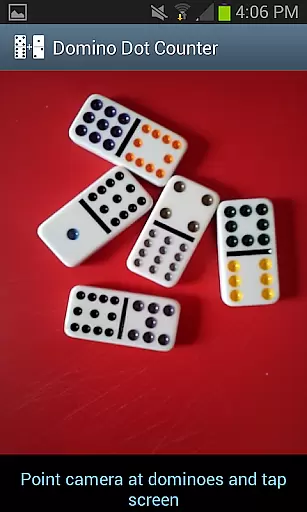
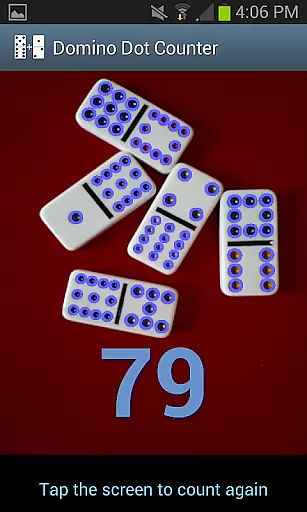
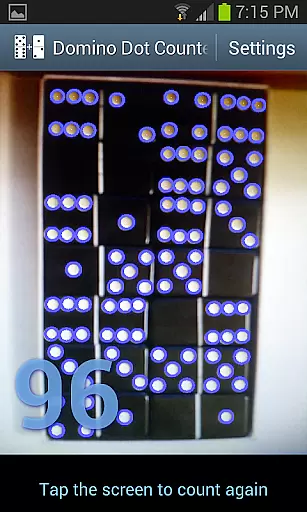
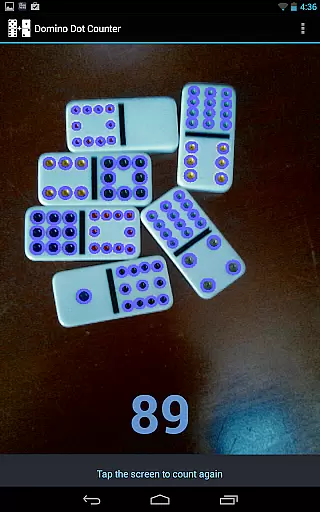
Domino Dot Counter is a casual gaming app designed to enhance your dominoes experience by automatically summing up the dots on a group of dominoes using your phone's camera. This innovative tool not only simplifies the scoring process but also adds an element of fun and accuracy to your game sessions.
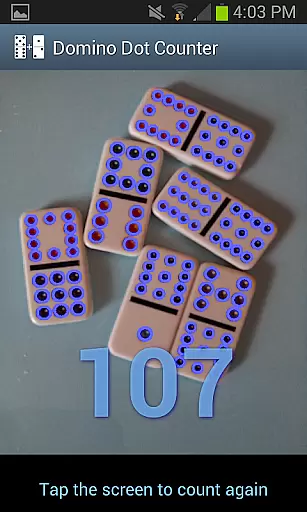
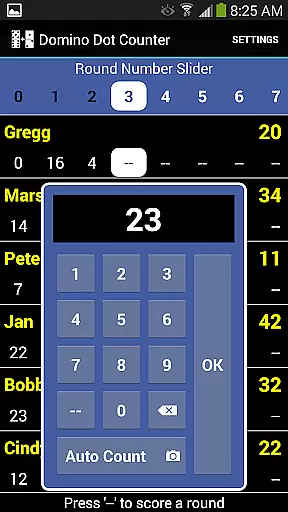
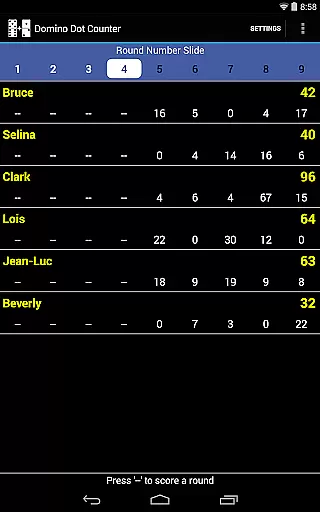
The latest version includes a complete score application, allowing you to keep track of scores for 2 to 8 players. With features like AUTO COUNT, adding up the dots on a large number of tiles at the end of a round has never been easier. Just point the camera at the dominoes, tap anywhere on the screen, and let the app do the rest.
Whether you're playing Mexican Train or any other dominoes variant, Domino Dot Counter ensures that you spend less time counting and more time enjoying the game with friends and family.
Domino Dot Counter stands out with its unique AUTO COUNT feature, which uses advanced image recognition technology to count the dots on dominoes. This functionality is particularly useful when dealing with a large number of tiles, as it significantly reduces the time and effort required to tally scores.
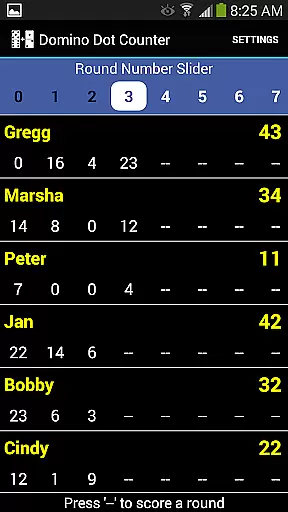
Beyond its core capability, the app offers a comprehensive scorekeeping system. You can add or delete players mid-game, customize player names, and manage rounds with ease. The app intelligently tracks completed rounds and warns against rescoring, ensuring fair play.
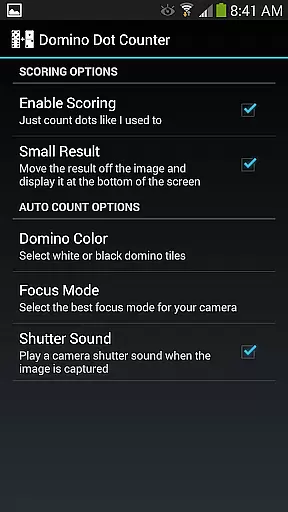
For optimal performance, users are advised to hold the camera horizontally over the dominoes and play on a solid-colored surface. Additionally, those who prefer the original Domino Dot Counter experience can disable scoring in the settings menu, catering to diverse user preferences.
Domino Dot Counter exemplifies core gameplay simplicity by offering an intuitive solution to a common problem in domino games. The challenge of manually counting dots on a large number of tiles is replaced with an innovative AUTO COUNT feature.
This functionality allows players to simply point their phone's camera at the dominoes laid out on the table, and with a tap on the screen, receive an instant total of all the dots. This seamless interaction eliminates tedious counting, making the game more accessible and enjoyable for everyone involved.
The application supports 2 to 8 players, providing flexibility for various group sizes. Players can add or delete participants mid-game and customize names through a simple long-press gesture. With these features, Domino Dot Counter ensures that the focus remains on the fun aspects of the game rather than its administrative tasks.
One of the key strengths of Domino Dot Counter is its session length flexibility, which caters to both quick and extended gaming sessions. Whether you're looking to play a single round or engage in an all-day tournament, this app adapts to your schedule.
Players have the option to add more rounds whenever they like, ensuring that the game doesn't have to end prematurely. The app also includes a slider at the top of the interface to easily navigate through multiple rounds when they can't all be displayed at once. This feature is particularly useful for longer sessions where tracking progress over many rounds is essential.
Moreover, each round can count up or down, adding another layer of customization to match the preferred style of play. This adaptability makes Domino Dot Counter suitable for different types of domino games, including popular variations like Mexican Train.
User-friendly interface
Accurate dot counting
Customizable player names
Intuitive round management
Versatile scoring options
Requires solid-colored surface
Camera positioning crucial
Limited to domino games
May need occasional recalibration
Dependent on good lighting

Defeat your enemies by creating a larger army of bullets!
 4.40
4.40
All-in-one tricky challenges, viral trending mini games. Stay calm & relax.
4.20
Fun drinking & party game with dares, sips, timers, and a live leaderboard!
4.3
Help Austin renovate his home and solve exciting match-3 puzzles along the way!
4.70
1V1 Hunting Game
4.40
Sort colorful balls in this relaxing puzzle game. Train your brain & have fun!
4.80
Build the Most Beautiful Queen!
4.40
Unfurl tent flaps, cut through bushes, slam doors, and poke some crocodiles!!!
4.70
Puppy rescue meets puzzle escape! Save pups, dodge traps & build a dream shelter
4.50
More fast-paced, food-making, cooking fun for everyone!
4.90
Search for hidden objects scattered around hand-drawn worlds.
4.70
Roll the Dice and Build Your Kingdom - Can You Beat Your Friends?
4.70
RPG Adventure in the Caribbean as Pirate or Trader.
4.60
FPse : The best and smoothest PSone Emulator available now!!
4.50
Click your way to a fortune in Treasure Chest Clicker!
4.40
"My PlayHome School" expands the PlayHome world into the classroom!
4.30
Go exploring with Duggee!
4.20
A minimalist game about digging a hole in the garden of a newly purchased house
3.00
Train concentration, reasoning, coordination and patience in a fun way.
4.5


User Reviews