
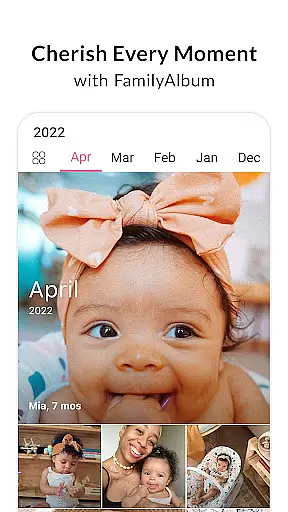
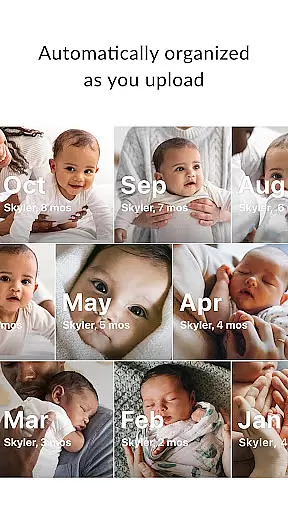
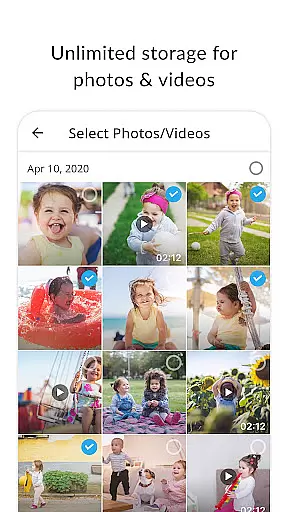
FamilyAlbum is a comprehensive parenting app designed to help families safely share, organize, and preserve their precious memories. The app offers unlimited free storage for photos and videos, ensuring that every important moment is securely backed up. Its intuitive interface automatically sorts content by month and even displays your child's age alongside each memory, making it easy to navigate through time.
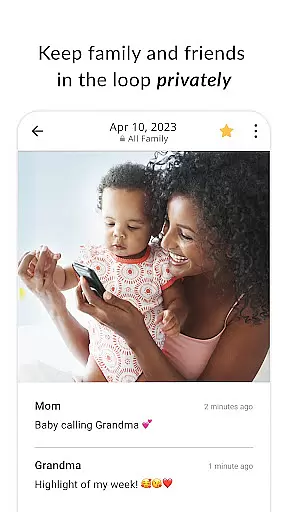
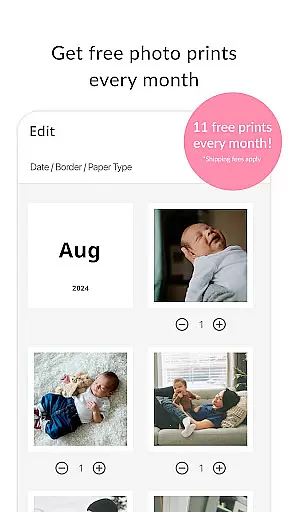
Beyond simple storage, FamilyAlbum provides advanced features like private sharing controls, allowing you to decide who sees what within your family circle. The app also creates touching compilation videos from your uploaded content and offers 11 free photo prints monthly. With both free and Premium versions available, the app caters to different user needs while maintaining complete privacy and ownership of your content.
This app is particularly valuable for modern families looking to maintain close connections despite physical distances. It allows distant relatives to stay involved in their loved ones' lives without the pressure of immediate responses typical of messaging apps. Additionally, its ease of use makes it accessible even for less tech-savvy family members, ensuring everyone can participate in building a shared digital memory book.
FamilyAlbum distinguishes itself through several innovative features tailored specifically for family use. The app's automatic organization system arranges photos and videos chronologically while displaying children's ages, creating an intuitive timeline of family growth. This feature alone saves countless hours that would otherwise be spent manually sorting and labeling memories.
The app's sharing capabilities are equally impressive, offering streamlined distribution to multiple family members while maintaining strict privacy controls. Unlike social media platforms, FamilyAlbum ensures that only invited family and friends can access your content. Furthermore, the app's free monthly photo print service and optional Premium features like extended video uploads and computer synchronization provide flexibility for different user preferences.
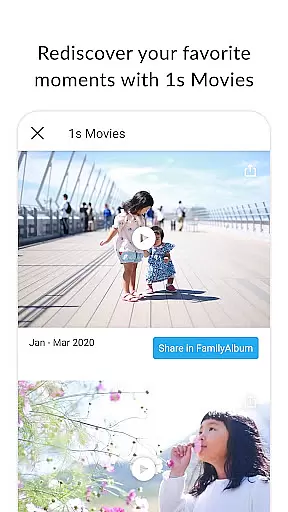
Additional notable features include automatic 1-second compilation videos called '1s Movies,' visibility settings for selective sharing between partners, and a browser version for desktop access. These elements combine to create a robust platform that not only stores memories but actively enhances them through creative presentation and thoughtful privacy management.
FamilyAlbum stands out as a reliable parenting tool, with its content credibility and expert validation forming the backbone of its service. The app ensures that all shared memories are curated in a way that maintains privacy and security, which is crucial for parents who want to document their child's journey without compromising safety. This level of trust is further reinforced by accolades such as the Momu2019s Choice Awards Gold Recipient and the Official Webby Honoree for Best User Experience.
The application provides features like visibility controls and private sharing options, allowing parents to decide what stays within the immediate family circle and what can be shared more broadly. These capabilities are designed with expert input to ensure they meet the nuanced needs of modern families. By offering unlimited storage and automatic organization of photos and videos, FamilyAlbum simplifies memory preservation while maintaining high standards of data protection.
Moreover, the app's dedication to being a free service with optional premium enhancements demonstrates a commitment to accessibility and user choice. Parents can enjoy peace of mind knowing that their cherished memories are stored safely, with additional options available if they wish to expand functionality. This approach not only validates the expertise behind FamilyAlbum but also enhances its credibility among discerning parents.
Growth tracking accuracy is a pivotal feature of FamilyAlbum, enabling parents to document and reflect on their child's developmental milestones with precision. The app automatically sorts photos and videos by date and even includes the child's age, creating an intuitive timeline that helps parents track growth over time. This thoughtful design allows for a seamless journey back through memories, simply by swiping the screen.
In addition to organizing media, FamilyAlbum offers compilation videos known as 1s Movies, which stitch together brief clips into touching narratives. These features provide an innovative way to visualize progress and change, capturing fleeting moments that collectively tell a child's unique story. Such tools are invaluable for parents seeking to monitor and celebrate developmental stages.
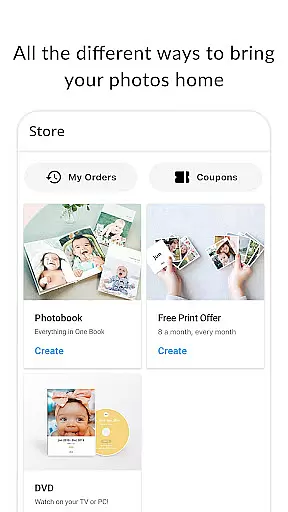
Furthermore, the ability to order photo prints and create photobooks directly within the app adds a tangible dimension to growth tracking. Parents can transform digital records into physical keepsakes, reinforcing the importance of accurate documentation. With these comprehensive tracking capabilities, FamilyAlbum empowers parents to maintain an authentic and heartfelt record of their child's journey.
User-friendly interface
Unlimited free storage
Strong privacy protection
Free monthly prints
Automatic video compilations
Premium features costly
Limited video length
Print shipping slow
Occasional bugs
Computer upload premium

Comprehensive Parental Control & Child Safety — Hear & Protect Your Child World
 4.30
4.30
Track Pregnancy, Baby Feeding, Sleep, Diaper Changes, Postpartum Health & More!
4.80
Parental Control including Screen time control, GPS tracking, App/Game blocker.
3.90
Learn according to the age of your child and consult with other moms.
4.20
The 10 development leaps of your baby | newborn milestones & leap days tracker
4.10
SemLog aims to raise awareness among families and their children
3.40
App/Game blocker & GPS tracker
4.50
Parental control: child monitoring app, screen time control, GPS child tracker
4.40
Track baby’s development & growth week by week with BabyCenter’s pregnancy app!
4.90
3D Baby size, Fruit comparisons, Smart Checklist, Trending Names & Training.
4.90
Advanced baby tracking, expert sleep help & parenting support for every stage.
4.80
Live Location, Alerts & 2-Way Voice for Kids and Adults with Special Needs
4.60
Parental control App for Location, Remote Camera, Screen Mirroring, Block Apps.
4.60
It is a screen time management tool for games and mobile applications
4.50
Keep Your Family Safe with Pollog Family Assistants
4.10
Discover fun videos, kids songs, bedtime stories and games
3.60
A Coloring for the Whole Family! Discover the Joy of Family Love Through Colors!
3.60
Screen Time, App and Web Block & Monitoring, Location Tracker
3.60
Track pregnancy health and wellness with pregnant tracker from healthcare advice
4.3


User Reviews