
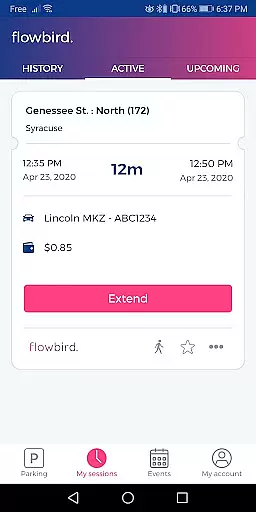
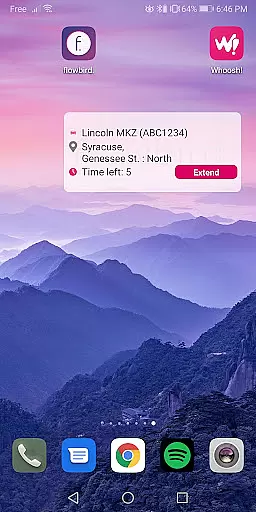
Flowbird Parking is a mobile application designed to simplify the parking experience for users. The app allows drivers to pay for parking directly from their smartphones, eliminating the need for physical parking meters. With real-time notifications, users can easily monitor and extend their parking sessions within the app's interface. This functionality not only saves time but also reduces the risk of parking violations due to expired meters.
In addition to payment processing, Flowbird Parking offers features such as Parking Pressure display for certain areas, helping users identify less congested parking spots. The app also includes a 'Find my car' feature, which is particularly useful in large parking lots or unfamiliar areas. Security is prioritized with options like fingerprint login, ensuring that user data remains protected at all times.
Flowbird Parking stands out with its comprehensive suite of features tailored to enhance the parking experience. One of the key functionalities is the ability to make mobile payments through either a smartphone or web interface, offering flexibility and convenience. The Parking Pressure display provides valuable insights into parking availability, allowing users to make informed decisions about where to park.
Another notable feature is the 'Find my car' option, which addresses the common issue of forgetting where one has parked. By using the app's mapping capabilities, users can quickly locate their vehicles. Additionally, the inclusion of fingerprint login adds an extra layer of security, streamlining the login process while safeguarding personal information. These features collectively contribute to a seamless and secure parking experience.
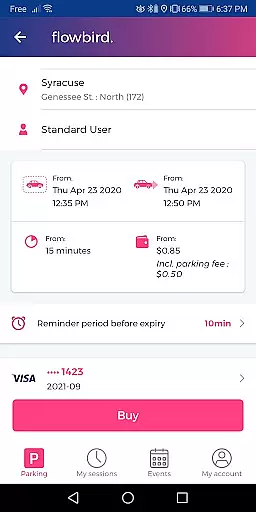
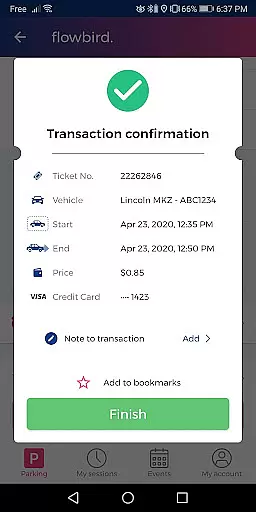
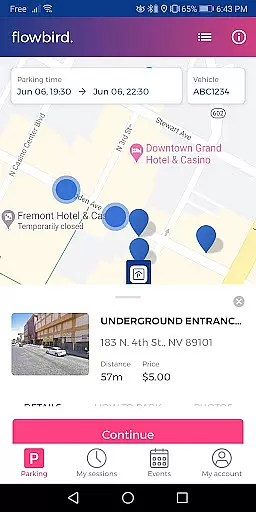
Detailed vehicle information is crucial for ensuring a seamless parking experience. Flowbird Parking app provides essential details about your vehicle, primarily through the license plate selection feature. This allows users to manage multiple vehicles effortlessly within the app.
The app's interface makes it easy to input and store vehicle details securely. By selecting the vehicle license plate before starting a parking session, users ensure accurate identification and avoid potential fines. This level of detail supports efficient parking management across different locations.
For users who frequently park in varied locations, having detailed vehicle information readily available simplifies the process. The app eliminates the need to remember specific details each time you park, making the overall experience more user-friendly and efficient.
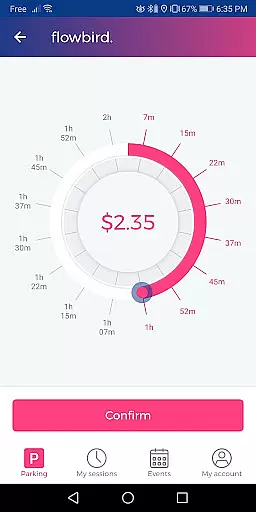
Price transparency in parking apps like Flowbird Parking ensures users are fully aware of the costs involved before confirming a transaction. The app clearly displays all charges associated with parking, including any location-specific fees or rules regarding time extensions.
Flowbird Parking offers real-time cost calculations based on the selected parking duration and location. Users can view the total amount they will be charged before finalizing their payment, which enhances trust and reliability in the service provided.
This transparency not only helps users budget their parking expenses but also prevents unexpected charges. With clear pricing information at every step, users can make informed decisions about their parking needs while using the Flowbird app.
User-friendly interface
Secure payment processing
Real-time notifications
Parking pressure insights
Find my car functionality
Limited location availability
Requires internet connection
Potential service fees
Dependent on local regulations
Learning curve for new users

Ultimate OBD2 Car Scanner: Diagnostics, Service and Modification Tool
 4.30
4.30
Take Control of Your Car
4.80
DIY Vehicle Wheel Alignment
4.2
DMV Test Pro offers all the updated FREE DMV tests online.
4.60
Oil change service & coupons for car maintenance at Valvoline Instant Oil Change
4.70
Blink Charging Mobile app makes finding an EV charger an intuitive experience.
3.80
The ExtraMile App allows you to pay for fuel from the comfort of your car!
4.70
Secure mobile payments & fuel savings at Phillips 66®, Conoco® and 76® stations
4.40
A smarter way to park and reserve your spot ahead of time.
4.40
Buy and sell your boat
4.70
Easy connect & control your cars from afar. Remote Lock & unlock car and carplay
4.60
CVT diagnostics with ELM327 for Nissan-based vehicles
4.40
Autotrader is your online solution for buying and selling new and used cars.
4.40
OBD2 car scanner and diagnostics: read Check Engine, DTC, economy....
4.30
Get your personalized financing options and shop for used cars today!
4.20
OBD diagnostics, Live Data, DPF regeneration for BMW
4.00
Take state-specific DMV permit tests and ace the exam.
3.90
AlfaOBD software for Fiat Group cars native diagnostic
3.70
Better fuel to help keep you on the road
3.20


User Reviews