
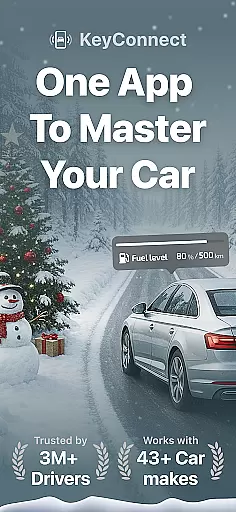
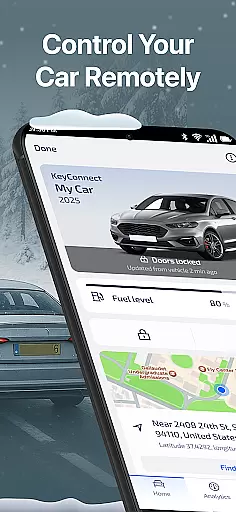
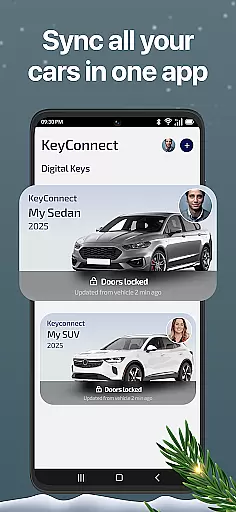
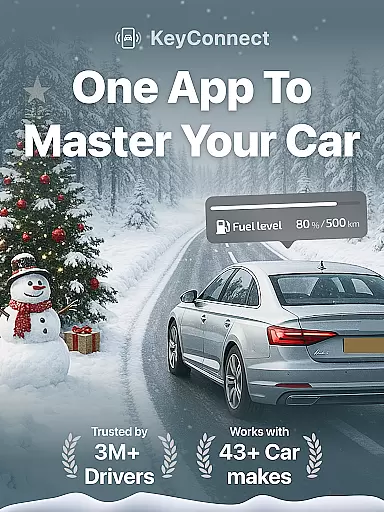
KeyConnect is a revolutionary digital car key app that transforms the way users interact with their vehicles. Designed for both personal and commercial use, this application allows drivers to replace traditional car keys with a secure, smart solution on their smartphones. The app supports over 40 car brands including Toyota, Chevrolet, Ford, Tesla, BMW, and Audi, making it an ideal choice for managing multiple vehicles from different manufacturers.
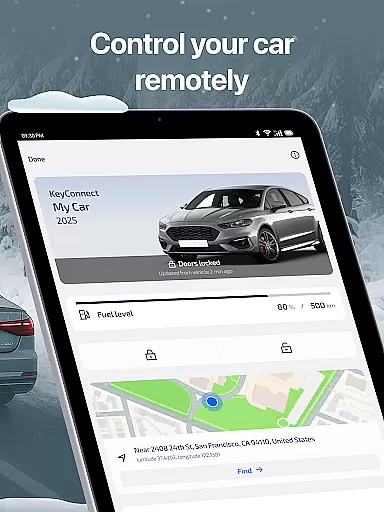
The core functionality of KeyConnect includes remote lock and unlock capabilities, real-time vehicle status checks, GPS navigation, and secure key sharing. Whether you're at home, in the office, or at a parking garage, you can effortlessly control your car's access points. The app also provides essential features like document storage for insurance and registration papers, expense tracking for maintenance costs, and roadside assistance support. These comprehensive tools make KeyConnect an indispensable companion for modern car owners.
A particularly useful scenario is when users find themselves locked out of their cars or need to share access with family members or renters. With bank-grade security protocols, KeyConnect ensures that digital key sharing is both convenient and safe. Additionally, its demo mode lets new users explore all features without needing to connect an actual vehicle, providing a risk-free way to experience the app's full potential.
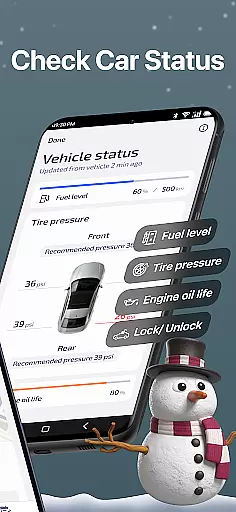
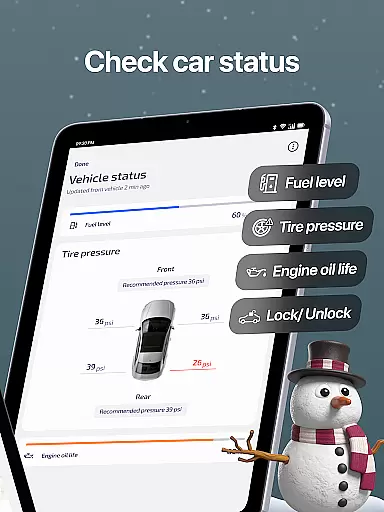
KeyConnect stands out through its diverse range of innovative features tailored to enhance vehicle management. One of the most notable aspects is its ability to provide real-time car status updates. Users can remotely monitor critical metrics such as tire pressure, oil levels, fuel consumption, and battery health for electric vehicles. This feature not only prevents potential engine issues but also ensures that your car remains road-ready at all times.
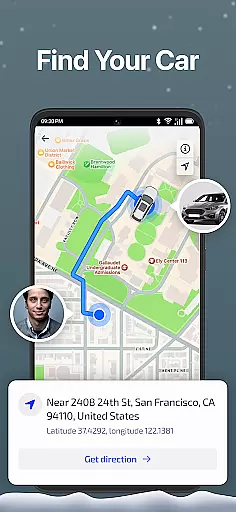
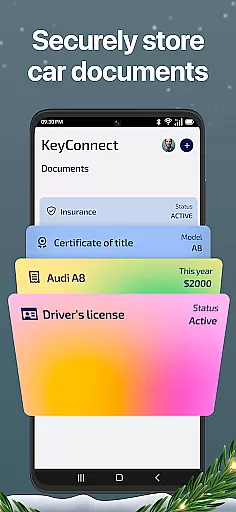
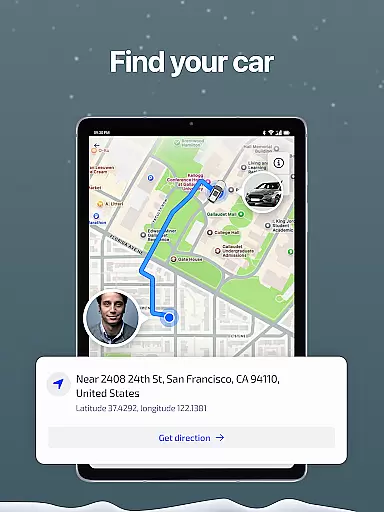
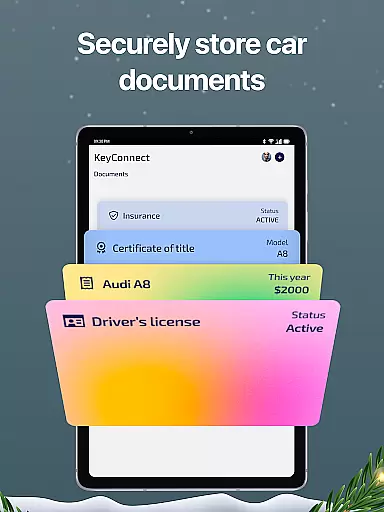
Another significant advantage is the app's smart GPS navigation system. It helps users locate their parked cars in crowded areas, malls, or multi-level parking garages. The built-in navigation further assists by finding the quickest routes to gas stations or EV charging spots. Additionally, KeyConnect offers robust document storage options where users can securely scan and store important papers like driver’s licenses, insurance documents, and vehicle titles. This eliminates the need to carry physical copies and provides instant access whenever needed.
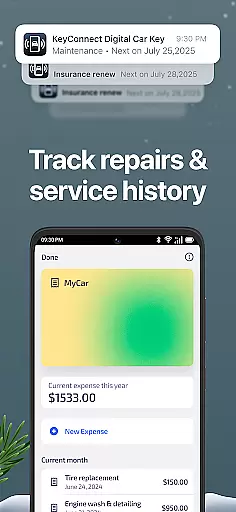
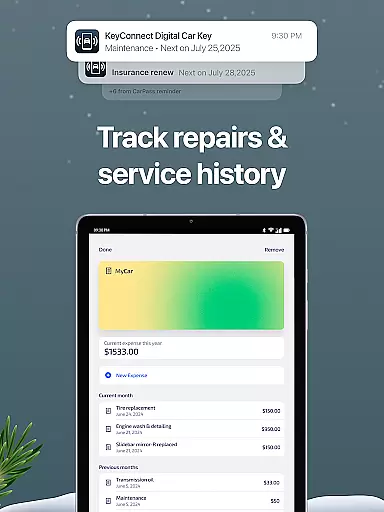
KeyConnect also excels in facilitating seamless key sharing with others. Using advanced security protocols, users can digitally share car keys with renters or family members without requiring physical key exchanges. Moreover, the app includes detailed expense tracking and history reports, allowing users to log repair costs and view past service records. These features collectively contribute to smarter financial planning and informed decision-making, especially when considering resale value.
Access to detailed vehicle information is crucial for modern car owners, and KeyConnect excels in this area. The app provides comprehensive data about your vehicle's status, including tire pressure, oil levels, fuel or EV battery health, all accessible remotely.
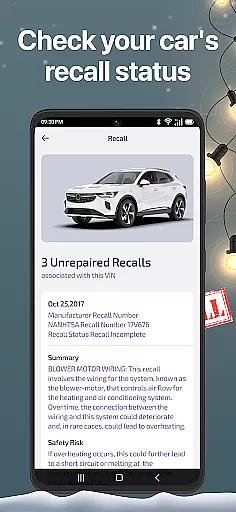
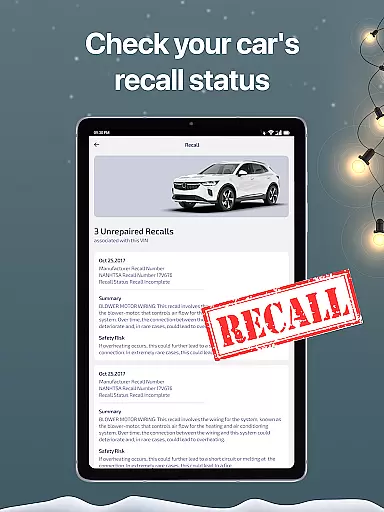
KeyConnect goes beyond basic details by offering real-time monitoring and safety alerts. Users can receive instant notifications about potential engine issues or maintenance needs, helping prevent breakdowns and accidents before they occur.
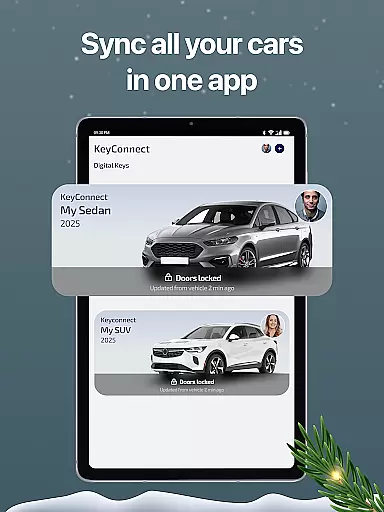
The application's multi-vehicle management feature allows owners to track important details for multiple cars within a single dashboard. This functionality proves particularly valuable for those managing fleets or families with several vehicles, streamlining the ownership experience.
With its wide compatibility across over 40 car brands, KeyConnect ensures that users can access detailed information regardless of their vehicle make. The app's ability to store essential documents like insurance and vehicle titles further enhances its value as a complete vehicle information solution.
While primarily focused on vehicle management, KeyConnect also addresses price transparency through its comprehensive expense tracking system. The app enables users to log and monitor repair, service, and maintenance costs, providing clear insights into their automotive financial commitments.
The application generates detailed reports of car expenses, helping owners maintain accurate records for budgeting purposes. This feature proves especially useful when planning for major repairs or evaluating the cost-effectiveness of keeping an older vehicle.
KeyConnect's historical tracking capabilities extend to maintenance records, giving users complete visibility into past services and their associated costs. This information becomes invaluable when considering vehicle resale or trade-in options.
Although not directly involved in market pricing, the app's document storage feature allows users to keep records of purchase prices, insurance costs, and other financial documents. This centralized repository contributes to overall price transparency in vehicle ownership.
User-friendly interface
Wide brand compatibility
Secure key sharing
Real-time car diagnostics
Comprehensive vehicle management
Limited free features
Requires constant internet
Premium subscription cost
Occasional connectivity issues
Device compatibility restrictions

The Smarter Way Forward
 3.30
3.30
* This app needs an adapter cable and a certain OBD2 adapter to work *
4.20
Oil change service & coupons for car maintenance at Valvoline Instant Oil Change
4.70
Control maps, media and messaging, with the Google Assistant while you drive
4.10
AI Powered - Automotive Mechanic Assistant
4.30
Take state-specific DMV permit tests and ace the exam.
3.90
O'Reilly Pro will streamline your parts lookup and ordering process!
3.20
A smarter way to park and reserve your spot ahead of time.
4.40
Shop, finance, or sell today.
4.80
7-Day Returns on All Cars
4.80
Car Values, Research and More
4.80
On the CarShield app, you can view contracts, make payments, & request roadside.
4.40
Automotive Electrical Wiring Diagrams
4.40
Your car is talking. Start listening.
4.30
myAudi offers users services and Audi connect services for Audi drivers
4.10
Monitor your behind-the-wheel behavior to become a safer driver and save.
4.10
Boost profits and hit your goals faster with GigU's amazing tools for gigworkers
4.00
PayByPhone: A quick and easy way to pay for parking.
3.80
App Mirroring for Tesla Car's Browser
2.80


User Reviews