
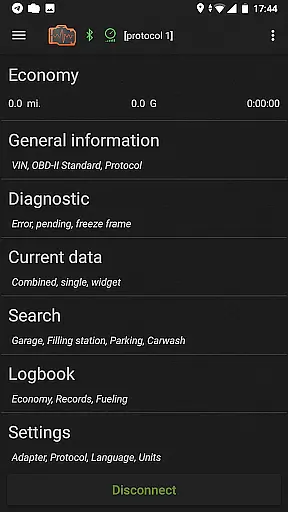
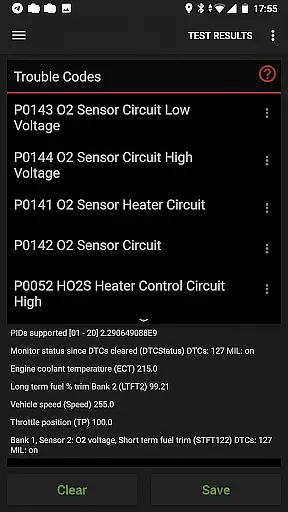
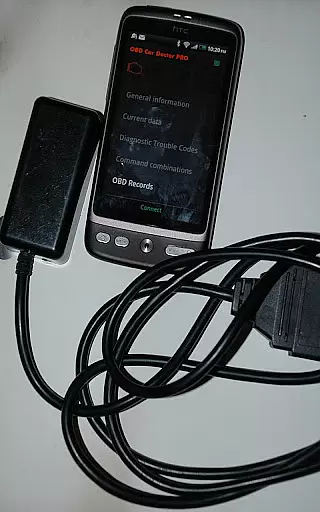
inCarDoc Pro is a comprehensive vehicle diagnostics and monitoring tool designed for car enthusiasts and professionals alike. This application serves as a virtual mechanic, enabling users to read real-time and stored diagnostic parameters from the Engine Control Unit (ECU) of OBD-II compliant vehicles. It requires an ELM327 or compatible OBD scanner to function optimally, though limited functionality is available in GPS-only mode.
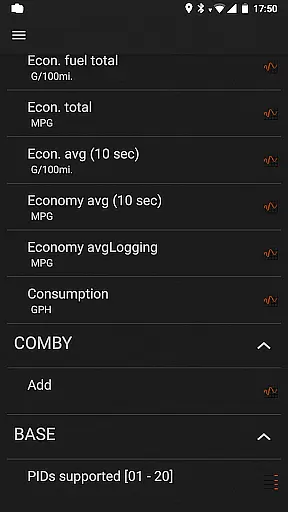
The app's primary use case is as an advanced OBD2 scanner that reads Check Engine (MIL) states, fault codes, freeze frame data, and clears diagnostic trouble codes (DTC). Additionally, it offers trip computer functionalities, presenting fuel economy statistics and tracking service records. The value proposition lies in its ability to empower users with detailed insights into their vehicle's performance and health, potentially saving on professional diagnostic fees.
inCarDoc Pro stands out with its extensive feature set tailored for automotive diagnostics. The application supports multiple connection modes including Bluetooth, WiFi, and BLE through various adapters like Kiwi 3, V-Gate iCar 3, and Veepeak. Its core functionality revolves around reading real-time engine parameters such as speed, RPM, coolant temperature, and pressure from the vehicle's sensors.
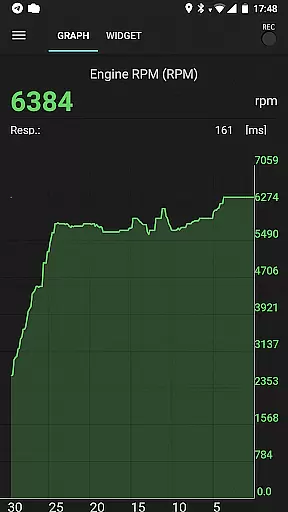
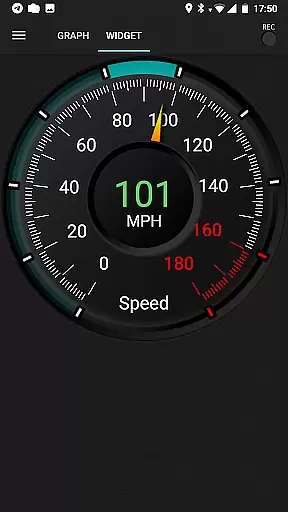
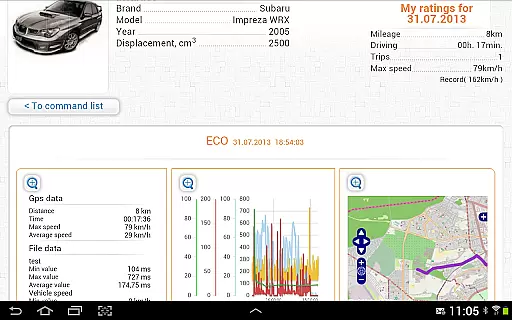
One of the key innovations is its ability to record parameters in background mode and present them through various visualization tools including charts and analog/digital widgets. The pro version removes advertisements and adds valuable features like extended widgets for fuel economy and acceleration, GPS trace support, and server upload capabilities. These features collectively provide users with a powerful toolkit for maintaining optimal vehicle performance.
Accessing detailed vehicle information is crucial for effective car maintenance and diagnostics. inCarDoc Pro provides comprehensive data about your vehicle's performance by connecting to the OBD-II system. This includes real-time parameters such as engine speed, coolant temperature, and oxygen sensor readings.
The application reads these diagnostics parameters directly from the ECU of OBD-II compliant cars, ensuring accuracy and reliability. By supporting multiple protocols including Bluetooth, WiFi, and BLE, it delivers precise details regardless of the connection type used with compatible scanners like ELM327.
Users benefit significantly as they can monitor their caru2019s health continuously. With features that allow tracking fuel economy, acceleration metrics, and other essential statistics, drivers gain insights into potential issues before they become severe problems. This proactive approach helps maintain optimal vehicle performance while extending its lifespan.
Price transparency in automotive tools ensures users understand what they are paying for without hidden costs or surprises. For inCarDoc Pro, this means offering a clear distinction between free and premium functionalities. The Pro version removes advertisements and enhances user experience through advanced features not available in the basic edition.
This app provides an extensive range of services under its paid model, including real-time parameter recording, background mode operations, GPS trace support, and more. Each feature adds tangible value, allowing users to make informed decisions based on their specific needs and budget considerations.
By clearly outlining these benefits, customers know exactly how much they will spend and what additional capabilities they receive. Such openness fosters trust and satisfaction among users who seek reliable diagnostic solutions tailored to their vehicles' requirements. Ultimately, price transparency empowers consumers to choose wisely when investing in automotive care technology.
User-friendly interface
Comprehensive diagnostics
Real-time parameter recording
Background mode functionality
Professional-grade tools
Requires additional hardware
Limited without ELM327
Complex for beginners
Compatibility issues
Premium pricing

Easily notify car owners in urgent situations, safe, fast, multilingual.
 4.2
4.2
Take Control of Your Car
4.80
Realtime Charts is a plugin for the Torque Pro App (OBD 2 & Car)
4.20
A full featured, real-time transit locator system
4.30
Get your personalized financing options and shop for used cars today!
4.20
Get more out of your AAWireless adapter with this companion app | aawireless.io
4.80
Automotive Electrical Wiring Diagrams
4.40
O'Reilly Pro will streamline your parts lookup and ordering process!
3.20
Find Your Local Store or Shop Online for the Car, Truck, or SUV Parts You Need
4.70
Play what you want through Android Auto
4.90
DMV practice test 2025: Driver License permit test & written test for all states
4.70
Your go-to app for car, truck & SUV parts, DIY tools, and expert repair help.
4.70
Quick and easy car diagnostics to get you the right fix.
4.70
Find, search, and browse 40,000+ used cars, SUVs, and trucks.
4.50
Launcher for use in the car
4.40
Autotrader is your online solution for buying and selling new and used cars.
4.40
myAudi offers users services and Audi connect services for Audi drivers
4.10
The Smarter Way Forward
3.30
Theme for Car Launcher
4.4


User Reviews