
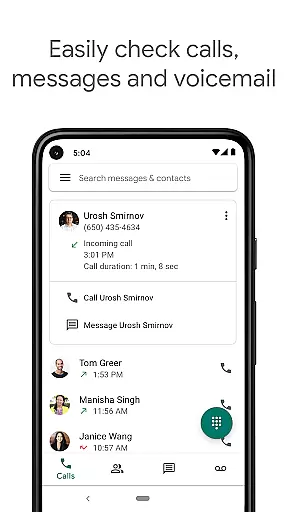
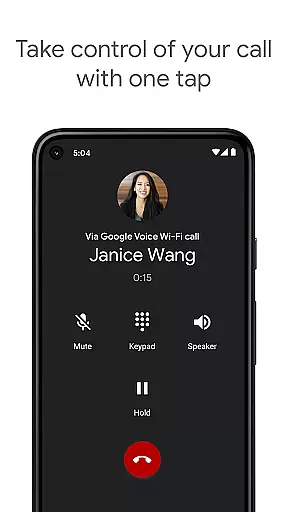
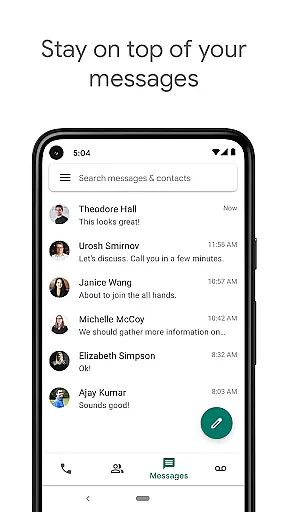
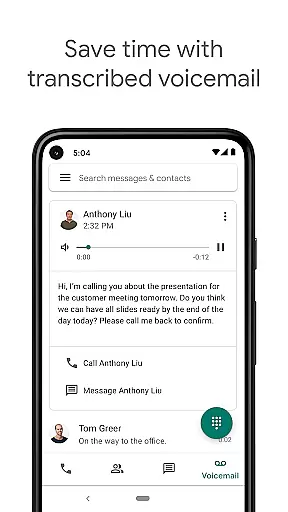
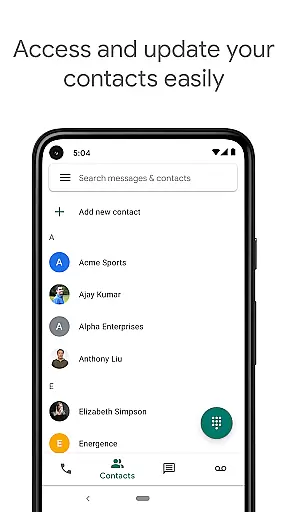
Google Voice is a communication app that provides users with a dedicated phone number for calling, text messaging, and voicemail services. Available on both smartphones and computers, it ensures seamless synchronization across devices, allowing you to stay connected whether you're at home, in the office, or traveling. The app offers advanced features like automatic spam filtering, personalized call management, and voicemail transcription, making it an all-in-one solution for managing your communication needs efficiently.
One of the standout features of Google Voice is its ability to store and back up calls, messages, and voicemails, ensuring that your communication history is always accessible and searchable. Additionally, the app supports sending and receiving individual and group SMS messages from any of your devices, providing flexibility and convenience. With competitive rates for international calls, Google Voice helps users save on communication costs while maintaining high-quality service.
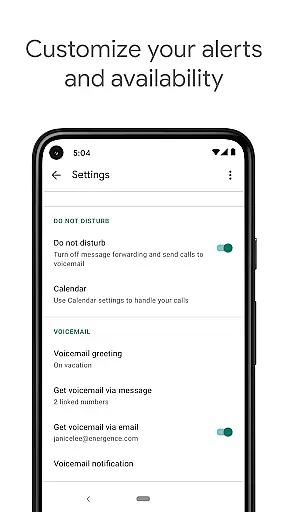
Google Voice stands out with its comprehensive set of communication features tailored to enhance user control and convenience. The app automatically filters spam calls and allows users to block unwanted numbers, ensuring a hassle-free experience. Personalized settings for call forwarding, text messages, and voicemail provide users with the flexibility to manage their time effectively.
Another significant feature is the advanced voicemail transcription service. Users can read transcriptions directly within the app or have them sent to their email, offering multiple ways to stay updated. The app also excels in managing messages across devices, enabling users to send and receive both individual and group SMS messages from any device. Furthermore, Google Voice offers cost-effective international calling rates, eliminating the need for additional international minutes on your mobile plan.
While Google Voice is currently only available in the US for personal Google Accounts, Google Workspace users in select markets can also access the service. It's important to note that calls made through the app use the standard minutes from your cell phone plan and may incur costs when traveling internationally.
Real-time messaging speed and reliability are crucial for seamless communication in any messaging app. Google Voice ensures that your messages are delivered instantly across all your devices, whether you're at home, in the office, or on the move.
The app is designed to sync your conversations in real-time, ensuring that you never miss a message regardless of the device you're using. This synchronization capability enhances the reliability of message delivery, making sure your communications are always up-to-date.
Google Voice's infrastructure supports quick transmission and receipt of messages, providing users with a dependable platform for staying connected. The app filters out spam automatically, which further boosts the reliability of your messaging experience by ensuring that your focus remains on genuine communications.
With personalized settings for managing calls, texts, and voicemail, users can customize their interaction modes to suit their availability and preferences, thus enhancing the overall speed and reliability of their real-time messaging interactions.
Media sharing support in a communication app like Google Voice allows users to exchange various types of media seamlessly within their conversations. While primarily focused on calling and text messaging, Google Voice also facilitates sending images, documents, and other file formats as part of its integrated service.
This feature enriches the communication experience by enabling users to share important files without switching between different applications. Whether it's an image from your latest project or a document that needs immediate attention, Google Voice makes it convenient to keep all your shared media in one conversational thread.
Although not its primary function, Google Voiceu2019s media sharing capabilities ensure that users can maintain a comprehensive record of both textual and multimedia exchanges. This consolidation simplifies searching through past communications for specific pieces of shared content.
By incorporating media sharing into its suite of services, Google Voice offers a versatile tool for modern communicators who require more than just voice and text interactions. Users benefit from having a unified platform where they can manage all forms of digital correspondence efficiently.
Spam filtering
Voicemail transcription
Cross-device sync
Cost-effective international calls
Group SMS support
Limited international availability
Access number charges
No MMS support
Restricted Google Workspace access
Text message limitations

BiP is a fast, secure, free messaging and HD video calling app!
 4.10
4.10
Radio communication simulator for gaming communities
4.4
فیلتر شکن قوی پرسرعت کلید جدید برای اندرویدسریع ترین وی پی ان برای همه اپراتورها
4.70
Manage Phone Calls, call history, and contacts easily with Phone Pro.
4.0
Use this SMS app standalone or as a TREK: Total Interface companion.
4.30
A softphone app with seamless SIP calling and an intuitive VoIP dialer
3.50
Stay in touch with the people who matter most.
4.60
A browser that does more than load page, like keeping your privacy safe.
4.70
Fast internet with AI, Adblock & VPN. Browse on a safe, incognito web browser.
4.70
Simple tool for businesses to talk to their customers.
4.40
Create a secure hotspot on-the-go with Portable WiFi - Mobile hotspot.
4.40
Fast and simple walkie talkie app
4.20
Enjoy secure messaging & calling. Safe Messenger: group chats, calls, messages.
4.20
Federated instant messaging for your mobile device (Jabber, XMPP, Snikket)
4.10
Share the moment!
4.10
Fast Dialer & Contact Manager with Caller ID and Spam Protection
4.00
Messages is Private SMS Messenger 2023 with text message, instant messaging.
4.00
Threema is the messenger with the most consistent focus on security and privacy.
4.00
Secure Messaging App to Enhance Messenger Texting Experience and Organize SMS.
3.50


User Reviews