

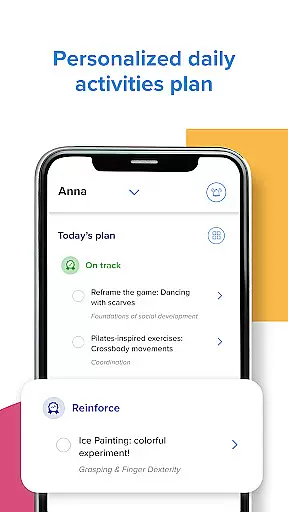




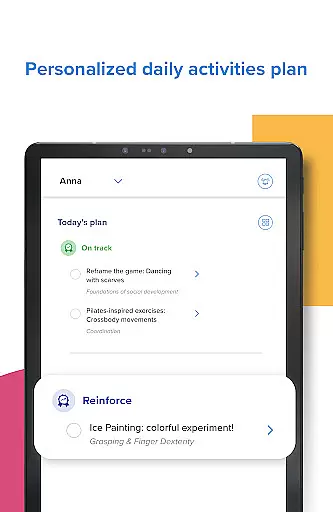


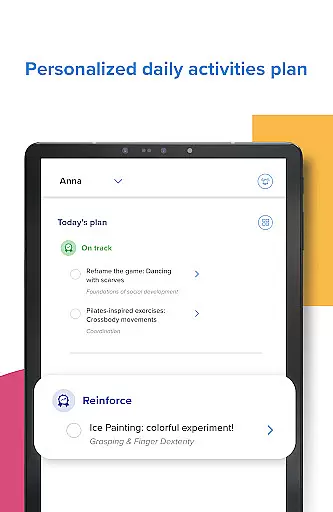

Kinedu is a comprehensive parenting app designed to support families from pregnancy through early childhood. This innovative platform creates personalized daily plans based on your child's developmental stage or pregnancy phase, offering tailored activity recommendations and expert guidance. Trusted by over 9 million families and recommended by pediatricians, Kinedu serves as a complete child development guide in your pocket.
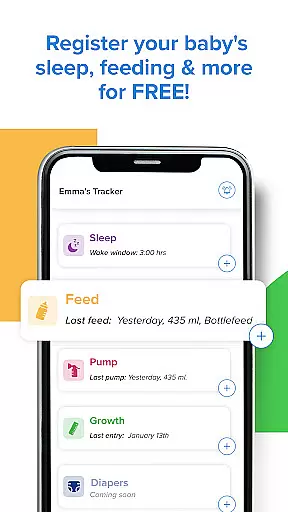
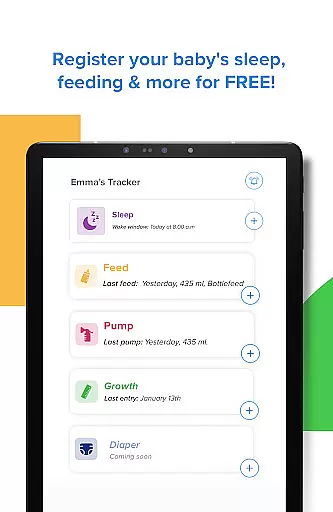
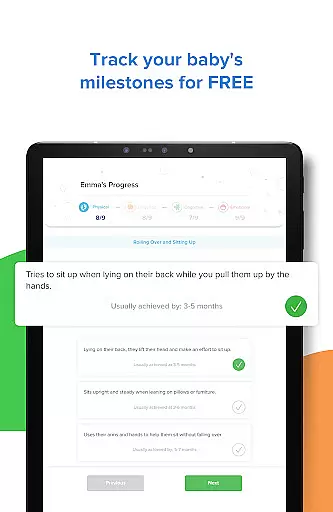
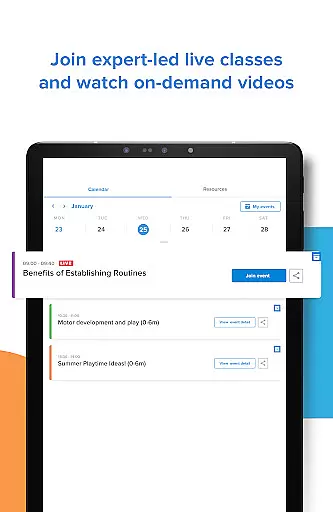
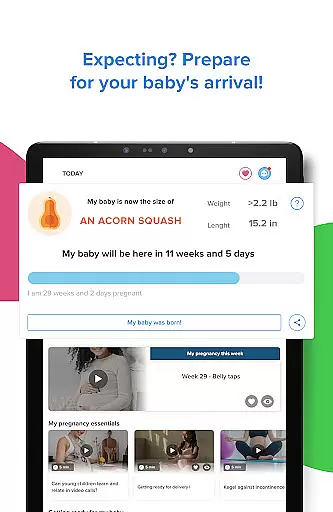
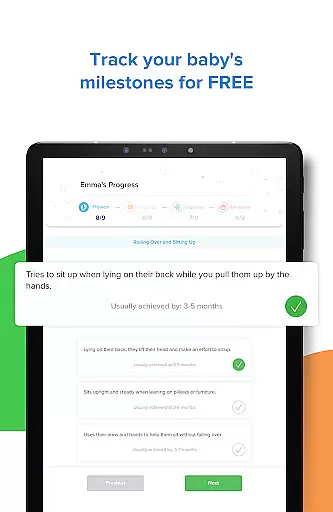
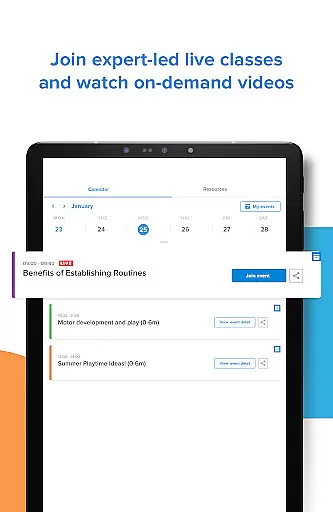
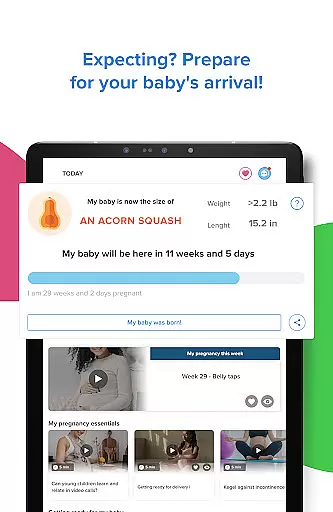
The app provides an extensive library of resources including step-by-step video activities developed in partnership with Stanford University, detailed progress tracking across four key developmental areas, and access to live and recorded expert-led classes. Parents can also utilize the built-in baby tracker for monitoring sleep patterns, feeding schedules, and growth milestones. For expecting parents, Kinedu offers day-by-day pregnancy tracking with valuable information about prenatal care and preparation for baby's arrival.
Kinedu stands out with its unique combination of features that cater to both expecting parents and those with children up to age six. The app's core functionality revolves around its personalized content recommendation engine, which adapts to each user's specific needs based on their baby's age and developmental stage or their current pregnancy phase. This ensures that every activity and resource provided is relevant and timely.
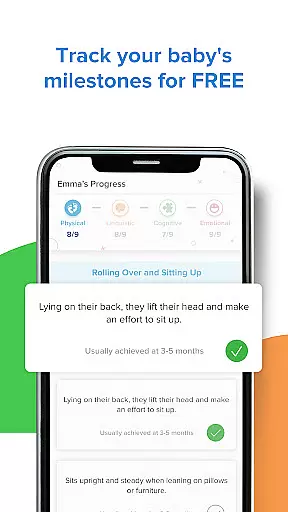
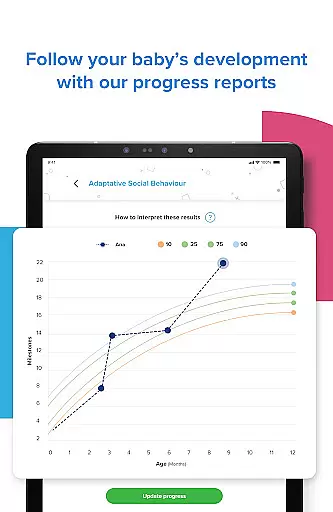
One of the app's most valuable features is its comprehensive tracking system, which includes developmental milestone monitoring, progress reports similar to those used by pediatricians, and a detailed baby tracker for essential metrics like sleep and feeding patterns. The integration of expert-led classes, both live and recorded, provides users with direct access to professional guidance on various parenting topics. Additionally, the premium version offers unlimited access to over 3,000 video activities, AI assistant support, and the ability to manage multiple family members' accounts and track up to five children's development simultaneously.
When it comes to parenting apps, the credibility of content and expert validation are paramount for ensuring that parents receive accurate and reliable guidance. Kinedu stands out in this aspect by providing a comprehensive suite of resources developed in partnership with reputable institutions like Stanford University. This collaboration ensures that the activities and developmental milestones suggested by the app are grounded in scientific research and expert knowledge.
The app offers over 750 articles written by child development experts, covering crucial topics from pregnancy to early childhood development. These articles not only provide valuable information but also help parents understand the rationale behind each recommended activity or milestone. Additionally, Kinedu's live and recorded classes are led by professionals in the field, offering users direct access to expert advice and insights.
By integrating evidence-based practices and expert-reviewed content, Kinedu empowers parents with trustworthy information. This level of credibility allows users to approach their parenting journey with confidence, knowing they have reliable support at every stage of their child's development.
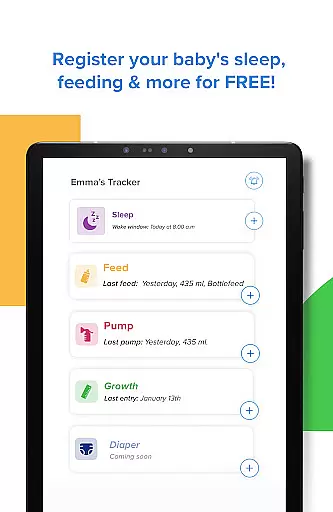
Accurate growth tracking is essential for monitoring a child's development and identifying any potential concerns early on. Kinedu excels in this area by providing detailed tools for tracking various aspects of a child's growth, including sleep patterns, feeding schedules, and physical development. The app's Baby Tracker feature enables parents to log and monitor these critical metrics effortlessly.
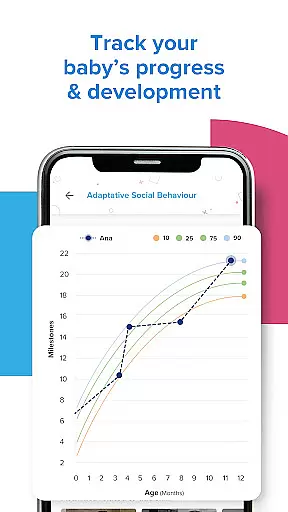
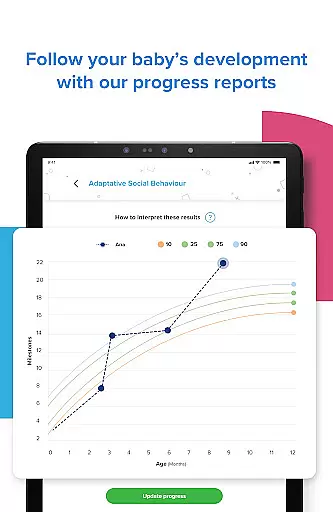
Kinedu goes beyond basic tracking by offering progress reports across four key areas of development. These reports are designed to mirror the assessments used by pediatricians, giving parents a clear and structured view of their child's developmental trajectory. By regularly updating milestones and tracking progress, Kinedu helps ensure that any deviations from typical development are promptly identified and addressed.
In addition to tracking tools, Kinedu provides personalized recommendations based on the data entered by parents. This tailored approach not only enhances the accuracy of growth tracking but also supports proactive parenting. With Kinedu, parents can rest assured that they have a scientifically-backed system for monitoring and fostering their child's healthy development.
User-friendly interface
Expert-recommended content
Comprehensive tracking tools
Personalized recommendations
Extensive resource library
Premium subscription required
Limited free features
Internet connection needed
Occasional app crashes
Steep learning curve

Block apps, set screen time limits, and customize usage schedules
 4.50
4.50
Fake call application designed for parents and adults to discipline their children through the children's police.
4.20
Family GPS locator app — child location tracker. GPS kids tracker, family safety
4.70
A Coloring for the Whole Family! Discover the Joy of Family Love Through Colors!
3.60
Affirmations | Stories | Bible
4.10
Fun Ideas for Parents
4.70
FamilyMode helps you manage your family’s digital lives—at home or on the go.
4.30
Keep track of your stored breastmilk
4.40
Findnumber: Real-time location tracker for ultimate family security
4.20
Track Pregnancy, Baby Feeding, Sleep, Diaper Changes, Postpartum Health & More!
4.80
FamilyAlbum helps you share, save, and remember your child's special moments.
4.80
Sleep better with white noise app! Discover rain sounds, fan noise and more.
4.70
With BabyCam you can monitor your baby using your mobile phone, tablet, PC or TV
4.40
Protect kids online safety through GPS tracking,screen time control,app blocking
4.20
Limit screen time, Block Apps & Games, Monitor with Parental control app
4.20
Watching baby, helping parents
4.10
The 10 development leaps of your baby | newborn milestones & leap days tracker
4.10
SemLog aims to raise awareness among families and their children
3.40
Happiest Baby App replaces the SNOO App (the mobile companion to SNOO & SNOObie)
3.20


User Reviews