
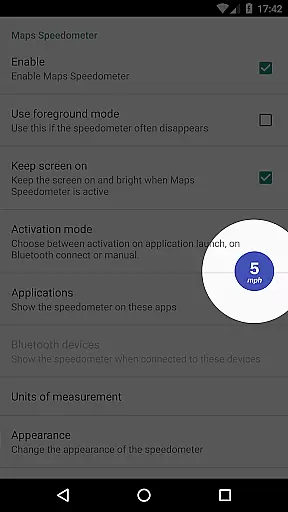
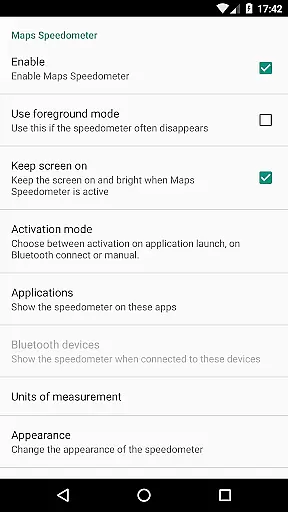
Maps Speedometer is a versatile travel companion that displays your current speed in real-time as an elegant overlay on your device. This innovative app automatically activates when your selected apps are in use or when connected to a Bluetooth device, ensuring you always have access to your speed information without interrupting your primary activities. Designed with flexibility in mind, it supports various units of measurement including mph, km/h, and knots, catering to different user preferences and regions.
The app stands out with its customizable features such as adjustable transparency, size, position, and color options, allowing users to tailor the speedometer display to their liking. Whether you're navigating through unfamiliar roads or simply monitoring your speed during daily commutes, Maps Speedometer provides a seamless and unobtrusive experience. Its commitment to privacy and security is evident as it operates without advertisements, internet access requirements, or data-sharing backdoors, making it a reliable choice for travelers who prioritize both functionality and privacy.
Maps Speedometer offers a comprehensive set of features designed to enhance your travel experience. One of its standout capabilities is the automatic display and hiding of the speedometer overlay based on the activity of chosen apps or Bluetooth connections. This intelligent feature ensures that the speedometer only appears when needed, maintaining an uncluttered screen during other activities. Additionally, the app's support for multiple speed units—miles per hour, kilometers per hour, and knots—makes it adaptable to various driving environments and user preferences.
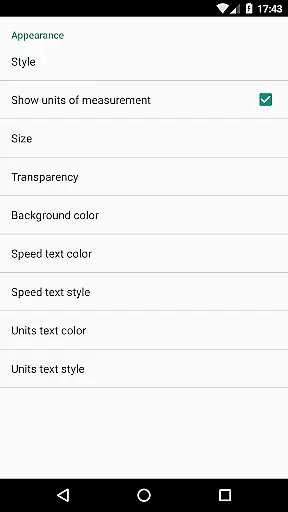
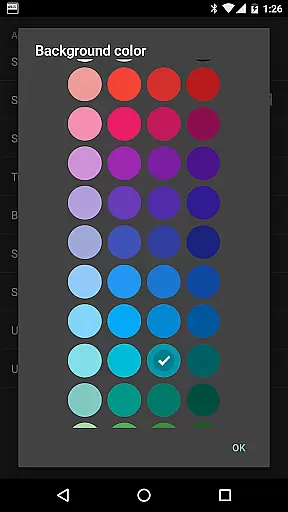
Customization is at the heart of Maps Speedometer's design. Users can adjust the transparency, size, position, and even the colors and styles of the overlay to suit their visual preferences and device setup. The ability to temporarily hide the overlay by touching it adds convenience, while the option to drag and place it anywhere on the screen ensures it never obstructs important information. These features collectively create a personalized and user-friendly interface that enhances rather than distracts from the driving experience.
Although Maps Speedometer currently does not support Android Auto integration due to platform limitations, its robust standalone functionality makes it a valuable tool for drivers seeking accurate speed monitoring. The app's reliance on Accessibility services solely for detecting active apps underscores its dedication to user privacy and security. With ongoing developer support and potential future updates, Maps Speedometer remains committed to providing a safe, reliable, and customizable speed monitoring solution for travelers worldwide.
Booking authenticity is a crucial feature for travel applications like Maps Speedometer. This functionality ensures that all booking information displayed within the app is accurate and verified.
Maps Speedometer achieves this by integrating directly with trusted navigation services and using real-time data to display your current speed. The app automatically shows and hides based on the active app or Bluetooth connection, ensuring that the information presented is always relevant and reliable.
Users benefit from this feature as it provides peace of mind knowing that the speed information they see is both authentic and up-to-date. This level of accuracy enhances the overall user experience, making travel safer and more efficient.
Price transparency in travel apps refers to the clear display of costs associated with using certain features or services. For Maps Speedometer, this means providing users with upfront information about any potential charges.
This application offers a premium experience without advertisements or hidden fees. There is no need for internet access, ensuring that users are not charged for data usage. Additionally, all features such as adjustable transparency, size, position, colors, and styles are included without extra costs.
The advantage of price transparency is that users can make informed decisions about their usage of the app. They know exactly what they are getting and at what cost, which builds trust and satisfaction with the service provided by Maps Speedometer.
User-friendly interface
Highly customizable
No ads or hidden fees
Privacy-focused design
Real-time speed tracking
Limited Android Auto support
Requires manual setup
Bluetooth dependency
No voice alerts
Device compatibility issues

Explore our parks like never before with the completely reimagined Six Flags app
 4.30
4.30
Streamline your U.S. entry
4.90
Guest how you guest when you book one of our 6,800+ hotels and earn rewards.
4.90
Get real-time traffic, directions, search and find places
4.10
Walt Disney World Resort maps, wait times, tickets, dining & more.
4.50
Booking your bus tickets has never been easier
4.70
Find your perfect somewhere with last minute hotel & travel deals!
4.80
Manage your travel on Delta with access to boarding passes, flight info & more.
4.80
Book your whole trip in one app.
4.80
Book flight, car or packages. Instant access to hotel discounts & travel deals
4.80
Frontier’s Android app makes travelling easier than ever before!
4.70
Book rooms at any of 4.2M properties worldwide. Find flight deals every day!
4.60
Link & locate for real-time child & family safety: GPS tracker for families
4.40
Managing your travel should be easy. With the Amtrak app, it is.
4.30
MyTSA gives you 24/7 access to info that passengers frequently request from TSA.
4.10
Listen live to pilots and air traffic controllers around the world
3.80
View US public land boundary maps on your device.
3.70
Everything you need for your trip in one place with the Volaris app.
3.60
Apply for an electronic travel authorisation (ETA) to come to the UK.
3.20


User Reviews