
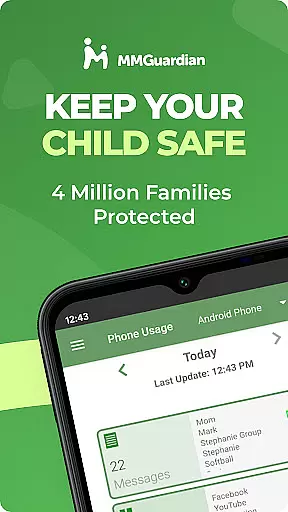
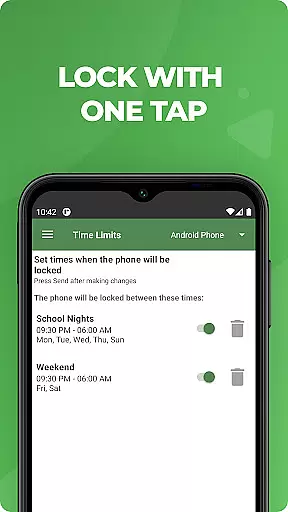
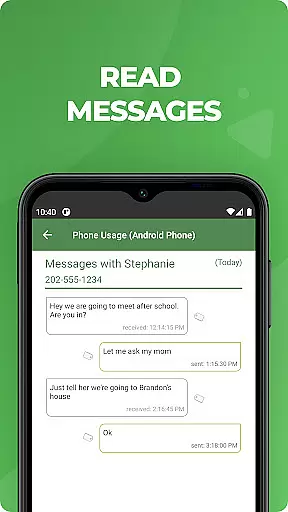
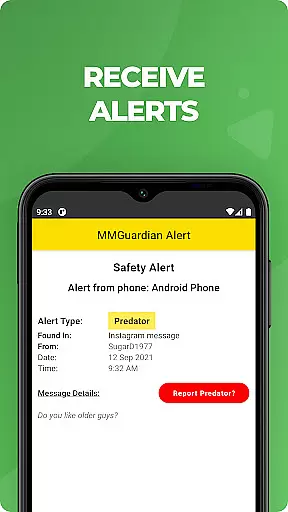
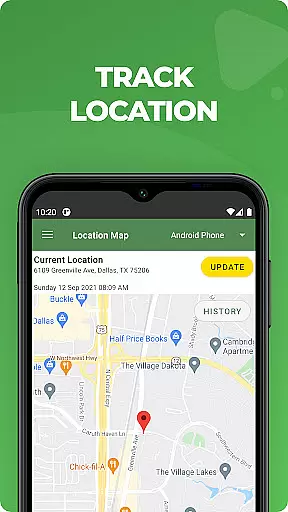
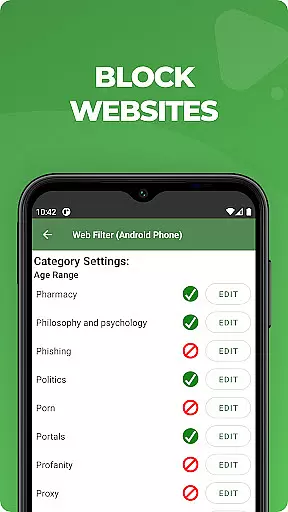
MMGuardian Parental Control is a comprehensive parental monitoring solution designed to ensure children's online safety. This app, installed on the parent's phone, works in tandem with a corresponding child app that provides real-time monitoring and control over various digital activities. Parents can remotely manage screen time, block inappropriate apps and games, filter web content, and receive alerts for potential dangers such as cyberbullying or sexting. The app also features GPS tracking to help locate the child's device.
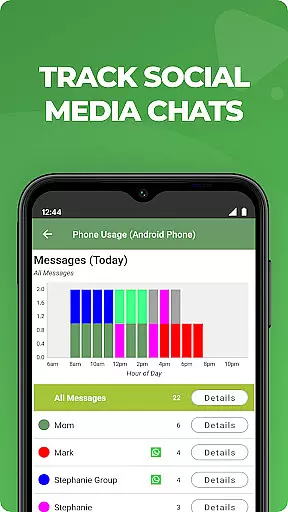
The true power of MMGuardian lies in its dual-platform compatibility and extensive monitoring capabilities. It supports both Android and iOS devices, making it versatile for mixed-device families. By linking the parent and child apps through a unified email account, parents gain access to detailed reports on text messages, application usage, web browsing history, and voice calls. Additionally, social media chat monitoring covers popular platforms like Facebook Messenger, WhatsApp, and Instagram, providing an extra layer of protection against harmful content.
One practical use case involves a family with teenagers who actively use social media and messaging apps. With MMGuardian, parents can set specific time limits for app usage, ensuring that academic performance doesn't suffer due to excessive screen time. They can also monitor potentially dangerous conversations and receive immediate alerts when suspicious activities are detected. This proactive approach not only protects children from online threats but also fosters open communication between parents and their kids about digital responsibility and safety.
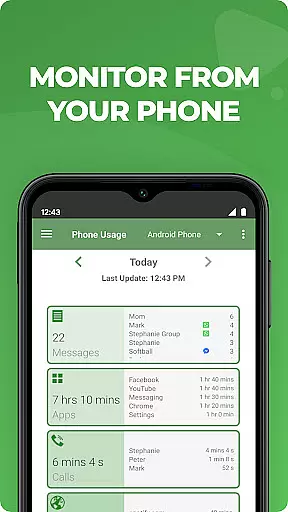
MMGuardian Parental Control stands out with its robust feature set tailored for modern parenting challenges. The app's remote monitoring capabilities allow parents to keep track of SMS text messages, web browsing activity, application usage, and phone calls directly from their own devices. This comprehensive oversight ensures that parents are always informed about their children's digital footprints without needing physical access to the child's phone.
A key innovation is the app's advanced alert system, which uses sophisticated algorithms to analyze text messages and web searches for signs of potential dangers. These include indicators of drug use, cyberbullying, suicidal thoughts, and other concerning behaviors. When triggered, these alerts provide immediate notifications to parents, enabling them to take prompt action. The app also extends its monitoring to multimedia content, flagging inappropriate images or MMS messages that may suggest risky behavior.
What sets MMGuardian apart from other parental control solutions is its holistic approach to digital safety. Beyond basic monitoring, the app offers practical tools for device management, including remote locking/unlocking, precise GPS location tracking, and customizable screen time limits. These features work together to create a safe digital environment while maintaining flexibility for family-specific needs. The app's ability to function across different operating systems and its seamless integration with popular social media platforms make it an indispensable tool for contemporary parents seeking comprehensive protection for their children's online activities.
When it comes to parenting apps, content credibility is paramount. MMGuardian Parental Control ensures that all alerts and monitoring features are developed based on expert validation and thorough research. The app's safety alerts cover critical areas such as cyberbullying, sexting, and suicidal thoughts, providing parents with reliable information about potential risks their children may face online.
The app employs advanced algorithms to analyze text messages and social media chats from platforms like Facebook Messenger, WhatsApp, and Snapchat. These algorithms are designed and reviewed by child safety experts to ensure accurate detection of harmful content. By combining technology with expert knowledge, MMGuardian delivers trustworthy insights that help parents make informed decisions about their children's digital activities.
Parents can also access comprehensive reports on their child's app usage, web browsing, and voice calls. These reports are generated using verified data sources and provide a clear picture of the child's online behavior. With MMGuardian, parents can rest assured that the information they receive is both credible and actionable, empowering them to guide their children safely through the digital world.
Tracking a child's growth in the digital realm involves more than just monitoring screen time. MMGuardian Parental Control offers precise growth tracking by providing detailed insights into various aspects of a child's online activity. This includes monitoring SMS text messages, web browsing history, and application usage, giving parents an accurate understanding of their child's digital habits.
The app's GPS location tracker adds another layer of accuracy to growth tracking. Parents can locate their child's phone in real-time, ensuring their safety and providing peace of mind. Additionally, the ability to set limits on screen time and app usage allows parents to guide their child's growth by promoting healthy digital habits.
MMGuardian also excels in reporting accuracy. Comprehensive reports on text messages, app usage, and web browsing are delivered regularly, offering parents a clear view of their child's progress. These reports are generated using reliable data collection methods, ensuring that the information presented is both accurate and useful for making informed parenting decisions.
Comprehensive monitoring
Real-time alerts
Cross-platform support
GPS location tracking
Remote device management
Requires separate child app
Premium features need subscription
Limited free trial period
Dependent on network connectivity
Complex initial setup

AI Motion Video Maker & Ideas
 4.5
4.5
Parental Control including Screen time control, GPS tracking, App/Game blocker.
3.90
Keep Your Family Safe with Pollog Family Assistants
4.10
Limit screen time, Block Apps & Games, Monitor with Parental control app
4.20
SemLog aims to raise awareness among families and their children
3.40
Introduce real food to baby with First Foods® Database, baby led weaning BLW
4.80
Speech Therapy Exercises For All!
4.40
All-In-One Pregnancy Tracker, Your Baby's Milestones, Growth Stages & Parenting.
4.90
The Most Trusted Co-Parenting App.
4.60
Daily Routine & Timer for kids, ADHD, & Autism
4.80
Kids story books for children. Baby reading books with audio for pre-k toddlers
4.70
Parental control App for Location, Remote Camera, Screen Mirroring, Block Apps.
4.60
GPS tracker app: Simple GPS phone tracker for fast family location tracking
4.60
It is a screen time management tool for games and mobile applications
4.50
The 10 development leaps of your baby | newborn milestones & leap days tracker
4.10
Educational resource for parents to inspire creativity in their children.
4.00
Little loved one's monitoring, Sleep tracking and Parenting content.
3.80
The Baby’s Bounty App is your hub to register for our diaper banks in Nevada
3.70
Screen Time, App and Web Block & Monitoring, Location Tracker
3.60


User Reviews