
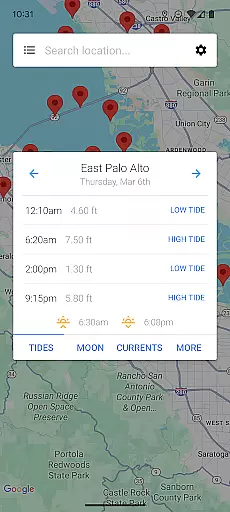
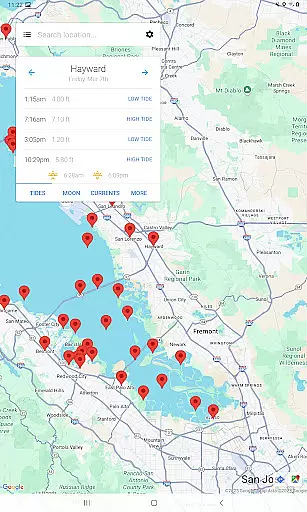
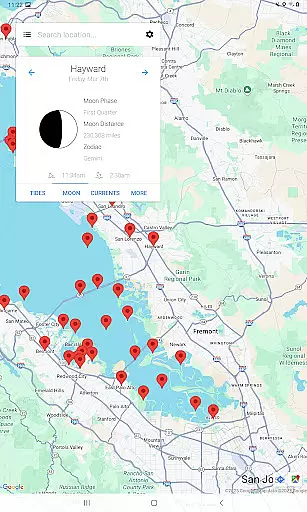
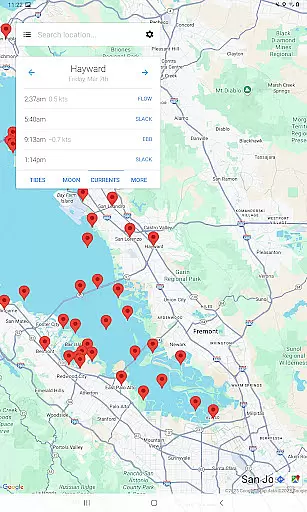
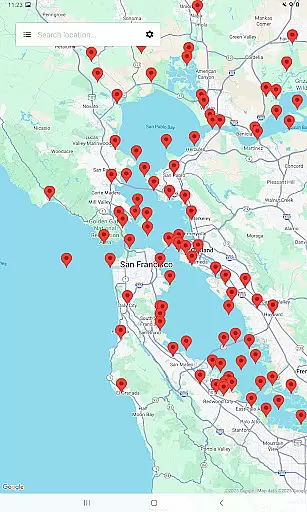
My Tide Times Pro is a comprehensive weather application designed specifically for tide tracking and forecasting. This app provides users with accurate tidal information for over 9,000 stations across more than 30 countries, making it an essential tool for surfers, fishermen, and beachgoers. The app automatically detects the nearest locations to provide real-time tide times no matter where you are. With its sleek design and user-friendly interface, My Tide Times Pro stands out as one of the most visually appealing tide applications available on the market.
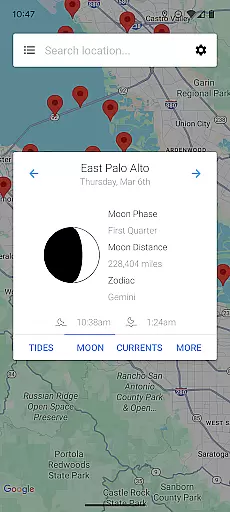
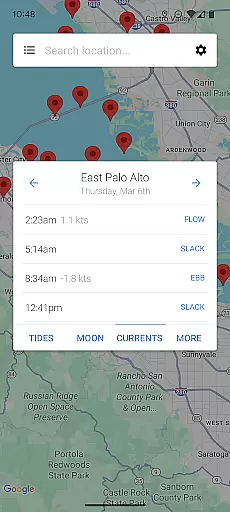
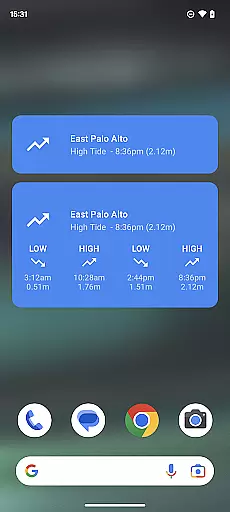
In addition to tide times, the app offers 5 to 7 day forecasts for all locations, with some international locations featuring up to 30-day charts. Users can also view moon phases, moonrise, and moonset times, as well as basic wind speed information for all tidal locations. For selected US locations, the app provides predictions for ocean currents, including slacks, ebbs, and flows. The pro version offers an ad-free experience and includes home screen widgets for quick access to vital information.
My Tide Times Pro boasts an impressive array of features that cater to both casual users and professionals who rely on precise tidal data. One standout feature is its support for over 9,000 tidal stations worldwide, ensuring that users have access to tide times no matter their location. The app's automatic location detection ensures that users receive the most relevant information without manual input, streamlining the user experience.
Another key feature is the app's ability to store downloaded information locally on the device, allowing users to access tide times and forecasts without an internet connection. This offline functionality is particularly useful for those venturing into areas with limited connectivity. Additionally, the pro version offers advanced functionalities such as current predictions for select US locations and a clean, ad-free interface complemented by customizable home screen widgets. These features collectively enhance the app's usability and reliability, setting it apart from other weather applications in its category.
When it comes to weather applications, the accuracy of forecasts and the credibility of data sources are paramount. My Tide Times Pro excels in these areas by providing reliable tide times and forecasts for over 9,000 tidal stations across more than 30 countries. This extensive coverage ensures that whether you are surfing, fishing, or planning a day at the beach, you can trust the information provided.
The app automatically updates its data, ensuring that users always have access to the most current and accurate tide predictions. For locations outside the UK, the app even offers extended 30-day charts, allowing for advanced planning and preparation. This level of detail and commitment to up-to-date information underscores the app's dedication to forecast accuracy.
Additionally, My Tide Times Pro includes features such as moon phase, moonrise, and moonset times, further enhancing its value as a comprehensive weather tool. The inclusion of basic wind speed information for all tidal locations adds another layer of reliability to the forecasts, making it an indispensable resource for anyone whose activities depend on precise marine weather conditions.
My Tide Times Pro stands out in its ability to provide both temporal and spatial forecast ranges, catering to a wide array of user needs. With support for over 9,000 tidal stations globally, the app delivers detailed 5 to 7 day forecasts for all locations. Notably, users outside the UK benefit from extended 30-day charts, offering them an unparalleled temporal forecast range that supports long-term planning.
Spatially, the app's vast network of supported locations means that no matter where you are, you can find nearby tide times and forecasts. Upon opening the app, it locates the nearest stations to you, ensuring that you have access to relevant and localized information. This global reach combined with precise local data makes My Tide Times Pro a versatile tool for travelers and locals alike.
Moreover, the app's capability to store downloaded information on your phone ensures that you can access tide times and forecasts without an internet connection. This feature is particularly useful in remote coastal areas where connectivity may be limited, thus extending the app's spatial utility. By combining broad geographical coverage with robust offline functionality, My Tide Times Pro truly offers a comprehensive solution for all your tide forecasting needs.
Comprehensive tidal data
User-friendly interface
Offline access capability
Automatic location detection
Ad-free experience
Premium version costs
Limited free features
Occasional data delays
High system requirements
No voice assistant integration

The Weather Network TV App - Your weather when it really matters
 2.90
2.90
Ultimate Lunar Calendar for 2021!
4.80
Get instant weather & temperature predictions right on your Wear OS smartwatch!
4.3
An unofficial app version of the National Weather Service (Weather.gov)
3.90
Live weather radar, widgets & forecasts. Track rain, storms & temperature.
4.20
Accurate Weather App: various widgets, real-time storm radar, hurricane tracker.
4.50
The moon phases app for tracking the lunar calendar, blue moon and full moon.
4.80
Detailed weather info and moon phase, subtle animation, customizable
4.2
Stay Ahead Of Changing Weather Conditions
4.00
Aviation weather made simple. Visual decoder for METAR & TAF
4.90
Hurricane Tracker, Rain Map
4.80
NOAA forecast & radar for your exact location.
4.80
Your ultimate app for real-time weather information!
4.70
Get accurate rainfall and snowfall totals for pinpoint locations on a map.
4.60
72-hour weather & daily forecasts with extreme weather alerts
4.60
Personal Weather Station PRO - Meteo monitor to check your WU info and charts.
4.20
Know the weather earlier.
3.90
Arrive safely! Travel weather forecasts for your entire trip at time of arrival.
3.60
Advanced weather toolkit, providing detailed weather information for any season!
3.50


User Reviews