
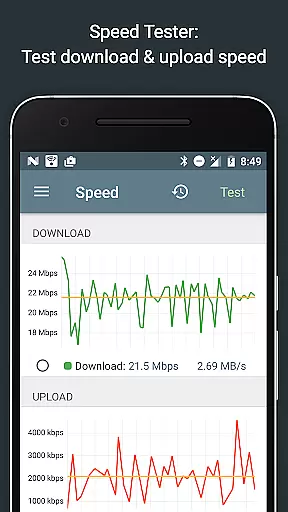
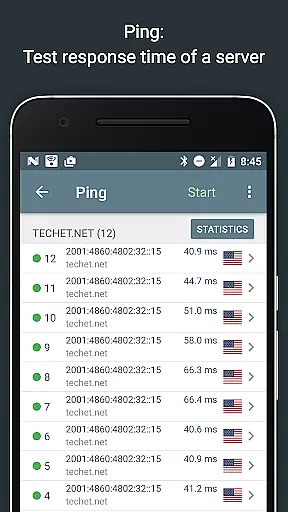
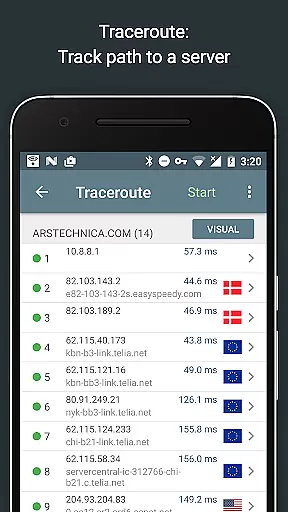
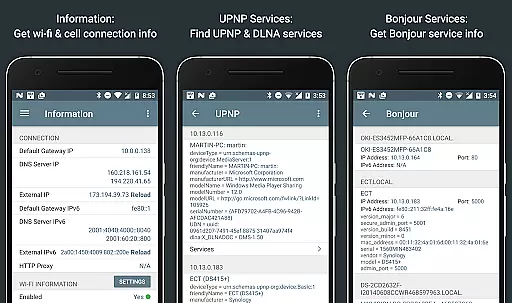
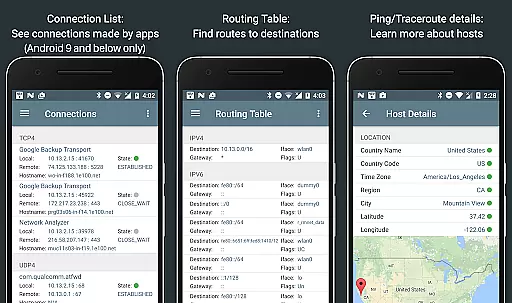
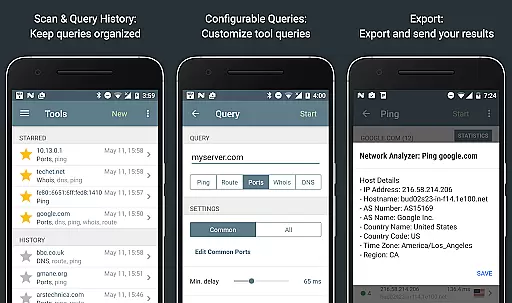
Network Analyzer Pro is a comprehensive network diagnostic tool designed to help users troubleshoot various issues related to their Wi-Fi networks and Internet connectivity. The app provides an extensive suite of utilities, including a fast Wi-Fi device discovery feature that identifies all LAN devices along with their addresses and names, as well as the Bonjour/DLNA services they offer. It also includes standard network diagnostic tools such as ping, traceroute, port scanner, DNS lookup, whois, and network speed test.
In addition to diagnosing local network problems, Network Analyzer Pro can detect issues on remote servers, making it an invaluable tool for both home users and IT professionals. The app supports both IPv4 and IPv6 protocols, ensuring compatibility across different network configurations. With its detailed Wi-Fi signal meter, routing table information, and local service discovery features, this application empowers users to optimize their network setup and resolve connectivity issues efficiently.
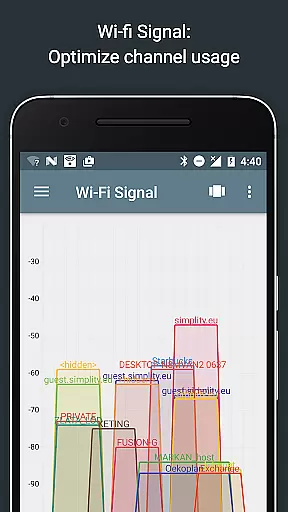
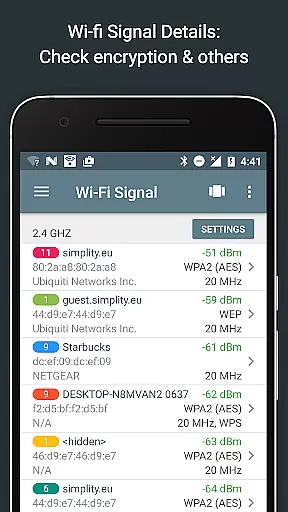
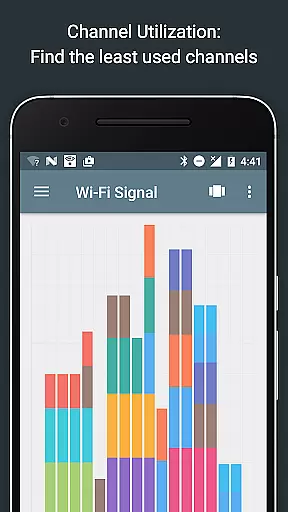
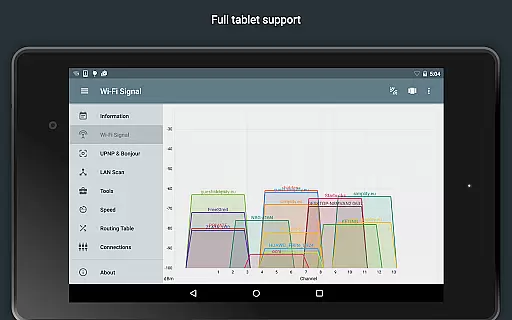
Network Analyzer Pro stands out with its wide array of advanced features tailored for network analysis and troubleshooting. One of its key functionalities is the Wi-Fi signal meter, which offers both graphical and textual representations of network channels and signal strengths. This feature allows users to visualize channel usage and identify the best channel for their wireless router. Additionally, it provides detailed information about Wi-Fi network types, encryption methods, BSSID, manufacturer details, WPS support, and bandwidth.
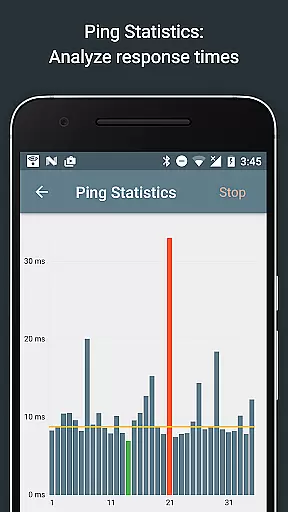
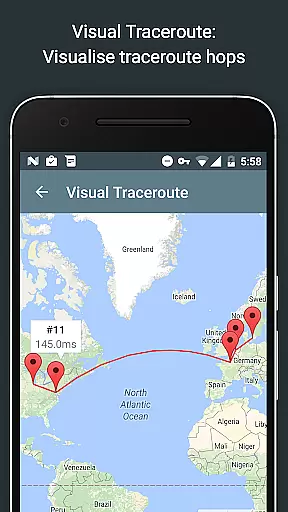
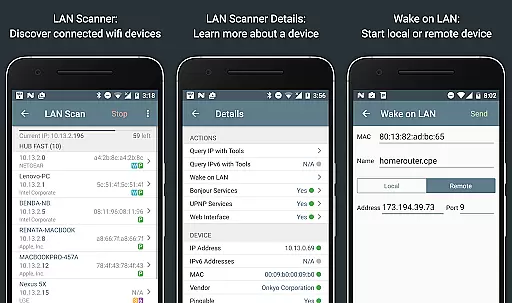
The app's LAN scanner is another powerful tool, enabling fast and reliable detection of all network devices. It lists IP addresses of discovered devices, performs pingability tests, and detects IPv6 availability. Users can also utilize the Wake on LAN (WOL) feature, scan custom IP ranges, and filter or search through the list of discovered devices. Furthermore, Network Analyzer Pro includes robust ping and traceroute capabilities, offering real-time statistics and complete trace route visualization on a map. These features collectively ensure that users have the necessary tools to maintain optimal network performance.
Network Analyzer Pro stands out for its comprehensive suite of diagnostic tools that ensure core function accuracy and effectiveness. The application provides users with fast and reliable detection of all network devices through its LAN scanner, which identifies IP addresses, NetBIOS, mDNS, LLMNR, and DNS names where available.
In addition to device discovery, the tool offers standard network diagnostic features such as ping and traceroute, which deliver detailed geolocation data and visual trace route maps. These functions are critical for users who need to understand their network's structure and pinpoint issues related to connectivity or performance bottlenecks.
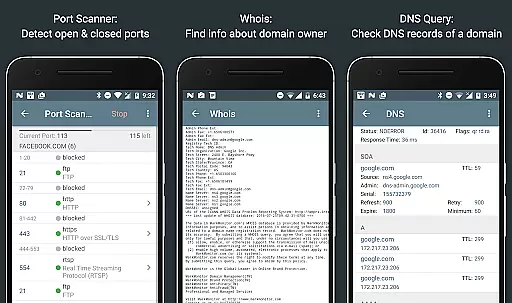
The port scanner is another testament to the app's dedication to precision, employing an adaptive algorithm to detect open, closed, or firewalled ports. This feature not only aids in securing networks but also informs users about the services running on their infrastructure, enhancing both security and operational efficiency.
Despite the technical nature of network analysis, Network Analyzer Pro excels in providing an interface that balances simplicity with intuitiveness. Users can easily navigate through a range of sophisticated tools without requiring extensive networking knowledge, thanks to the app's well-organized layout and straightforward controls.
Each feature within the application has been designed with user experience in mind. For example, the Wifi signal meter presents information through both graphical and textual representations, allowing users to quickly grasp their network's status and make informed decisions about channel selection and router placement.
Moreover, the inclusion of helpful functionalities like Wake on LAN (WOL), history tracking of performed tasks, and export options by email or other means ensures that even advanced operations are accessible to users of varying expertise levels. This approach fosters an environment where learning and efficiency go hand-in-hand, making complex network diagnostics available to everyone.
Comprehensive network diagnostics
Fast Wi-Fi device discovery
Supports both IPv4 and IPv6
Detailed Wi-Fi signal analysis
User-friendly interface
Premium version required for full features
Some tools may require technical knowledge
Limited free trial period
Occasional bugs in certain features
Advanced settings might overwhelm beginners

 4.10
4.10
Change your GPS location instantly. Simulate routes anywhere in the world.
4.90
Transfer Files, APK from Phone to Watch & Install.
4.4
PDF Reader - Document Viewer: Read, Manage & Organize Your Documents
3.10
Optimize your WiFi network, turn your phone into Wifi Analyzer
4.70
PC precision for mobile gaming: dominate with keyboard and mouse!
4.30
Screen Mirroring with sound for Samsung TV, LG TV, Sony TV, Smart TV and Browser
4.20
Creation, Learning, Entertainment & More — The All-in-One AI Search Engine
4.70
Fast VPN USA for any country. Super secure VPN for calls, streaming, games, TV.
4.40
Connect wirelessly to your computer to watch movies, browse the web, play games
5.00
Bedrock Together: Join any bedrock server on Xbox/PS
4.80 4.50
4.50 4.50
4.50
Universal TV remote control all TVs, Roku, LG, Samsung, Fire, Vizio, Sony, TCL.
4.40
An open-source APK explorer for Android!
4.10
Detect hidden spy camera with advanced scanning {{ Premium version }}
4.00
1-Click close all background apps on Android TV
3.90
Fun lie-detection pranks for friends and parties.
3.80
This app unlocks the Pro features of the Central for DayZ app
3.60


User Reviews