
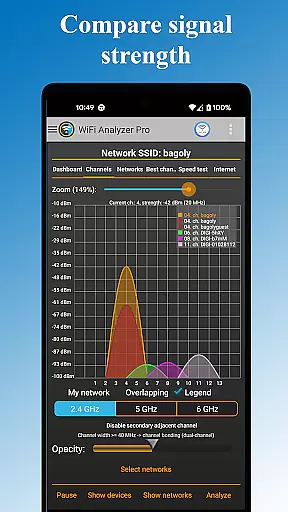
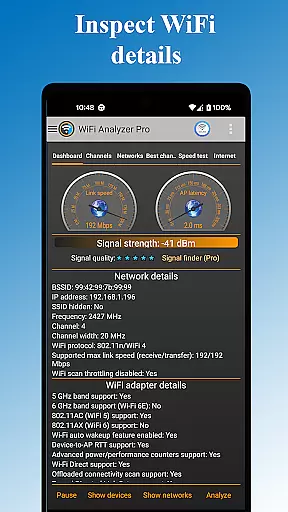
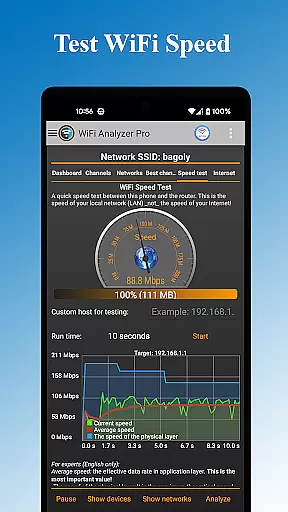
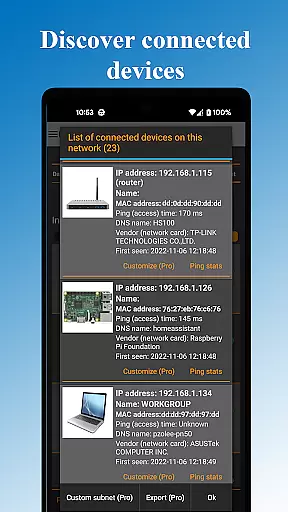
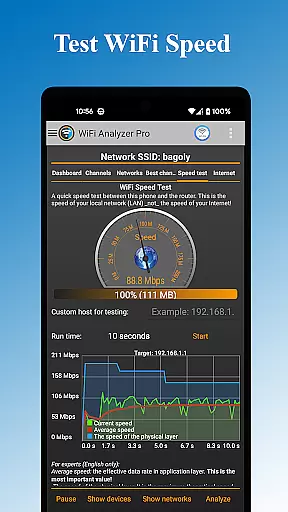
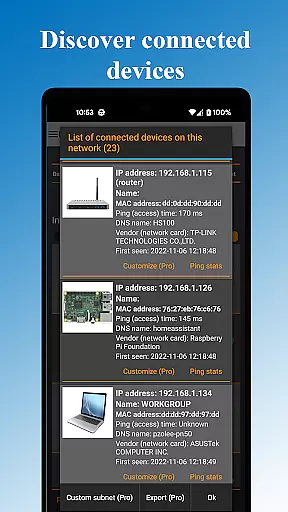
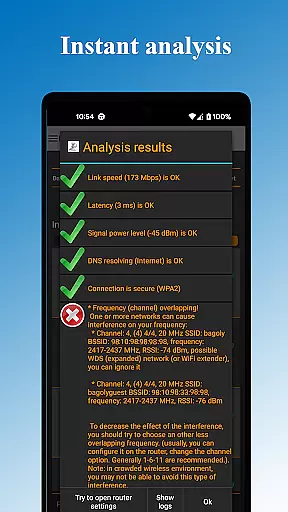
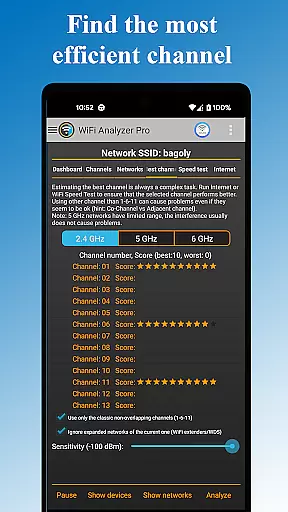
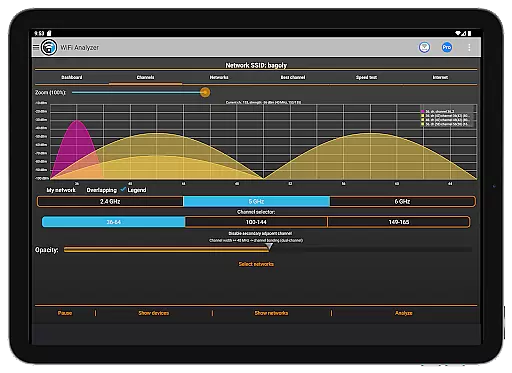
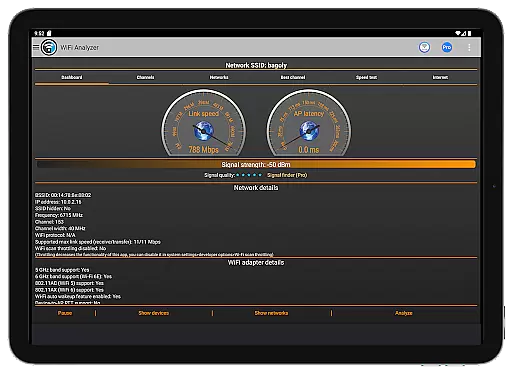
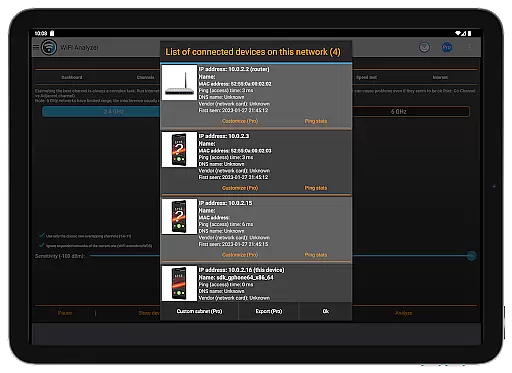
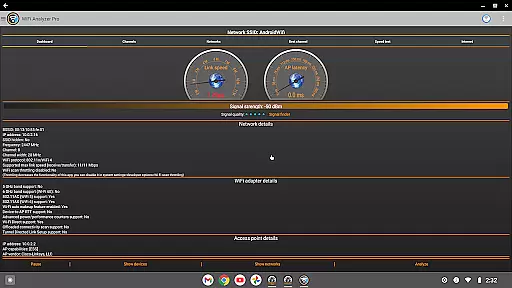
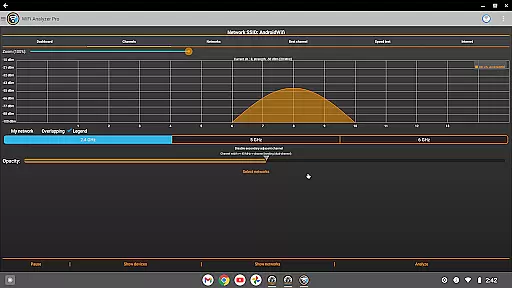
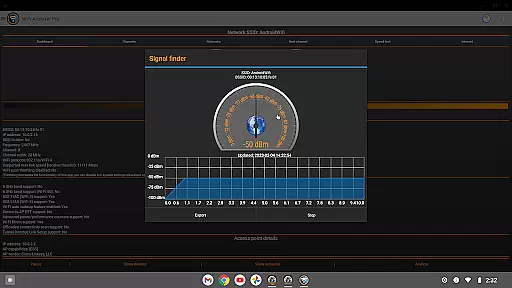
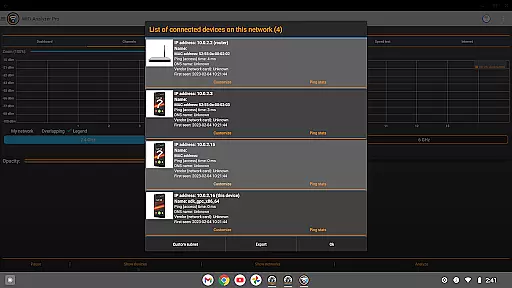
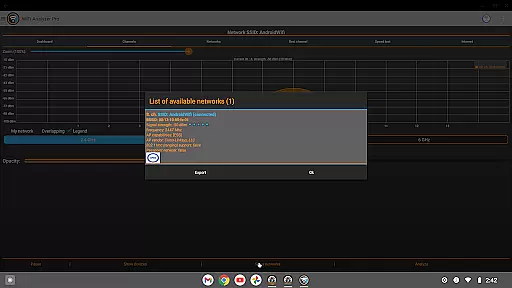
WiFi Analyzer Pro is a powerful network optimization tool designed to help users maximize their WiFi performance. The app provides detailed insights into your wireless network, including connected devices, signal strength, and channel analysis. With support for both 2.4 GHz and 5 GHz bands, it ensures comprehensive coverage for all modern routers.
This professional-grade tool stands out with its advanced features such as customized device management, network scanning capabilities, and log exporting functionality. Whether you're troubleshooting connectivity issues or looking to optimize your network setup, WiFi Analyzer Pro offers intuitive solutions that cater to both technical experts and casual users alike.
The application's intelligent channel recommendation system helps users identify the optimal placement and configuration for their routers, resulting in improved connection speeds and reduced interference. Its user-friendly interface makes network monitoring accessible even to those without extensive technical knowledge, while still providing in-depth analytics for professionals.
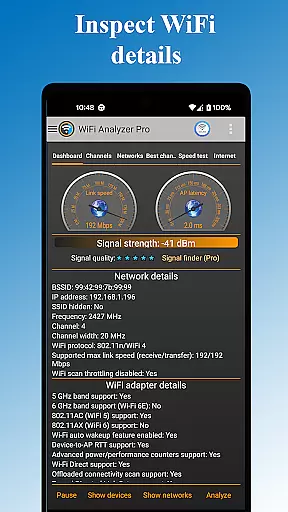
WiFi Analyzer Pro distinguishes itself through a robust set of features designed to enhance network performance. The app's comprehensive scanning capabilities allow users to detect all connected devices within their network, identify potential security vulnerabilities, and analyze signal strength across different channels. Advanced users will appreciate the detailed technical information provided about each access point, including vendor details, frequency bands, and security protocols.
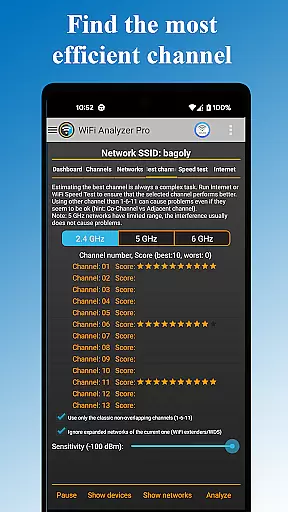
One of the app's standout features is its ability to recommend the best channel for optimal performance while avoiding crowded frequencies. The inclusion of both light and dark themes, along with customizable filters for SSID, wifi band, and overlapping channels, demonstrates the developer's attention to user experience. Additionally, the pro version offers enhanced functionality such as ad-free usage, faster feature updates, and the ability to send logs directly to internet service providers for troubleshooting purposes.
The application's versatility extends to its support for various network types (WEP, WPA, WPA2) and its capability to export analysis results for further examination. These features, combined with its intuitive chart-based visualization tools, make WiFi Analyzer Pro an indispensable utility for anyone looking to maintain a high-performing wireless network environment.
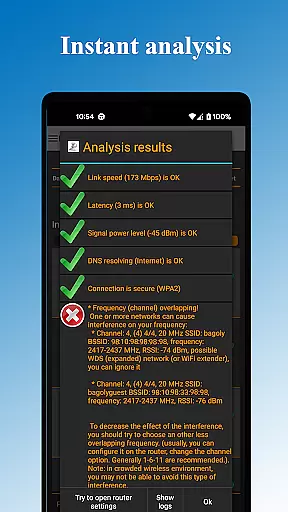
WiFi Analyzer Pro excels in delivering accurate and effective core functionalities that are essential for optimizing your WiFi network. The app provides detailed insights into your network's performance by analyzing signal strength, latency, and channel congestion. This ensures that users receive precise data to make informed decisions about their WiFi setup.
The application goes beyond basic network scanning by offering advanced features such as detecting all devices connected to your network and identifying potential security issues. With support for both 2.4 GHz and 5 GHz bands, it gives a comprehensive overview of your wireless environment. These capabilities allow users to pinpoint problems and enhance their network's efficiency effectively.
One of the standout aspects is its ability to recommend the best channel for optimal connection speed. By evaluating nearby networks and their respective channels, WiFi Analyzer Pro helps mitigate interference, ensuring smoother and faster internet access. Such actionable recommendations underscore the app's commitment to improving user experience through reliable and targeted solutions.
A hallmark of WiFi Analyzer Pro is its intuitive and straightforward interface, designed to cater to users of all technical backgrounds. Even beginners can easily navigate through the app without needing extensive knowledge of networking concepts like RSSI or link speed. This ease of use makes it an invaluable tool for anyone looking to optimize their home or office WiFi setup.
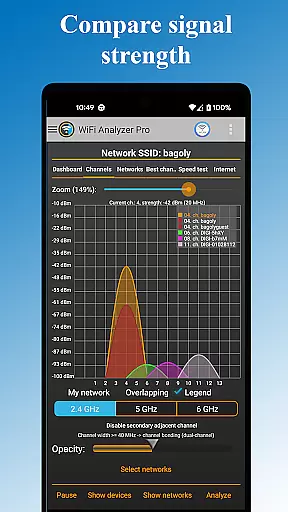
The app presents complex network information in a digestible format using clear charts and graphs. Users can quickly interpret data related to signal strength, network type (WEP, WPA, WPA2), and device connections thanks to this visual approach. Additionally, features such as dark or light theme options enhance user comfort during extended usage sessions.
Moreover, practical functions like opening router settings directly from the app and exporting results for further analysis demonstrate its user-centric design. By prioritizing simplicity and intuitiveness, WiFi Analyzer Pro empowers users to take control of their WiFi networks confidently and efficiently.
Comprehensive network analysis
User-friendly interface
Advanced channel optimization
Detailed device information
Regular feature updates
Requires location services
Paid pro features
Android-specific
Technical terminology
Occasional scanning delays

Change your GPS location instantly. Simulate routes anywhere in the world.
 4.90
4.90
Extremely fast, secure, and protects your privacy
4.80
This app unlocks the Pro features of the Central for DayZ app
3.60
Create your own live wallpaper or check out thousands already made presets
3.90
Navigate with Ease and Style
4.90
View detailed information about your Nissan Leaf the dealer never shows you.
4.10
Game Booster, GFX Tool is now compatible with newer game update
4.50
NFC Tools can read and write NFC tags.
4.70
Automate everything from settings to photos, SMS to speech. ADC2 prize winner.
4.10
Connect wirelessly to your computer to watch movies, browse the web, play games
5.00
Unit and currency converter with easy and simple UI.
4.80
Small and simple app to Verify Root Access and BusyBox Install!
4.70
Play your X-Box games remotely in 1080p with any controller and zero latency
4.60 4.50
4.50
PC precision for mobile gaming: dominate with keyboard and mouse!
4.30
Effortlessly run ADB commands directly on your device without a PC.
4.20 4.10
4.10
MS-DOS in your pocket. Play old DOS games anywhere you are ;)
4.10
Save any video in HD - paste the link, download fast and watch offline.
4.1


User Reviews