

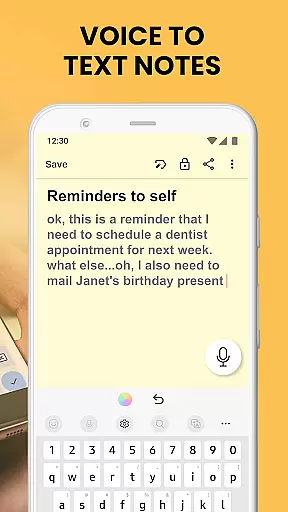
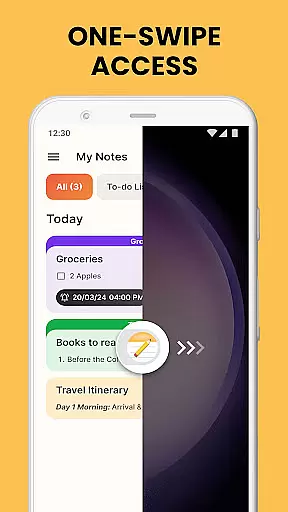
Notes Launcher is a productivity app designed to help users efficiently manage their notes and daily tasks. The app allows you to create quick notes or to-do lists with a simple swipe from the home screen, making note-taking seamless and instant. With features like text formatting tools, color-coding, locking sensitive notes, categorization, sorting, and an intuitive search function, Notes Launcher ensures that organizing your thoughts and important information has never been easier.
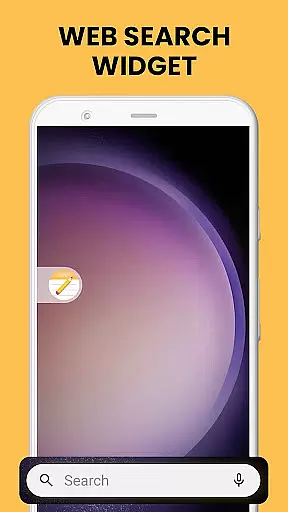
In addition to its core note-taking capabilities, the app offers added functionalities such as home screen widgets for weather and time, personalized wallpapers, and multi-touchpoint search powered by Yahoo. These features provide users with a comprehensive experience that goes beyond just note-taking, enhancing overall device usability. Whether you're managing work tasks, planning a vacation, or collaborating on group projects, Notes Launcher provides the tools necessary to stay organized and efficient in everyday life.
Notes Launcher stands out with its rich set of features tailored to meet various productivity needs. One of its key highlights is the ability to instantly create notes and to-do lists by simply swiping right from the home screen, offering unparalleled convenience. The app also includes a robust text formatting toolset, allowing users to customize fonts, apply italics or underlining, and create bulleted or numbered lists, ensuring notes are both functional and visually appealing.
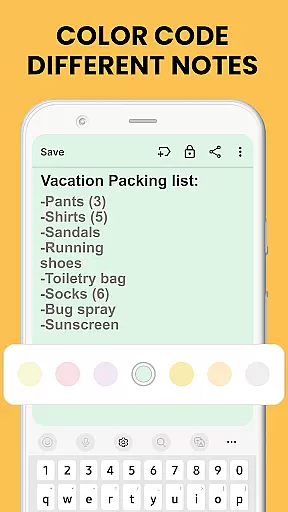
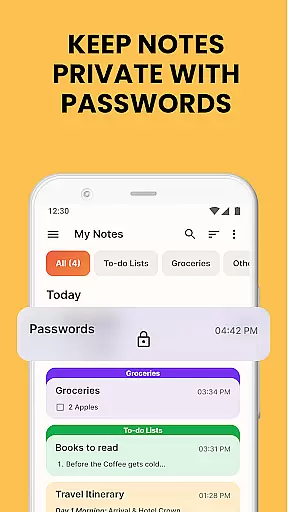
Beyond basic note-taking, Notes Launcher enables users to color-code notes for easy prioritization, lock sensitive information for enhanced security, and categorize notes into custom groups for better organization. Sorting filters allow arranging notes by modification date or creation order, while the intuitive search feature helps quickly locate specific notes using keywords. Additionally, users can share their notes via email, social media, or messaging apps, making collaboration effortless. These features collectively ensure that Notes Launcher is not just a note-taking app but a complete productivity suite.
Effective task management is essential for staying organized and productive. Notes Launcher offers a comprehensive suite of tools to help users manage their tasks efficiently. The app allows you to create quick notes or to-do lists with just a swipe from your home screen, ensuring that no idea or responsibility gets overlooked.
The app's functionality extends beyond simple note-taking. With features like text formatting tools, color-coding, categorization, sorting, and search capabilities, users can customize and organize their notes in a way that best suits their workflow. These options ensure that important information is not only captured but also easily retrievable when needed.
Users benefit from the ability to prioritize tasks through color-coded notes and categorize them into custom groups such as work tasks or personal errands. This level of organization helps streamline daily activities and ensures that users can focus on what's most important without getting overwhelmed by less urgent matters.
Ultimately, Notes Launcher empowers its users with an intuitive interface and robust features designed to enhance productivity. By integrating seamlessly into the user's daily routine, it becomes an indispensable tool for anyone looking to maintain control over their responsibilities while keeping their mind clear for creative thinking.
In today's interconnected world, having reliable cross-device synchronization is crucial for maintaining continuity across different platforms. Notes Launcher addresses this need by providing seamless integration between devices, allowing users to access their notes and to-do lists wherever they are.
The synchronization feature ensures that any update made on one device is instantly reflected on all others linked to the same account. Whether you're adding a new task at home or checking off completed items during your commute, you can trust that your data will be up-to-date regardless of which device you use next.
This reliability extends beyond mere convenience; it enhances security as well. By keeping all devices in sync, sensitive information stored within locked notes remains protected under consistent security protocols across every entry pointu2014be it smartphone, tablet, or computer.
With dependable cross-device syncing provided by Notes Launcher, users enjoy peace of mind knowing their critical data isnu2019t confined to a single gadget but rather available securely wherever life takes them.
User-friendly interface
Comprehensive feature set
Secure note-locking
Customizable organization
Multi-functional widgets
Home screen layout changes
Limited design customization
No cloud sync
Ads in free version
Occasional bugs

QuickBooks Workforce lets teams view pay info and track time in one place.
 4.70
4.70
Native client for Forgejo and Gitea
5.00
Automates browsing any website and notifies you of important changes or events
4.30
Protect and view your important info on your phone and tablet with eWallet®
4.80
Fill, sign & send docs, forms, agreements & contracts via electronic signature.
4.50
Simple and reliable communication between inmates, friends and family
3.20
A Pixel Art watchface inspired by other iconic 90s designs for Wear OS devices!
4.40
Share files & memories safely. Keep your photos and videos secure.
4.40
Set up, print, and get support—in one place
4.20
We're working to become the best machining app on the market! www.cncdirt.com
4.80
Secure, fast, open-source, VNC and SSH Remote Desktop for Windows, Linux and Mac
4.70
All document reader, all in one file viewer read PDF, DOCX, XLS, PPT, TXT files.
4.60
Lightweight PDF, Word, Excel reader.
4.60
Planet Free VPN - The best Fast Unlimited and Secure VPN Without Logs
4.50
PDF scanner & converter for files, photos, lottery, QR codes. One swipe away!
4.50
A lightweight JSON & XML files creator, editor and viewer (Premium Version)
4.40
All in One PDF Reader: Manage, Read and Edit your Documents
4.20
⏰ Finally a timer app which can run multiple timers simultaneously on your watch
3.90
Access your phone's notifications, calls, apps, photos & texts on your PC
3.90


User Reviews