
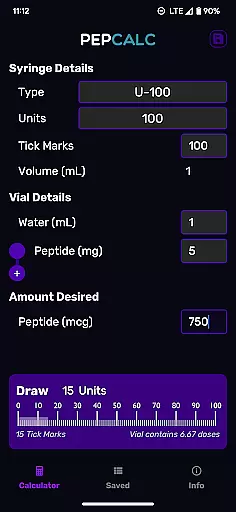
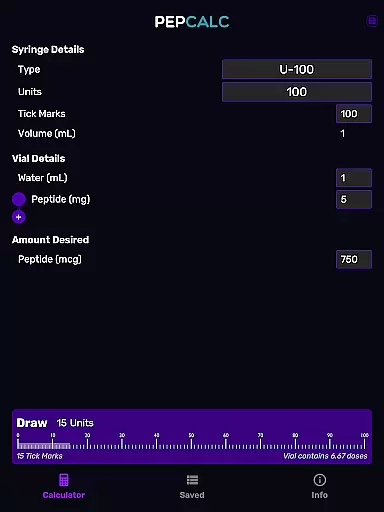
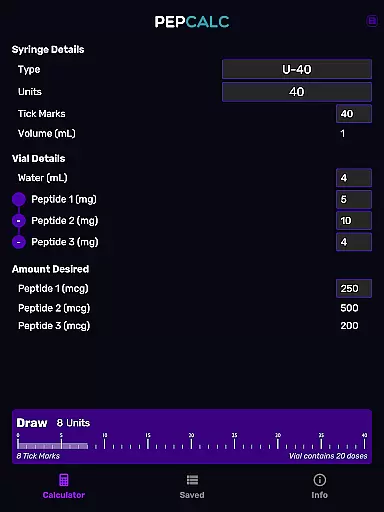
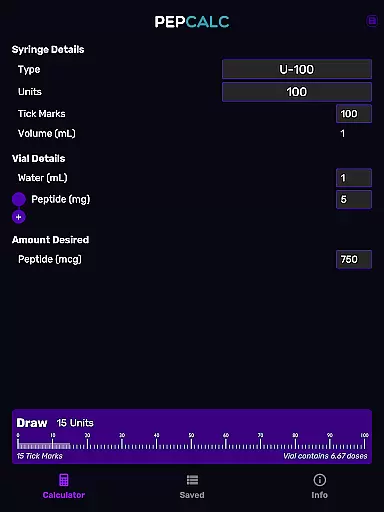
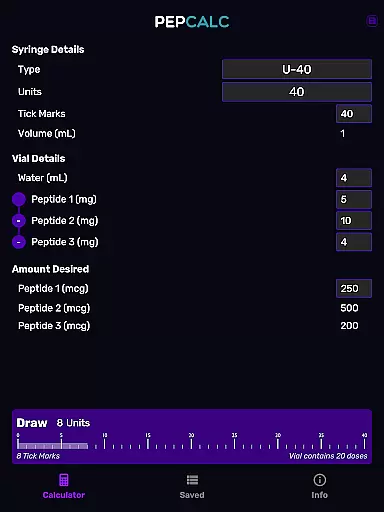
PepCalc is the leading peptide reconstitution calculator app designed for researchers and health enthusiasts. This powerful tool simplifies complex calculations by providing accurate measurements for peptide reconstitution amounts per unit or tick mark.
With its fully configurable inputs, users can customize volume, units, tick marks, and more. The app supports multi-peptide blends and includes saved protocols with notes, making it an essential utility for anyone working with peptides. Whether in a professional lab or for personal research, PepCalc ensures precision and efficiency.
PepCalc stands out with its comprehensive feature set tailored for peptide calculations. The app offers fully configurable inputs, allowing users to adjust volume, units, tick marks, and desired amounts with ease.
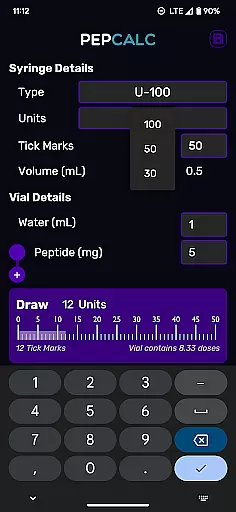
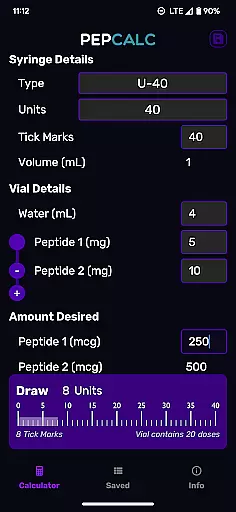
One of its key innovations is the support for multi-peptide blends. Users working with complex mixtures can add additional peptides, and PepCalc will compute all necessary amounts automatically. The app also provides instrument type selection between U100 and U40, with an 'other' option for complete control over inputs.
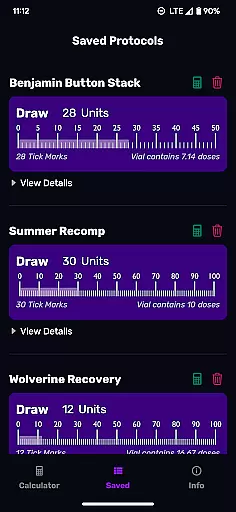
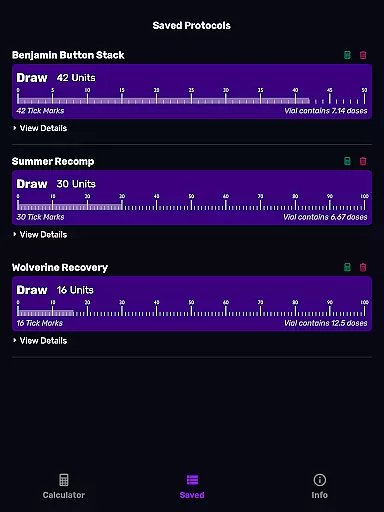
Additional features include dark mode support, saved protocols with notes functionality, and a seamless experience without requiring signup or displaying ads. These capabilities ensure that PepCalc remains user-friendly while delivering professional-grade performance.
Personalized planning in PepCalc allows users to configure inputs based on their specific needs, ensuring accurate peptide reconstitution calculations. The app supports fully configurable inputs such as volume, units, tick marks, and quantity of peptides, providing flexibility for different scenarios.
Users can choose between U100 and U40 instrument types, with automatic volume settings or select 'other' for complete control over the inputs. This personalized approach ensures that each calculation is tailored to the user's unique requirements, enhancing precision and reliability.
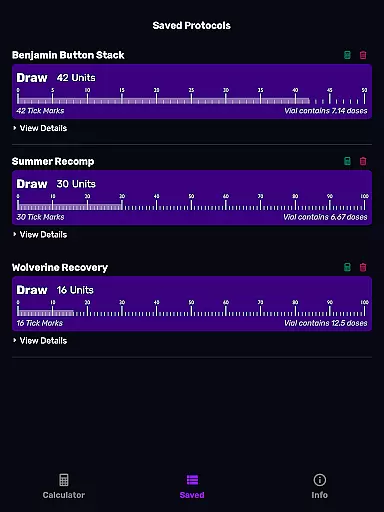
The ability to save protocols with notes adds another layer of personalization, allowing users to store and quickly access their favorite calculations without retyping. This feature not only saves time but also reduces the risk of errors, making the entire process more efficient and user-friendly.
PepCalc offers robust progress visualization by supporting multi-peptide blends and displaying all computed amounts clearly. Users working with complex peptide blends can add additional peptides, and the app will compute and present all amounts, offering a comprehensive view of their reconstitution progress.
The saved protocols feature enhances progress visualization by enabling users to track their previous calculations and modifications over time. By naming and saving favorite calculations, users can monitor their progress and make informed adjustments as needed.
Including dark mode support, PepCalc ensures that progress visualization is accessible and comfortable in various lighting conditions. This thoughtful design choice helps users maintain focus on their calculations while reducing eye strain, contributing to a more effective and enjoyable user experience.
Accurate calculations
User-friendly interface
Multi-peptide support
Saved protocols
No ads
Limited to peptide use
Advanced settings only
Requires manual input
No iOS version
Premium cost

Relax to calm sounds, white noise, music, guided meditation and bedtime stories
 4.40
4.40
Period Tracker, the easiest way to track your periods!
4.50
Get alert about getting out of desired heart rate zone.
4.10
Using Recognise™ has been shown to reduce pain, and improve performance.
4.2
Eat smarter with Eato, your personal calorie counter and nutrition tracker!
4.40
You deserve easy access to important insurance information. Download for FREE.
4.70
The most accurate heart rate app to monitor and track your heart rate & pulse.
4.40
Jogging app for calorie counter and distance tracker. Running app to lose weight
4.20
Monitor blood sugar, gain insights, and manage diabetes with ease.
3.20
Personal Measurements - Track your gains!
4.50
Grow with self-tests and personal routine.
4.30
Fast Body building & Weight Loss. Home Workouts with Daily Coach, No Equipment.
4.30
Looking to take control of your health? Our psychology-based programs can help.
4.10
Your Health Has Met Its App (℠)
3.90
Turn your steps into cash, gift cards & rewards with our step counting pedometer
3.80
Make sense of your health data.
3.80
The Sleep Miracle Sound Machine: Soothes baby to sleep with a gentle "Shhh"
3.00
Use your watch as a bike computer, heart rate monitor and cycling power meter
2.50
Transform your body and soul with DBFFitness, with a 40-day fitness journey.
4.0


User Reviews