
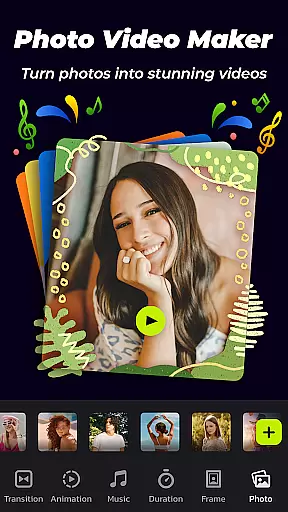

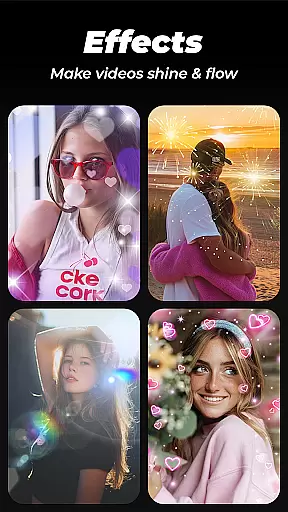
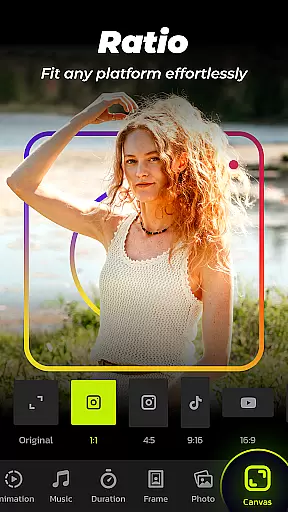
Photo Video Maker with Music - InSlide is a versatile video editing tool designed for creating professional-quality slideshows, presentations, and photo videos. The app offers an extensive range of features including music integration, transitions, animations, and customizable frames. Users can easily assemble photos into visually appealing videos while adjusting aspect ratios and transparency to achieve the desired effect.
This slideshow maker stands out with its user-friendly interface that allows users to create stunning videos in just four easy steps. Whether you're looking to produce engaging content for social media platforms like Instagram, TikTok, or YouTube, or simply want to preserve precious memories in a creative format, Photo Video Maker provides all the necessary tools. Its ability to remove watermarks ensures your final product maintains a polished and professional appearance.
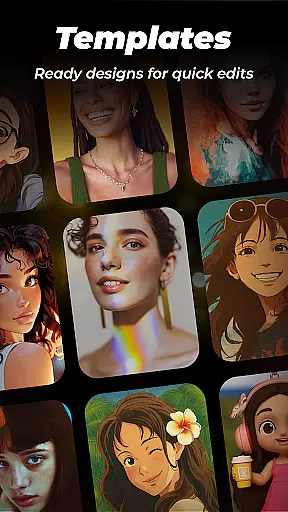
The app's value extends beyond casual users to professionals seeking efficient ways to create tutorial videos or promotional content. With abundant well-organized templates and continuous updates to its content library, Photo Video Maker caters to various needs from personal projects to business presentations, making it an indispensable tool for anyone interested in video creation.
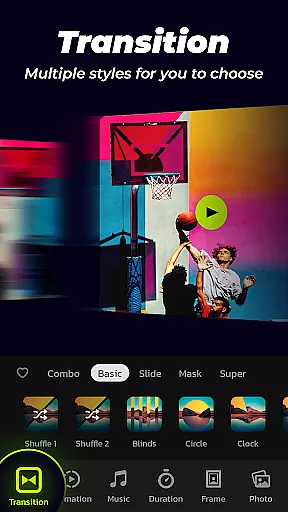
Photo Video Maker distinguishes itself through a comprehensive suite of editing features tailored for both novice and experienced users. One of its standout capabilities is the one-click transition feature, which simplifies the process of selecting and applying transitions between images, thus saving time and effort. This feature, combined with a vast selection of transition effects, enables users to enhance their videos' visual appeal effortlessly.
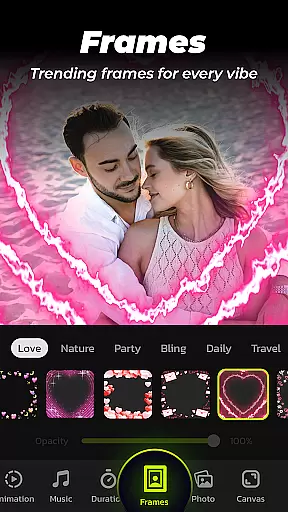
In addition to transitions, the app offers a rich library of categorized frames and themes such as family, lovers, and travel, allowing users to personalize their slideshows according to specific occasions or moods. The customization options extend to adjusting transition durations from 0.5 to 8 seconds, providing precise control over the pacing of the slideshow. Furthermore, users can choose from five resolution settings ranging from 480P to 2K, ensuring optimal quality for different sharing platforms.
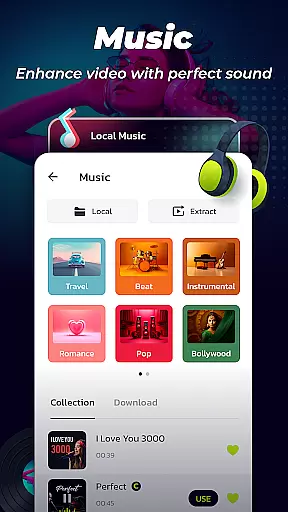
Another notable feature is the ability to add music tracks to slideshows. With a diverse selection of online music styles and the option to upload personal audio files, users can create emotionally resonant videos that captivate audiences. The app also includes a Video Library where users can store, manage, and quickly retrieve their creations, streamlining the workflow for frequent content creators.
Photo Video Maker with Music - InSlide stands out for its exceptional video format compatibility, ensuring that users can work with a wide range of file types without any hitches. This feature is crucial for seamless video editing and exporting, allowing creators to focus on their content rather than technical limitations.
The app supports various formats for both importing and exporting videos, making it versatile for different user needs. Whether you're looking to create a slideshow from JPEGs and PNGs or incorporate MP4, AVI, or MOV files, InSlide has got you covered. This flexibility empowers users to bring their creative visions to life without worrying about format restrictions.
Moreover, the ability to export in multiple resolutions, from 480P to 2K, ensures that your final product is tailored to your specific requirements. Whether you need a low-resolution file for quick sharing or a high-definition masterpiece for professional presentations, this app delivers the goods.
By prioritizing video format compatibility, Photo Video Maker not only enhances user experience but also broadens the scope of projects that can be undertaken. From casual hobbyists to serious content creators, everyone benefits from this inclusive approach to video editing.
InSlide revolutionizes the video editing landscape with its AI-powered editing features, setting a new standard for creativity and efficiency. These intelligent tools are designed to simplify complex editing tasks, enabling users to produce professional-quality videos with minimal effort.
One standout feature is the one-click transition effect, which leverages AI to automatically select and apply suitable transitions between clips. This eliminates the tedious process of manual selection and ensures smooth, visually appealing results every time. The AI algorithm considers factors like video pacing and content to deliver optimal outcomes.
Additionally, the app's smart customization options allow users to adjust transition durations from 0.5 to 8 seconds, creating perfectly timed sequences that maintain viewer engagement. This level of precision would typically require advanced editing skills, but InSlide makes it accessible to everyone.
These AI-powered capabilities significantly reduce production time while maintaining high-quality standards. By automating routine editing tasks, the app enables creators to focus on storytelling and artistic expression, ultimately leading to more compelling and polished video content across various platforms.
User-friendly interface
Extensive customization options
One-click transition effects
High-resolution export choices
Versatile music integration
Limited advanced editing tools
Occasional performance lags
In-app purchases required
Basic animation effects
Learning curve for beginners

Fast, private downloading, video saving, social media
 4.50
4.50
Your media, on your terms.
4.10
Powerful HD video player with support for all formats & subtitles.
4.2
Support 1000+ Video Format, Subtitle Download, mp3 & Background Play, Cast On TV
4.60
AirMirror Receiver - Screen mirroring/cast web videos to Android TV by AirPlay.
4.40
IPTV Player - Watch live TV from m3m & m3u8 playlist, stream IPTV on mobile
3.30
Watch IPTV on your Android device
4.60
Web Browser for LG TV to stream webvideos, online movies and livestreams in HD
4.20
Photo editor & video maker with music and slideshows.
4.10
Fast & easy HD video downloader for all formats, support 4K playback & download.
4.60
HD video maker with no watermark, no ads & vlog maker with music, PIP, text
4.50
Video Downloader, Multiple Resolution Options, Video Player
4.50
Powerful video player with advanced hardware acceleration and subtitle supports
4.20
Powerful, professional, versatile teleprompter. Developed by an active film crew
4.00
Fast private browser with secure, seamless access & supported video downloads!
4.00
Save photos and videos from social apps in one tap.
3.60
Watch full episodes of your favorite Cartoon Network and Cartoonito shows!
3.50
Video player with powerful streaming playback and various convenient features.
2.10
Play and download HD videos from all sources — fast, simple, and all-in-one.
4.1


User Reviews