
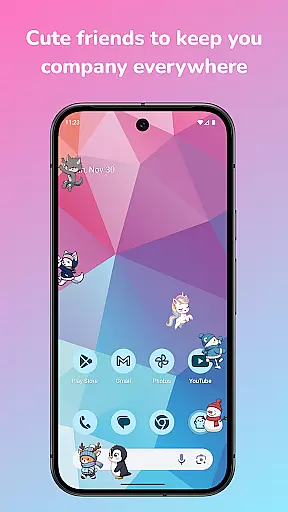
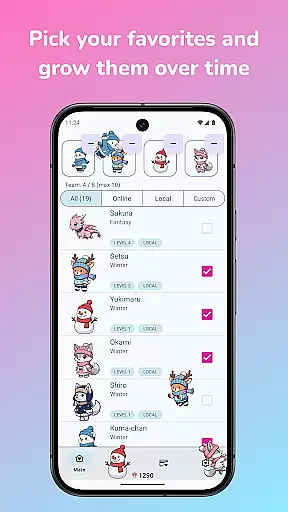
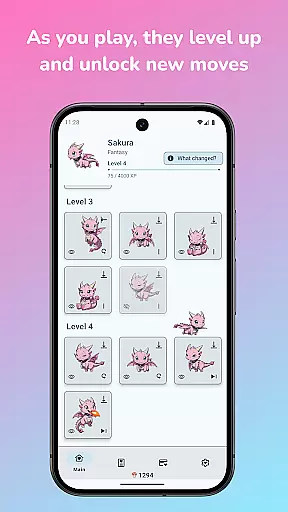
Shimeji: Screen Buddies is a delightful personalization app that brings cute animated characters to your device's screen. These charming mascots interact with your phone's interface, walking, climbing, and playing on top of your apps. With the ability to run up to 10 characters simultaneously, it creates an engaging and lively experience. The app features an innovative idle-style leveling system where characters earn XP as they wander around, unlocking new animations and tricks as they grow. Additionally, Shimeji includes a full editor allowing users to create their own mascots or customize existing ones, ensuring a unique and personalized touch.
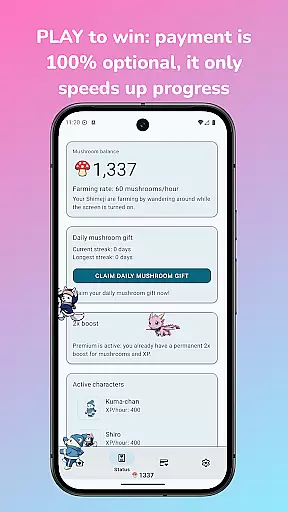
The app has been updated with a new animation engine for smoother motion and better timing, making interactions more fluid and visually appealing. It also introduces a Mushroom currency system, which allows users to unlock features simply by playing. This makes the app not only entertaining but also rewarding for regular use. Whether you're looking to add some fun to your daily routine or seeking creative ways to personalize your device, Shimeji: Screen Buddies offers a playful solution that combines aesthetics with interactivity.
Shimeji: Screen Buddies stands out with its rich set of features designed to enhance user engagement and creativity. One of the key highlights is the ability to run multiple mascots at once, filling your screen with delightful animations and interactions. Users can tap, drag, and toss their Shimeji, observing various reactions and behaviors, creating a dynamic and interactive environment. The introduction of character levels adds depth to the experience, as users can level up their favorite characters to unlock new animations and tricks, providing a sense of progression and achievement.
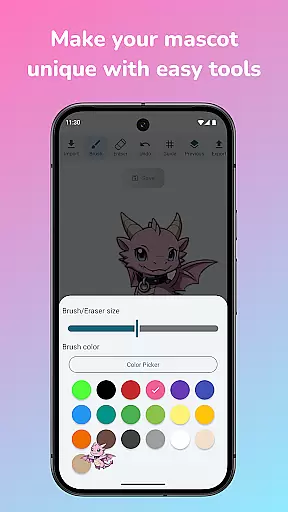
The app also boasts a comprehensive editor that enables users to import their own art and turn it into live screen buddies. This feature supports recoloring, redrawing, and fixing sprites, offering endless customization possibilities. Moreover, the built-in Ghost Mode ensures that mascots remain visible without interfering with your activities, such as gaming or chatting. Simple controls for adjusting size, speed, and behavior provide further personalization options. All these features are optimized for modern devices, ensuring smooth performance and minimal battery consumption, making Shimeji: Screen Buddies both functional and enjoyable.
Shimeji: Screen Buddies offers an extensive range of customization options that allow users to personalize their screen buddies according to their preferences. With the ability to run up to 10 characters at once, each with unique animations and interactions, users can create a lively and personalized environment on their device screens.
The app features an in-built editor that lets users import their own art and turn it into live screen buddies. This provides limitless possibilities for personalization as users can recolor, redraw, and modify sprites to make their mascots truly one-of-a-kind. The full editor is completely unlocked, ensuring that all creative tools are accessible without any additional costs.
Interacting with these customized characters not only enhances user engagement but also allows for a more enjoyable and entertaining experience. Users can tap, drag, and toss their Shimeji, watching them react in various ways, which adds another layer of personal interaction and fun.
By offering such diverse customization options, Shimeji: Screen Buddies ensures that every user's screen is uniquely theirs, providing both aesthetic pleasure and a sense of ownership over their digital companions.
Theme compatibility is a crucial aspect of Shimeji: Screen Buddies, ensuring that the animated characters seamlessly integrate with various device themes and interfaces. The app's new animation engine has been optimized for smoother motion and better timing, making certain that the mascots' movements are fluid regardless of the underlying theme or wallpaper.
Users can adjust settings such as size, speed, and behavior through simple controls with live previews. This flexibility guarantees that the Shimeji will look harmonious across different visual setups, maintaining visual consistency whether you have a light, dark, or image-based theme active on your device.
Additionally, Ghost Mode allows mascots to stay visible but unobtrusive while users engage in other activities like gaming or chatting. This feature respects the primary use of the device while still allowing users to enjoy their personalized screen buddies without distraction.
Overall, Shimeji: Screen Buddies excels in delivering a visually cohesive experience by prioritizing theme compatibility, thus enhancing user satisfaction and broadening its appeal among diverse audiences who value both form and function in their mobile applications.
User-friendly interface
Highly customizable
Engaging animations
Rewarding leveling system
Creative mascot editor
Limited original characters
Optional payments for faster progress
May distract some users
Requires time investment for unlocks
Occasional performance issues

A Colorful and Minimal icon pack in an Outline Style - Over 13,600 icons!
 4.70
4.70
Sparkle your screen with Glitter Wallpapers For Girls and Cute Backgrounds!
4.80
Shimeji adds cute animated characters to your screen, lively and fun.
4.70
More than 3000+ themes and 9000+ wallpapers for everybody!
4.10 4.50
4.50
Adaptive Dot Style IconPack with Light & Dark Theme.
3.70
Enjoy a variety of amazing live wallpapers and colorful EDGE lighting borders!
4.80
A minimalist productivity launcher. One-hand-friendly. Zero ads.
4.70
Create stunning widgets with Widget 2026: Aesthetic Widgets for Android!
4.60
Winter's Journey: digital watch face for Galaxy Watch & Wear OS
4.80
100+ Stylish Fonts, Emojis, Symbols keyboard for Instagram & TikTok!
4.80
Zip lock screen with magic wallpaper to decorate your phone with fun zipper lock
4.60
Embrace the Night. Unleash the power of darkness with Raven Dark Icon Pack
4.60
Icons made of colorful linear lines
4.60
Stylish Pink Cute Hippo keyboard with 10000+ customized keyboard themes!
4.60
Beautiful realistic hybrid watch face with numerous customization options.
4.50
Wear Os Watch Face - Seasonal - Animated Snow Effect - 9 Animals
4.20
Struggling to find apps? Use this app to locate and open any app on your phone!
2.20
Capture moments that pass like a storm, second by second.
4.1


User Reviews