
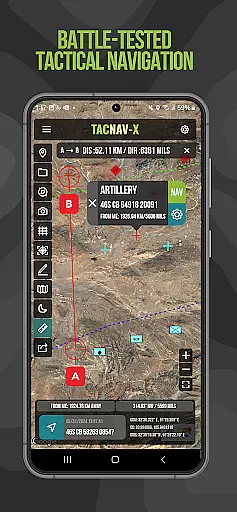
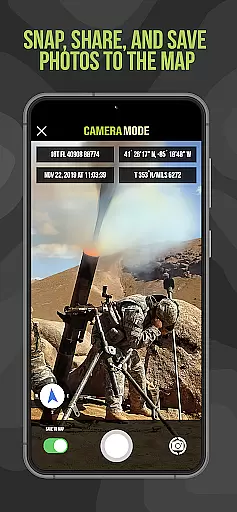
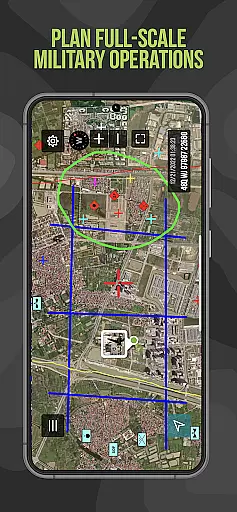
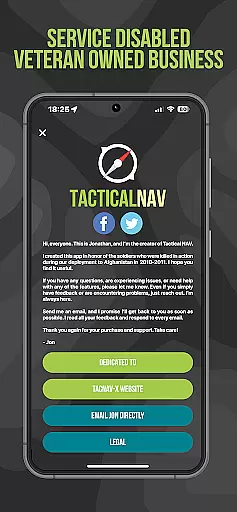
Tactical NAV is a specialized navigation application designed for military use, particularly by soldiers in the field. Developed during a combat deployment in Afghanistan, this app provides precise mapping and navigation capabilities using MGRS, UTM, and other military-standard coordinate systems. Its offline functionality ensures operational security by not emitting cellular signals, making it ideal for austere environments.
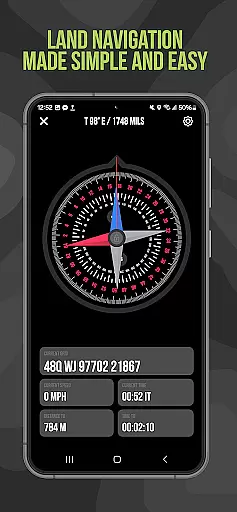
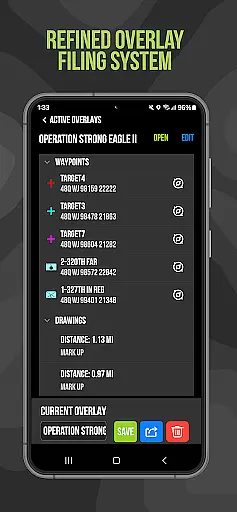
The app's key features include tactical drawing mode for mission planning, waypoint plotting with military graphics, and a 'Compass FastLock' function for quick azimuth capture. These tools are purpose-built to enhance situational awareness and support mission success while honoring fallen soldiers through its development journey.
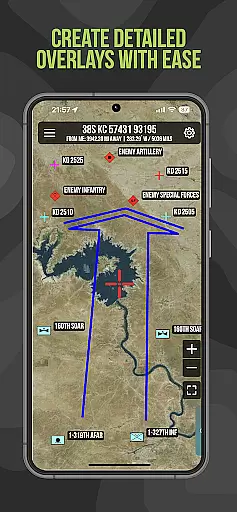
Tactical NAV stands out with its military-grade precision targeting platform that supports various coordinate systems including WGS-84, MGRS, UTM, BNG, and USNG. The app offers advanced functionalities such as tactical drawing mode, which is crucial for creating mission overlays and planning operations effectively.
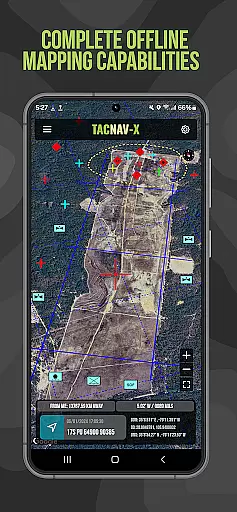
Another significant feature is the offline mapping capability, allowing users to utilize the full range of app functions without needing an internet connection or emitting detectable signals. This makes Tactical NAV suitable for use in contested environments where maintaining stealth is critical for mission success.
Map accuracy is a critical feature for any navigation application, especially one designed for military use like Tactical NAV. This app offers precision targeting and mapping capabilities that adhere to military standards, ensuring users can rely on its data in various operational environments.
The app supports multiple coordinate systems including MGRS, UTM, BNG, and USNG, all based on the WGS-84 standard. This ensures compatibility with official military maps and devices, providing accurate location data essential for mission planning and execution.
Tactical NAV's offline mapping mode allows soldiers to operate without emitting cellular signals, crucial for maintaining stealth in contested areas. The map data remains accurate and accessible even without an internet connection, empowering troops with reliable navigational support in remote locations.
By matching the performance of the AN/PSN-13 Defense Advanced GPS Receiver (DAGR), Tactical NAV demonstrates its commitment to delivering highly accurate positioning information. This level of precision helps enhance soldier safety and mission success, making it an invaluable tool for military personnel.
Effective route planning is vital for successful military operations, and Tactical NAV excels in this area by offering advanced features tailored for mission planning. The tactical drawing mode enables users to create detailed overlays, plot waypoints using military graphics, and plan routes with precision.
The 'Go to Grid' feature facilitates accurate planning by allowing users to input specific coordinates and drop waypoints precisely where needed. This functionality is crucial for coordinating movements and establishing strategic positions during missions.
Tactical NAV also includes a Compass 'FastLock' function for capturing quick and precise azimuths, which is essential for determining direction and plotting efficient routes. These capabilities help military units maintain situational awareness and execute their objectives effectively.
All revenue from the app's subscriptions and in-app purchases contributes to ongoing development and updates, ensuring that the route planning features remain cutting-edge and continue to meet the evolving needs of service members in both training and combat scenarios.
Highly accurate navigation
Offline functionality
Military-standard coordinates
Tactical drawing mode
Waypoint plotting with graphics
No DoD endorsement
Not for life-threatening situations
In-app purchases required
Limited to military use
Subscription needed for full access

Offline maps for phone and smart watch: topographic maps, satellite images...
 3.30
3.30
Route tracker, Speedometer, Odometer, Fuel, HUD mode, save route as .GPX
4.40
Order a cab online. An affordable taxi ride and driver in no time. What a bolt!
4.80
Find radar maps, GPS coordinates, altitude, offline maps, location, travel route
4.40
LIRR and Metro-North tickets and trips
4.80
Get route map navigation with 3D satellite view, and live earth camera streaming
3.70
Explore offline maps with radar, satellite view, and real-time alerts.
3.60
Track friends in real-time and explore worldwide live cameras.
4.60
Navigate MTA, NJ Transit, MBTA, SEPTA, BART, MARTA, CTA & 900+ cities
4.60
Explore with GPS Navigation with GPS offline, voice GPS, speed camera radar
4.60
America’s largest public fast charging network, with over 500 charging stations.
4.50
Get matched with a nearby driver — you’ll be on your way in minutes.
4.30
GPS phone tracker, family locator, secure location sharing app
4.20
Avoid delays. Get real-time GPS navigation, safety alerts and live traffic.
4.10
Get route, find shortest path, near by places and weather update
3.90
Route Planner is travel map to get turn by turn navigation & driving directions
3.90
Start your next adventure confidently using our Accurate Compass App
3.70
Live Satellite view app for find GPS navigation Direction and live location map
3.70
Navigate via GPS Maps of GPS Voice Navigation, driving directions to find routes
3.60


User Reviews