
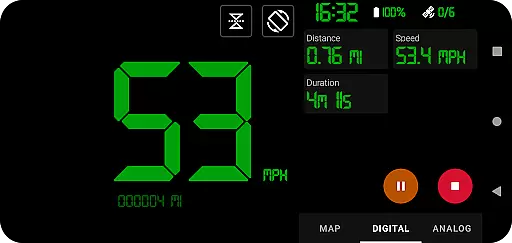
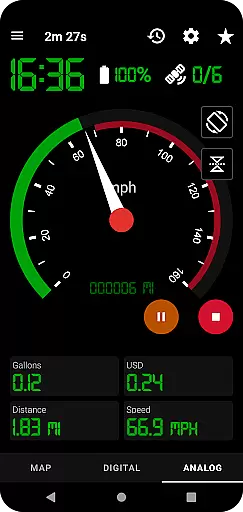
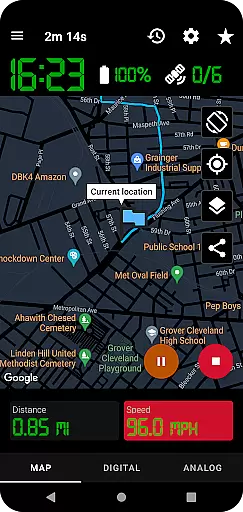
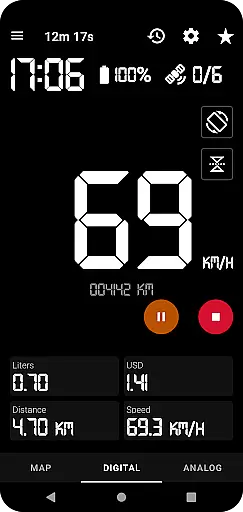
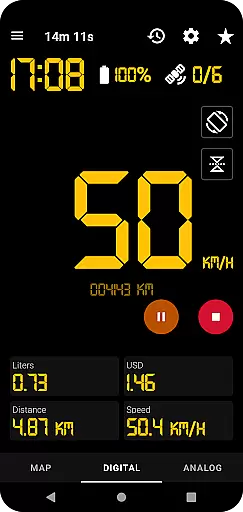
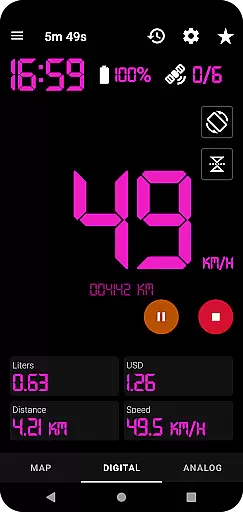
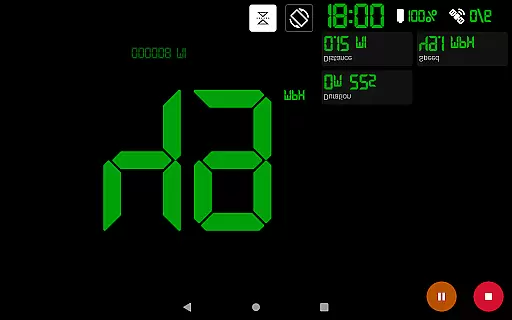
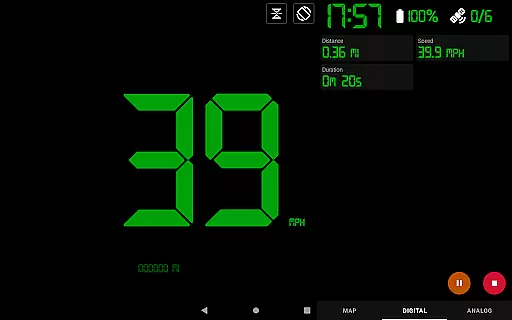
GPS Speedometer Pro is a comprehensive navigation and tracking application designed to monitor your movement activities such as driving, running, walking, or cycling. Utilizing the phone's built-in GPS, it provides real-time speed and route information through various display modes including map, digital, and analog speedometers. The app stands out with its ability to operate seamlessly in the background, allowing users to multitask without interrupting their tracking sessions.
Beyond basic tracking, GPS Speedometer Pro offers advanced features like fuel cost estimation, over-speed alerts, and HUD mode for enhanced visibility. Users can download their tracked routes in .gpx format for third-party software analysis or replay them within the app to review performance. With privacy at its core, the app ensures that no personal data is collected or shared, making it a reliable tool for those who prioritize security alongside functionality.
GPS Speedometer Pro boasts an array of sophisticated features tailored for both casual and professional users. Its primary function leverages the phone's GPS to record routes and speeds with precision. The inclusion of analog and digital speedometer displays caters to different user preferences, while the head-up display (HUD) mode projects crucial information onto the windshield for safer driving.
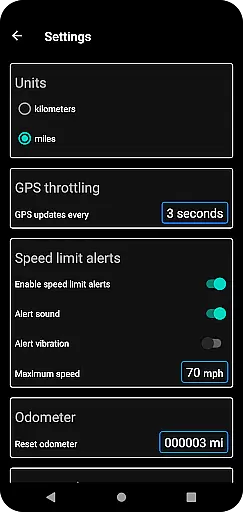
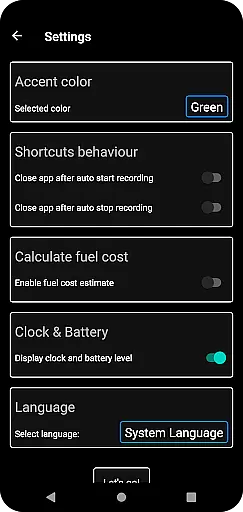
Additional functionalities include an odometer for distance measurement, fuel cost estimation based on traveled distance, and a history log of all saved tracks. Users can export these tracks in .gpx file format for external analysis or share them directly as map images. The app also supports setting maximum speed thresholds, providing audible alerts even when running in the background. Customization options extend to themes (dark and light), map types, and unit systems (kilometers vs. miles), ensuring a personalized experience.
Map accuracy is crucial for any navigation or tracking application, and GPS Speedometer Pro excels in this area. The app leverages your phone's built-in GPS to provide precise location data, ensuring that your routes are recorded with high fidelity.
The app offers various map types including light, dark, and terrain modes, allowing users to choose the view that best suits their environment and preferences. This versatility ensures that whether you're driving through urban streets or hiking in remote areas, the map will remain accurate and useful.
Users can also benefit from real-time tracking features such as over-speed alerts, even when the app runs in the background. These alerts rely on accurate mapping data to function correctly, providing peace of mind for those looking to stay within speed limits.
Furthermore, the ability to download routes in .gpx file format means that the accuracy of your tracked paths can be verified and utilized in third-party software. This feature is invaluable for users who require detailed and reliable mapping information for professional or recreational purposes.
Effective route planning is essential for optimizing travel time and ensuring a smooth journey. GPS Speedometer Pro supports this by offering multiple ways to visualize your path, including analog and digital speedometers, as well as a head-up display (HUD) mode.
The app allows users to pause, stop, and resume tracking at any time, which is particularly useful for planning breaks or stops along the route. This flexibility ensures that users can manage their trips more efficiently without worrying about continuous tracking draining their battery.
Additionally, the fuel cost estimation feature aids in financial planning by giving users an idea of the expenses associated with their travels. By understanding these costs upfront, travelers can make informed decisions about their routes and modes of transportation.
For those interested in revisiting their journeys, the app enables the replay of saved routes, showcasing recorded speeds and providing insights into past trips. This functionality not only enhances the user experience but also serves as a valuable tool for refining future route plans based on historical data.
User-friendly interface
Accurate GPS tracking
Comprehensive feature set
Privacy-focused design
Versatile customization options
Background usage may drain battery
Limited offline functionality
Occasional GPS signal issues
Interface can be complex for beginners
Some features require technical knowledge

Offline maps & GPS for hiking, travel, fieldwork & outdoor adventures
 4.70
4.70
This app is military GPS coordinate systems helper. (MGRS, UTM & DMS Maps)
4.80
Route schedules, maps, and real-time tracking of MTA buses in New York City.
4.20
Plan routes, share locations, and set custom alert zones
4.40
GPS Speedometer & Odometer: Track car, bike, truck speed & distance in real-time
4.70
LIRR and Metro-North tickets and trips
4.80
Navigate seamlessly with Real-Time Traffic, Offline Maps, and Voice Navigation.
4.10
Find radar, speed camera, flight tracker. Use hud, location tracker, speedometer
4.20
Neshan: map & navigation app with 20M+ monthly active users
4.50
Rideshare, taxi cabs, and more for your airport travels and everyday trips.
4.50
GPS navigation offers route finder, compass, translator, currency converter, etc
4.30
Use GPS maps or search by property owner, address or parcel to view parcel data
4.30
Get directions, Maps, GPS navigation & GPS Maps using GPS App
4.10
GPS Navigation: Get map directions and find the shortest routes to avoid delays!
4.00
Drive safe with real-time speed camera radar, police, and traffic alerts
3.80
Explore Live Earth Map with 3D World Map & locate cites, mountains real time.
3.80
MapQuest is your go-to app for maps, GPS, voice navigation & live traffic.
3.80
Start your next adventure confidently using our Accurate Compass App
3.70
Turn your tablet or Android powered unit into a full blow Android Auto headunit.
2.30


User Reviews