
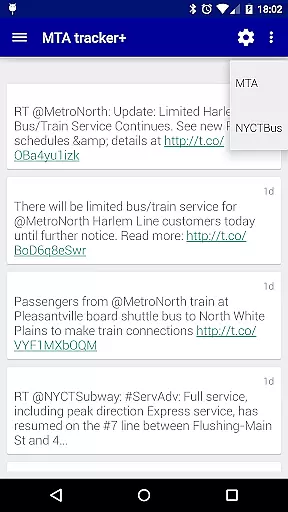
Transit Tracker+ is a comprehensive navigation app tailored for New York City's Metropolitan Transportation Authority (MTA) users. This ad-free version offers advanced features beyond the basic Transit Tracker, including real-time vehicle tracking, route schedules, and proximity alerts. The app leverages MTA's public APIs to provide accurate data on bus and train movements, ensuring that commuters can efficiently plan their journeys across NYC.
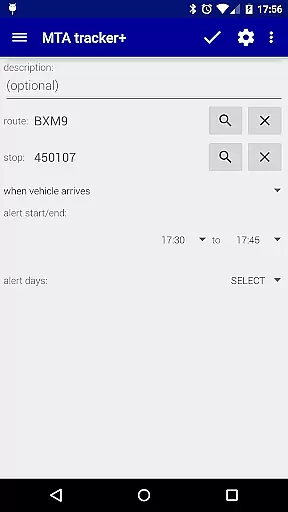
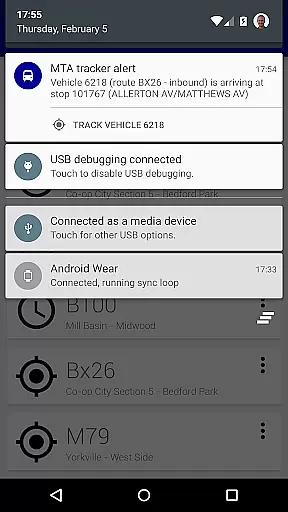
One of the standout capabilities of Transit Tracker+ is its alert system, which notifies users when a vehicle is approaching or arriving at a specific stop. Additionally, the app provides detailed route schedules viewable as origin/destination tables or interactive maps. Users can also search for nearby stops based on their current location or specified addresses. These features make it an essential tool for daily commuters who rely on timely and accurate transit information.
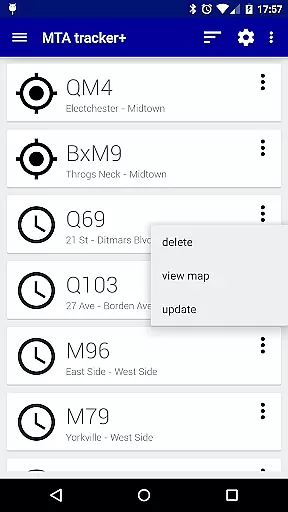
Transit Tracker+ boasts a variety of robust features designed to enhance the commuting experience. The app allows users to track multiple MTA routes simultaneously by entering route numbers, stop numbers, or individual vehicle IDs. This functionality ensures that users have a comprehensive overview of all relevant transit activity in their area. Furthermore, the app supports downloading route schedules, which can be viewed both as tables and on a map, providing flexibility in how users access schedule information.
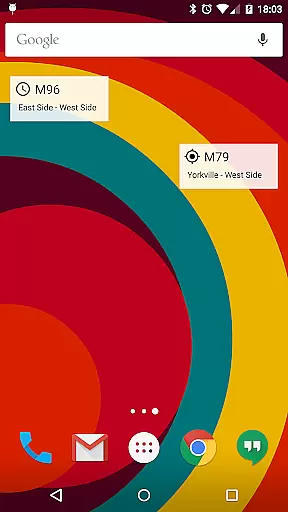
Another key feature is the alert system, which uses the predefined MTA route shapes to notify users when a vehicle is approaching or arriving at a particular stop. While this system is highly reliable, it may not trigger correctly if vehicles are on detour or deviate from their standard routes. Additional functionalities include light and dark themes, satellite imagery, traffic data overlays, and customizable update intervals for vehicle locations. Users can also personalize alert ringtones and add widgets to their home screens for quick access to frequently used maps or schedules.
Map accuracy is a critical feature for any navigation app, and Transit Tracker+ - NYC excels in this area. The application uses real-time data provided by the MTA through public APIs to ensure that users have access to the most up-to-date transit information available.
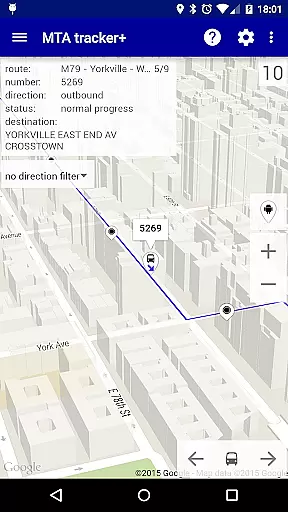
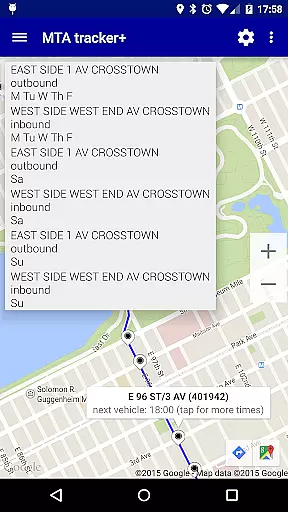
The app allows users to view vehicle locations on a map, which are updated at regular intervals. This ensures that the displayed positions closely match the actual locations of buses and trains. Users can tap on stops to see scheduled arrival times, providing them with precise information to plan their journeys effectively.
Additionally, Transit Tracker+ offers features such as satellite imagery and color-coded traffic data overlays on maps. These enhancements not only improve the visual experience but also contribute to better decision-making when navigating New York City's complex transit system.
Route planning is an essential aspect of Transit Tracker+ - NYC, empowering users to navigate the city with ease. By entering route numbers or stop IDs, riders can access detailed schedules and receive notifications about approaching vehicles, ensuring they never miss their bus or train again.
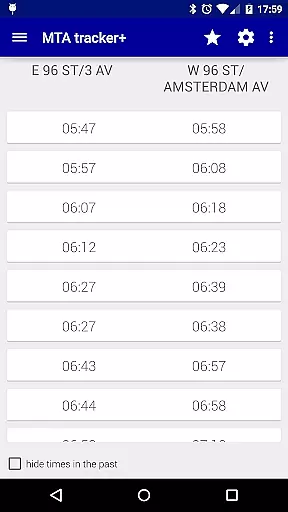
The app provides multiple ways to plan your journey. You can request schedules for any MTA route, view them as origin/destination tables, or explore upcoming stops on a map. This flexibility enables commuters to choose the best option based on current conditions and personal preferences.
Furthermore, Transit Tracker+ includes alert functionalities that notify users when a vehicle is nearing a specific stop. Although these alerts rely on predefined routes, they offer valuable assistance in timing departures accurately. With these comprehensive tools, Transit Tracker+ significantly enhances the route planning process for its users.
User-friendly interface
Real-time tracking
Customizable alerts
Comprehensive route data
Ad-free experience
Limited route support
No official MTA endorsement
Potential inaccuracies during detours
Requires internet connection
Additional cost for premium features

GPX Viewer PRO shows tracks, routes and waypoints from gpx and kml files.
 4.60
4.60
Find shortest way and save energy . Distance and area calculator.
4.70
Explore with GPS Navigation with GPS offline, voice GPS, speed camera radar
4.60
Truck Safe GPS Navigation & Maps: Parking, Fuel, Diesel, Weight Station
4.80
ParkWhiz, an Arrive Mobility brand, part of the Arrive Network
4.30
Gas Station & Fuel Rewards Points
3.70
Off-Roading Navigation App With Trails, Public Lands, & Private Property Info
3.30
Get matched with a nearby driver — you’ll be on your way in minutes.
4.30
Rideshare, taxi cabs, and more for your airport travels and everyday trips.
4.50
This app is military GPS coordinate systems helper. (MGRS, UTM & DMS Maps)
4.80
Order a cab online. An affordable taxi ride and driver in no time. What a bolt!
4.80
Find trails, organize your locations and navigate with offline maps.
4.60
Neshan: map & navigation app with 20M+ monthly active users
4.50
Instant diesel discounts - save big with each fill up!
4.40
GPS phone tracker, family locator, secure location sharing app
4.20
Get directions, Maps, GPS navigation & GPS Maps using GPS App
4.10
Explore Live Earth Map with 3D World Map & locate cites, mountains real time.
3.80
NJ TRANSIT information and ticketing at your fingertips
3.70
Live Satellite view app for find GPS navigation Direction and live location map
3.70


User Reviews