
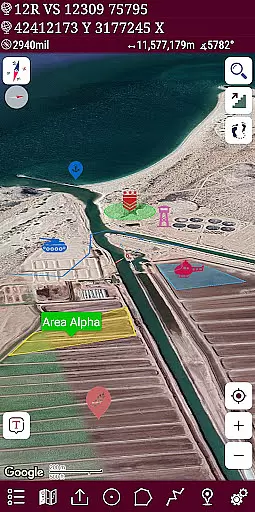
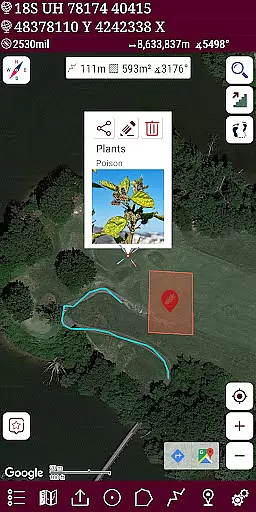
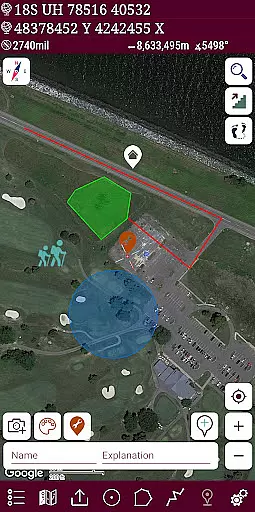
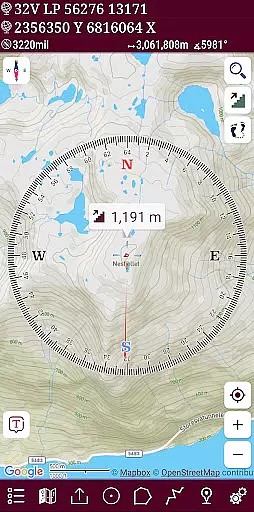
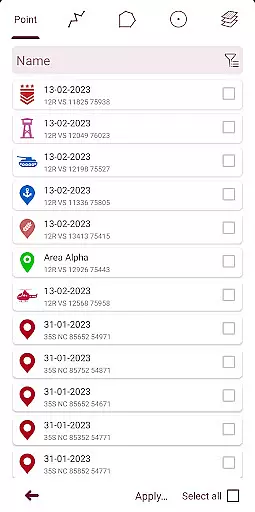
Mgrs & Utm Map Pro is a comprehensive GPS and coordinate systems helper designed primarily for military personnel, but equally valuable for outdoor enthusiasts. The application supports various satellite navigation systems like GPS, GALILEO, and GLONASS (GNSS), providing users with precise positioning on multiple map layers. With features such as an easy-to-use compass, follow mode, distance and area measurement tools, altitude display, and diverse location formats including MGRS, UTM, and Latitude/Longitude, this app ensures accurate and versatile navigation.
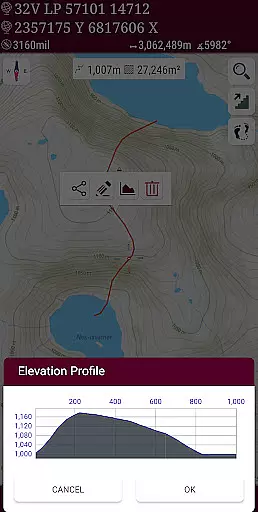
The pro version offers advanced functionalities that enhance the user experience. These include access to more detailed maps like Bicycle, Topographic, and Neighborhood views, the ability to view altitude profiles of routes, search locations by address, create activity-specific layers, and draw multiple routes with customizable colors. Additionally, users benefit from colorful pointer icons, name or icon display options for markers, and the capability to record multiple routes using the GPS recorder, all while enjoying an ad-free interface.
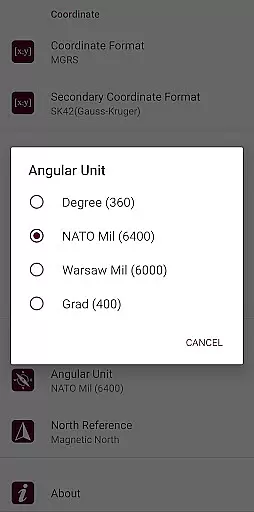
Mgrs & Utm Map Pro stands out with its extensive set of features tailored for both professional and recreational use. One of its key highlights is the advanced compass functionality, which includes a map-based compass showing your direction and a standalone compass displaying physical directions. Users can choose angular units in degrees, grad, and mil, catering to different preferences and requirements. The follow mode ensures that the map's center tracks your location as you move, making navigation seamless and efficient.
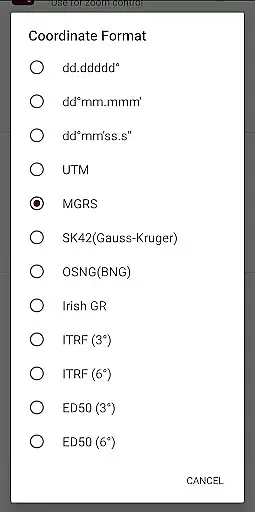
Another remarkable feature is the ability to measure distances and areas accurately. You can add custom routes to calculate total distances or select an area on the map to determine its size in square meters. The app also supports various location formats, such as MGRS, UTM, SK42, British National Grid, Irish Grid Reference, ED50, and ITRF, offering flexibility in coordinate systems. Furthermore, users can share location coordinates, switch between different map types like Road, Terrain, Satellite, Night Mode, and Hybrid, and choose distance units in meters or feet. The KML viewer allows for exporting and importing KML layers, adding another layer of utility for advanced users.
Map accuracy is crucial for any navigation application, and Mgrs & Utm Map Pro excels in this area. The app supports various satellite navigation systems such as GPS, GALILEO, and GLONASS (GNSS), ensuring that users can pinpoint their location with precision on different map layers.
The application offers multiple map types including Road, Terrain, Satellite, Night Mode, and Hybrid views. This versatility allows users to select the most suitable map type for their specific activity, whether it's mountaineering, trekking, or off-road navigation.
Moreover, Mgrs & Utm Map Pro provides diverse coordinate system options like MGRS, UTM, Latitude/Longitude, SK42, British National Grid, Irish Grid Reference, ED50, and ITRF. These options ensure that users can work within their preferred coordinate framework, enhancing the overall accuracy of their geographical data.
Effective route planning is essential for successful navigation, and Mgrs & Utm Map Pro offers a comprehensive set of tools to assist with this task. Users can create custom routes and calculate total distances, which is particularly useful for activities such as hiking or cross-country running.
The app includes a Follow Mode feature, where the map's center follows the user's location as they move. This dynamic tracking ensures that users always have an up-to-date view of their current position relative to their planned route.
Additionally, Mgrs & Utm Map Pro allows users to draw multiple routes and areas, changing their colors for easy differentiation. This functionality not only aids in organizing different activities but also enhances visual clarity when planning complex journeys across varied terrains.
User-friendly interface
Accurate GPS tracking
Diverse map options
Comprehensive location formats
Ad-free experience
Higher cost for pro version
Complex for beginners
Limited offline functionality
Occasional bugs
Heavy on battery

Offline maps for phone and smart watch: topographic maps, satellite images...
 3.30
3.30
Easy, Moderate and difficult offroad adventures.
4.00
Fully offline 1:50k New Zealand topographical map North Island
4.0
CamSam PLUS - The speed and red light camera warning system!
4.40
Voice GPS with driving directions, offline maps navigation GPS for safe travel
4.50
Order a cab online. An affordable taxi ride and driver in no time. What a bolt!
4.80
Find radar maps, GPS coordinates, altitude, offline maps, location, travel route
4.40
Explore offline maps with radar, satellite view, and real-time alerts.
3.60
GPS phone tracker, family locator, secure location sharing app
4.20
Offline maps & GPS for hiking, travel, fieldwork & outdoor adventures
4.70
Find shortest way and save energy . Distance and area calculator.
4.70
Find EV & Tesla charging stations with PlugShare
4.70
America’s largest public fast charging network, with over 500 charging stations.
4.50
Instant diesel discounts - save big with each fill up!
4.40
Route schedules, maps, and real-time tracking of MTA buses in New York City.
4.20
Get directions, Maps, GPS navigation & GPS Maps using GPS App
4.10
Get route, find shortest path, near by places and weather update
3.90
Ride CTA, Metra & Pace: Manage your fares, buy Metra tickets, get arrivals.
3.00
Compass is an accurate compass and a great tool for any outdoor activities
4.2


User Reviews