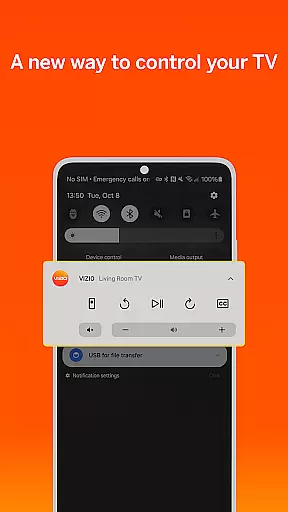
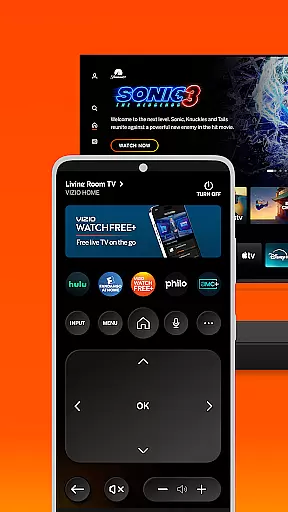
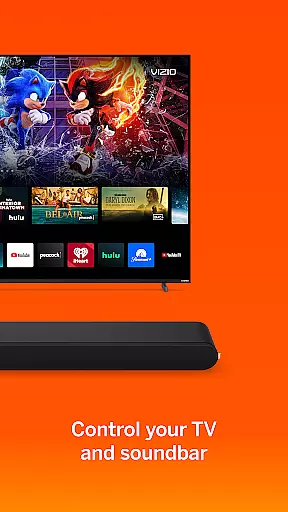

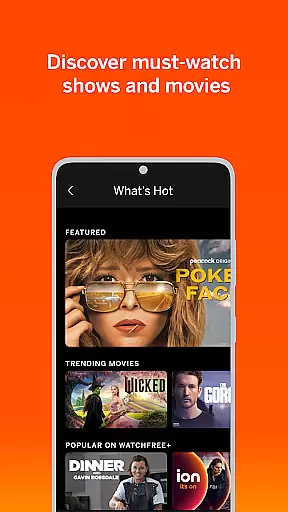
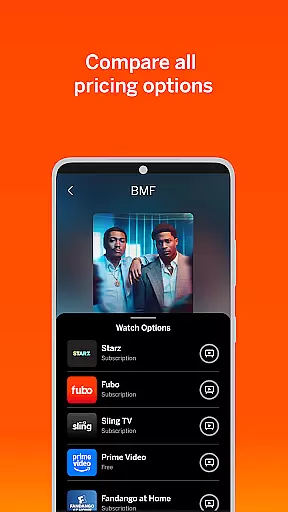
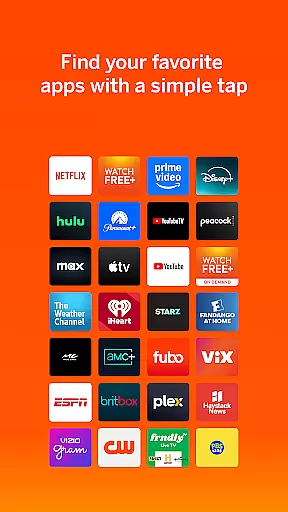
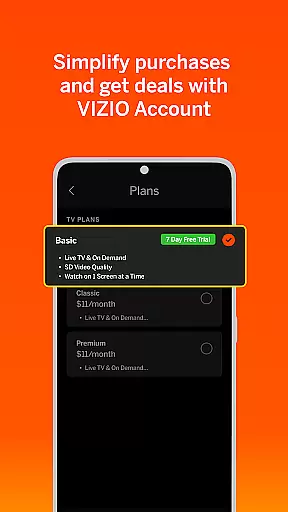
VIZIO Mobile app offers a comprehensive entertainment solution by combining device control with WatchFree+ live TV streaming. The app allows users to stream 300+ free live channels on mobile devices without requiring a VIZIO TV, while also serving as a universal remote for VIZIO TVs and soundbars.
Key features include personalized recommendations, voice control, and seamless cross-device syncing. Whether you're managing subscriptions, casting content, or fine-tuning audio settings, the app provides an all-in-one hub for maximizing your home entertainment experience.
Ideal for users seeking both convenience and customization, VIZIO transforms smartphones into powerful tools for accessing and controlling media effortlessly.
The VIZIO app stands out with its dual functionality: WatchFree+ Mobile and advanced device control. WatchFree+ streams 300+ live channels featuring news, sports, movies, and shows directly to mobile devices, offering personalized recommendations and smart navigation tools like category jumps.
For TV and entertainment control, the app integrates universal search across streaming platforms, voice commands for hands-free operation, and organizational tools for managing apps and subscriptions. Its soundbar control feature lets users adjust volume, bass, treble, and apply preset modes optimized for different types of content.
With capabilities such as VIZIOgram for sharing media and multi-room audio support (with compatible devices), this app ensures a versatile and immersive entertainment ecosystem tailored to individual preferences.
In the realm of digital entertainment, content diversity and regular updates are paramount. The VIZIO app excels in this area by offering over 300 free live channels that encompass a wide array of genres including news, sports, movies, and various TV shows. This extensive selection ensures that there is something for everyone, catering to diverse viewer preferences.
Moreover, the app allows users to personalize their experience by creating lists of favorite channels and receiving tailored recommendations. This personalization not only enhances user engagement but also encourages exploration of new content, keeping the viewing experience fresh and exciting.
The VIZIO app also supports seamless transitions between devices, allowing users to pick up where they left off on a different screen. This feature, combined with smart navigation tools, makes it easy for users to find and enjoy their preferred content quickly and efficiently.
User engagement and retention are critical metrics for any entertainment platform. The VIZIO app addresses these aspects through several innovative features designed to keep users coming back. One such feature is the universal search function, which aggregates content from multiple streaming services into a single interface, simplifying the discovery process and saving users time.
Additionally, the app provides smart recommendations based on individual viewing habits, ensuring that users are consistently presented with relevant and appealing content options. These personalized suggestions help maintain interest and encourage longer viewing sessions.
Voice control capabilities further enhance the user experience by enabling hands-free navigation and content discovery. By reducing friction in the interaction process, the VIZIO app fosters a more engaging and convenient environment that promotes sustained usage and loyalty among its audience.
User-friendly interface
Wide channel selection
Voice command support
Cross-device syncing
Customizable audio settings
Limited third-party app integration
Requires stable internet
Subscription fees for some content
Device compatibility restrictions
No simultaneous multi-room streaming

Play games. Earn real rewards. Cash out in 3hours via PayPal or gift cards.
 4.40
4.40
Practice and master your ESP and intuition with five mode trainer.
4.20
Triple A is a highly complex, kinetic, and interactive visualizer.
4.50
Find out if you're on Santa's Naughty or Nice List with this magical scanner!
4.60
Browser for Chromecast to stream webvideos, online movies, IPTV & HD livestreams
4.40
Just play games to earn gift cards. Keep playing, keep earning.
4.50
Build and Share AI
4.20
Raise Christmas Magic with daily missions, magical scanners, and kindness.
4.1
Geooh GO is the most feature rich geocaching app available today.
4.50
Pathfinder 2e initiative tracker with bestiary, HP, reaction, conditions, etc
4.80
Exclusive creator communities
4.70
Rain and lightning effects for your Philips Hue lights
4.30
Create and play realistic-looking mock Emergency Alert System messages.
4.30
A companion app for the game Elite Dangerous
4.10
NFL, NBA, NHL, MLB, local sports coverage, shows, movies & news!
3.20
Explore the unknown!
3.00
Simulation of Dashboard / Touch Screen for Tesla. (Works without actual Tesla).
4.1
EVP Recorder / Voice Recorder for ghost hunting, to communicate with ghosts.
4.3
Christmas Globe: Transform your Wear OS device into a festive timekeeper!
4.1


User Reviews