
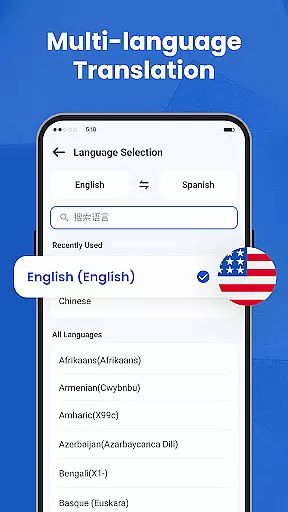
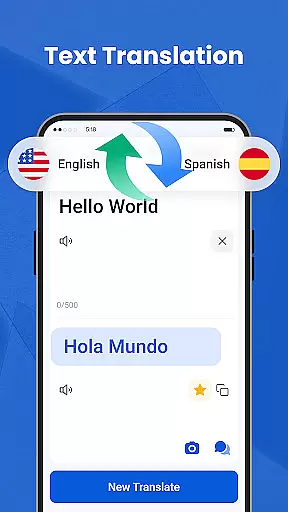
We Translate is a powerful productivity app designed to break language barriers and facilitate seamless global communication. With its comprehensive suite of translation features, the app supports text, voice, image, and document translation across multiple languages.
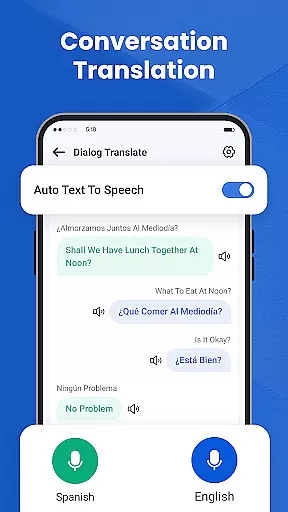
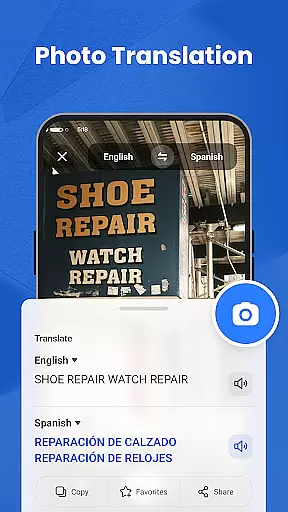
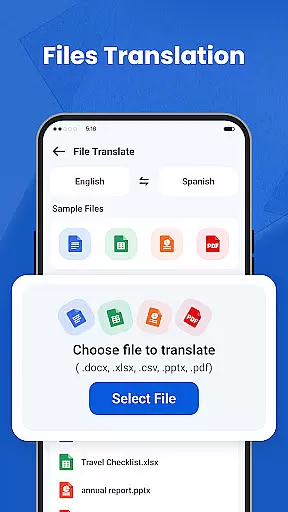
Key functionalities include real-time conversation translation, photo translation for signs and documents, and one-tap document translation for PDFs, Word, Excel, and TXT files. The app also offers history tracking, favorites, and personalized settings, making it an essential tool for travelers, students, and professionals.
Whether you're traveling abroad, studying a new language, or conducting international business, We Translate ensures accurate and efficient multilingual communication, empowering users to connect effortlessly worldwide.
We Translate stands out with its diverse and innovative features tailored for modern communication needs. The app provides instant text translation in multiple languages, perfect for both casual conversations and professional use.
One of its standout features is the real-time conversation translation, which automatically detects languages and translates speech instantly. This makes face-to-face or phone interactions smooth and natural. Additionally, the photo translation function allows users to snap pictures of menus, signs, or documents and receive fast translations without manual input.
The app also supports document translation for various file formats, including PDF, Word, and Excel, catering to academic and business requirements. With history tracking, favorites, and customizable settings like voice speed adjustments, We Translate delivers a personalized and productive translation experience.
In the realm of productivity, managing tasks efficiently is paramount. We Translate excels in organizing translation tasks with precision and ease.
Users can effortlessly input text, capture images for photo translations, or upload documents, with each task neatly recorded for future reference. This structured approach ensures no detail is overlooked.
The app's intelligent system automatically categorizes translations by language pair and type, streamlining access and review. Such organization empowers users to focus on communication rather than administration.
By integrating history and favorites features, We Translate offers a comprehensive solution that enhances productivity through meticulous task management.
For professionals and students alike, reliable cross-device synchronization is crucial for uninterrupted workflows. We Translate guarantees seamless transitions between devices.
Whether switching from a smartphone to a tablet or desktop, all translations, settings, and preferences are preserved. This consistency ensures users can pick up right where they left off, without missing a beat.
The app employs robust cloud technology to secure data integrity and availability across platforms. Users enjoy peace of mind knowing their information is safe yet accessible.
We Translate's commitment to synchronization excellence supports dynamic lifestyles, making multilingual communication as fluid as possible.
Accurate translations
User-friendly interface
Multi-language support
Real-time voice translation
Photo translation feature
Limited free features
Occasional inaccuracies
Requires internet
Premium subscription cost
Heavy on storage

When you Focus, so will your Bean in this cozy focus timer
 4.30
4.30
Take control of your clipboard with Clipper!
3.90
Total remote control for your Android device, PC and cloud services (IFTTT)!
4.20
Unlock AutoNotification
4.00
Protect and view your important info on your phone and tablet with eWallet®
4.80
* block pre-roll ads, pop-up and forced redirect ads * Samsung certification app
4.00
Great calculator for Android named one of USA TODAY's "25 Essential Apps".
4.90
Experience and share your SolidWorks designs on your Android® phone and tablet.
2.50
Set up, print, and get support—in one place
4.20
QuickBooks Workforce lets teams view pay info and track time in one place.
4.70
The long-awaited modern gallery app for your Nextcloud server
4.70
Secure, fast, open-source, Remote Desktop Client for Windows and Linux with SSH
4.60
Enjoy classic gameplay with customizable features and retro-style graphics.
4.30
A customizable calendar for your Wear OS watch
4.20
Easily read and manage all your PDF files
4.10
Activate Two Factor Authentication (2FA or Multi OTP), Password manager and more
4.10
Experience real multitasking on your Android!
4.00
Auto-shutoff Alarm with Sunrise, Sunset & Fixed Options.
3.50
ID.me Authenticator is a simple and free Two Factor Authentication solution
3.50


User Reviews