
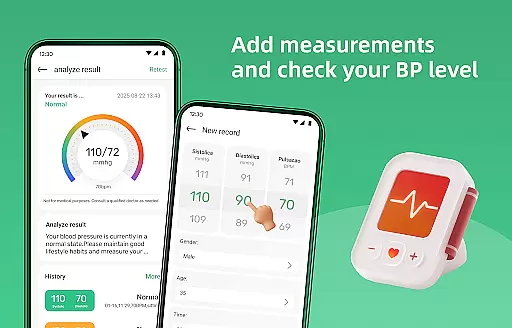
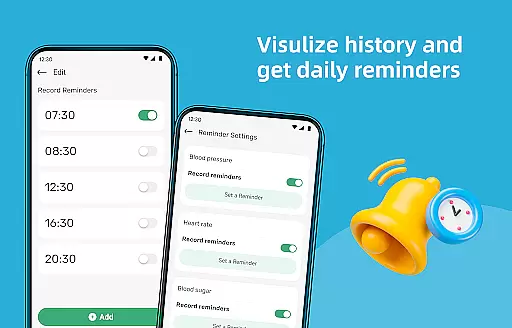
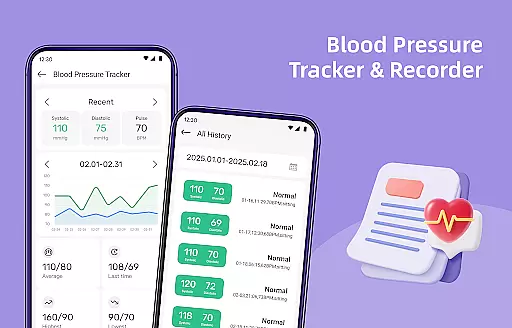
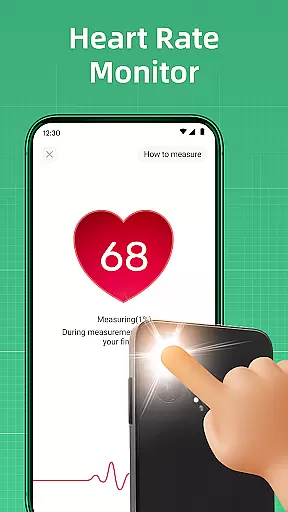
Blood Pressure Log is a comprehensive health tracking application designed to help users monitor and manage their blood pressure effectively. The app provides an intuitive interface for effortless tracking of blood pressure readings, allowing users to record measurements and observe changes over time. With features like detailed history graphs and personalized measuring reminders, it ensures users maintain consistent monitoring of their cardiovascular health.
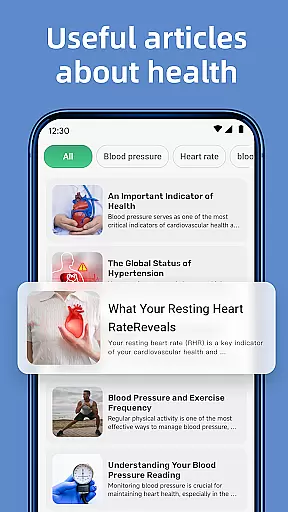
In addition to tracking capabilities, the app offers a rich collection of informative articles on blood pressure management, covering topics such as lifestyle adjustments, dietary recommendations, and stress reduction techniques. Users can also access supplementary tools like a steps tracker and BMI calculator, making it a holistic wellness companion for embracing a healthier lifestyle.
Blood Pressure Log stands out with its diverse feature set tailored for health-conscious individuals. The app's primary function allows users to log their blood pressure readings easily, presenting the data through detailed graphs that display trends over days, weeks, or months. This visualization helps users identify patterns and track improvements in their health metrics.
Another notable feature is the curated content library, offering a wide range of expert articles on managing blood pressure effectively. These resources provide valuable insights into adopting healthier habits. Additionally, the app includes practical tools such as measuring reminders, a steps tracker, and a BMI calculator, all designed to support users in maintaining an active and health-focused lifestyle.
In the realm of health and fitness, personalized planning is pivotal for tailoring individual health strategies. Blood Pressure Log excels in this area by offering customized tracking solutions that adapt to your specific health needs.
The app's tracking feature allows users to input their blood pressure readings with ease, providing a personalized overview of one's cardiovascular health over time. This tailored approach ensures that each user's data is uniquely theirs, making health management more relevant and effective.
Moreover, Blood Pressure Log supports lifestyle changes through its steps tracker and BMI calculator. These tools are integrated into the personalized planning process, encouraging users to adopt healthier habits based on their personal metrics and progress.
By setting personalized measuring reminders, users can maintain consistency in their tracking routine, which is crucial for effective health management. The app nudges you to take readings at intervals you set, ensuring that your health monitoring is as personalized as possible.
Visualizing progress is essential for maintaining motivation and achieving health goals. Blood Pressure Log offers powerful visualization tools that allow users to see their improvements over time clearly.
With detailed graphs and trends, the app presents a comprehensive history of blood pressure readings. Users can easily identify patterns and track their progress across days, weeks, or months, turning abstract numbers into a tangible representation of their health journey.
This visual approach not only informs users about their current status but also highlights the effectiveness of their lifestyle changes. Seeing the positive trends reinforces commitment and inspires continued adherence to healthier habits.
Blood Pressure Log transforms your health data into an engaging visual story, celebrating every improvement and milestone. This visualization empowers users to make informed decisions and embrace a healthier, happier lifestyle with confidence.
User-friendly interface
Comprehensive tracking
Informative articles
Personalized reminders
Holistic wellness tools
Limited professional use
No direct consultations
Premium features locked
Ads may be present
Data privacy concerns

Build Healthy Habits!
 4.60
4.60
Easy reconstitution calc for mixing peptides and creating protocols
4.70
Interval timer for High Intensity Interval Training, Tabata and Circuit Training
4.20
Mind on steroids - relaxation, productivity, meditation and sleep!
4.60
A brain game that moves you
4.70
Relax. Sleep Better. Feel Better.
4.50
The Crunch Mobile app - Find a gym, manage favorites, reserve & cancel classes.
4.60
Eat smarter with Eato, your personal calorie counter and nutrition tracker!
4.40
Understand your body’s most meaningful messages and transform your health.
3.90
Personal step counter for you, private and accurate
4.50
The simplest way to track your 21 Day Program containers, exercises, and water.
4.50
Relax to calm sounds, white noise, music, guided meditation and bedtime stories
4.40
For Absolute Novices to Strength Training. Simple. Effective.
4.40
Fast Body building & Weight Loss. Home Workouts with Daily Coach, No Equipment.
4.30
Pedometer that gives you sweatcoins for steps. It pays to walk!
4.10
Create powerful subliminal audio with custom affirmations and background music.
4.00
FitCloudPro takes care of your health every minute.
3.70
Your plan in your pocket 24/7
3.00
Sync your activities of the most popular sports tracking services
2.70


User Reviews