
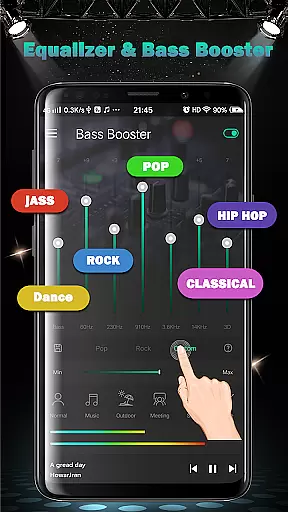
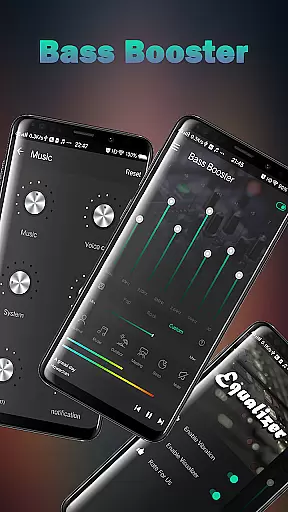
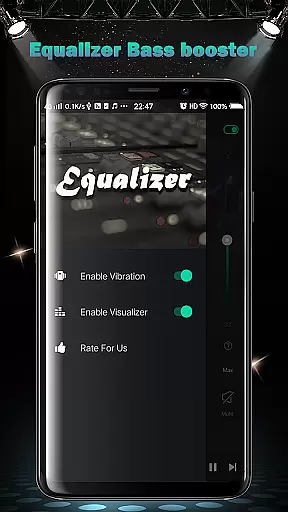
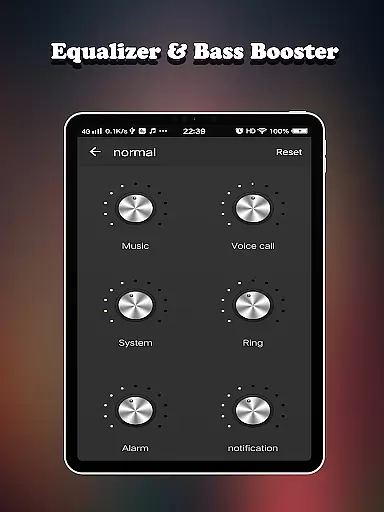
Equalizer FX Pro is a professional-grade audio enhancement application designed to elevate the sound quality of your Android device. This app combines an advanced equalizer, bass booster, and volume booster to optimize audio output across all media players. Whether you're listening to music, watching videos, or playing games, Equalizer FX Pro ensures an immersive audio experience.
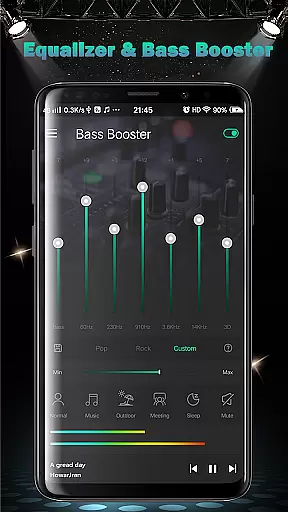
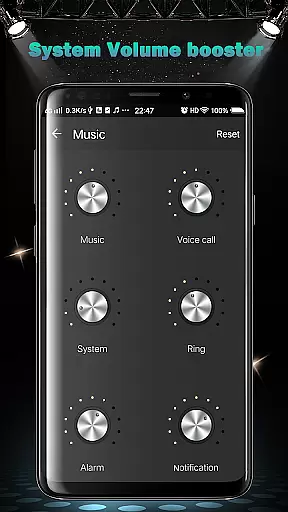
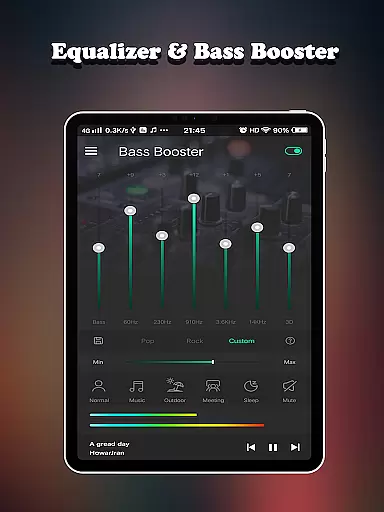
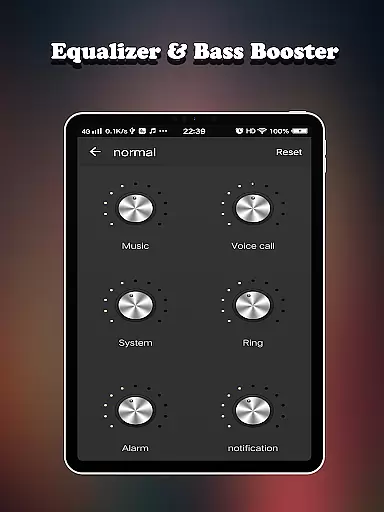
The app offers precise control over various sound parameters, including media volume, voice volume, system volume, and more. With its 7-band equalizer, users can fine-tune audio frequencies to match their preferences. The inclusion of 10 equalizer presets, virtualizer effects, and two visual spectrums makes it a versatile tool for audiophiles. Additionally, six customizable volume modes cater to different scenarios, from normal listening to outdoor activities.
Ideal for music enthusiasts and casual listeners alike, Equalizer FX Pro transforms your mobile device into a powerful audio workstation. Its intuitive interface and comprehensive feature set make it suitable for both beginners and advanced users seeking to enhance their audio experience.
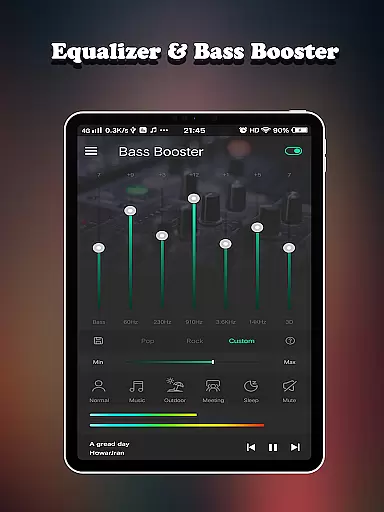
Equalizer FX Pro stands out with its comprehensive suite of audio enhancement tools. The app's core feature is its sophisticated equalizer that provides seven adjustable bands, allowing users to create custom sound profiles tailored to their specific needs. It includes ten professionally designed presets that cover popular music genres and listening preferences, ensuring optimal sound quality for any audio content.
Beyond basic equalization, the app incorporates advanced bass boost and virtualizer effects. These features add depth and dimension to audio playback, creating a richer listening experience. The volume booster function addresses common issues with low audio levels, enabling users to amplify sound output across different system volumes. Two distinct visual spectrum displays provide real-time audio visualization, enhancing the overall user experience.
What sets Equalizer FX Pro apart is its seamless integration with all media players and its user-friendly interface. The app automatically detects and enhances audio from any source, whether you're using a dedicated music player or streaming through web browsers. Six specialized volume modes - including music, outdoor, meeting, and sleep modes - offer situational optimization, while the simple installation process ensures immediate usability without technical complications.
Equalizer FX Pro offers a comprehensive suite of audio enhancement features that work across all music and video players on your Android device. While the app doesn't host its own music library, it significantly enhances any existing music collection you have.
The application provides ten professional equalizer presets that cater to different music genres, ensuring optimal sound quality for each type of content in your library. These presets are carefully designed by audio experts, guaranteeing authentic and high-quality audio processing.
With support for 7-band equalizer adjustments, users can create their own custom sound profiles. This level of customization ensures that whether you're listening to classical music or modern electronic tracks, you can optimize the audio experience while maintaining the integrity of the original recordings.
All audio processing features are fully licensed and compliant with industry standards, providing users with peace of mind when enhancing their music collection. The app's algorithms are regularly updated to ensure compatibility with new music formats and maintain optimal performance.
Equalizer FX Pro excels in delivering superior audio quality through multiple enhancement options. The app features a sophisticated equalizer with seven adjustable bands, allowing precise control over different frequency ranges for customized sound optimization.
Beyond basic equalization, the app includes a powerful bass booster and virtualizer effect. These features work together to create a more immersive listening experience, particularly noticeable when using headphones or external speakers. Users can adjust the intensity of these effects to suit their personal preferences.
The volume booster feature addresses common issues with quiet audio tracks, enabling up to six levels of amplification. This ensures that all your media playback maintains consistent and satisfying volume levels without distortion. Additionally, the app offers two visual spectrums that provide real-time feedback on audio frequencies.
For convenience, Equalizer FX Pro includes six predefined volume modes optimized for different scenarios, from music listening to outdoor use. These modes automatically adjust various audio parameters to deliver the best possible sound quality for specific environments.
Comprehensive audio controls
User-friendly interface
Wide device compatibility
Real-time sound adjustment
Multiple volume modes
Premium version required
Drains battery faster
Interface could be outdated
Limited free features
Occasional audio glitches

Simply convert wav to mp3. Clear. Reliable. Safe.
 4.1
4.1
Time Trainer: accurate metronome w tools to help you develop your internal time!
4.20
USB audio recording and playback finally possible on Android 3.1 or higher!
3.90
24,000 free audio books and no ads!
4.90
Unleash your creativity! Turn simple prompts into full fledged songs.
4.70
The Minimalistic Premium Music Player. Handmade with passion for music
2.20
Play KORG’s revolutionary touch-based instrument on a variety of devices.
4.40
Master Salsa Rhythm quickly and with a lot of fun!
4.30
Turn Every Moment into Music
3.60
Brian Eno and Peter Chilvers’ acclaimed music app Bloom, radically reinvented.
4.80 4.70
4.70
Walkout Song DJ is the most intuitive app to manage your sports music.
4.70
Ringtone Maker is free app create ringtone from music files or your recording.
4.40
Time Guru will strengthen your internal sense of musical time via random muting.
4.30
A High-Precision Audio Spectrum Analysis App
4.20
Turn your phone into a musical instrument from the future!
3.90
The only true audiophile music player with Hi-Fi audio rendering and DSP engine
3.90
Learn to play the piano using falling notes!
3.80
Simple mp3 and mp4 player with advanced features.
3.40


User Reviews