Google Translate is a versatile translation tool that supports text translation between 108 languages. It offers multiple ways to translate content, including typing, camera translation, and offline mode. The app is particularly useful for travelers and multilingual communication, providing instant translations through the camera in 94 languages and offline functionality in 59 languages.
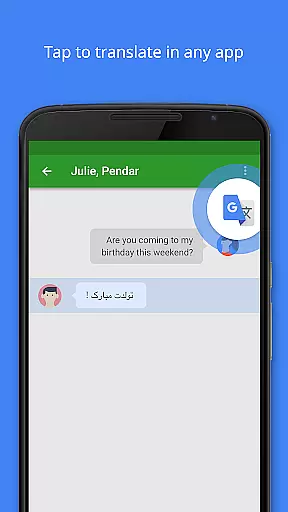
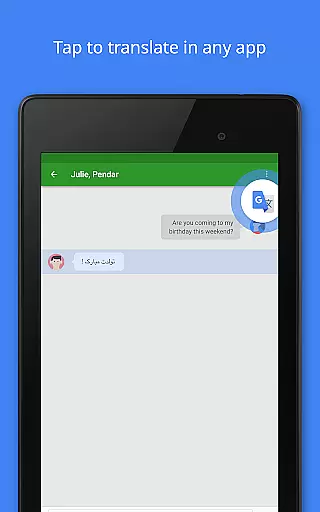
Key features include Tap to Translate for quick text conversion in any app, bilingual conversation translation in 70 languages, and a Phrasebook to save favorite translations. With cross-device syncing and transcription capabilities, Google Translate ensures seamless language support across platforms. Its comprehensive language coverage makes it an essential tool for overcoming language barriers.
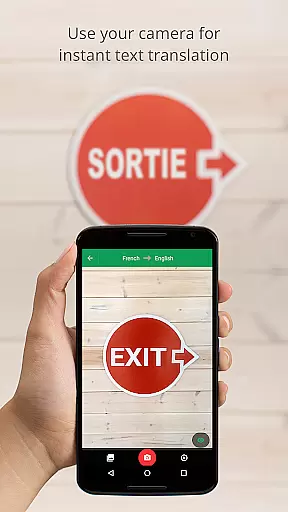
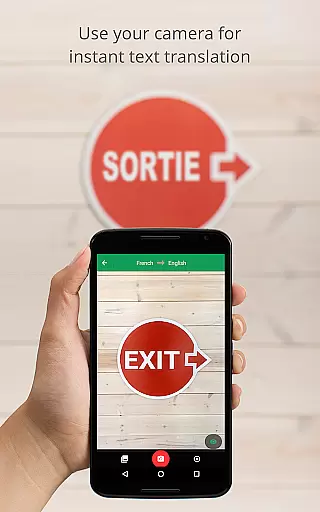
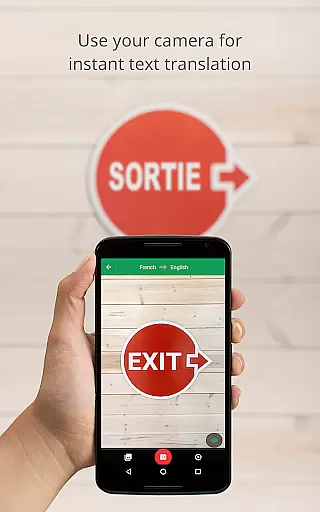
Google Translate stands out with its diverse translation methods. The Instant Camera Translation feature allows users to point their camera at text to receive real-time translations in 94 languages. The Offline Mode enables translation without internet connection in 59 languages, making it ideal for international travel or areas with poor connectivity.
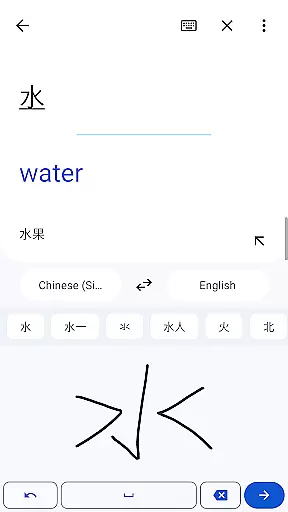
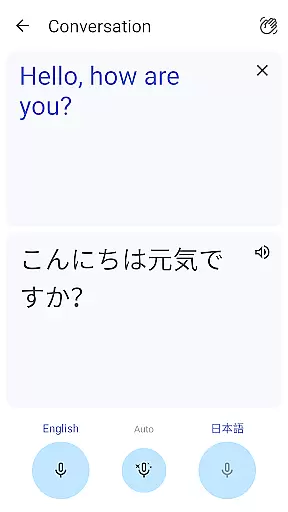
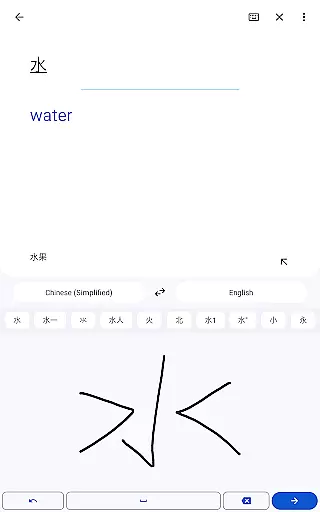
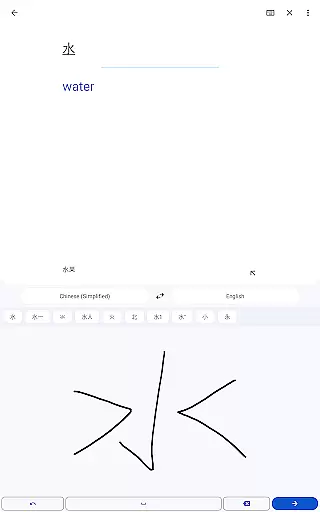
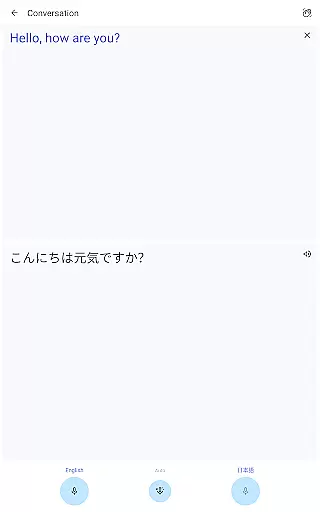
The app's Conversation Mode facilitates bilingual dialogues in 70 languages, while Handwriting Recognition supports 96 languages for character-based input. Additional features include a Phrasebook for saving frequently used translations, cross-device syncing through user accounts, and Transcribe functionality for near real-time spoken language translation in 8 languages. These features collectively create a robust translation ecosystem.
Google Translate's core functionality lies in its ability to deliver accurate translations across multiple languages and mediums. The app supports text translation between 108 languages, ensuring users can communicate effectively regardless of linguistic barriers.
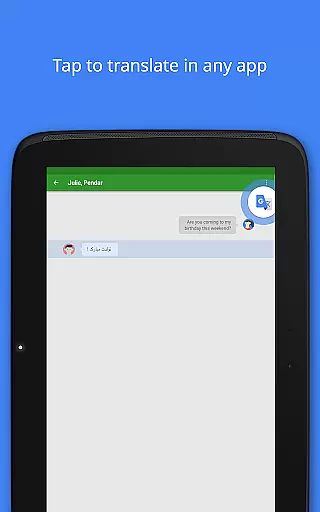
The application goes beyond simple text translation by offering features like Tap to Translate, allowing users to translate copied text from any app instantly. This seamless integration enhances the overall user experience by providing real-time assistance without disrupting workflow.
Offline translation capabilities further boost the app's effectiveness. With support for 59 languages without an internet connection, users can rely on Google Translate even in areas with limited connectivity. This ensures consistent access to essential translation services whenever needed.
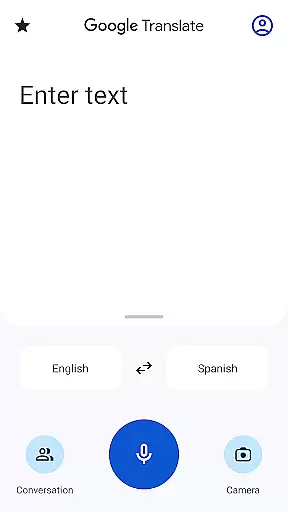
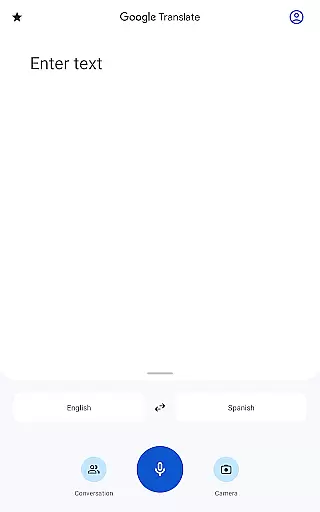
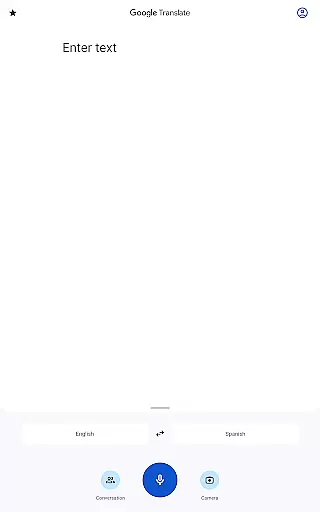
The interface of Google Translate is designed to be user-friendly and intuitive, making it accessible to a wide range of users. Key functions such as text input, camera translation, and voice recognition are easily accessible from the main screen, streamlining the translation process.
Instant camera translation supports 94 languages, enabling users to point their device at text and receive immediate translations overlaid on the camera view. This feature simplifies the process of understanding foreign language signs or documents significantly.
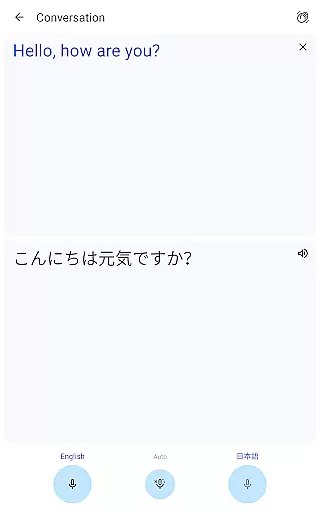
Additionally, the conversation mode facilitates bilingual dialogues in 70 languages, creating a natural flow of communication between speakers of different languages. These thoughtful design choices ensure that both casual users and frequent travelers can navigate the app effortlessly while achieving their translation goals.
Wide language support
Offline functionality
Real-time camera translation
Conversation mode
Cross-device syncing
Limited offline languages
Occasional inaccurate translations
Requires storage space
Premium features limited
Dependent on internet

PDF Reader - Document Viewer: Read, Manage & Organize Your Documents
 3.10
3.10
Family Locator, Share location, StayConnect with your family in real time
3.90
Optimize your WiFi network, turn your phone into Wifi Analyzer
4.70
card-reader app
2.20
Mirror your screen to Fire TV - Super fast and simple
4.40
Download any file easily and quickly with Downloader
4.0
Creation, Learning, Entertainment & More — The All-in-One AI Search Engine
4.70
Clean up your phone, find files, play media, and share files offline
4.50
Your personal health butler
3.60
The one-and-only remote control for PC, Mac, and Linux
4.70
NFC Tools can read and write NFC tags.
4.70
Canon PRINT is a companion app for your Canon printer.
4.60 4.50
4.50 4.50
4.50
Quickly switch to an encrypted DNS server on Android TV
4.50
Forza Tuning Calculator App for Forza Horizon 5, Motorsport and Earlier Titles
4.40
Remote for Roku, Fire TV, Samsung TV, LG TV, Android TV, Chromecast and VIZIO TV
4.20
Amateur Radio app for APRS: Track friends, exchange messages, get tactical info.
3.90
A powerful, easy-to-use flight computer on your phone or tablet!
3.80


User Reviews