
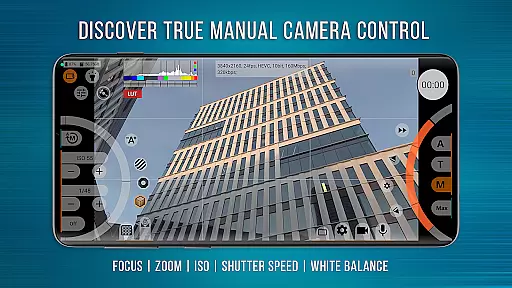
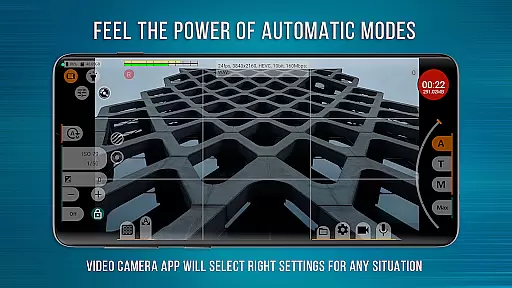
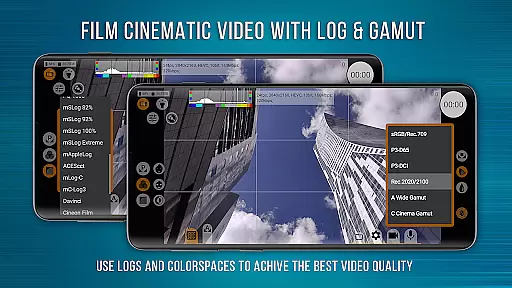
mcpro24fps Manual Video Camera represents the pinnacle of professional mobile videography on Android devices. Designed exclusively for Android, this app transforms your smartphone into a powerful cinema camera, previously only seen in professional-grade camcorders. With advanced features like 10-bit shooting, Log video recording without GPU activation, and an extensive array of manual controls, mcpro24fps caters to videographers who demand precision and flexibility.
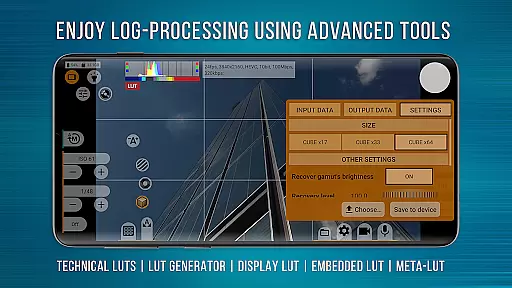
The app supports multiple cameras, various resolutions, and codecs such as AVC (h264) and HEVC (h265). It offers videographers complete control over focus, zoom, exposure, white balance, and sound settings. Whether you're shooting festival films, music videos, or live reports, mcpro24fps provides the tools necessary to realize bold creative ideas. Its compatibility with technical LUTs and seamless metadata handling make it indispensable for professional post-production work.
One of mcpro24fps's standout features is its ability to shoot in 10-bit color depth, supporting HLG/HDR10 HDR video on compatible devices. This allows videographers to capture footage with exceptional color accuracy and dynamic range. The app also enables recording in Log mode without utilizing the phone's GPU, mimicking professional camcorder functionality.
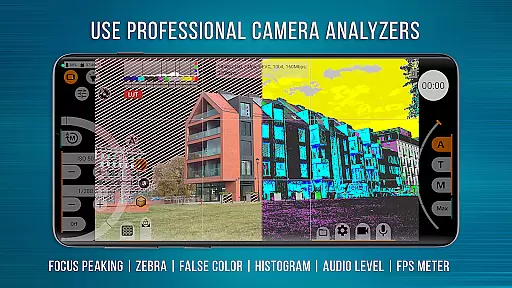
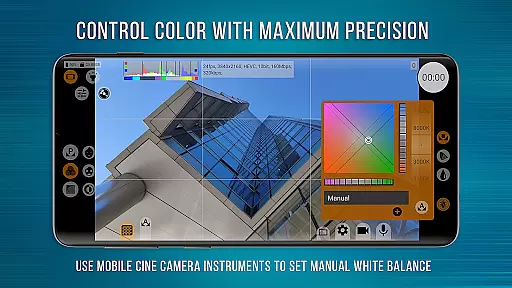
Users can take advantage of numerous Log modes, technical LUTs for post-production, and on-screen LUTs for precise framing during shoots. Advanced functionalities include programmable focus and zoom, focus peaking, expo peaking, spectral and zebra exposure controls, and Kelvin-based white balance adjustments. Additionally, mcpro24fps offers flexible sound management, GPU resource optimization, and responsive interface design, ensuring smooth operation even with complex configurations.
Real-time capture and preview functionality is essential for videographers who need precise control over their shots. mcpro24fps offers advanced capabilities that transform your smartphone into a professional-grade video camera, providing immediate visual feedback as you film.
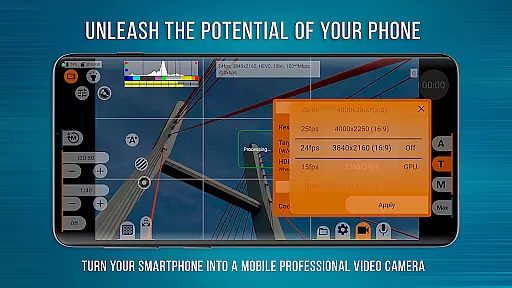
The app supports multiple frame rates including 24 fps, 25 fps, 30 fps, and up to 60 fps where the device allows. This flexibility ensures smooth motion capture in various scenarios, from cinematic slow-motion sequences to fast-paced action scenes.
With support for all resolutions available through the Camera2 API, users can select the optimal resolution for their project. The app also provides options for two codecs: AVC (h264) and HEVC (h265), ensuring compatibility with different post-production workflows while maintaining high-quality video output.
Additionally, features like optical and digital video stabilization enhance the real-time preview experience by reducing shakiness during recording. Videographers can trust what they see on screen, knowing it closely matches the final footage they will work with in post-production.
While primarily focused on professional video capabilities, mcpro24fps also includes features that enhance the natural beauty of the captured image without relying on heavy filters or effects. These enhancements are designed to bring out the best in each shot while maintaining authenticity.
The app offers manual control over settings such as white balance, exposure, and focus. By allowing videographers to adjust these parameters, mcpro24fps ensures that skin tones appear natural, lighting is balanced, and subjects remain sharply in focusu2014key elements for achieving a polished yet genuine look.
Advanced GPU-powered tools provide additional refinement options. For instance, tone curve adjustments enable precise color grading, while noise reduction helps maintain clarity even in low-light conditions. These features collectively contribute to enhancing the overall quality of the footage.
Furthermore, mcpro24fps supports hardware-based corrections such as sharpness enhancement and hot pixel correction. These subtle adjustments help produce cleaner images without introducing artificial artifacts, preserving the integrity of the original scene while elevating its visual appeal.
Advanced video settings
Professional Log modes
Extensive manual controls
Compatibility with LUTs
Optimized GPU usage
Complex for beginners
High device requirements
Limited free version
No iOS support
Occasional stability issues

A collection of tools and reference tables for DPs, ACs, DITs and Operators.
 4.70
4.70
All-in-One Editor & AI Photo Enhancer, Beautify & Retouch, Collage, Cartoonify
4.20
Perfect photos with body shaping, BG changer and object remover.
3.70
What celebrity do you look like? Celebs will find your celebrity match!
4.10
GCamera allows all GCam features on all phone models! Better photos with GCamera
3.30
Smart, light, and fast photo and video gallery
4.30
Easily view, share, delete photos with Gallery.
4.70
Pro version: AR sun/moon tracker for any date. Tool for photographers & planners
4.90
Catch sunlight, sunrise sunset times and sun phases with the AR sun tracker.
4.10
Collage your moments in one tap: 1000+ layouts, filters, stickers, and texts.
4.90
1M influencer's special filter
4.60
Enhance, retouch & create your story - Share the moment with Photoshop Express.
4.60
Create Business Headshots, Polaroid Filter, Retake Photos,Profile Pics,AI Photos
4.50
AI portrait generator and polaroid AI selfie, fun AI generated AI photo creator!
4.30
[3DSteroid Pro] is a stereoscopic application for Android.
4.30
Natural Beauty, Selfie Retouch
4.30
How old age camera Gender Swap App Face Shape Hairstyle App Hair Styler App fun!
4.00
Remote control of the phone camera from your Wear OS smartwatch
3.70
Photo Album Watch Face shows your favorite pictures as a Watchface.
1.90


User Reviews