
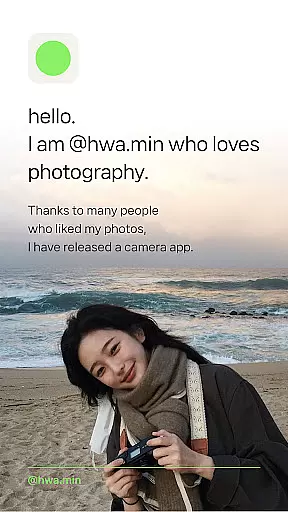
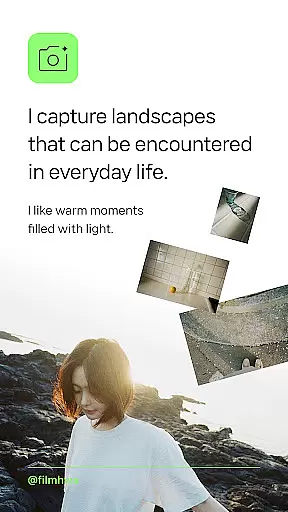
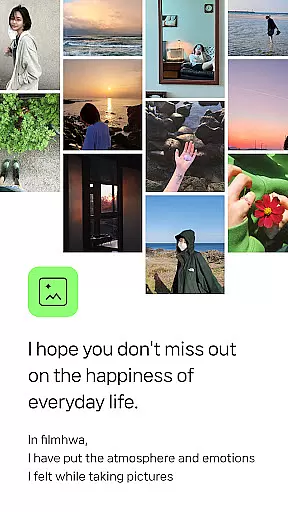

Filmhwa is a photography app that brings the unique analog sensibility of film cameras to your mobile device. Developed by @hwa.min, an influencer with 1 million followers, this app specializes in capturing warm moments filled with light and everyday landscapes through its distinct filters.
The app offers carefully crafted photo filters that reproduce emotional colors, recommended based on weather and situations. It also provides editing tools for both photos and videos, including brightness adjustment, grain effects, and aspect ratio customization for Instagram posts. With additional features like wide-angle shooting and silent mode, Filmhwa caters to users who appreciate vintage aesthetics and natural photography styles.
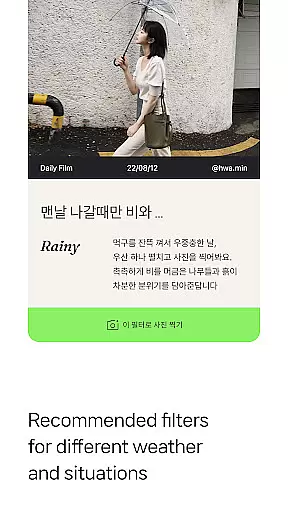
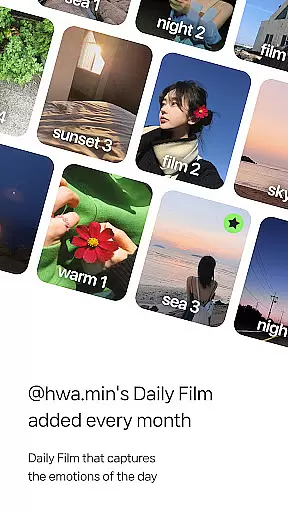
Filmhwa stands out with its unique atmosphere photo filters designed by @hwa.min, whose secret photo editing techniques have been widely admired on Instagram. These filters are updated monthly, ensuring fresh options for users. The app recommends specific filters based on weather conditions such as cloudy days or backlight scenarios, enhancing user experience.
In addition to its filter library, Filmhwa includes comprehensive photo and video editing tools. Users can adjust basic settings like brightness, exposure, and contrast, while also applying artistic effects such as grain, light leaks, and dust overlays. For content creators, the app supports precise resizing for Instagram posts and stories, along with full-aspect video shooting optimized for sharing reels.
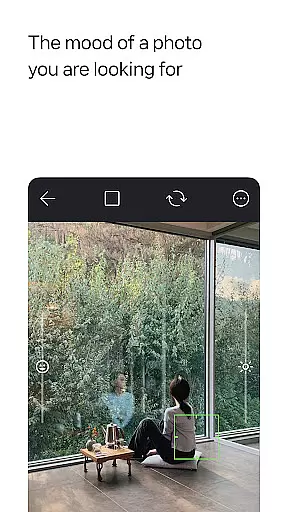
Real-time capture and preview functionality is essential for photography apps like filmhwa, allowing users to see exactly what the camera sees before taking a shot. This feature ensures that photographers can make necessary adjustments on the fly, optimizing their chances of capturing the perfect moment.
The app provides an authentic experience by integrating unique photo filters developed by @hwa.min, which are applied in real time to the camera feed. Users can witness how different filters alter the mood and atmosphere of their photos instantaneously, making it easier to choose the right filter for the situation.
With additional tools such as brightness, exposure, and contrast adjustments available during capture, users have extensive control over the final image output. These capabilities empower users to produce high-quality images that reflect their personal style and the distinct analog sensibility of a film camera.
AI beauty and enhancement features in photography applications aim to improve image quality while maintaining a natural look. For filmhwa, this means offering editing tools that enhance photos without making them appear overly processed or artificial.
The app includes various effects such as grain, light, and dust, which add a vintage touch to photos. These enhancements are designed to complement the emotional colors captured by @hwa.min's filters, ensuring that each photo retains its original charm and character.
Furthermore, with functions like skin texture correction and wide-angle shooting, users can refine their images while preserving authenticity. The silent mode feature also allows for discreet photo-taking, ideal for capturing candid moments without drawing attention.
User-friendly interface
Vintage-style filters
Monthly updates
Wide editing options
Suitable for Instagram
Limited advanced tools
Requires frequent updates
No RAW support
Premium filter costs
Learning curve

A collection of tools and reference tables for DPs, ACs, DITs and Operators.
 4.70
4.70
Effortlessly organize, view and share your photos & videos with Gallery app!
4.40
Photo editor: face & body editor, beauty cam, filters and quality enhancer.
4.00
Viewfinder, Light meter, Reciprocity failure time, DOF & Bellows Extension
4.60
Create Business Headshots, Polaroid Filter, Retake Photos,Profile Pics,AI Photos
4.50
Unblur, enhance & restore photos with powerful AI photo enhancer tools.
4.60
The original Rarevision VHS look seen everywhere!
4.70
Effortlessly make high-quality GIFs from images & videos without any watermarks.
4.70
Edit photos with the picture generator: PS2 & AI Clay filters, cartoon effects.
4.50
Find time and duration of different sunlight phases at any location
4.90
Perfect body tune & face app - photo retouch, makeup, slim body & beautify face.
4.80
AI Photo Editor with 100+ Filters, Effects! Remove BG, Retouch & Photo Enhancer.
4.80
Your personal guide to the sun and moon. Plan ahead, visualize and predict!
4.70
Easily create custom gifts, cards, photo books & more on the Shutterfly app!
4.60
Add Watermark - Sign your pictures with a text or logo. Effective, quick, easy!
4.50
Future baby face generator: AI kids generator, kid face! What my baby look like?
4.40
[3DSteroid Pro] is a stereoscopic application for Android.
4.30
Shooting photos and records video easily and efficient with professional Camera
4.30
GCamera allows all GCam features on all phone models! Better photos with GCamera
3.30


User Reviews