
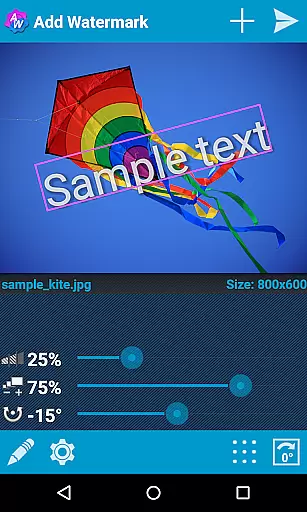

Add Watermark is a powerful photography app designed to help users protect their digital images by adding customizable watermarks. The application allows you to embed personalized text or logo images into your photos, with precise control over size, transparency, rotation, and alignment. Whether you're a professional photographer or a casual blogger, this tool offers essential features for safeguarding your creative work while maintaining high-quality output.
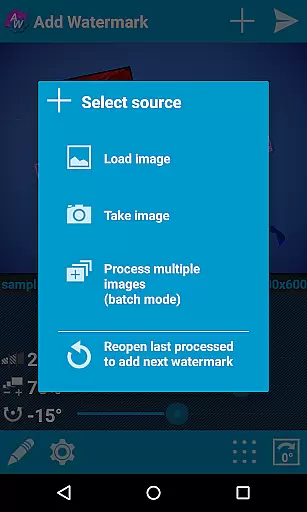
One of the standout capabilities of Add Watermark is its batch processing mode, enabling users to watermark multiple images simultaneously. This feature, combined with automatic processing through sharing functions from other apps, makes it an indispensable tool for streamlining workflows. Additionally, the app supports advanced settings such as EXIF metadata preservation, 360° panorama compatibility, and flexible saving options in both JPG and PNG formats. With quick sharing options to platforms like Instagram and Facebook, Add Watermark ensures your branded content reaches your audience seamlessly.
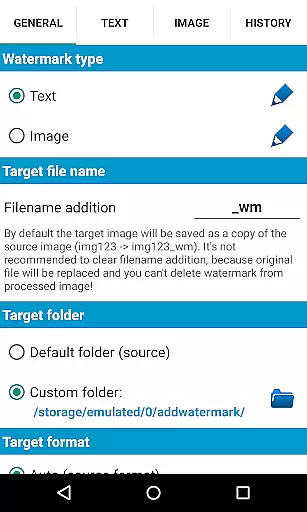
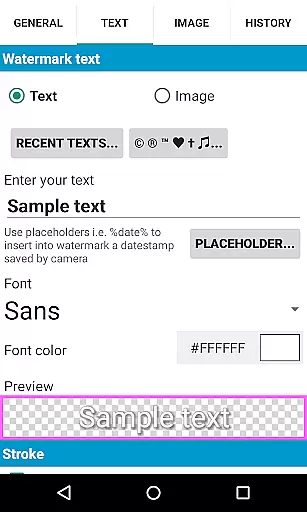
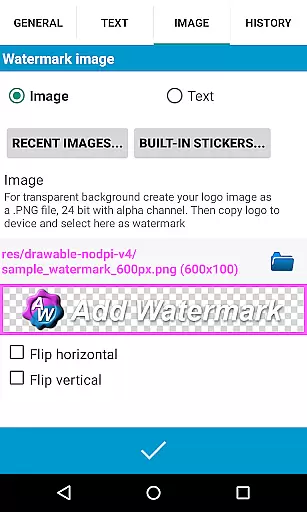
Add Watermark boasts an impressive array of features tailored to meet the needs of photographers and content creators. A key highlight is the ability to use either text-based or image-based watermarks, giving users flexibility in how they brand their visuals. Text watermarks come with extensive customization options, including 72 built-in fonts, support for up to 20 custom fonts, and various color effects. For those who prefer graphical elements, the app supports transparent PNG files as watermarks, ensuring professional-grade results every time.
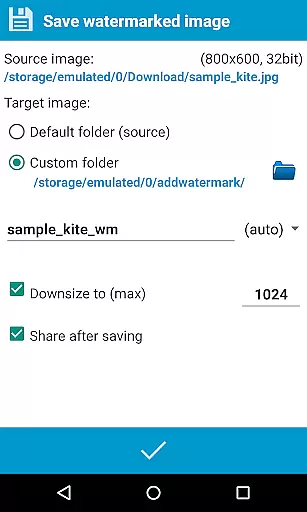
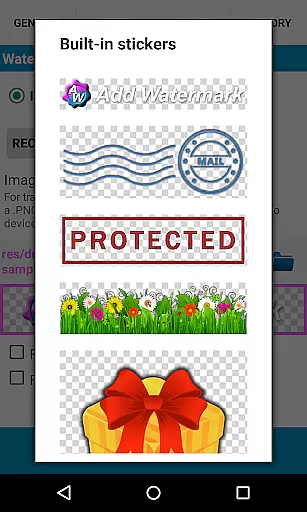
Beyond basic watermarking, the app includes practical tools like timestamp insertion, GPS tagging, and filename embedding within the watermark itself. Users can also back up their settings locally or in the cloud, making it easy to maintain consistency across devices. Additional conveniences include a built-in sticker collection, auto-processing via share extensions, and resizing/renaming functionalities during export. These robust features make Add Watermark not just a security measure but also a comprehensive photo management solution.
Real-time capture and preview functionality is essential for ensuring that the watermark you add to your images appears exactly as intended before finalizing the process. Add Watermark excels in this area by providing users with a dynamic interface where adjustments to size, transparency, rotation, and alignment of the watermark can be made on the fly.
This app allows photographers and bloggers to experiment with different settings, such as fonts, colors, and effects in text mode, or utilize built-in sticker collections and transparent .png images as watermarks. The ability to see these changes in real time ensures that the final image meets their exact specifications without any guesswork involved.
Moreover, the app supports automatic processing through sharing images from other apps, which streamlines workflows for professionals who need quick yet precise edits. With features like timestamp insertion, filename, GPS tags, and EXIF metadata support, users have comprehensive control over how they brand and manage their digital assets.
While primarily focused on adding watermarks, Add Watermark also offers enhancement features that ensure the natural quality of images is maintained even after applying modifications. This includes options for adjusting the transparency of watermarks so that they complement rather than overpower the original photo.
The application's robust set of tools allows for detailed customization, including 72 built-in fonts and support for up to 20 custom fonts, enabling users to create subtle and aesthetically pleasing watermarks. Additionally, its compatibility with various formats (.jpg or .png) ensures that whether you're working with photographs or graphics, the enhancements will look crisp and professional.
For those concerned about maintaining authenticity while still protecting their work, Add Watermark provides an ideal balance. By allowing easy selection of recently used watermarks and backing up settings either locally or in the cloud, it simplifies repetitive tasks without compromising on the visual integrity of each piece.
Flexible watermark options
Batch processing available
Preserves EXIF metadata
Quick sharing to socials
Cloud backup supported
Free version limited
No video support
Paid features costly
Complex UI for newbies
Logo import restricted

Long exposure camera with computational photography
 2.60
2.60
Perfect photos with body shaping, BG changer and object remover.
3.70
Application for remote controlling DSLR
3.00
Natural Beauty, Selfie Retouch
4.30
Pet Camera
3.70
Automatically backup your photos and videos to computer, NAS and Cloud services
4.60
Movie camera, supports pro recording settings for filming. Try it and be amazed!
4.50
Smart, light, and fast photo and video gallery
4.30
RAW video capture with advanced controls
4.40
Find time and duration of different sunlight phases at any location
4.90
Easily view, share, delete photos with Gallery.
4.70
A must-have app for landscape photographers
4.60
HD Camera Pro with HD Video shooting, Panorama, Photo editor , Beauty Camera.
4.50
Use AI Video Generator to turn your words to ai generated videos.
4.50
Effortlessly organize, view and share your photos & videos with Gallery app!
4.40
Future baby face generator: AI kids generator, kid face! What my baby look like?
4.40
live datamoshing
4.00
USB Storage Access for Photos, Videos, Music and Documents
3.80
GCamera allows all GCam features on all phone models! Better photos with GCamera
3.30


User Reviews