
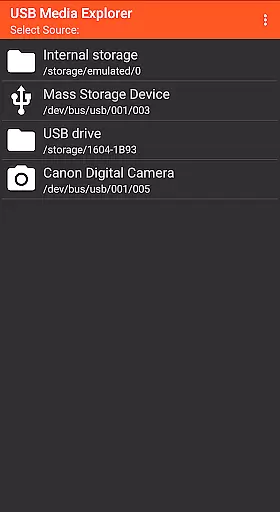
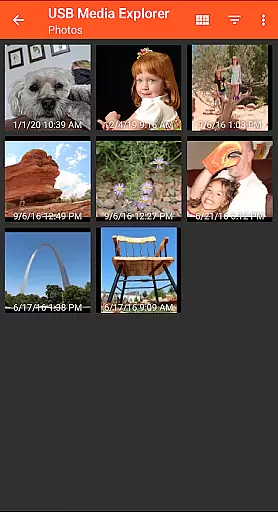
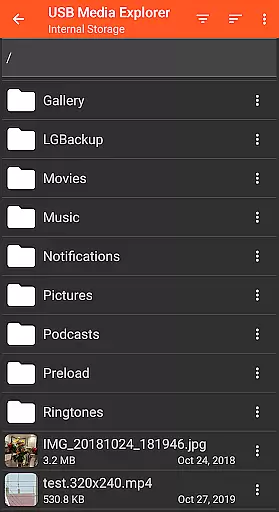
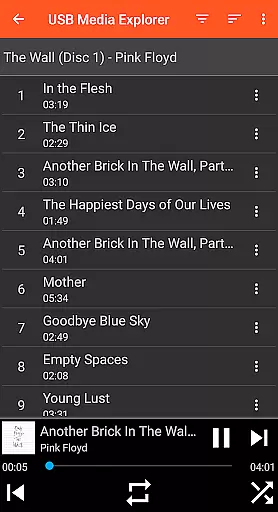
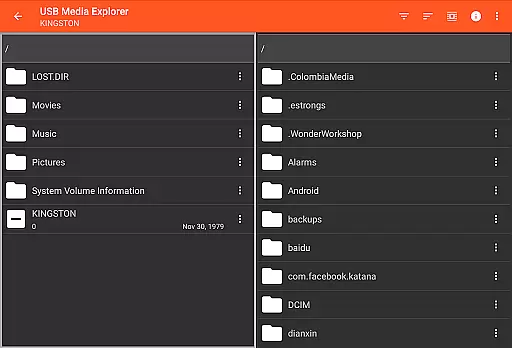
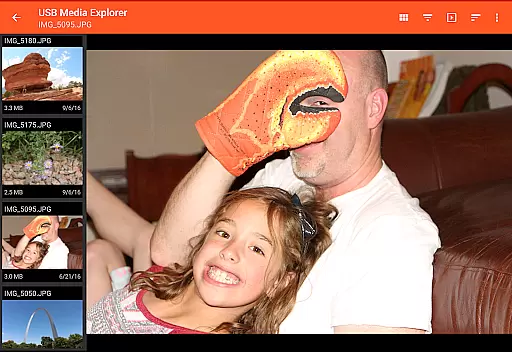
USB Media Explorer (UME) is a versatile photography app that allows users to view photos, stream videos, listen to music, and manage documents from various USB storage devices. With specialized viewing modes for different media types, it offers a comprehensive solution for accessing and managing your digital content on the go.
The app supports a wide range of devices including flash drives, card readers, hard drives, cameras, and even other Android devices. Its standout feature is the ability to view full-size photos and videos directly from USB devices without the need for importing, making it an essential tool for photographers and multimedia enthusiasts.
Whether you're a professional photographer needing instant access to RAW files or a casual user wanting to enjoy media from external storage, USB Media Explorer provides a seamless experience across supported devices.
USB Media Explorer stands out with its specialized screens for different media types - photos, videos, music, documents, and file management. This thoughtful design ensures optimal viewing and organization of various file formats.
The app enables bi-directional file transfers, allowing users to copy files to and from USB devices effortlessly. It also supports advanced features like viewing full-size photos and videos without importing, which significantly enhances workflow efficiency.
While most Android devices require a microUSB OTG cable or USB C adapter for connectivity, the app's compatibility with various storage devices makes it a valuable tool for photographers and multimedia professionals who need mobile access to their files.
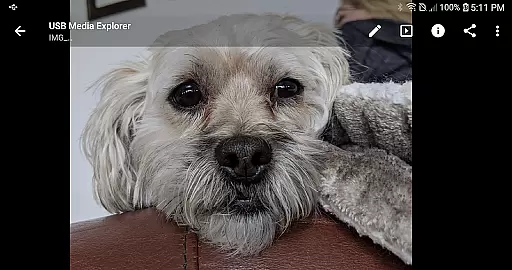
USB Media Explorer offers a unique real-time capture and preview feature that allows users to view photos and stream videos directly from USB storage devices without the need for importing. This functionality is crucial for photographers and videographers who require immediate access to their files on the go.
The app supports both JPEG and Raw photo formats, ensuring professional-quality previews across different devices such as flash drives, card readers, and cameras. By providing full-size viewing options, it maintains the integrity of the original images, thus catering to professionals who demand accuracy in their work.
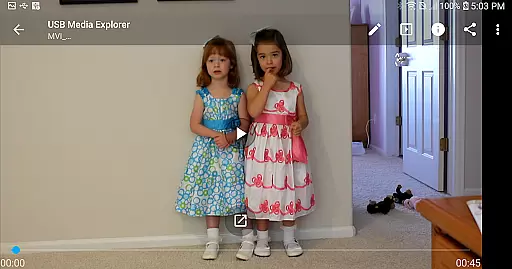
For video content, although Android does not natively support all formats, USB Media Explorer facilitates streaming of a wide range of video types. Users might need to employ third-party players like VLC for unsupported formats, but the core advantage remains the seamless and instant access to multimedia files, enhancing productivity and convenience.
This real-time interaction with media files significantly benefits users by saving time and allowing them to make quick decisions regarding their content, whether for editing, sharing, or further processing.
While USB Media Explorer focuses primarily on file management and media playback, its capabilities extend to enhancing the visual experience through AI beauty and enhancement features. These tools are designed to improve image quality while maintaining a natural look, which is essential for photographers aiming to present their work authentically.
The specialized screens within the app allow users to apply enhancements selectively, ensuring that adjustments are subtle and true to life. Whether adjusting brightness, contrast, or color balance, these enhancements help bring out the best in each photo without over-processing, preserving the original intent of the creator.
In addition to static images, the app's handling of video files can also benefit from similar enhancements. Although dependent on compatible formats and potentially requiring external players for certain codecs, the overall enhancement process ensures that all media viewed through USB Media Explorer meets high standards of quality and presentation.
By integrating these sophisticated yet user-friendly enhancement options, USB Media Explorer not only serves as a robust tool for accessing files but also elevates the viewing experience, making it an indispensable asset for anyone working with digital media on Android devices.
User-friendly interface
Wide device compatibility
Direct file viewing
Bi-directional file transfer
Specialized media viewers
Requires additional hardware
Limited format support
No cloud integration
Power limitations for HDDs
Proprietary protocol issues

Professional video recording application with manual controls for filmmakers!
 2.80
2.80
Create AI Photos, Improve and restore quality of blurry, old or damaged pics.
4.20
Turn your phone into a professional camera - full DSLR manual photography
4.30
Automatically backup your photos and videos to computer, NAS and Cloud services
4.60
Create amazing frames with up to five photos. Rounded corners, effects and more!
3.60
AI Photo Editor with 100+ Filters, Effects! Remove BG, Retouch & Photo Enhancer.
4.80
Unblur, enhance & restore photos with powerful AI photo enhancer tools.
4.60
Your personal guide to the sun and moon. Plan ahead, visualize and predict!
4.70
Edit photos with the picture generator: PS2 & AI Clay filters, cartoon effects.
4.50
Viewfinder, Light meter, Reciprocity failure time, DOF & Bellows Extension
4.60
Add Watermark - Sign your pictures with a text or logo. Effective, quick, easy!
4.50
Create AI photos & videos with Enhancer; restore, fix, beautify, enhance photos
4.50
[3DSteroid Pro] is a stereoscopic application for Android.
4.30
Shooting photos and records video easily and efficient with professional Camera
4.30
Luminar: Photo Editor - easy picture editing with AI
4.20
Professional quality photo edits with the new Snapseed.
4.00
Astrophotography with your smartphone, photo live stacking and much more!
3.90
Application for remote controlling DSLR
3.00
Raw Image Viewer. Gallery with support of raw images (.cr3, .cr2, .nef, .raf).
2.00


User Reviews