
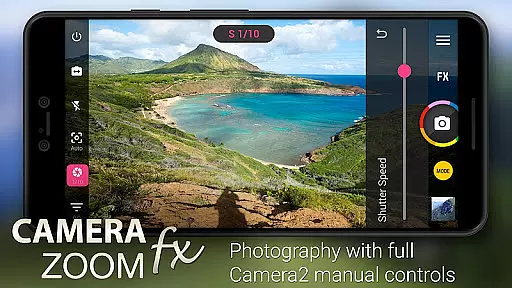
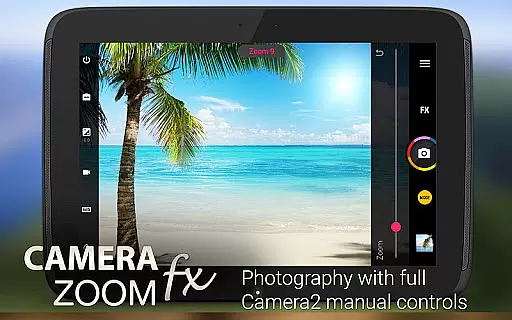
Camera ZOOM FX Premium is a feature-rich photography app that transforms your Android device into a powerful DSLR-like camera. The app offers advanced manual controls using the Camera API2, enabling users to adjust ISO, focus distance, exposure, and shutter speed. With support for RAW capture on compatible devices, it provides professional-grade image quality.
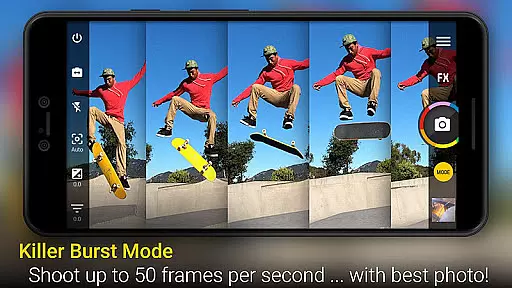
Beyond its core functionality, the app includes creative tools such as photo filters, collage creation, and photo composition guides. Whether capturing action shots or stable images, this app caters to both amateur photographers looking to enhance their mobile photography skills and professionals needing precise control over their shots.
The app's versatility makes it suitable for various scenarios, from casual everyday moments to specialized photography like time-lapse and HDR imaging. Its comprehensive feature set ensures users can achieve high-quality results while enjoying an intuitive interface designed for efficiency and ease of use.
Camera ZOOM FX Premium stands out with its extensive range of features tailored for photography enthusiasts. One of its key highlights is the full manual DSLR control, allowing users to fine-tune settings such as ISO, shutter speed, and focus distance. This level of customization empowers photographers to capture images exactly as they envision.
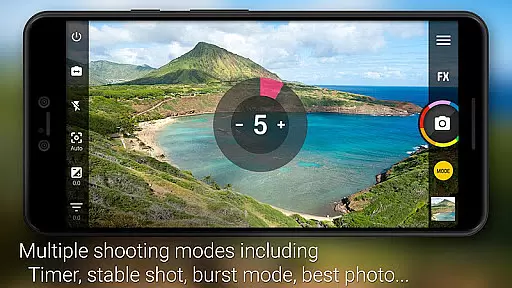
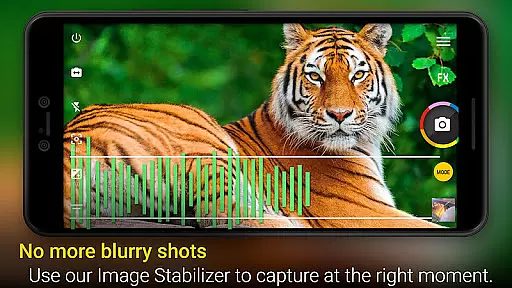
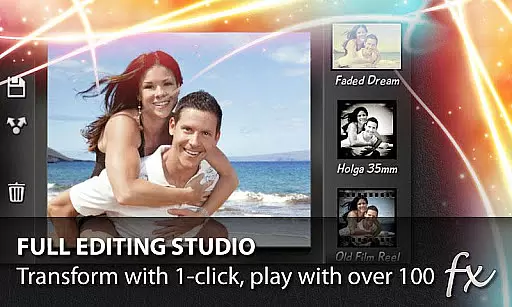
In addition to manual controls, the app supports innovative shooting modes including Stable Shot, Timer, Voice Activation, Collage Maker, Time Lapse, and HDR Mode Pro. These modes cater to different photography styles and situations, ensuring optimal performance regardless of the scenario. Users also benefit from a vast selection of photo effects, including Vignette, Retro, Holga, Bokeh, Lomo, and Hipster filters.
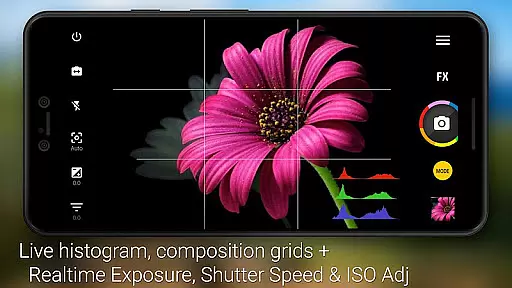
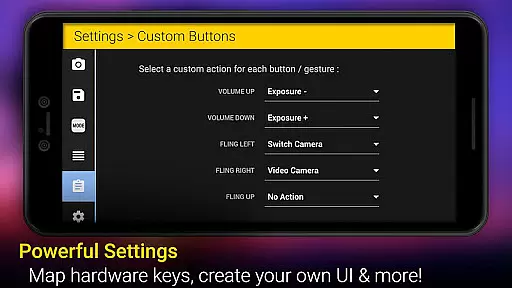
Usability enhancements include tap-to-shoot functionality, silent camera mode, grid overlays, horizon leveling, multiple flash modes, live effects, scene modes, and even a Selfie Flash. Each feature is thoughtfully integrated to maximize user convenience without compromising on quality or performance.
Real-time capture and preview functionality is essential for ensuring that users can accurately frame and adjust their shots before taking a photo. This feature allows photographers to see exactly what the camera sensor is capturing, providing them with the ability to make necessary adjustments in focus, exposure, and composition.
Camera ZOOM FX Premium offers an advanced real-time capture system that leverages the Camera2 API to deliver DSLR-like manual controls. Users can set parameters such as ISO, focus distance, and shutter speed directly from the interface, enabling precise control over the final image output. The app's implementation ensures that changes are reflected instantly in the preview window, giving users immediate feedback on their adjustments.
The benefits of this real-time functionality are numerous. Photographers can achieve better shot stability and composition by previewing the effects of different settings. Additionally, features like grid overlays and horizon leveling assist in creating balanced and professional-looking images. With these tools at their disposal, users can significantly enhance the quality of their photography.
Ultimately, the real-time capture and preview capabilities of Camera ZOOM FX Premium empower users to take full creative control over their mobile photography experience. Whether shooting action shots or composing intricate scenes, the instant feedback provided by the app ensures that every photo meets the photographer's exacting standards.
AI beauty and enhancement features have become increasingly popular in mobile photography, allowing users to improve the aesthetic quality of their photos through intelligent algorithms. These enhancements aim to beautify subjects naturally without compromising the authenticity of the original image.
With Camera ZOOM FX Premium, users can access a wide array of AI-powered effects designed to enhance portraits and landscapes alike. From skin smoothing to blemish removal, the app employs sophisticated AI techniques to ensure that edits look natural and seamless. For instance, the tilt-shift filter creates stunning miniature effects while maintaining the integrity of the scene's perspective.
The advantage of using AI for beauty and enhancement lies in its ability to analyze and modify images intelligently. By applying effects such as vignette, retro filters, or bokeh, users can transform ordinary photos into visually striking works of art. Moreover, the app's live effects allow for real-time previews of these enhancements, ensuring that the final result aligns with the user's vision.
By integrating AI beauty and enhancement tools, Camera ZOOM FX Premium not only elevates the standard of mobile photography but also democratizes access to professional-grade editing capabilities. Users can effortlessly achieve polished and aesthetically pleasing results, making every snapshot a testament to their creativity and style.
Advanced manual controls
RAW image support
Versatile shooting modes
Extensive photo effects
User-friendly interface
Premium price tag
Complex for beginners
Device compatibility issues
Occasional bugs reported
Heavy storage usage

Effortlessly organize, view and share your photos & videos with Gallery app!
 4.40
4.40
Safe & smart flight with Go Fly drone controller for 40+ drone camera, zone map
4.50
Create funny photos and videos with the popular Time Warp Scan filter.
4.90
Create AI photos & videos with Enhancer; restore, fix, beautify, enhance photos
4.50
AI Photo Editor with 100+ Filters, Effects! Remove BG, Retouch & Photo Enhancer.
4.80
Smart, light, and fast photo and video gallery
4.30
Turn photos into cartoons & avatars! - Photo Editor, Cartoon Face!
3.90
live datamoshing
4.00
Unlock the full potential of your DJI drone with Litchi
4.50
Find time and duration of different sunlight phases at any location
4.90
Photo prints, cards, & gifts at Walgreens. Easy ordering & fast local pickup !
4.80
Photo editor: AI filters, photo enhancer, pic collage maker, AI art generator.
4.80
Your personal guide to the sun and moon. Plan ahead, visualize and predict!
4.70
Unblur, enhance & restore photos with powerful AI photo enhancer tools.
4.60
Movie camera, supports pro recording settings for filming. Try it and be amazed!
4.50
Catch sunlight, sunrise sunset times and sun phases with the AR sun tracker.
4.10
Hair color changer, AI haircut app, fun hair editor and buzz cut filter for all!
3.80
Pet Camera
3.70
Over 800 film simulation recipes for Fujifilm. Black Friday Offer!
4.2


User Reviews