
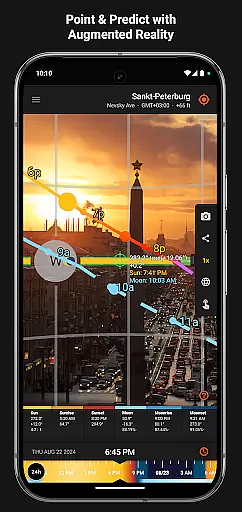
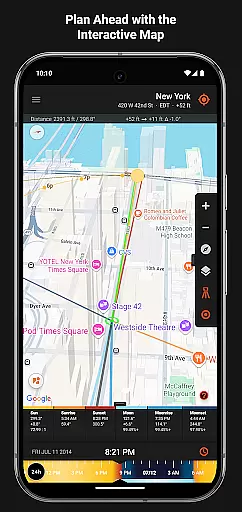
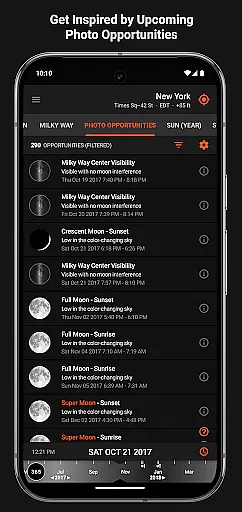
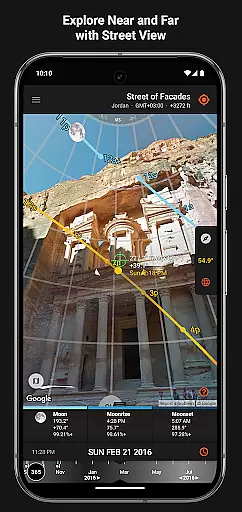

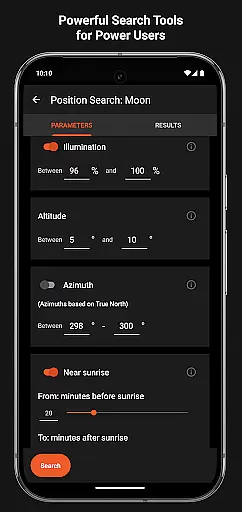
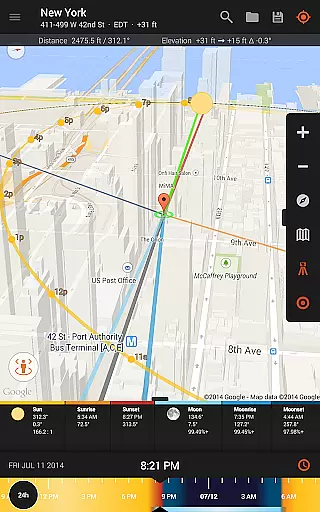
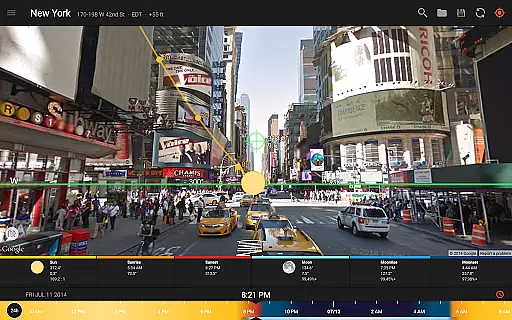
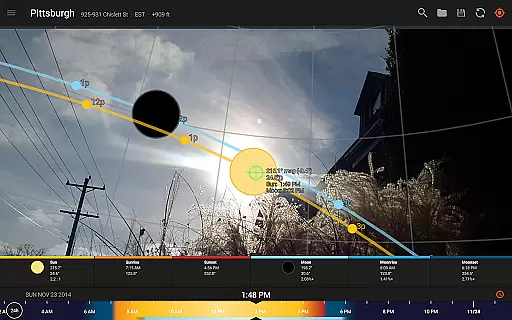
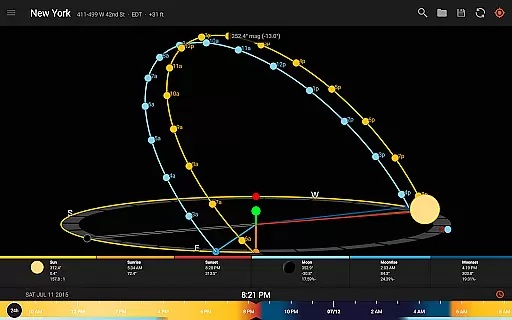
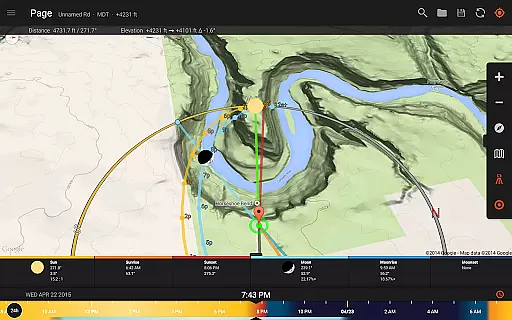
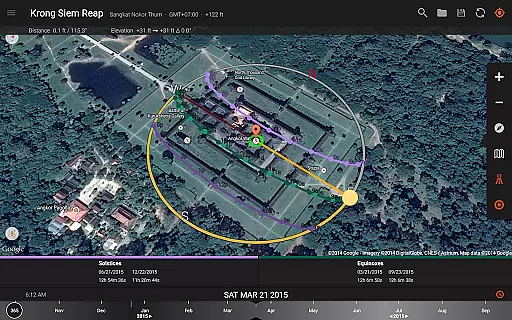
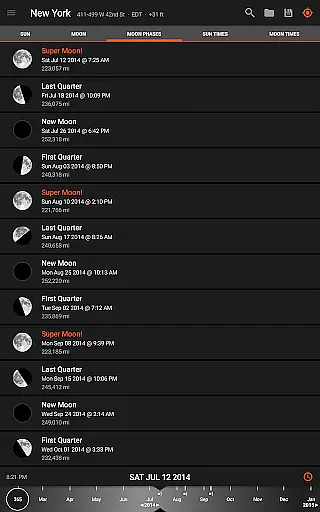
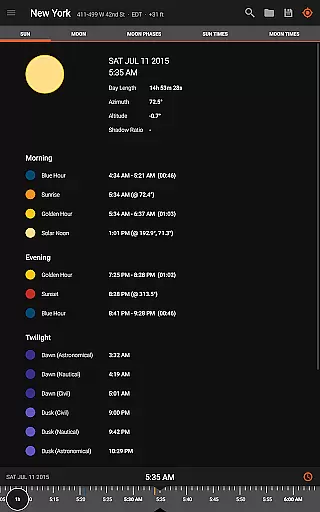
Sun Surveyor is an advanced photography planning tool that empowers users to predict and visualize the positions of the sun, moon, and Milky Way. Designed for photographers, filmmakers, and solar industry professionals, it provides precise data on sunrise, sunset, golden hour, and other critical lighting conditions. The app's augmented reality projections and interactive map allow users to scout locations and plan shoots with exceptional accuracy.
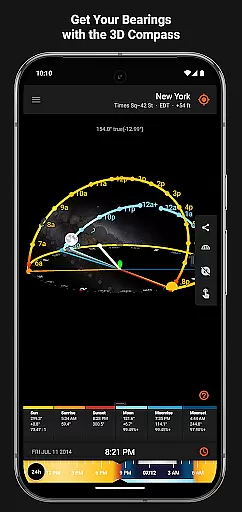
With specialized features like the 3D Compass, Photo Opportunities, and Position Search, Sun Surveyor caters to both creative and technical needs. Whether you're capturing the perfect shot or analyzing seasonal sunlight patterns, this app ensures optimal results. Its offline functionality and detailed ephemeris make it versatile for outdoor use, while its professional tools support architects, real estate agents, and gardeners in their projects.
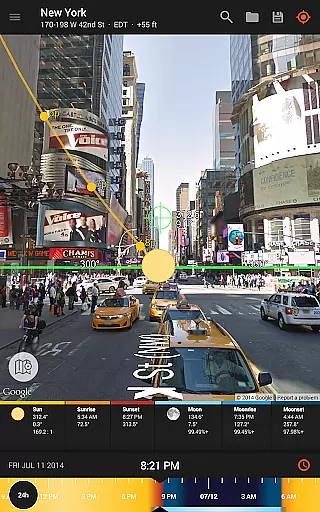
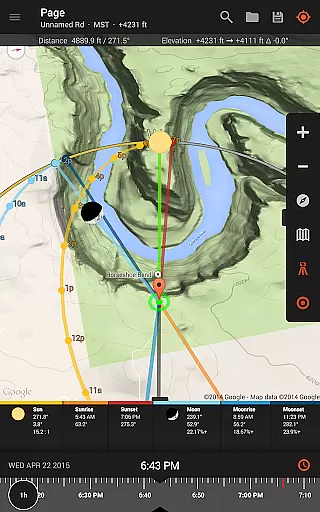
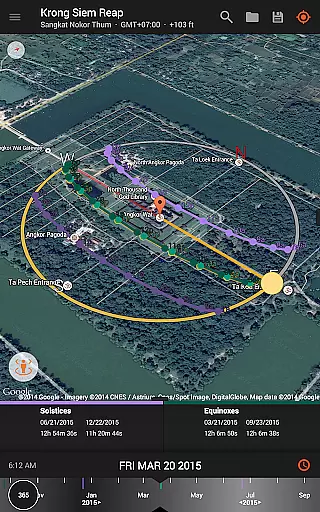
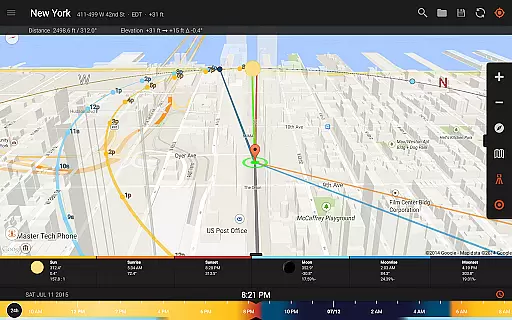
Sun Surveyor offers a comprehensive suite of features tailored for precision and creativity. The Live Camera View combines augmented reality with sun and moon path projections, enabling users to pinpoint exact celestial positions. The Interactive Map with Street View integration allows for detailed location scouting, while the Visual Time Machine helps simulate lighting conditions across different times of day.
For professionals, the app includes advanced tools such as shadow calculations, magnetic declination compensation, and widgets for quick access to sun/moon data. The Position Search feature lets users filter specific constraints for sun, moon, and Milky Way alignments, ensuring flawless compositions. With offline usage capabilities and compatibility with Google Earth files, Sun Surveyor delivers flexibility and reliability for diverse workflows.
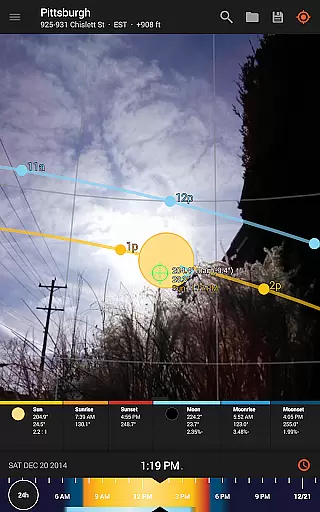
Real-time capture and preview functionality is essential for photographers and filmmakers who need to plan their shots with precision. Sun Surveyor excels in this area by offering a Live Camera View that provides augmented reality projections of the sun and moon paths.
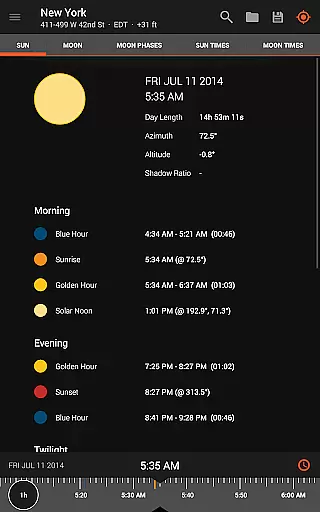
This feature allows users to pinpoint the exact time the sun or moon will be at a specific location in the sky, ensuring they never miss the perfect shot. The app's advanced algorithms take into account various celestial factors, providing accurate predictions for golden hour, blue hour, and every sunrise and sunset.
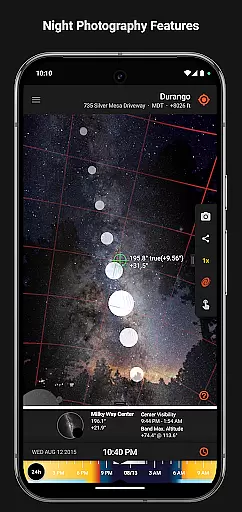
With Sun Surveyor, users can also prepare for night photography sessions by utilizing the Milky Way and star trail features. This empowers them to create stunning images of the night sky, knowing precisely when and where to point their cameras for the best results.
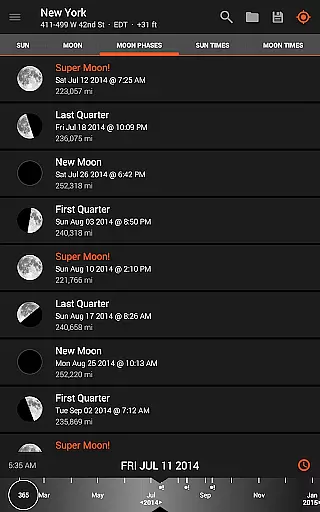
While Sun Surveyor does not focus on AI beauty enhancements typical in portrait photography apps, it offers powerful tools that enhance natural beauty through precise planning. For instance, the app's ability to show the quality and quantity of seasonal sunlight at a given location helps photographers highlight the natural aesthetics of their subjects.
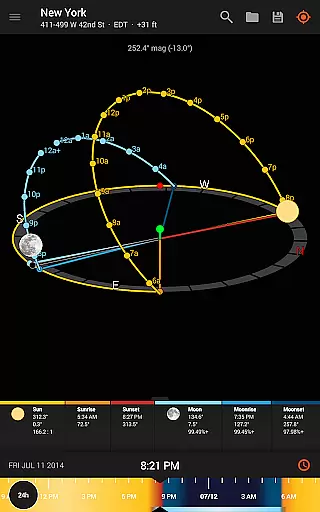
The 3D Compass and detailed Ephemeris provide a wealth of information about the sun and moon, allowing users to understand potential shade and obstructions. This ensures that photos are captured in the most flattering natural light, enhancing the subject's features without the need for digital manipulation.
Additionally, Sun Surveyor's advanced features like magnetic declination compensation and widgets for the home screen ensure that users have all the necessary tools to capture the perfect shot under any conditions, maintaining the natural beauty of the scene.
Accurate celestial tracking
Augmented reality views
Offline functionality
Interactive map tools
Professional-grade features
Compass dependency limits accuracy
Complex interface for beginners
Premium price point
Limited free version
Device compatibility issues

A collection of tools and reference tables for DPs, ACs, DITs and Operators.
 4.70
4.70
Find time and duration of different sunlight phases at any location
4.90
Cut and paste photo editor & eraser to customize photos easy and swap faces fun
4.50
Over 800 film simulation recipes for Fujifilm. Black Friday Offer!
4.0
Create AI photos & videos with Enhancer; restore, fix, beautify, enhance photos
4.50
Future baby face generator: AI kids generator, kid face! What my baby look like?
4.40
AI photo enhancer with Sora 2! Enhance, descratch, and colorize your old photos.
4.50
Easily create custom gifts, cards, photo books & more on the Shutterfly app!
4.60
Transform Photos: Edit, Beautify and Craft Memories & Make Collages!
4.10
Enhance, upscale, and transform your images — on your device, without limits
4.70
Amazing Photo Effects - The most fun you can have with your photos!
4.70
Discover & download millions of art for The Frame TV or Hisense CanvasTV
4.60
Add Watermark - Sign your pictures with a text or logo. Effective, quick, easy!
4.50
Safe & smart flight with Go Fly drone controller for 40+ drone camera, zone map
4.50
Transform photos into videos! Create realistic or anime-style images easily!
4.50
Photo editor & gallery. Crop pictures & edit photos offline, no wifi!
4.50
Trendy TikTok time warp scan funny filter app brings you unique photos & videos.
4.40
What celebrity do you look like? Celebs will find your celebrity match!
4.10
Photo Album Watch Face shows your favorite pictures as a Watchface.
1.90


User Reviews