
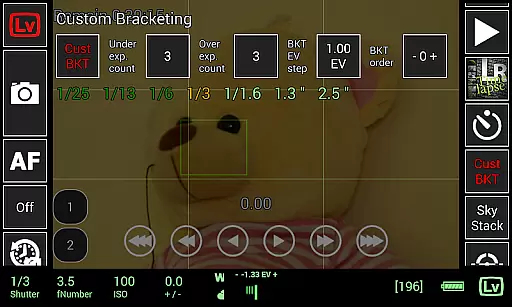
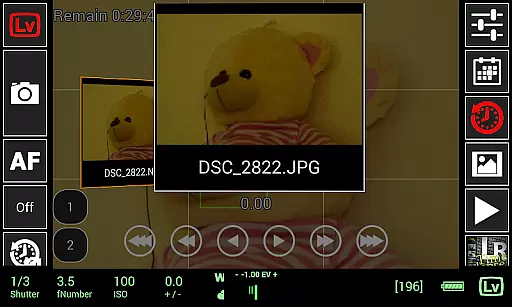
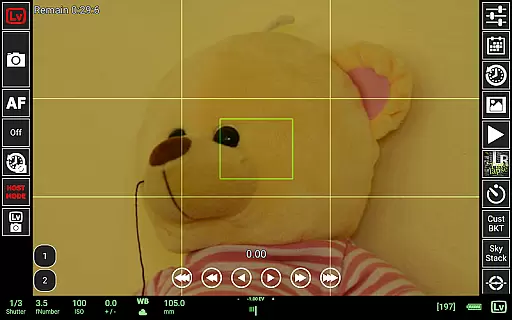
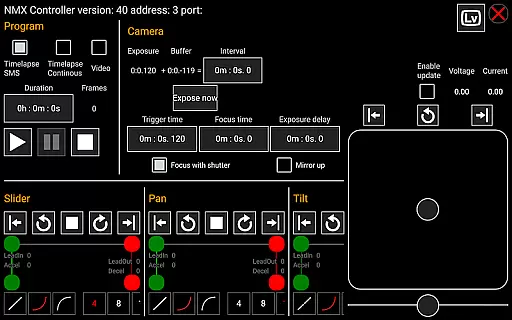
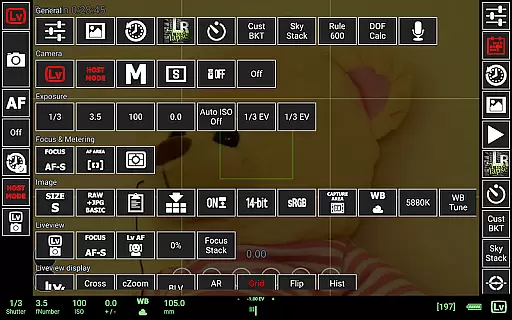
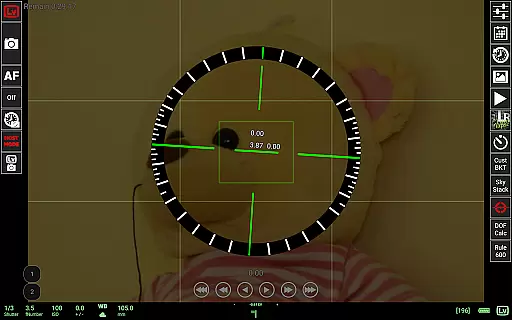
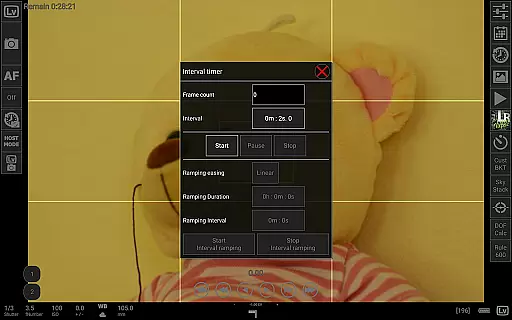
qDslrDashboard is a powerful photography application designed for DSLR camera enthusiasts. This app allows users to control Nikon, Canon DSLR, and Sony mirrorless cameras remotely from their Android devices. With the use of a USB OTG adapter and a device that supports USB host functionality, photographers can access advanced features such as remote capture, synchronized shooting, and live view with manual focus adjustments.
The app also enables connection through portable wireless routers (ddserver), allowing users to change camera settings, browse images, and transfer files directly to their mobile devices. qDslrDashboard offers professional-grade tools like time-lapse creation, custom bracketing, and focus stacking, making it an essential tool for both amateur and professional photographers seeking to enhance their workflow.
qDslrDashboard stands out with its comprehensive feature set tailored for photography professionals. The app supports multiple camera connections, enabling simultaneous control of several cameras for synchronized captures. Users can connect wirelessly via portable routers or utilize adapters like WU-1a/1b for PTP/IP connectivity.
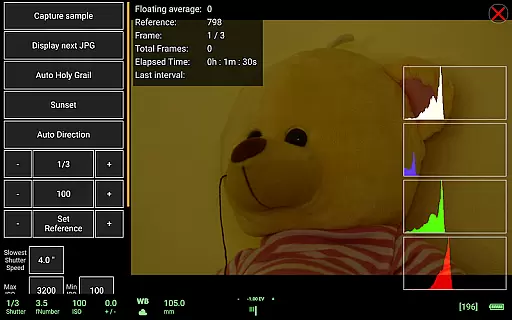
Advanced functionalities include live view with histogram analysis, movie recording initiation on compatible models, and specialized tools like DoF calculator and Rule600 calculator for astrophotography. Additionally, the app provides creative options such as sound-initiated capture with spectral display and frequency/intensity selectors. For timelapse enthusiasts, qDslrDashboard offers both simple and advanced modes with control files and integration with Arduino devices.
Real-time capture and preview functionality is essential for photographers who need precise control over their shots. qDslrDashboard offers a comprehensive solution that allows users to connect their Nikon, Canon DSLR, or Sony mirrorless camera via USB OTG adapter or wireless network.
The application enables live view with histogram display, providing real-time feedback on exposure and composition. This feature ensures that photographers can make informed decisions before capturing each shot, leading to higher quality images.
Additionally, qDslrDashboard supports synchronized capture across multiple cameras, which is particularly useful for creating 3D images or capturing fast-moving subjects from different angles simultaneously. The ability to change camera properties remotely further enhances the shooting experience.
Users benefit from the convenience of browsing and transferring images directly to their Android device, allowing for immediate review and sharing. With support for both JPG and RAW formats, photographers have the flexibility to work with high-quality files right from their mobile devices.
While qDslrDashboard does not focus on AI beauty enhancements typically found in portrait apps, it excels in delivering natural and authentic image previews. The application's strength lies in its ability to provide accurate representations of photos captured with professional-grade cameras.
Photographers using qDslrDashboard can take advantage of advanced features like manual focus movement during live view and movie recording initiation for supported models. These capabilities ensure that every detail is captured exactly as intended without artificial enhancements.
The application also includes specialized tools such as DoF calculator, Rule600 calculator, and sky stacking helper, which contribute to achieving technically perfect shots. These features help maintain the natural beauty of landscapes and astrophotography scenes without relying on post-processing effects.
Furthermore, qDslrDashboard's support for custom profiles and remote control over wireless networks empowers photographers to maintain creative control while working efficiently in various shooting environments. This approach prioritizes genuine photographic artistry over automated enhancements.
User-friendly interface
Comprehensive camera control
Advanced time-lapse features
Wireless connectivity options
Professional-grade tools
Requires USB OTG adapter
Limited to Android devices
Complex for beginners
Specific hardware requirements
Some features model-restricted

Remote control of the phone camera from your Wear OS smartwatch
 3.70
3.70
Create funny photos and videos with the popular Time Warp Scan filter.
4.90
How old age camera Gender Swap App Face Shape Hairstyle App Hair Styler App fun!
4.00
Transform photos into videos! Create realistic or anime-style images easily!
4.50
Over 800 film simulation recipes for Fujifilm. Black Friday Offer!
4.5
Automatically backup your photos and videos to computer, NAS and Cloud services
4.60
A must-have app for landscape photographers
4.60
Future baby face generator: AI kids generator, kid face! What my baby look like?
4.40
Edit photos with the picture generator: PS2 & AI Clay filters, cartoon effects.
4.50
Perfect body tune & face app - photo retouch, makeup, slim body & beautify face.
4.80
A collection of tools and reference tables for DPs, ACs, DITs and Operators.
4.70
Enhance, upscale, and transform your images — on your device, without limits
4.70
Easily create custom gifts, cards, photo books & more on the Shutterfly app!
4.60
AI photo enhancer with Sora 2! Enhance, descratch, and colorize your old photos.
4.50
Turn your phone into a professional camera - full DSLR manual photography
4.30
A light meter for true photographers.
4.20
Photo editor: face & body editor, beauty cam, filters and quality enhancer.
4.00
Photobooth mini FULL app will allow you to add more fun to your parties
4.00
Superimpose one photo on top of another using the original Superimpose app!
3.20


User Reviews