
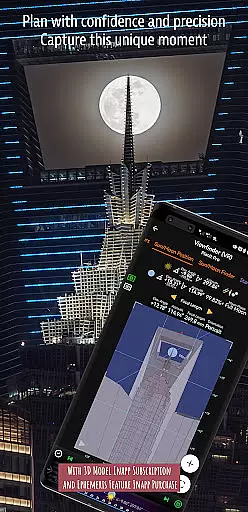
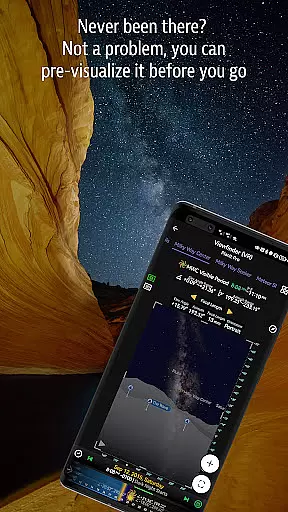
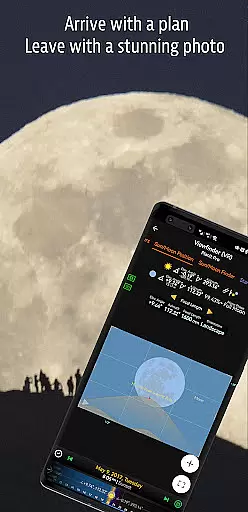
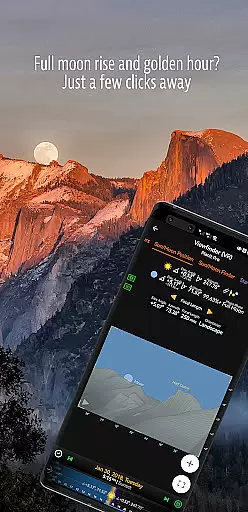
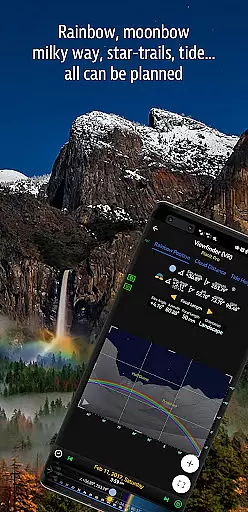

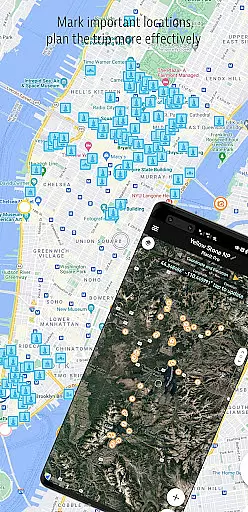
Planit Pro is an advanced photography planning tool designed specifically for landscape, travel, and nature photographers. This comprehensive app combines mapping technology with a simulated viewfinder to help users pre-visualize their shots. Key features include GPS coordinates, elevation data, sun/moon positioning, star tracking, and milky way visualization.
The application provides essential tools for both location scouting and celestial event planning. Photographers can calculate depth of field, hyperfocal distance, and plan time-lapse sequences while visualizing natural elements through various viewfinder modes including VR and AR. The app's offline capabilities make it particularly valuable for outdoor adventures where network connections might be unavailable.
With its extensive feature set, Planit Pro serves as an all-in-one solution for photographers seeking to optimize their landscape and astrophotography shoots. From basic position calculations to complex star trail planning, the app helps minimize preparation time while maximizing creative potential in the field.
Planit Pro distinguishes itself through its comprehensive suite of professional-grade features. The app's core functionality revolves around its powerful mapping system that overlays crucial photographic information including sun/moon positions, star constellations, and elevation data. Users can access detailed ephemeris information such as sunrise, sunset, moonrise, and moonset times along with their precise directions.
A standout feature is the app's ability to simulate various viewfinder modes including Virtual Reality (VR), Augmented Reality (AR), and street view perspectives. These simulation tools work in tandem with advanced calculation features like depth of field, hyperfocal distance, and exposure/ND filter calculations. The inclusion of specialized tools for tide predictions, rainbow positions, and light metering further enhances its versatility.
The application's offline capabilities represent another significant advantage. By allowing users to preload elevation files and map tiles, Planit Pro ensures full functionality even in remote locations without cellular service. This combination of sophisticated planning tools, visualization capabilities, and offline access makes it an indispensable companion for serious photographers.
Real-time capture and preview functionality is essential for photographers who need to visualize their shots before taking them. Planit Pro offers this by integrating advanced map and simulated viewfinder technologies, allowing users to pre-visualize scenes with both terrestrial subjects and celestial objects.
The app provides a comprehensive suite of tools that include GPS coordinates, elevation data, distance measurements, and clear views, all represented either as overlays on the map or visually in simulated viewfinders. This simulation mirrors what photographers would see through their camera's viewfinder, thus enabling accurate planning and preparation.
Users benefit from features such as focal length, depth of field (DoF), hyperfocal distance calculations, which are crucial for capturing the perfect shot. These capabilities ensure that photographers can prepare for their shoots meticulously, reducing the chances of unexpected issues and increasing the likelihood of obtaining superior images.
While primarily focused on landscape and astro-photography, Planit Pro also incorporates elements of AI beauty and enhancement naturalness through its sophisticated rendering of celestial bodies and terrains. The app simulates views of the sun, moon, stars, star-trails, and the Milky Way with impressive accuracy.
Planit Pro includes functionalities like sunrise, sunset, moonrise, and moonset times and directions, along with twilight periods and special hours of the day. It also predicts the positions of major stars and constellations, providing azimuth and elevation angles, which contribute to creating aesthetically pleasing compositions.
Additionally, the app supports calculations and simulations for star trail planning, time-lapse sequences, and even milky way searching. Such features not only enhance the visual appeal of photographs but do so naturally, respecting the true nature of the captured scenes, thereby offering an authentic yet enhanced photographic experience.
Comprehensive feature set
Offline functionality
Accurate celestial data
Multiple viewfinder modes
Detailed ephemeris information
Steep learning curve
Requires setup time
Premium price point
Complex interface
Resource intensive

Long exposure camera with computational photography
 2.60
2.60
Shooting photos and records video easily and efficient with professional Camera
4.30
Photobooth mini FULL app will allow you to add more fun to your parties
4.00
Be your best in every shot! Fix, edit and retouch your face in selfies & photos.
3.70
Automatically backup your photos and videos to computer, NAS and Cloud services
4.60
Transform Photos: Edit, Beautify and Craft Memories & Make Collages!
4.10
A light meter for true photographers.
4.20
Enhance, upscale, and transform your images — on your device, without limits
4.70
Your Family Calendar + Photos. Manage your Skylight Calendar and Skylight Frame.
4.40
Gallery show photo, video, slideshow, is perfect 3D effect private photo albums.
4.80
Perfect body tune & face app - photo retouch, makeup, slim body & beautify face.
4.80
Easily view, share, delete photos with Gallery.
4.70
Your personal guide to the sun and moon. Plan ahead, visualize and predict!
4.70
Enhance, retouch & create your story - Share the moment with Photoshop Express.
4.60
PhotoSync Bundle Add-On License. Enables all features and services in PhotoSync.
4.60
Create & Edit with AI: AI Remove, Enhance, Retouch, Filter
4.10
How old age camera Gender Swap App Face Shape Hairstyle App Hair Styler App fun!
4.00
Turn photos into cartoons & avatars! - Photo Editor, Cartoon Face!
3.90
An interval timer to automate photo taking process for timelapse
2.90


User Reviews