

Intervalometer for TimeLapse is a powerful photography tool designed to automate the process of capturing time-lapse sequences. This app allows photographers to configure specific time intervals for triggering the camera shutter, enabling precise control over exposure settings and supporting RAW format capture. Unlike standard time-lapse modes found in most smartphones, Intervalometer works seamlessly with various camera modes across different applications.
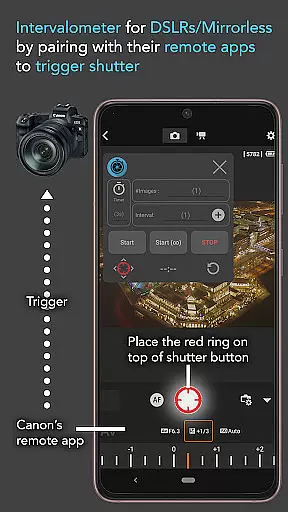
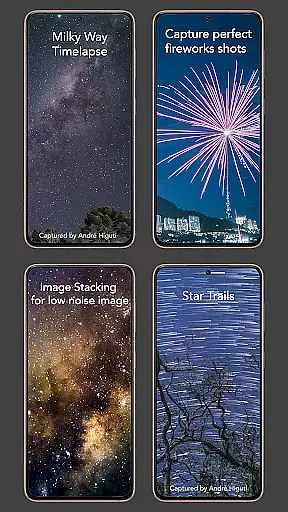
The app's versatility extends to working with dedicated camera remote apps from leading brands like Canon, Sony, and Nikon, effectively turning your smartphone into a sophisticated intervalometer device. It supports multiple specialized time-lapse techniques including low light, long exposure, HDR, and astrophotography scenarios such as Milky Way or Star Trails captures. Additionally, it facilitates advanced photography methods like image stacking for improved image quality.
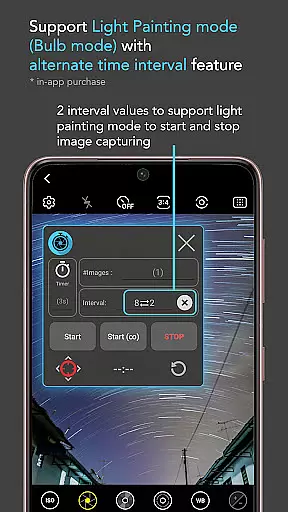
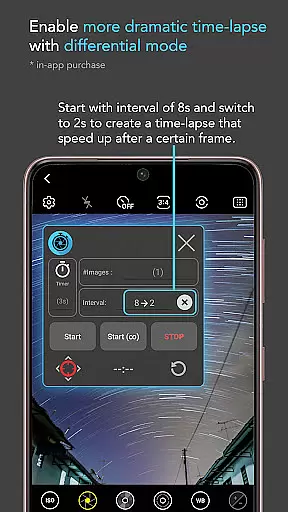
What sets Intervalometer apart is its comprehensive set of features tailored for professional time-lapse creation. The app provides full control over crucial time-lapse parameters including delay timer, interval duration, and number of shots. Its infinite mode allows for continuous shooting until manually stopped, while bulb mode enables extended exposure times for specialized photography techniques.
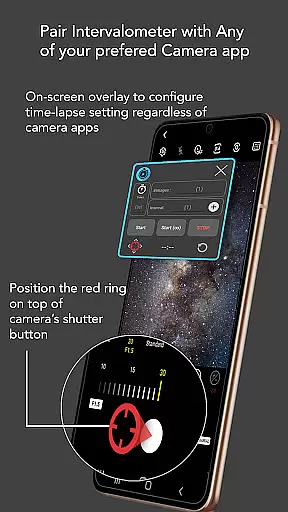
A key innovation is its compatibility with any camera application through customizable shutter button positioning. This flexibility ensures that users can maintain their preferred camera interface while benefiting from Intervalometer's automation capabilities. The app utilizes Android's AccessibilityService API to reliably trigger shutter actions across different devices and camera configurations, making it an indispensable tool for both amateur and professional photographers seeking consistent and high-quality time-lapse results.
Real-time capture and preview functionality is essential for photographers who need precise control over their time-lapse sequences. Intervalometer for TimeLapse offers this by integrating seamlessly with any camera app, allowing users to configure and trigger the shutter at specific intervals.
This app uses AccessibilityService API to automate the camera shutter process on Android devices, functioning as a virtual intervalometer. It supports various camera modes including light-painting, HDR, night mode, and more, providing flexibility in capturing different types of time-lapse images.
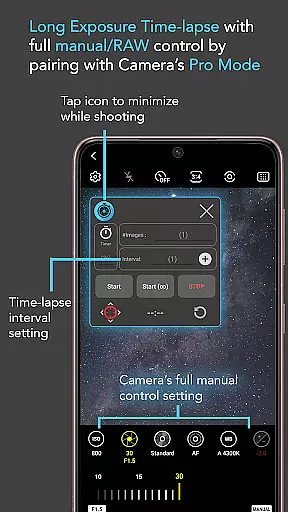
Users benefit from the ability to set custom exposure settings and use RAW formats, which are not typically available in standard time-lapse modes. This ensures that each frame captured is optimized for post-processing, resulting in higher quality time-lapse videos.
While Intervalometer for TimeLapse does not focus on AI beauty enhancements, it excels in delivering natural and authentic captures through its precise control features. The app allows photographers to create stunning time-lapses without artificial enhancements, focusing instead on genuine photographic techniques.
With options like bulb mode and infinite mode, users can experiment with long exposure shots and extended time-lapse sequences. These features ensure that the final output remains true to the original scene, preserving the natural beauty of the environment being captured.
The app's versatility extends to supporting dedicated camera remote apps from brands like Canon, Sony, and Nikon. This compatibility enables professional photographers to use Intervalometer as an actual intervalometer for their high-end cameras, ensuring consistent and reliable performance across different equipment.
User-friendly interface
Wide camera compatibility
Advanced time-lapse options
Precise control settings
Professional-grade results
Requires careful configuration
Device-specific issues
Learning curve for beginners
Limited free features
Occasional touch input problems

How would you look like with a differently shaped nose, chin or lips?
 3.90
3.90
Professional video recording application with manual controls for filmmakers!
2.80
Application for remote controlling DSLR
3.00
Create & Edit with AI: AI Remove, Enhance, Retouch, Filter
4.10
Take videos and pictures with the popular TikTok TIME WARP SCAN filter.
4.60
Cartoon and artistic effects for your photos and videos
4.70
Transform Photos: Edit, Beautify and Craft Memories & Make Collages!
4.10
Pro version: AR sun/moon tracker for any date. Tool for photographers & planners
4.90
PhotoSync Bundle Add-On License. Enables all features and services in PhotoSync.
4.60
Android Native system HD camera app. Never been so simple and faster.
4.70
Enhance, upscale, and transform your images — on your device, without limits
4.70
Light-weight Media Gallery app for Android made with Jetpack Compose
4.60
Create collages easily! Nice pic collage maker & background eraser for Instagram
4.50
Create Business Headshots, Polaroid Filter, Retake Photos,Profile Pics,AI Photos
4.50
HD Camera Pro with HD Video shooting, Panorama, Photo editor , Beauty Camera.
4.50
Easily stitch panoramas from multiple photos or video.
4.40
AI-powered video creator by MiniMax - Where ideas meet cinema
4.20
Pet Camera
3.70
HD Photo gallery and photo manager to edit, hide private photos, videos & albums
4.4


User Reviews