
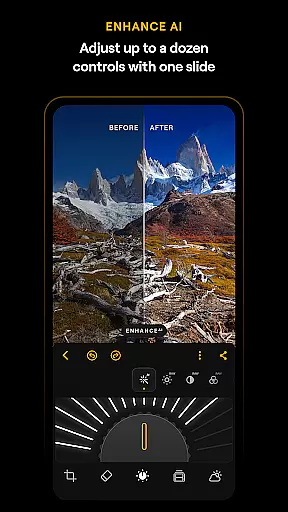
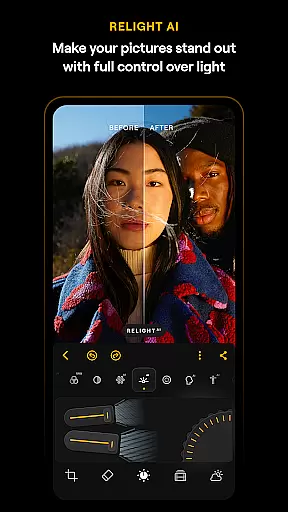
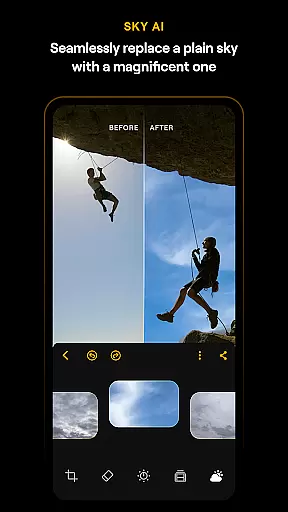
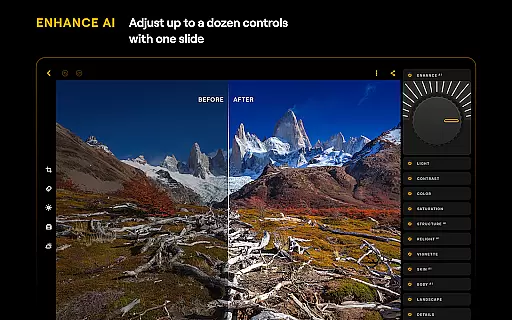
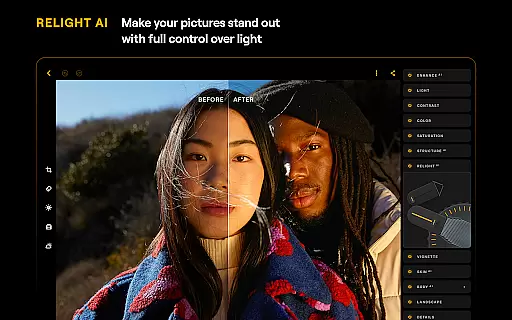
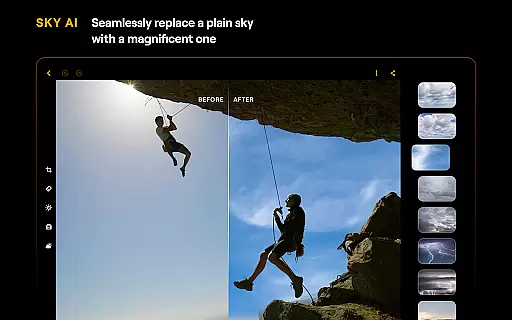
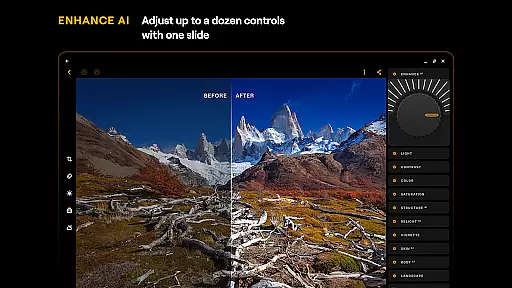
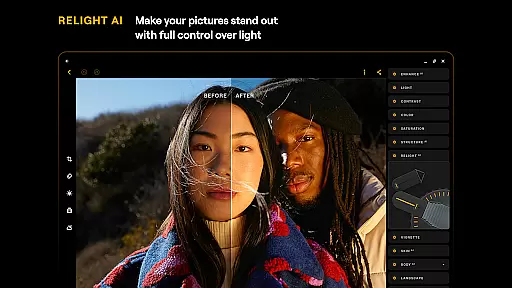
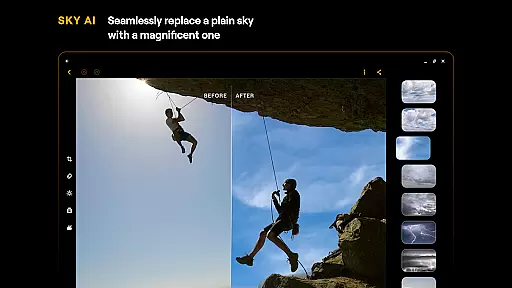
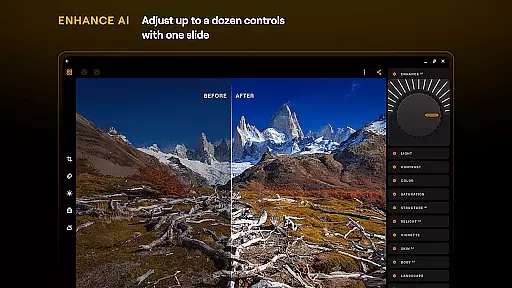
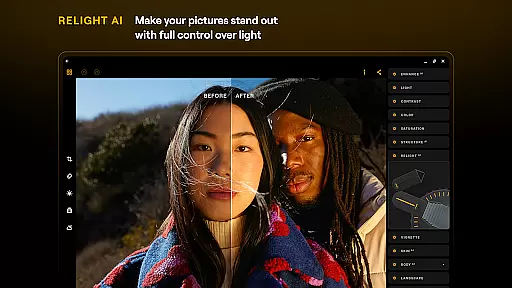
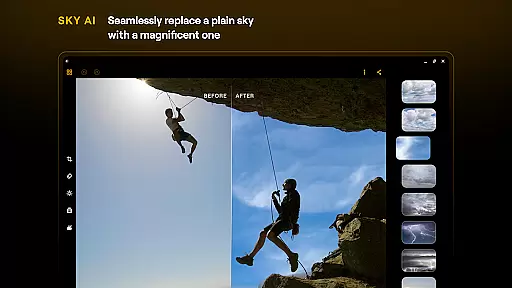
Luminar: Photo Editor is a comprehensive mobile photo editing solution designed for both Android and ChromeOS users. This application combines powerful AI-driven tools with an intuitive, gesture-based interface that makes photo editing accessible to everyone. The app's standout feature is its collection of AI-powered enhancements, including SkyAI for sky replacement, EnhanceAI for quick quality adjustments, StructureAI for detail enhancement, RelightAI for lighting control, SkinAI for skin retouching, and BodyAI for realistic body shaping.
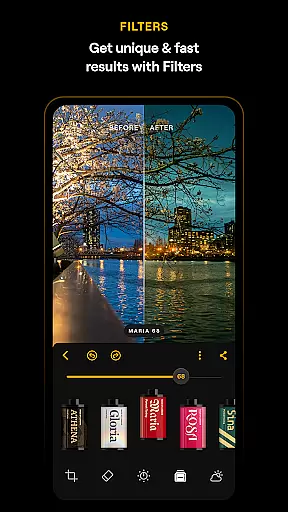
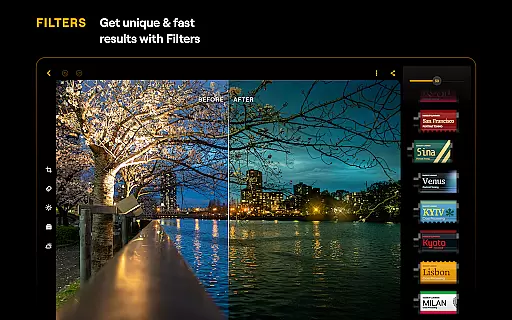
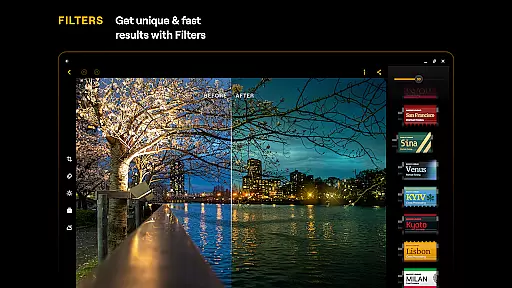
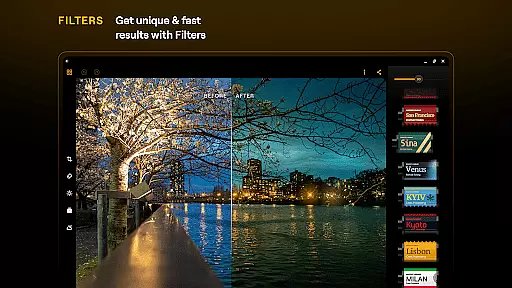
Beyond its AI capabilities, Luminar offers professional-grade manual editing tools like Curves for color adjustments, Details for clarity enhancement, Crop for composition control, and specialized filters for landscape and monochrome photography. The app supports RAW file editing, ensuring maximum image quality and flexibility. Its seamless integration with Android devices running version 11 or later, as well as ChromeOS systems, makes it an ideal choice for photographers seeking professional-level editing capabilities on their mobile devices.
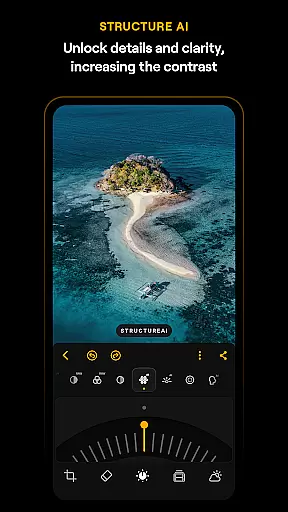
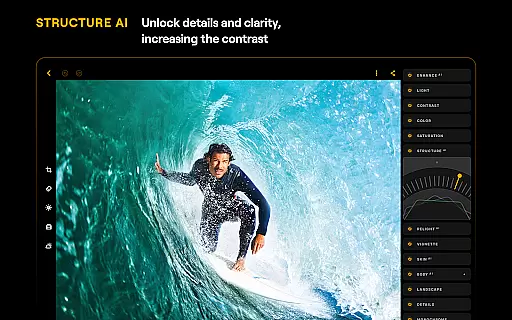
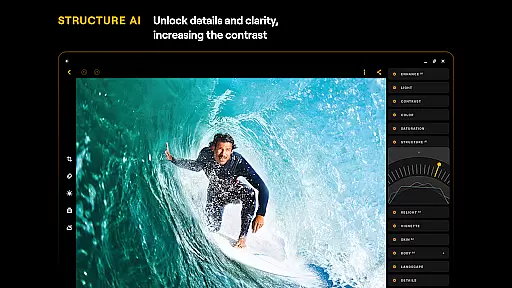
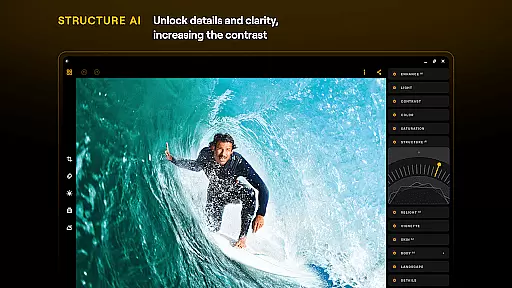
Luminar: Photo Editor distinguishes itself through its innovative combination of AI-powered tools and traditional editing features. The application's AI suite includes six dedicated modules that address common photo editing challenges. SkyAI enables users to replace skies with more dramatic alternatives, while EnhanceAI provides one-touch optimization of color, tone, and clarity. StructureAI helps reveal hidden details in images, and RelightAI gives users precise control over lighting conditions. For portrait photography, SkinAI automatically smooths skin textures, and BodyAI allows for natural-looking body shaping adjustments.
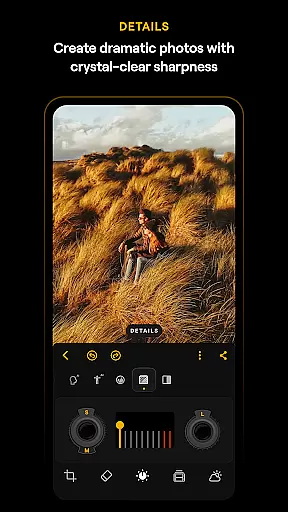
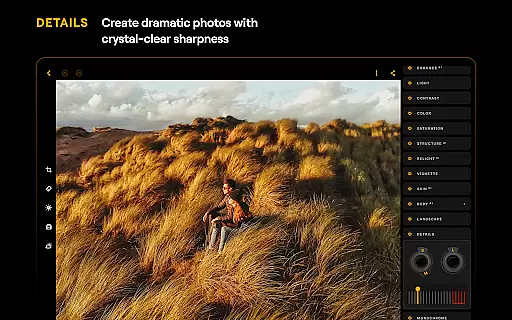
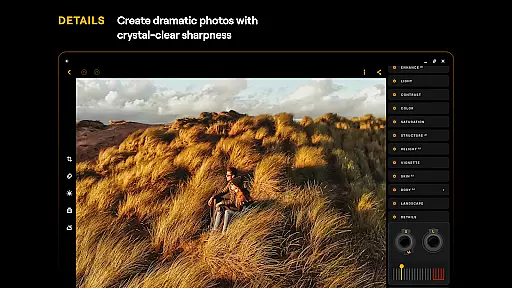
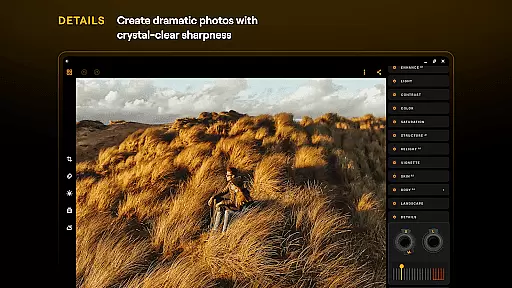
In addition to its AI capabilities, Luminar offers a complete set of manual editing tools. The Curves tool provides precise control over color grading, while the Details module enhances image sharpness. Photographers can perfect their compositions using the Crop tool, which includes alignment guides and rotation controls. Specialized filters for landscape photography help enhance natural elements, and the Monochrome tool creates compelling black-and-white conversions. The Erase function simplifies object removal, and the RAW support ensures professional-quality editing directly on mobile devices.
Real-time capture and preview functionality is essential for ensuring that photographers can accurately frame and adjust their shots on the go. Luminar: Photo Editor offers a seamless experience by providing users with an interactive interface that responds to touch, allowing for intuitive photo adjustments.
The application's design incorporates smoothly gliding sliders and spinning dials that react realistically to user input, offering motion and sound feedback. This tactile responsiveness ensures that users have precise control over their edits, making the process both engaging and efficient.
With Luminar's real-time capabilities, users can see the effects of their adjustments instantly, which helps in making informed decisions about composition, lighting, and color. This immediate visual feedback empowers photographers to achieve their desired results without the need for complex post-processing.
Ultimately, the real-time capture and preview feature in Luminar enhances the creative workflow by reducing the learning curve and allowing users to focus more on their artistic vision rather than technical details. This makes it an invaluable tool for both amateur and professional photographers seeking to elevate their mobile editing experience.
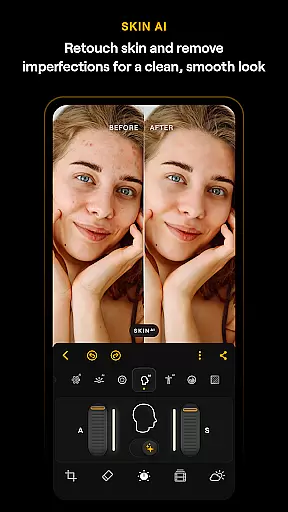
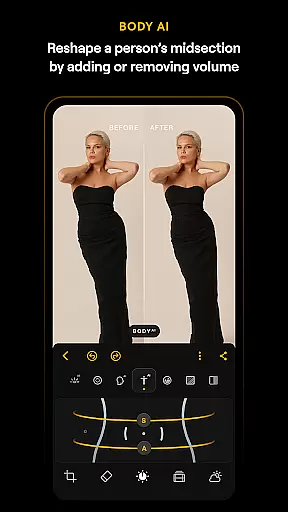
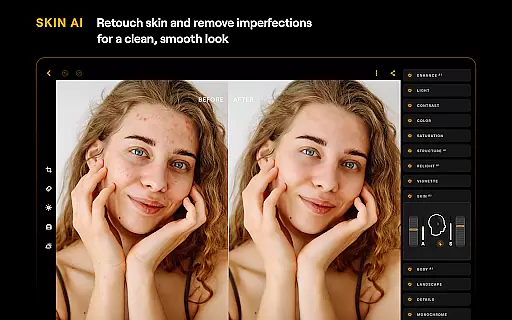
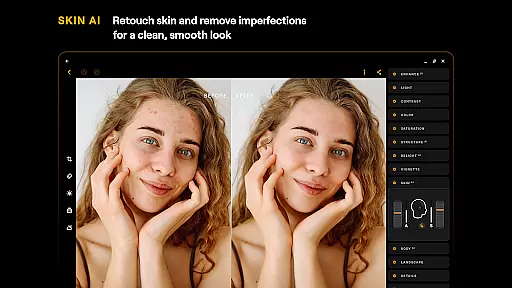
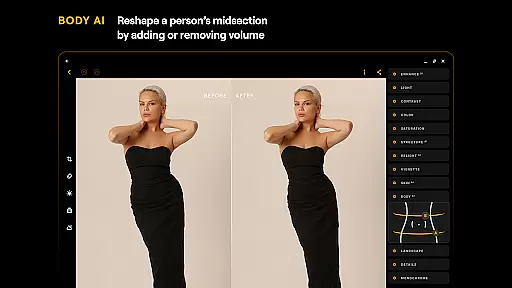
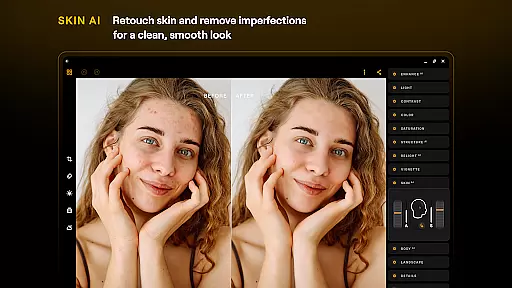
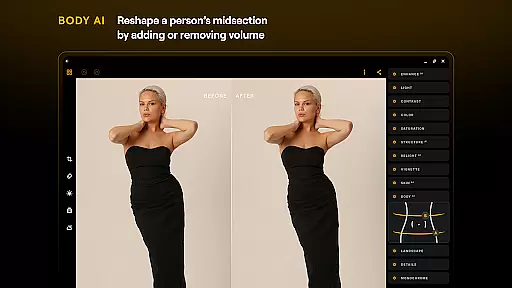
AI-driven beauty and enhancement tools are revolutionizing the way we approach photo retouching by offering natural-looking results without manual intervention. Luminar: Photo Editor leverages advanced AI technologies like SkinAI and BodyAI to automatically retouch skin, remove imperfections, and adjust body shapes in a realistic manner.
These smart enhancements allow users to achieve professional-grade edits with minimal effort. For instance, SkinAI focuses on creating clean and smooth skin textures while preserving natural features, ensuring that subjects look their best without appearing overly processed or artificial.
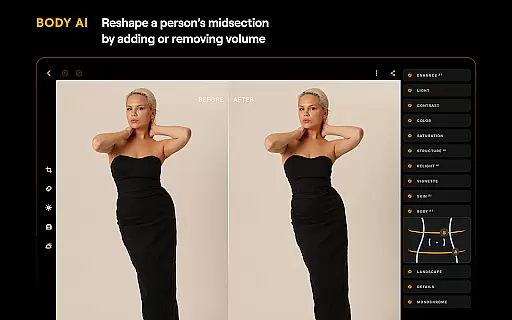
Similarly, BodyAI provides the ability to shape a subjectu2019s midsection by adding or removing volume in a way that maintains realism. These AI-powered tools work harmoniously to deliver striking yet believable enhancements, giving users the confidence to share their edited photos with authenticity intact.
By integrating these sophisticated AI capabilities, Luminar not only simplifies the editing process but also raises the standard for what users expect from mobile photo editors. The result is an enhanced photography experience where creativity meets technological innovation, producing images that truly stand out.
Powerful AI tools
Intuitive touch interface
RAW file support
Comprehensive editing suite
Cross-platform compatibility
Paid subscription model
Advanced features locked
Resource-intensive operation
Steep learning curve
Auto-renewal policy

Long exposure camera with computational photography
 2.60
2.60
HD Photo gallery and photo manager to edit, hide private photos, videos & albums
4.0
Application for remote controlling DSLR
3.00
Viewfinder, Light meter, Reciprocity failure time, DOF & Bellows Extension
4.60
Create & Edit with AI: AI Remove, Enhance, Retouch, Filter
4.10
Turn your phone into a professional camera - full DSLR manual photography
4.30
A reflected light meter with spot metering and incident light metering.
4.40
Future baby face generator: AI kids generator, kid face! What my baby look like?
4.40
Easily create custom gifts, cards, photo books & more on the Shutterfly app!
4.60
Android Native system HD camera app. Never been so simple and faster.
4.70
Your personal guide to the sun and moon. Plan ahead, visualize and predict!
4.70
Enhance, upscale, and transform your images — on your device, without limits
4.70
PhotoSync Bundle Add-On License. Enables all features and services in PhotoSync.
4.60
Add Watermark - Sign your pictures with a text or logo. Effective, quick, easy!
4.50
Cut and paste photo editor & eraser to customize photos easy and swap faces fun
4.50
Fit multiple photos on one post. Create carousels & scroll layouts for Instagram
4.50
Use AI Video Generator to turn your words to ai generated videos.
4.50
Catch sunlight, sunrise sunset times and sun phases with the AR sun tracker.
4.10
Remote control the phone camera shutter from your smartwatch and take a picture
1.60


User Reviews