
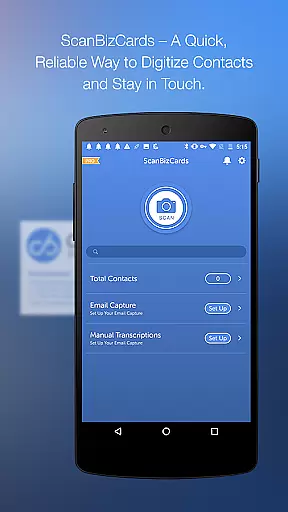
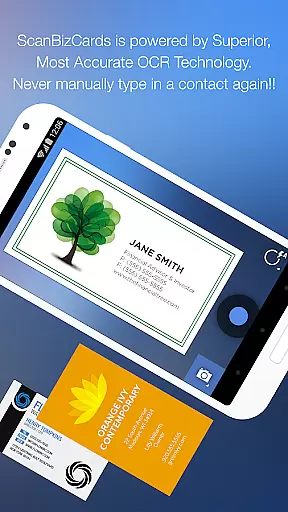
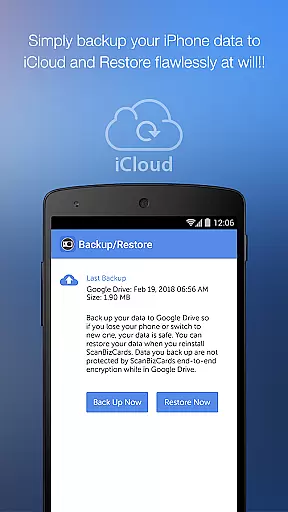
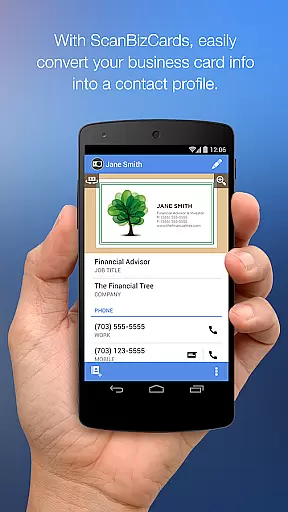
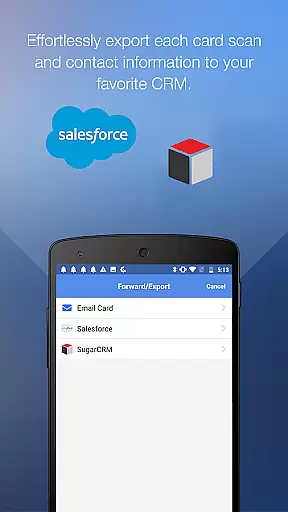
ScanBizCards Premium is a versatile business card management solution designed for professionals who need to efficiently organize and utilize their contact network. The app allows users to scan business cards directly using their phone's camera, with an option for 100%-accurate human transcription. It supports batch scanning, enabling users to process multiple cards quickly, and offers direct integration with major CRM platforms like Salesforce and SugarCRM.
The app stands out with its advanced features such as email signature capture, which automatically extracts contact information from incoming emails and adds them to the user's address book or exports them to their CRM. With support for 22 languages and capabilities like scanning conference badges, ScanBizCards is particularly useful for sales professionals and frequent conference attendees who need to manage large volumes of contacts efficiently.
This business card app provides significant value by streamlining contact management, saving time, and ensuring that critical business connections are always accessible. Its ability to sync trade show leads directly to CRM systems makes it an indispensable tool for modern sales teams.
ScanBizCards Premium offers a comprehensive set of features that cater to various aspects of contact management. One of its standout capabilities is the dual scanning option - users can either scan cards instantly using the app's OCR technology or opt for human transcription services that guarantee 100% accuracy. This flexibility ensures that even poorly printed or complex cards can be captured perfectly.
The app's integration with email clients like Gmail and Outlook enables automatic contact updates through email signature capture. Users can connect their email accounts to automatically find and save new contacts or update existing ones directly from email signatures. Additionally, the unlimited card export feature to Salesforce CRM ensures that sales professionals can keep their CRM databases up-to-date without any restrictions.
Other notable features include batch scanning capabilities, double-sided card scanning, and a 3D gallery view mode for easy navigation. The app also supports creating personal notes for each card, organizing contacts in custom folders, and searching through extensive card collections. These features collectively provide users with a powerful toolset for managing their professional network effectively.
ScanBizCards Premium revolutionizes collaborative work by integrating advanced CRM connectivity options. The app allows seamless synchronization with major platforms like Salesforce and SugarCRM, ensuring teams can effortlessly share contact information.
One of the standout collaborative features is the ability to export scanned business cards directly to CRM systems. With the premium version, users can export up to seven cards per month to Salesforce, while US users enjoy unlimited exports when they connect their email for signature capture.
The app also supports batch scanning, enabling users to process multiple business cards quickly. This feature significantly enhances team productivity during conferences and trade shows, where numerous contacts are made. Within 30 seconds, these new contacts can be converted into leads in the CRM system.
Furthermore, the app's email signature capture functionality automatically finds and updates contacts from incoming emails. This ensures that all team members have access to the most current contact information, streamlining the collaborative workflow and keeping everyone on the same page.
Effective task management is crucial for sales professionals, and ScanBizCards Premium excels in this area. The app provides a systematic approach to managing business contacts through its four-step process: snapping, scanning, reviewing, and adding to the address book.
Users can organize their contacts using custom folder names, making it easy to categorize and retrieve specific business cards. The app also allows creating personal notes for each card, which is invaluable for remembering important details about contacts or interactions.
Another key task management feature is the ability to search the entire card collection. This saves valuable time when looking for specific contacts among hundreds of saved business cards. Additionally, the 3D gallery view mode offers an intuitive way to browse through stored contacts.
The app's capability to handle double-sided business cards and support 22 different languages demonstrates its comprehensive approach to task management. These features ensure that no important information is missed, regardless of the card's complexity or language used.
Accurate scanning
Batch processing
CRM integration
Email signature capture
Multilingual support
Premium cost
Internet required
Storage limitations
Learning curve
Occasional bugs

Completed Course Lectures on how to use IBM Maximo in Maintenance issues
 4.2
4.2
Drive and earn extra money
4.50
Recover what matters — quickly and easily.
4.70
All document reader, pdf viewer app, read docs & excel files
3.80
Deliver and earn money
4.30
We are a dynamic team of creatives people of design, marketing, web & apps
3.00
Access All PDF Files
3.40
Roadie connects people with stuff to send with drivers already going that way.
3.50
On the go? Take FedEx with you.
4.00
Employee Management Made Easy
4.80
TurboScan turns your phone into a full-featured PDF document scanner.
4.80 4.70
4.70
Ask Accio anything about business. Alibaba-backed, built by experts, not just AI
4.60
ADP Mobile Solutions is an employee self service app
4.50
The revolutionary flexible staffing platform
4.40
All Your Gig Work. One App.
4.30
FX Plus adds media, networking, and cloud capabilities to FX File Explorer.
4.10
The Penny Puss app with DG penny finder
4.10
Find flexible, hourly jobs hiring near you in restaurant, retail & hospitality!
4.00


User Reviews