
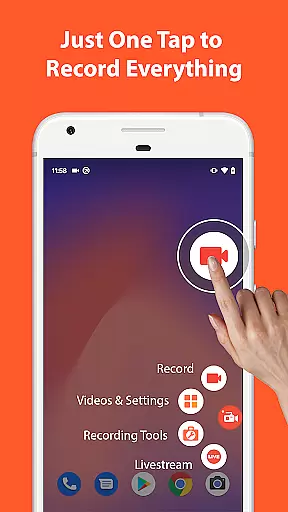

AZ Screen Recorder is a versatile screen recording application that allows users to capture high-quality screen videos with audio. The app offers multiple functionalities including screen recording, video editing, live streaming, and image editing. It stands out for its user-friendly interface and professional-grade features such as internal audio recording, facecam support, and customizable video resolutions.
Designed for both casual and professional use, AZ Screen Recorder caters to gamers, content creators, and business professionals alike. Whether you're recording gameplay, capturing video calls, or creating tutorials, this app provides the tools necessary to produce polished and professional-looking videos. Its ability to record without watermarks or time limits makes it an ideal choice for those seeking a reliable screen recorder.
AZ Screen Recorder boasts an impressive array of features tailored to enhance the screen recording experience. One of its standout capabilities is the multi-functional screen recording tool, which supports various recording options like audio from the microphone, internal audio, and even facecam integration. Users can also pause and resume recordings, draw on the screen during capture, and transfer files via WiFi.
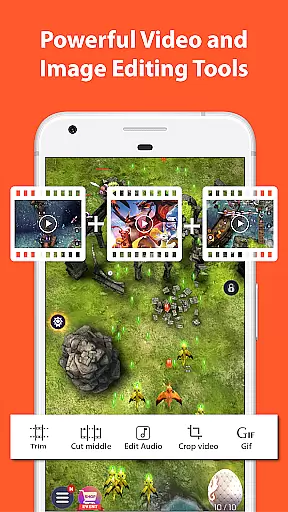
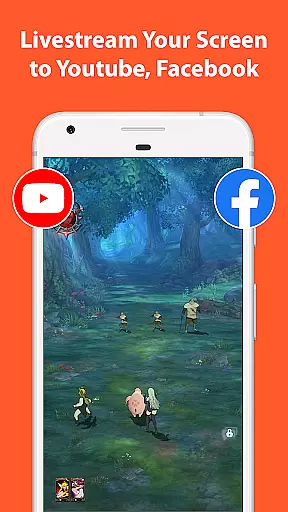
In addition to screen recording, the app includes a robust video editor that allows trimming, merging, adding subtitles, and compressing videos. The built-in image editor lets users stitch images, crop, blur, and annotate screenshots. Furthermore, the live streaming feature enables broadcasting directly to platforms like YouTube and Facebook, making it a comprehensive solution for content creation and sharing.
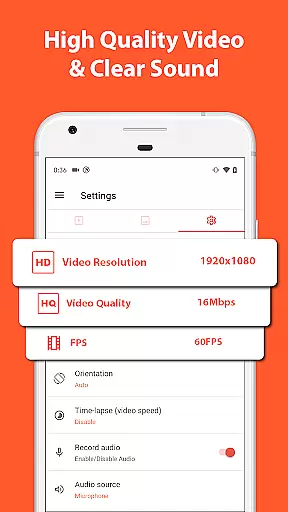
One of the standout features of Screen Recorder - AZ Recorder is its extensive video format compatibility, ensuring that users can record and edit videos in a variety of resolutions and frame rates. This includes support for HD, FullHD, 2K, and even 4K video recording, although 4K capabilities may be limited to specific devices and users.
The app's versatility extends to its ability to handle different frame rates, offering options such as 24fps, 30fps, and 60fps. This flexibility allows content creators to choose the best settings for their specific needs, whether they're capturing fast-paced gameplay or creating high-quality video tutorials.
In addition to recording, the built-in video editor enhances the user experience by allowing seamless editing of captured videos. Users can trim clips, merge multiple recordings, add background music, insert subtitles, and more. These features ensure that regardless of the original format, users can produce professional-looking content ready for sharing across various platforms.
By supporting a wide range of video formats and providing robust editing tools, Screen Recorder - AZ Recorder empowers users to create, edit, and share their videos without worrying about compatibility issues, making it an essential tool for anyone looking to produce high-quality video content on their Android device.
Screen Recorder - AZ Recorder incorporates AI-powered editing features that significantly enhance the post-production process. The app leverages artificial intelligence to streamline tasks such as trimming videos, removing unwanted sections, and merging clips, which traditionally require manual effort and precision.
Among its intelligent features, the app offers automated options for adding background music and subtitles, ensuring that these elements are synchronized perfectly with the video content. This not only saves time but also improves the overall quality of the output, making it more engaging and professional.
Furthermore, the AI-driven tools extend to image editing, where users can stitch together multiple screenshots, crop images, and apply blurring effects to sensitive areas. The ability to add text and emojis directly onto images adds another layer of customization, enabling users to create visually compelling content tailored to their audience.
These AI-powered capabilities make Screen Recorder - AZ Recorder a powerful ally for content creators who seek efficiency and quality in their video and image editing processes. By automating complex tasks and offering intuitive controls, the app ensures that even novice users can achieve impressive results, enhancing both productivity and creativity.
User-friendly interface
High-quality video output
No watermark on recordings
Flexible recording options
Comprehensive editing tools
Advanced features require upgrade
4K recording limited to specific devices
Occasional performance issues
Ads in free version
Complex for beginners

Kodi media center, a free and open source cross-platform entertainment hub
 3.60
3.60
Connect 2 UVC devices for recording and broadcast video/audio stream
3.90
HD video & music player - All format support with floating & PIP mode!
3.80
Watch full episodes of your favorite Cartoon Network and Cartoonito shows!
3.50
Search & download videos from net with all video downloader, auto-detect & safe.
4.60
All format media Player, no need video converter any more!
4.00
Live TV, anywhere in your home
3.80
Manage your IPTV live channels and VOD playlists (no playlist included)
3.80
Video player with 4K & 1080P support, popup play, background play and subtitle.
4.20
Tik & Story Saver-Download ALL social media videos, photos & reels no watermark.
4.80
?100% FREE! Download & save videos? safely in this app. All formats supported.
4.60
VLC Remote lets you control your VLC Media Player on Mac, PC or Linux.
4.60
IPTV Loader, loads your own Playlist. DOES NOT CONTAIN ANY LIST OR CHANNELS
4.60
Video Downloader, Multiple Resolution Options, Video Player
4.50
Video player, file manager for all formats, 4K/HD media player supports subtitle
4.30
IPTV-Smarters Player Pro M3U - Watch Live Stream TV Channels with Chromecast
4.00
Online Videos Player
3.90
AirMirror is Receiver for Screen Mirroring and Casting from Apple Devices.
3.60
Powerful HD video player with support for all formats & subtitles.
4.0


User Reviews